AppMgr Pro III (App 2 SD) icon

Phone

AppMgr Pro III (App 2 SD)

Tools AZSoft Technology Inc. ⭐ 4.70 100,000+
Version 6.11 4.6 MB Everyone

Screenshots

AppMgr Pro III (App 2 SD) screenshot
Permissions Explained 12 permissions requested View details

This app requests 12 permissions. The table below explains what each permission may allow and what users should review before installing.

Status Permission What it means Why it may be used User safety note
ℹ️ Review Vending Check License com.android.vending.CHECK_LICENSE This is an Android permission or app-specific permission requested by the app. The app may use this permission for features related to its category, device support, background behavior, storage, connectivity, or system integration. Review this permission before installing, especially if it does not match the app’s expected purpose.
ℹ️ Review Get Package Size android.permission.GET_PACKAGE_SIZE This is an Android permission or app-specific permission requested by the app. The app may use this permission for features related to its category, device support, background behavior, storage, connectivity, or system integration. Review this permission before installing, especially if it does not match the app’s expected purpose.
ℹ️ Review Clear App Cache android.permission.CLEAR_APP_CACHE This is an Android permission or app-specific permission requested by the app. The app may use this permission for features related to its category, device support, background behavior, storage, connectivity, or system integration. Review this permission before installing, especially if it does not match the app’s expected purpose.
Common Vibration control android.permission.VIBRATE Allows the app to control device vibration. Used for notifications, alerts, haptic feedback, timers, alarms, or game feedback. Generally low risk by itself.
ℹ️ Review System Alert Window android.permission.SYSTEM_ALERT_WINDOW This is an Android permission or app-specific permission requested by the app. The app may use this permission for features related to its category, device support, background behavior, storage, connectivity, or system integration. Review this permission before installing, especially if it does not match the app’s expected purpose.
⚠️ Sensitive Modify external storage android.permission.WRITE_EXTERNAL_STORAGE Allows the app to write or modify files in shared device storage. Used for saving downloads, media files, exports, edited documents, backups, or cached content. Sensitive permission. Make sure file access matches the app’s purpose.
⚠️ Sensitive Read external storage android.permission.READ_EXTERNAL_STORAGE Allows the app to read files from shared device storage. Used by media players, file managers, backup apps, editors, upload tools, and document apps. Sensitive permission. Review carefully if the app does not need access to files or media.
ℹ️ Review Receive Boot Completed android.permission.RECEIVE_BOOT_COMPLETED This is an Android permission or app-specific permission requested by the app. The app may use this permission for features related to its category, device support, background behavior, storage, connectivity, or system integration. Review this permission before installing, especially if it does not match the app’s expected purpose.
Common Internet access android.permission.INTERNET Allows the app to open network connections and communicate with online services. Commonly used for streaming, syncing, login, ads, analytics, downloads, cloud features, and app updates. Common permission. Review the app’s behavior if it does not appear to need online access.
Common View network status android.permission.ACCESS_NETWORK_STATE Allows the app to check whether the device is connected to Wi-Fi, mobile data, or another network. Often used to avoid loading content when offline or to adjust loading based on connection quality. Generally low risk by itself.
ℹ️ Review Move Package android.permission.MOVE_PACKAGE This is an Android permission or app-specific permission requested by the app. The app may use this permission for features related to its category, device support, background behavior, storage, connectivity, or system integration. Review this permission before installing, especially if it does not match the app’s expected purpose.
ℹ️ Review Keep device awake android.permission.WAKE_LOCK Allows the app to prevent the device from sleeping while a task is running. Used for media playback, downloads, navigation, alarms, calls, or long-running background tasks. Review battery usage if the app keeps the device awake too often.

About AppMgr Pro III (App 2 SD)

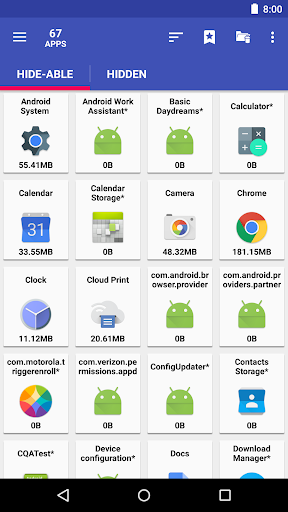
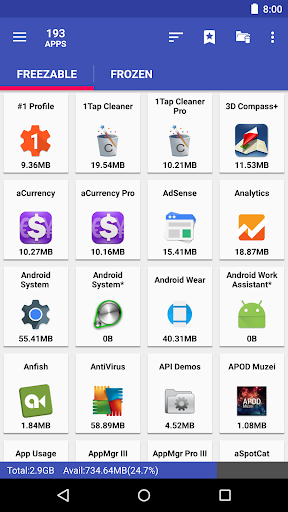
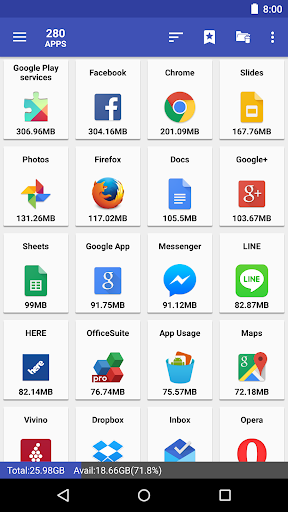
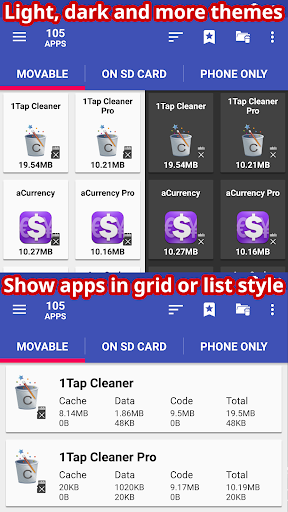
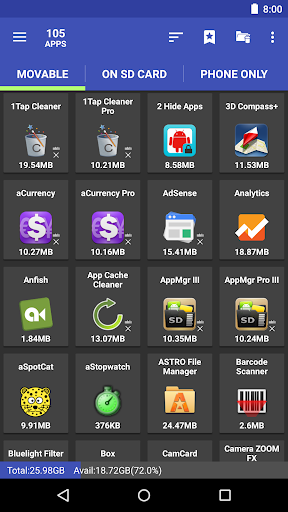
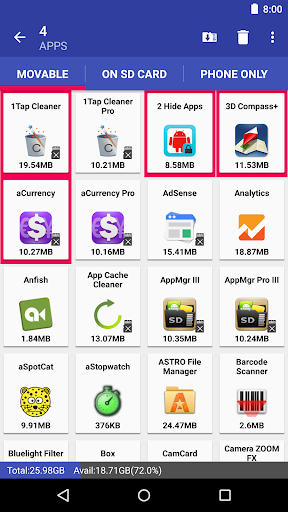
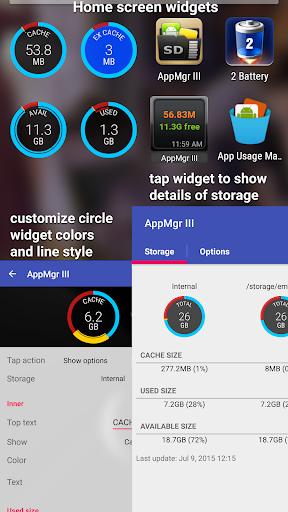
AppMgr (also known as App 2 SD) is a new design app that provides the following components: ★ Archive apps: archive apps to save storage on your Android device. Android 15+ only ★ Move apps: moves apps to either internal or external storage to get more available app storage ★ Hide apps: hides system (built-in) apps from the app drawer ★ Freeze apps: freeze apps so they won't use any CPU or memory resources ★ App manager: manages apps for batch uninstalling, moving apps, or sharing apps with friends Support app 2 sd for Android 6+, read http://bit.ly/2CtZHb2 if you don't see the Change button. Some devices may not be supported, visit AppMgr > Settings > About > FAQ for details. Features: ★ up-to-date UI style, themes ★ batch archive or restore apps (Android 15+ only) ★ batch uninstall apps ★ batch move apps to external storage ★ notify when movable apps installed ★ hide apps from the app drawer ★ freeze apps to a stop state ★ 1-tap to clear all cache ★ batch clear apps cache or data ★ export/import the app list ★ sort apps by name, size, or installation time ★ share customized app list with friends ★ support home screen widgets Functions for rooted device ★ Root uninstaller, Root freeze, Root cache cleaner ★ Root app mover Move apps: Are you running out of application storage? Do you hate having to check each and every app if it supports moving to the SD card? Do you want an app that automatically does this for you and can notify you when an app can be moved? This component streamlines the movement of apps to your device's external or internal storage through your device's Settings. With this, you'll have more control over your ever expanding collection of apps. This is crucial to anyone who has memory management issues. Hide apps Don't you care about all the apps your carrier adds to Android? Well, now you can get rid of them! This component lets you hide system (built-in) apps from the app drawer. Freeze apps You can freeze apps so they won't use any CPU or memory resources and consume zero battery. It's good for you to freeze apps that you would like to keep in the device, but don't want them to run or be uninstalled. Permissions • WRITE/READ_EXTERNAL_STORAGE: use to export/import the apps list • GET_PACKAGE_SIZE, PACKAGE_USAGE_STATS: get the size information of apps • BIND_ACCESSIBILITY_SERVICE: this app uses Accessibility services to automate the function (e.g. clear cache, move apps), optional. It helps those who have difficulty tapping and complete the task easier • WRITE_SETTINGS: prevent the screen rotation during the automatic function • SYSTEM_ALERT_WINDOW: draw a wait screen above other apps during the automatic function We have been selected as a Google I/O 2011 Developer Sandbox partner, for its innovative design and advanced technology. If you are interested in helping us to translate this app into your native language, please let me know. Thanks.

What AppMgr Pro III (App 2 SD) Is Used For

AppMgr Pro III, also known as App 2 SD, appears to be a phone-focused utility for managing installed Android apps and device storage. Based on the metadata, it is commonly used to organize apps in batches, help move compatible apps between internal and external storage, and reduce clutter in the app drawer. It may be most useful on devices where storage space is limited or where users want more control over app placement and visibility.

The app also appears to include tools for hiding system apps, freezing selected apps so they stop using resources, clearing cache, and exporting or importing an app list. Some of these functions rely on permissions such as storage access, package size checks, cache clearing, and move-package support, which suggests it works closely with app management rather than general file handling. The metadata also mentions rooted-device features, so certain functions may depend on device setup or Android version support.

Common uses

  • Move apps between internal and external storage when supported
  • Batch uninstall or manage multiple apps at once
  • Hide built-in system apps from the app drawer
  • Freeze apps to stop them from running in the background
  • Clear app cache or data in bulk
  • Track apps that can be moved to storage
  • Export or import an app list for app organization
Best for:
storage management app organizer phone app android utilities root tools

App Details

Package:
com.a0soft.gphone.app2sd.pro
Category:
Tools
Developer:
AZSoft Technology Inc.
Version:
6.11
Updated:
Mar 24, 2026
Min Android:
6.0
Age Rating:
Everyone
Contains Ads:
No
In-App Purchases:
No

Official Listing

  • Official listing available on Google Play
  • Package name: com.a0soft.gphone.app2sd.pro
  • Age rating: Everyone

Explore More

Browse more apps in Tools or explore the Phone hub .

Related Tools Apps

Drives icon

Drives

Productivity Mobile Infographics Tools

Deep scanning device storage analyzer and disk cleaner in your hands

Version 4.1.7.43.free.release 10.1 MB ⭐ 4.27 10,000,000+ installs
ASTRO File Manager icon

ASTRO File Manager

Tools ST Pulse

Organize your files and manage your cloud storage with ASTRO File Manager

Version 8.13.5 10.8 MB ⭐ 4.07 50,000,000+ installs
Total Commander icon

Total Commander

Tools C. Ghisler

Android version of the desktop file manager Total Commander (www.ghisler.com).

Version 3.50d 2.7 MB ⭐ 3.94 10,000,000+ installs

How to Download AppMgr Pro III (App 2 SD)

If this app is not hosted directly on APKApps official link, then for the safest and most up-to-date version, install it from its official Google Play listing.