LogSense icon

Phone

LogSense

Parenting RAPID DIJITAL HIZMETLER LIMITED SIRKETI ⭐ 4.40 500,000+
Version Varies with device Everyone

Screenshots

LogSense screenshot
LogSense screenshot
LogSense screenshot
LogSense screenshot
LogSense screenshot
Permissions Explained 6 permissions requested View details

This app requests 6 permissions. The table below explains what each permission may allow and what users should review before installing.

Status Permission What it means Why it may be used User safety note
ℹ️ Review View Network Connections view network connections This is an Android permission or app-specific permission requested by the app. The app may use this permission for features related to its category, device support, background behavior, storage, connectivity, or system integration. Review this permission before installing, especially if it does not match the app’s expected purpose.
ℹ️ Review Full Network Access full network access This is an Android permission or app-specific permission requested by the app. The app may use this permission for features related to its category, device support, background behavior, storage, connectivity, or system integration. Review this permission before installing, especially if it does not match the app’s expected purpose.
ℹ️ Review Control Vibration control vibration This is an Android permission or app-specific permission requested by the app. The app may use this permission for features related to its category, device support, background behavior, storage, connectivity, or system integration. Review this permission before installing, especially if it does not match the app’s expected purpose.
ℹ️ Review Prevent Device From Sleeping prevent device from sleeping This is an Android permission or app-specific permission requested by the app. The app may use this permission for features related to its category, device support, background behavior, storage, connectivity, or system integration. Review this permission before installing, especially if it does not match the app’s expected purpose.
ℹ️ Review Google Play License Check Google Play license check This is an Android permission or app-specific permission requested by the app. The app may use this permission for features related to its category, device support, background behavior, storage, connectivity, or system integration. Review this permission before installing, especially if it does not match the app’s expected purpose.
ℹ️ Review Read Google Service Configuration read Google service configuration This is an Android permission or app-specific permission requested by the app. The app may use this permission for features related to its category, device support, background behavior, storage, connectivity, or system integration. Review this permission before installing, especially if it does not match the app’s expected purpose.

About LogSense

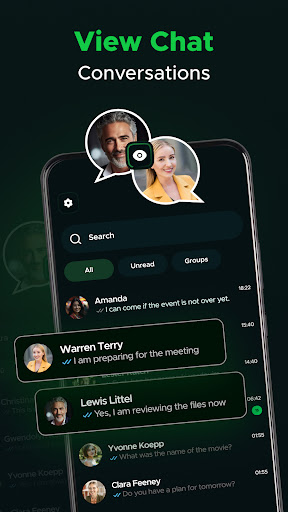
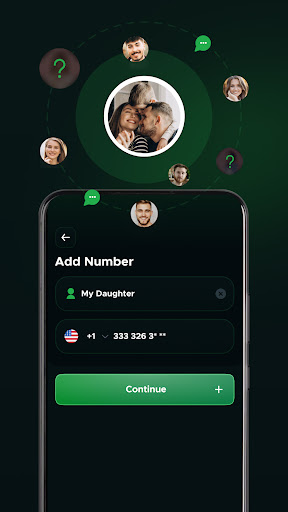
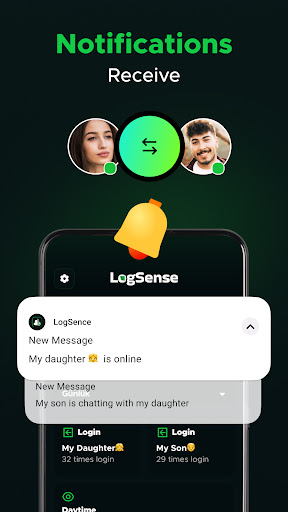
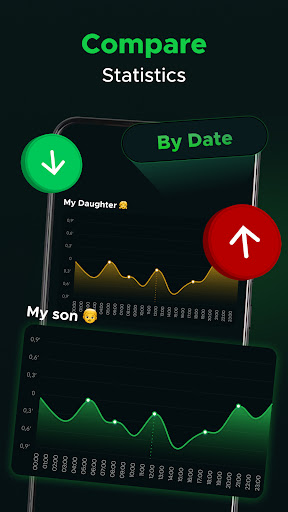
LogSense intelligently monitors your online activities and instantly notifies you when a significant event occurs. With its modern design and user-friendly interface, you can effortlessly track your digital presence and access detailed analyses and reports. Real-time alerts ensure you never miss a critical update, giving you complete control over your online activities. Manage your digital world securely and stay ahead at all times with LogSense!

What LogSense Is Used For

LogSense appears to be a phone app for monitoring online activity and surfacing important changes or events as they happen. Based on the metadata, people may use it to keep track of digital activity in one place, review reports, and receive alerts when something notable occurs. Its Parenting category also suggests it may be intended for caregivers who want more visibility into online behavior or activity trends.

The listed network permissions, such as full network access and viewing network connections, fit an app that needs to communicate with remote services to generate notifications and summaries. Permissions to prevent the device from sleeping and control vibration may support ongoing background monitoring and alert delivery. As a phone app, it seems aimed at everyday mobile use rather than a TV or desktop-style workflow, with an emphasis on quick checks, alerts, and activity review.

Common uses

  • Monitor online activity from a phone
  • Receive alerts when notable events happen
  • Review reports and activity summaries
  • Track digital presence over time
  • Support caregiver-focused oversight use cases
  • Use background notifications and vibration alerts
Best for:
caregivers phone users activity monitoring alert-based tracking report review

App Details

Package:
com.app.logsense
Category:
Parenting
Developer:
RAPID DIJITAL HIZMETLER LIMITED SIRKETI
Version:
Varies with device
Min Android:
Varies with device
Age Rating:
Everyone
Contains Ads:
Yes
In-App Purchases:
Yes

Official Listing

  • Official listing available on Google Play
  • Package name: com.app.logsense
  • Age rating: Everyone

Explore More

Browse more apps in Parenting or explore the Phone hub .

Related Parenting Apps

Findmykids: Kids GPS Tracker icon

Findmykids: Kids GPS Tracker

Parenting LETEM LTD

GPS tracker app: Simple GPS phone tracker for fast family location tracking

Version 2.11.1-google 85.9 MB ⭐ 4.60 50,000,000+ installs
Be Closer: Family location icon

Be Closer: Family location

Parenting Golden Gate Media

Use GPS family location tracker and be sure your family is safe

Version 4.7.8 144.8 MB ⭐ 4.40 10,000,000+ installs
Pregnancy Tracker: amma icon

Pregnancy Tracker: amma

Parenting PERIOD TRACKER & PREGNANCY AND BABY CALENDAR

Expecting a baby? Due date calculator & baby tracker week-by-week

Version 3.80.0.3 96.4 MB ⭐ 4.60 10,000,000+ installs
FlashGet Kids:parental control icon

FlashGet Kids:parental control

Parenting HONGKONG FLASHGET NETWORK TECHNOLOGY

Parental control App for Location, Remote Camera, Screen Mirroring, Block Apps.

Version 1.3.8.5 150.0 MB ⭐ 4.60 10,000,000+ installs

How to Download LogSense

If this app is not hosted directly on APKApps official link, then for the safest and most up-to-date version, install it from its official Google Play listing.