Time Warp Scan - Face Scanner icon

Phone

Time Warp Scan - Face Scanner

Photography Technoline Apps ⭐ 4.70 1,000,000+
Version 4.8.4 Everyone

Screenshots

Time Warp Scan - Face Scanner screenshot
Permissions Explained 8 permissions requested View details

This app requests 8 permissions. The table below explains what each permission may allow and what users should review before installing.

Status Permission What it means Why it may be used User safety note
ℹ️ Review Read The Contents Of Your Usb Storage read the contents of your USB storage This is an Android permission or app-specific permission requested by the app. The app may use this permission for features related to its category, device support, background behavior, storage, connectivity, or system integration. Review this permission before installing, especially if it does not match the app’s expected purpose.
ℹ️ Review Modify Or Delete The Contents Of Your Usb Storage modify or delete the contents of your USB storage This is an Android permission or app-specific permission requested by the app. The app may use this permission for features related to its category, device support, background behavior, storage, connectivity, or system integration. Review this permission before installing, especially if it does not match the app’s expected purpose.
ℹ️ Review Take Pictures And Videos take pictures and videos This is an Android permission or app-specific permission requested by the app. The app may use this permission for features related to its category, device support, background behavior, storage, connectivity, or system integration. Review this permission before installing, especially if it does not match the app’s expected purpose.
ℹ️ Review Record Audio record audio This is an Android permission or app-specific permission requested by the app. The app may use this permission for features related to its category, device support, background behavior, storage, connectivity, or system integration. Review this permission before installing, especially if it does not match the app’s expected purpose.
ℹ️ Review View Network Connections view network connections This is an Android permission or app-specific permission requested by the app. The app may use this permission for features related to its category, device support, background behavior, storage, connectivity, or system integration. Review this permission before installing, especially if it does not match the app’s expected purpose.
ℹ️ Review Full Network Access full network access This is an Android permission or app-specific permission requested by the app. The app may use this permission for features related to its category, device support, background behavior, storage, connectivity, or system integration. Review this permission before installing, especially if it does not match the app’s expected purpose.
ℹ️ Review Prevent Device From Sleeping prevent device from sleeping This is an Android permission or app-specific permission requested by the app. The app may use this permission for features related to its category, device support, background behavior, storage, connectivity, or system integration. Review this permission before installing, especially if it does not match the app’s expected purpose.
ℹ️ Review Receive Data From Internet receive data from Internet This is an Android permission or app-specific permission requested by the app. The app may use this permission for features related to its category, device support, background behavior, storage, connectivity, or system integration. Review this permission before installing, especially if it does not match the app’s expected purpose.

About Time Warp Scan - Face Scanner

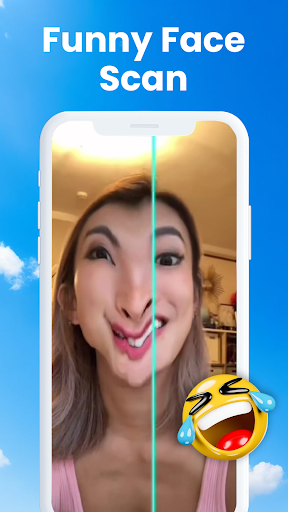
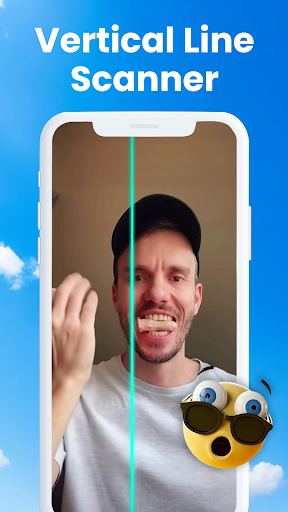
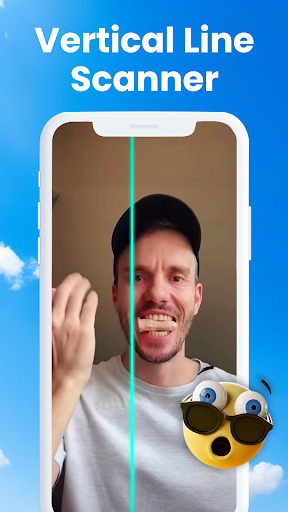
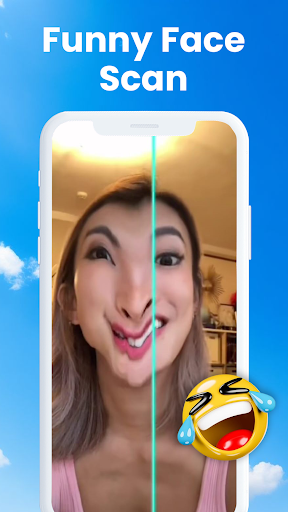
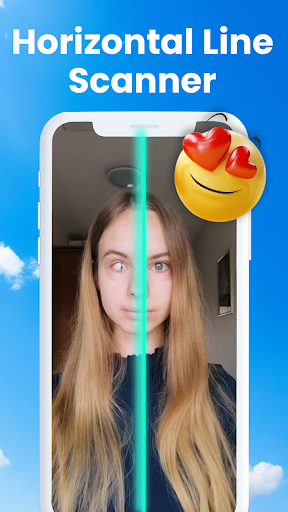
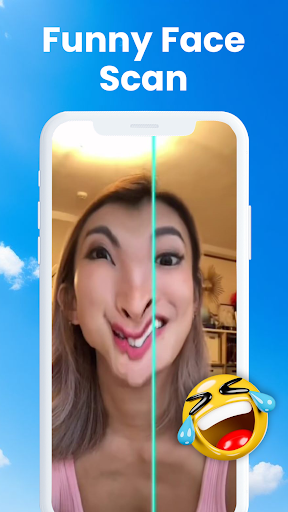
Explore the best TikTok effects and apply them easily to your photos & videos with Time Warp Scan - Warp Slider. Face Scanner creates funny picture; change your face shape to give you a laughing experience. Time Warp Scan provides Blue line filter to the user for more fun. Keep your face on the front of the mobile camera when blue line filter passes right to left or top to bottom. Time Warp Scan - Warp Slider Freeze the photo when blue line pass and convert image into amazing art. You can apply funny Titok filters in two easy steps, choose the scan direction and save your cool images and videos. Use unique face filters and face scanner features. Face filters are cool and you found the easiest way to use the Tiktok filters! 📙✍🏻 How to use Time Warp Scan - Warp Slider: Put your phone on fixed place. Set the direction of blue line top to bottom or left to right. When blue line moves across the screen it will freeze image, now move to the other side of the screen quickly to create the double image. Time Warp Scan - Warp Slider will save your all work in the face scan gallery. You can create distorted, twisting, wavy photos with trendy face scan Tiktok filters ✨ Key features of Time Warp Scan - Warp Slider: 🌟 Face scan filter 🌟 Slit scan effects. 🌟 Funny Tiktok Filters. 🌟 Ability to change brightness. 🌟 Time warp scan video filter 🌟 Quality Content without watermark 🌟 Live face scan effects work for both videos and photos. 🌟 Blue line speed, Adjust the face scan brakes to best fit your needs. 🌟 Time warp effect make the face transform into another shape, some faces will look ugly, and some outright alien but all will look funny. 🌟 Save creation in Time Warp Scan - Warp Slider gallery 🌟 Enjoy time warp scan without having a Tiktok account. Time Warp filter Challenges: Give a creative shape to your pictures that you desire with the time warp scan filter. Change the shape of your head, cut your hair short, and lengthen your fingers, the way you want with face scan. While applying Tiktok filters leave your phone in a fixed spot and create a pine tree by jumping when the blue line filter of warp scan appears. You will be amaze to see the transformation via face scan filters Face Scanner Filter: Face scanner is a trendy warp camera effect for creating a funny face with the help of a Time warp. Face scan filter is basically a Tiktok filter with amazing face filters, warp effects and Slit scan effects. Face warp filter makes the face transform into different shapes by moving the face when the face scanner bar slides over. Now you can use this trendy face scan filter free with TIME WARP SCAN filter. Slit Scan Effects: By Slit Scan Change the shape of your head; lengthen your fingers, cut your hair short the way you want. Face filters is one of the very interesting effects, used and shared by many people on social networks. You can use slit scan of face warp scan with funny Tiktok filters without creating any additional social media accounts with Time Warp…

What Time Warp Scan - Face Scanner Is Used For

Time Warp Scan - Face Scanner appears to be a photography app focused on creating warped, time-scan style photos and short videos on a phone. Based on the metadata, it is commonly used for making distorted face effects, split-frame illusions, and other playful camera edits that depend on a moving scan line across the screen.

The app may be used when someone wants to capture a fixed-camera effect: place the phone still, choose a scan direction, and move within the frame as the blue line passes. The permissions to take pictures and videos, record audio, and access storage suggest it can capture media and save creations to the device. Because it also has network access, the app may load online content or support ads and related features. This type of app is generally relevant for users who make social-media-style photos, experiment with face filters, or save quick visual effects without relying on a separate account.

Common uses

  • Create warped or split-face style photos and videos
  • Use a moving scan line to freeze parts of an image
  • Save edited media to the device gallery
  • Adjust basic visual settings such as brightness
  • Record camera-based effects with photo and video capture
  • Use on a phone placed in a fixed position for best results
  • Work with face-filter style content and short-form visual edits
Best for:
phone users face filter fans short video edits photo effects social content creators

App Details

Package:
com.app.timewarpscan.warpslider.facewarp
Category:
Photography
Developer:
Technoline Apps
Version:
4.8.4
Updated:
Mar 18, 2026
Min Android:
7.0
Age Rating:
Everyone
Contains Ads:
Yes
In-App Purchases:
Yes

Official Listing

  • Official listing available on Google Play
  • Package name: com.app.timewarpscan.warpslider.facewarp
  • Age rating: Everyone

Explore More

Browse more apps in Photography or explore the Phone hub .

Related Photography Apps

WOMBO Dream - AI Art Generator icon

WOMBO Dream - AI Art Generator

Art & Design Wombo Studios Inc

Dream up AI paintings & drawings. Generate unique pictures & cartoon art easily.

Version 7.0.8 39.7 MB ⭐ 3.70 10,000,000+ installs

How to Download Time Warp Scan - Face Scanner

If this app is not hosted directly on APKApps official link, then for the safest and most up-to-date version, install it from its official Google Play listing.