Checkbook - Account Tracker icon

Phone

Checkbook - Account Tracker

Finance Nova Mobile, Inc. ⭐ 3.80 100,000+
Version 2.1.0 Everyone

Screenshots

Checkbook - Account Tracker screenshot
Permissions Explained 11 permissions requested View details

This app requests 11 permissions. The table below explains what each permission may allow and what users should review before installing.

Status Permission What it means Why it may be used User safety note
ℹ️ Review Find Accounts On The Device find accounts on the device This is an Android permission or app-specific permission requested by the app. The app may use this permission for features related to its category, device support, background behavior, storage, connectivity, or system integration. Review this permission before installing, especially if it does not match the app’s expected purpose.
ℹ️ Review Read The Contents Of Your Usb Storage read the contents of your USB storage This is an Android permission or app-specific permission requested by the app. The app may use this permission for features related to its category, device support, background behavior, storage, connectivity, or system integration. Review this permission before installing, especially if it does not match the app’s expected purpose.
ℹ️ Review Modify Or Delete The Contents Of Your Usb Storage modify or delete the contents of your USB storage This is an Android permission or app-specific permission requested by the app. The app may use this permission for features related to its category, device support, background behavior, storage, connectivity, or system integration. Review this permission before installing, especially if it does not match the app’s expected purpose.
ℹ️ Review Take Pictures And Videos take pictures and videos This is an Android permission or app-specific permission requested by the app. The app may use this permission for features related to its category, device support, background behavior, storage, connectivity, or system integration. Review this permission before installing, especially if it does not match the app’s expected purpose.
ℹ️ Review View Network Connections view network connections This is an Android permission or app-specific permission requested by the app. The app may use this permission for features related to its category, device support, background behavior, storage, connectivity, or system integration. Review this permission before installing, especially if it does not match the app’s expected purpose.
ℹ️ Review Full Network Access full network access This is an Android permission or app-specific permission requested by the app. The app may use this permission for features related to its category, device support, background behavior, storage, connectivity, or system integration. Review this permission before installing, especially if it does not match the app’s expected purpose.
ℹ️ Review Use Accounts On The Device use accounts on the device This is an Android permission or app-specific permission requested by the app. The app may use this permission for features related to its category, device support, background behavior, storage, connectivity, or system integration. Review this permission before installing, especially if it does not match the app’s expected purpose.
ℹ️ Review Prevent Device From Sleeping prevent device from sleeping This is an Android permission or app-specific permission requested by the app. The app may use this permission for features related to its category, device support, background behavior, storage, connectivity, or system integration. Review this permission before installing, especially if it does not match the app’s expected purpose.
ℹ️ Review Set An Alarm set an alarm This is an Android permission or app-specific permission requested by the app. The app may use this permission for features related to its category, device support, background behavior, storage, connectivity, or system integration. Review this permission before installing, especially if it does not match the app’s expected purpose.
ℹ️ Review Google Play License Check Google Play license check This is an Android permission or app-specific permission requested by the app. The app may use this permission for features related to its category, device support, background behavior, storage, connectivity, or system integration. Review this permission before installing, especially if it does not match the app’s expected purpose.
ℹ️ Review Read Google Service Configuration read Google service configuration This is an Android permission or app-specific permission requested by the app. The app may use this permission for features related to its category, device support, background behavior, storage, connectivity, or system integration. Review this permission before installing, especially if it does not match the app’s expected purpose.

About Checkbook - Account Tracker

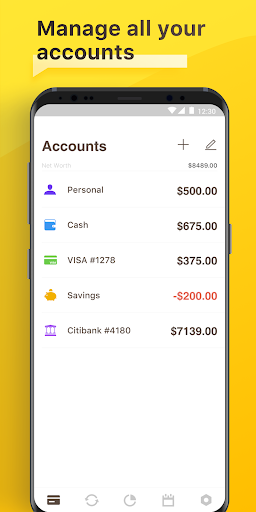
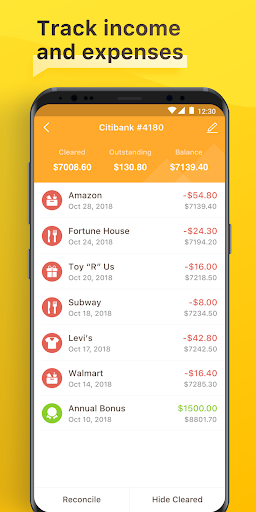
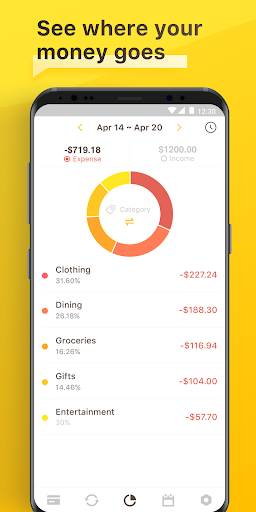
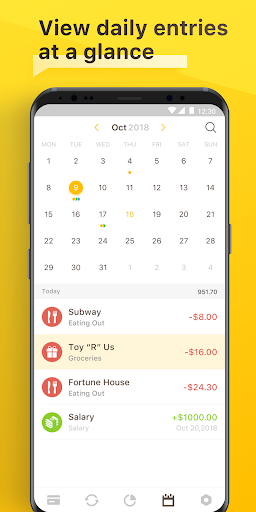
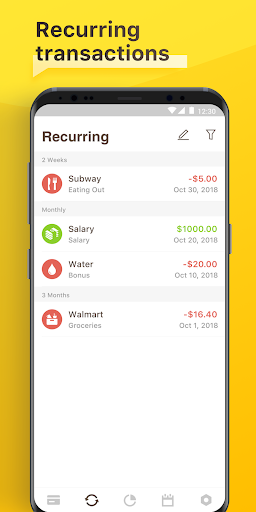
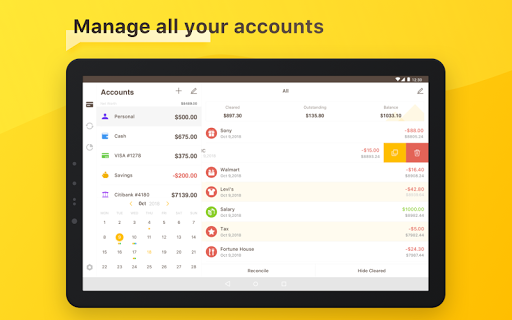
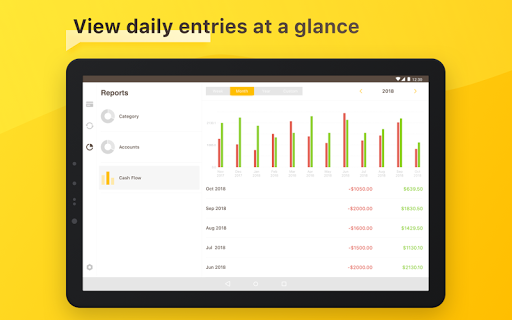
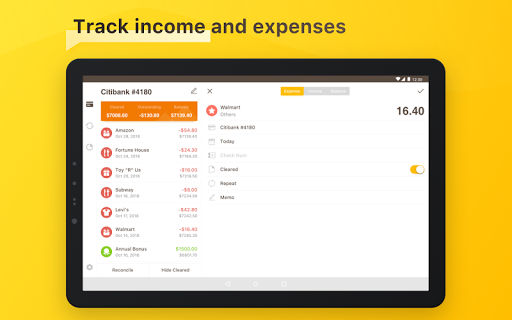
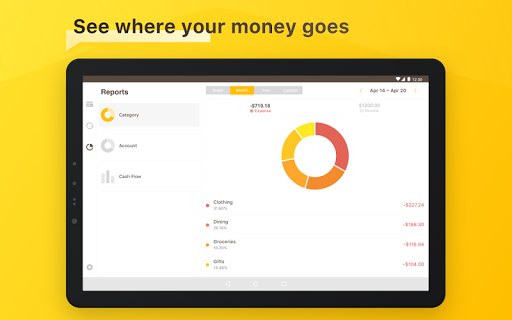
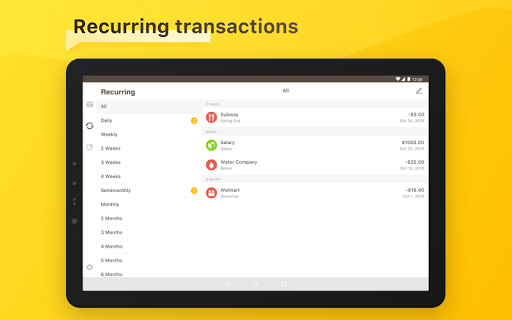
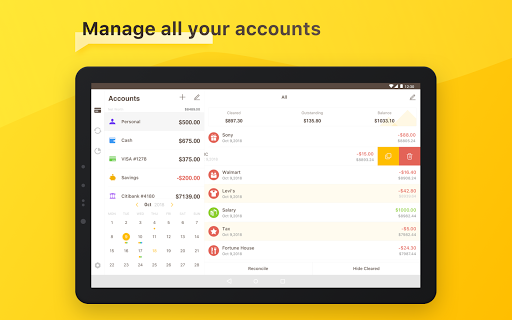
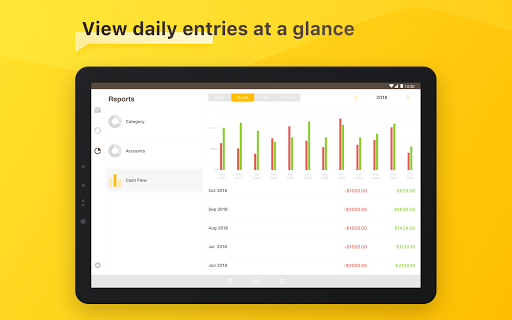
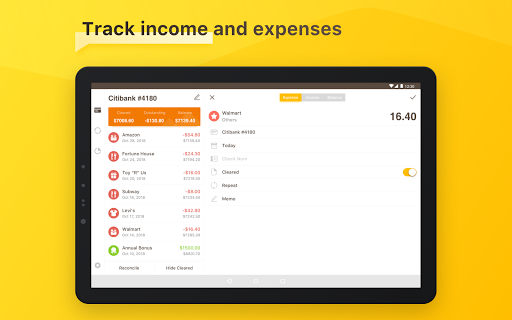
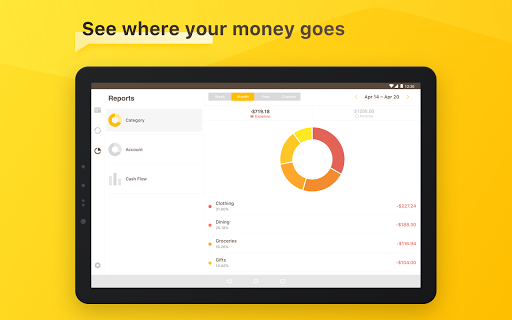
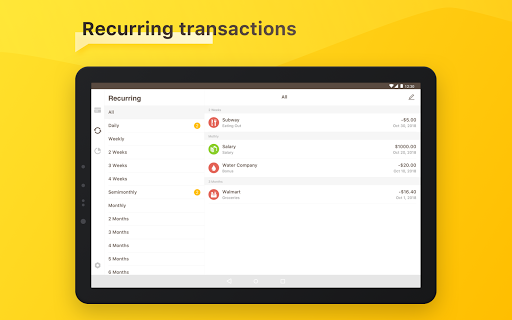
An easy & quick way to manage your daily finances! Checkbook keeps track of your credit card charges, cash expenditures...etc. With the Checkbook application, it can totally replace your paper checkbook register. You can create multiple accounts with a start balance, save recurring transactions, transfer funds, view reports & graphs, export data...etc. You can even search for the transaction by crossing your finger on the calendar! All details of the Checkbook are well designed to provide an excellent experience. And, Produced by Polycents FEATURES *Export your ledger in CSV Format *Calendar -Show all your monthly transactions as points on the calendar. -Track transactions by tapping a date on the calendar. *Recurring Transactions -Save a transaction to be used repeatedly(daily, weekly, 2 weeks, monthly, tire monthly), without retyping all the details. *Multiple Accounts -Track as many accounts as you need. *Categories -Supports multiple categories with beautiful icons to choose from. *Payee & Note -All details you need to keep track of your transactions are including. *Search -Quickly search for transactions by account name, payee, notes, and category. -Search and edit transactions on the same screen. *Transfer -Transfer funds from one account to another. *Reconcile Transactions -Reconcile your transactions by editing cleared/un-cleared status *Reports & Charts -Review all your expenses & income by category or account with beautiful graphs and reports. -You can set the time period to daily, weekly, monthly & yearly. *Passcode -Protects your private information. *Currency -Supports multiple currencies. *Elegant, Powerful & User-friendly interface If your have any problems or suggestions please send a mail to [email protected], you will get the response in a short time. The free version is an ad-supported version, we also offer an ad-free version which is available as an in-app purchase. Permissions Overview: 1. Storage: Checkbook needs this permission to store the backup file on your device 2. Contact: Checkbook needs this permission to read your Google account when you choose to save the backup file to your Google Drive 3. Camera: Checkbook needs this permission to use the camera to scan docs. Follow us on Twitter: @Appxy_official Like us on Facebook: Appxy Follow us on Google+: Appxy

What Checkbook - Account Tracker Is Used For

Checkbook - Account Tracker appears to be a personal finance app for recording and reviewing day-to-day money activity on a phone. Based on the metadata, it may be used as a digital checkbook register for tracking credit card charges, cash spending, transfers, and balances across multiple accounts. The finance category and the included tools for reports, charts, and recurring entries suggest it is intended for ongoing budgeting and transaction tracking rather than investing or banking.

Common use cases include logging purchases, organizing transactions by category or payee, and reviewing spending over time with graphs or reports. It also appears to support reconciliation and currency handling, which may help people keep records accurate across different accounts or payment methods. The storage permission lines up with exporting or backing up data, while account access and network permissions may relate to cloud backup options such as Google Drive. A camera permission is mentioned in the metadata, but the excerpt does not fully explain how it is used, so it should be treated as an app function detail rather than a broader capability.

This app may be most useful for people who want a manual expense tracker on Android, especially those who prefer a structured ledger view and calendar-based transaction lookup.

Common uses

  • Track daily spending and account balances
  • Record credit card, cash, and transfer transactions
  • Create multiple accounts for separate budgets or funds
  • Use recurring transactions for repeated bills or income
  • Review expenses with reports, charts, and calendar views
  • Export ledger data for backup or spreadsheet use
  • Reconcile cleared and uncleared transactions
Best for:
personal budgeting expense tracking checkbook register phone app data export

App Details

Package:
com.appxy.checkbook2
Category:
Finance
Developer:
Nova Mobile, Inc.
Version:
2.1.0
Updated:
Nov 27, 2025
Min Android:
6.0
Age Rating:
Everyone
Contains Ads:
Yes
In-App Purchases:
Yes

Official Listing

  • Official listing available on Google Play
  • Package name: com.appxy.checkbook2
  • Age rating: Everyone

Explore More

Browse more apps in Finance or explore the Phone hub .

Related Finance Apps

How to Download Checkbook - Account Tracker

If this app is not hosted directly on APKApps official link, then for the safest and most up-to-date version, install it from its official Google Play listing.