Aqua Play: Draw Aquarium ++ icon

Phone

Aqua Play: Draw Aquarium ++

Simulation Abokado.Games ⭐ 0.00 1,000+
Version 1.8.3 Everyone

Screenshots

Aqua Play: Draw Aquarium ++ screenshot
Permissions Explained 9 permissions requested View details

This app requests 9 permissions. The table below explains what each permission may allow and what users should review before installing.

Status Permission What it means Why it may be used User safety note
ℹ️ Review Read The Contents Of Your Usb Storage read the contents of your USB storage This is an Android permission or app-specific permission requested by the app. The app may use this permission for features related to its category, device support, background behavior, storage, connectivity, or system integration. Review this permission before installing, especially if it does not match the app’s expected purpose.
ℹ️ Review Modify Or Delete The Contents Of Your Usb Storage modify or delete the contents of your USB storage This is an Android permission or app-specific permission requested by the app. The app may use this permission for features related to its category, device support, background behavior, storage, connectivity, or system integration. Review this permission before installing, especially if it does not match the app’s expected purpose.
ℹ️ Review Take Pictures And Videos take pictures and videos This is an Android permission or app-specific permission requested by the app. The app may use this permission for features related to its category, device support, background behavior, storage, connectivity, or system integration. Review this permission before installing, especially if it does not match the app’s expected purpose.
ℹ️ Review View Network Connections view network connections This is an Android permission or app-specific permission requested by the app. The app may use this permission for features related to its category, device support, background behavior, storage, connectivity, or system integration. Review this permission before installing, especially if it does not match the app’s expected purpose.
ℹ️ Review Full Network Access full network access This is an Android permission or app-specific permission requested by the app. The app may use this permission for features related to its category, device support, background behavior, storage, connectivity, or system integration. Review this permission before installing, especially if it does not match the app’s expected purpose.
ℹ️ Review Run At Startup run at startup This is an Android permission or app-specific permission requested by the app. The app may use this permission for features related to its category, device support, background behavior, storage, connectivity, or system integration. Review this permission before installing, especially if it does not match the app’s expected purpose.
ℹ️ Review Control Vibration control vibration This is an Android permission or app-specific permission requested by the app. The app may use this permission for features related to its category, device support, background behavior, storage, connectivity, or system integration. Review this permission before installing, especially if it does not match the app’s expected purpose.
ℹ️ Review Prevent Device From Sleeping prevent device from sleeping This is an Android permission or app-specific permission requested by the app. The app may use this permission for features related to its category, device support, background behavior, storage, connectivity, or system integration. Review this permission before installing, especially if it does not match the app’s expected purpose.
ℹ️ Review Google Play License Check Google Play license check This is an Android permission or app-specific permission requested by the app. The app may use this permission for features related to its category, device support, background behavior, storage, connectivity, or system integration. Review this permission before installing, especially if it does not match the app’s expected purpose.

About Aqua Play: Draw Aquarium ++

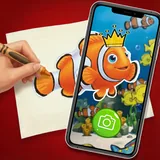
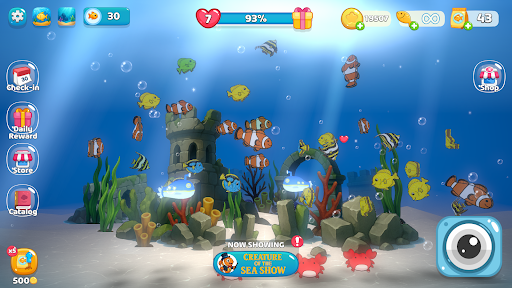
✨Draw a fish. Boom! It swims away!!✨ ---------------------------------------------------------------------- 🐟🐠Draw your fish on paper, or use an image from your phone 🎨🖌️ In seconds, your drawing transforms into a living, swimming creature inside your own Digital Aquarium! 💦🌊 With Aqua Play, creativity jumps off the page and dives into a vibrant underwater world filled with your own creations. ✨ Features: - 🖍️ Draw on Paper: Use your favorite pens, pencils, or markers. Or upload any image from your phone. - 📸 Capture with Camera: Snap a picture of your fish drawing and let the app do its magic. - 🐟 Watch It Come Alive: See your fish swim, move, and explore your virtual aquarium. - 🐠 Build your best Aquairum ever: Feed your fish, raise them big, play with them - 🌊 Relax & Explore: Build your own underwater world full of your handmade creations. - ✨ Play offline — no ads, no data tracking Perfect for kids and families who love drawing, creativity, and discovery! Draw it 🖍️. Snap it 📸. Watch it swim.🐠 Drawquarium 🐠 Notice: This game has no micro transactions and no Ad, only your Fish and your Aquarium.

What Aqua Play: Draw Aquarium ++ Is Used For

Aqua Play: Draw Aquarium ++ appears to be a simulation app centered on turning drawings into animated fish inside a virtual aquarium. Based on the metadata, users can create fish by drawing on paper, importing an image from the phone, or taking a picture with the camera, then watch the fish swim in the app’s aquarium environment. It is likely aimed at creative play rather than competitive gameplay, with a focus on simple interaction and visual discovery.

This app may be used by kids, families, or anyone who enjoys drawing-based activities on a phone. The camera permission and storage access suggest it can capture drawings, read imported images, and save or manage related content. Network access is listed as well, though the metadata also says the app can be played offline. Because it is a phone app in the simulation category, it seems best suited to casual use on a mobile device rather than a large-screen setup.

Common uses

  • Create fish from hand-drawn pictures
  • Use the camera to capture a drawing
  • Import an image from phone storage
  • Watch fish swim in a virtual aquarium
  • Feed and raise fish in the aquarium
  • Play as a casual creative activity on a phone
  • Use offline for simple play sessions
Best for:
kids families creative play casual simulation phone app

App Details

Package:
com.aquarium.virtual.fish.draw.camera
Category:
Simulation
Developer:
Abokado.Games
Version:
1.8.3
Updated:
Feb 9, 2026
Min Android:
7.1
Age Rating:
Everyone
Contains Ads:
No
In-App Purchases:
No

Official Listing

  • Official listing available on Google Play
  • Package name: com.aquarium.virtual.fish.draw.camera
  • Age rating: Everyone

Explore More

Browse more apps in Simulation or explore the Phone hub .

Related Simulation Apps

How to Download Aqua Play: Draw Aquarium ++

If this app is not hosted directly on APKApps official link, then for the safest and most up-to-date version, install it from its official Google Play listing.