GPS Speedometer Pro icon

Phone

GPS Speedometer Pro

Maps & Navigation ARTISANS 3D ⭐ 4.20 500+
Version 28.0 Everyone

Screenshots

GPS Speedometer Pro screenshot
Permissions Explained 8 permissions requested View details

This app requests 8 permissions. The table below explains what each permission may allow and what users should review before installing.

Status Permission What it means Why it may be used User safety note
ℹ️ Review Approximate Location (network Based) approximate location (network-based) This is an Android permission or app-specific permission requested by the app. The app may use this permission for features related to its category, device support, background behavior, storage, connectivity, or system integration. Review this permission before installing, especially if it does not match the app’s expected purpose.
ℹ️ Review Precise Location (gps And Network Based) precise location (GPS and network-based) This is an Android permission or app-specific permission requested by the app. The app may use this permission for features related to its category, device support, background behavior, storage, connectivity, or system integration. Review this permission before installing, especially if it does not match the app’s expected purpose.
ℹ️ Review Read The Contents Of Your Usb Storage read the contents of your USB storage This is an Android permission or app-specific permission requested by the app. The app may use this permission for features related to its category, device support, background behavior, storage, connectivity, or system integration. Review this permission before installing, especially if it does not match the app’s expected purpose.
ℹ️ Review Modify Or Delete The Contents Of Your Usb Storage modify or delete the contents of your USB storage This is an Android permission or app-specific permission requested by the app. The app may use this permission for features related to its category, device support, background behavior, storage, connectivity, or system integration. Review this permission before installing, especially if it does not match the app’s expected purpose.
ℹ️ Review View Network Connections view network connections This is an Android permission or app-specific permission requested by the app. The app may use this permission for features related to its category, device support, background behavior, storage, connectivity, or system integration. Review this permission before installing, especially if it does not match the app’s expected purpose.
ℹ️ Review Full Network Access full network access This is an Android permission or app-specific permission requested by the app. The app may use this permission for features related to its category, device support, background behavior, storage, connectivity, or system integration. Review this permission before installing, especially if it does not match the app’s expected purpose.
ℹ️ Review Control Vibration control vibration This is an Android permission or app-specific permission requested by the app. The app may use this permission for features related to its category, device support, background behavior, storage, connectivity, or system integration. Review this permission before installing, especially if it does not match the app’s expected purpose.
ℹ️ Review Prevent Device From Sleeping prevent device from sleeping This is an Android permission or app-specific permission requested by the app. The app may use this permission for features related to its category, device support, background behavior, storage, connectivity, or system integration. Review this permission before installing, especially if it does not match the app’s expected purpose.

About GPS Speedometer Pro

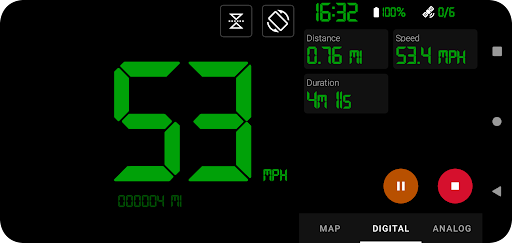
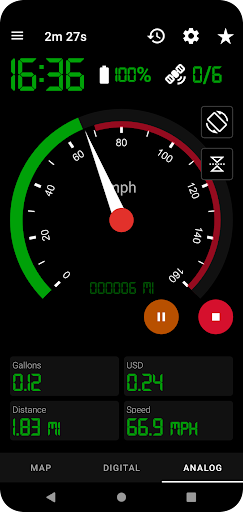
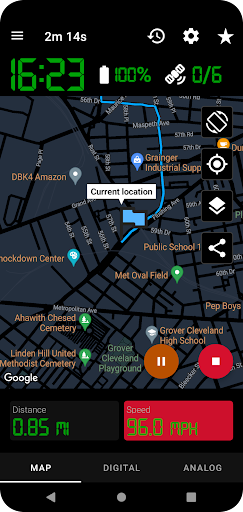
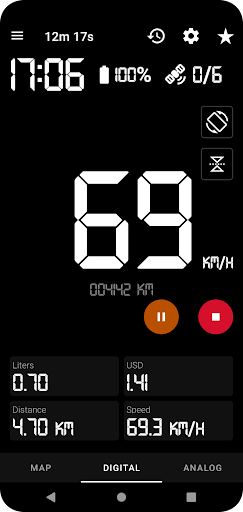
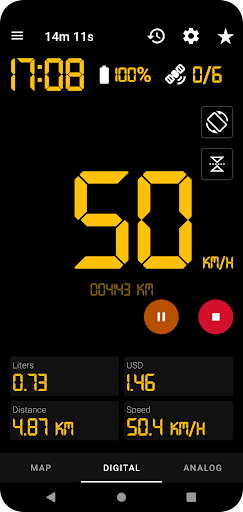
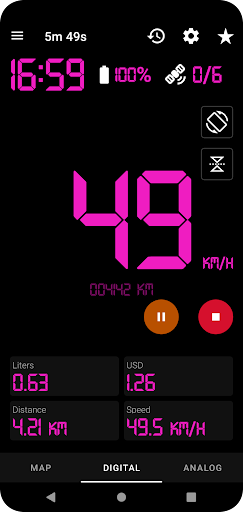
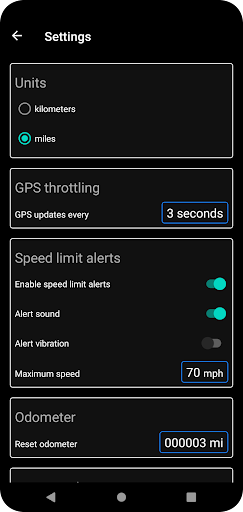
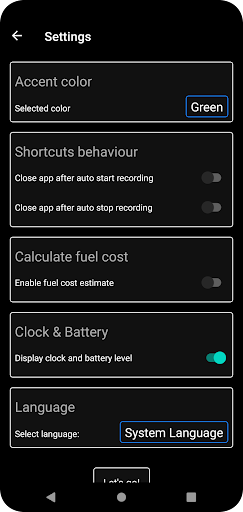
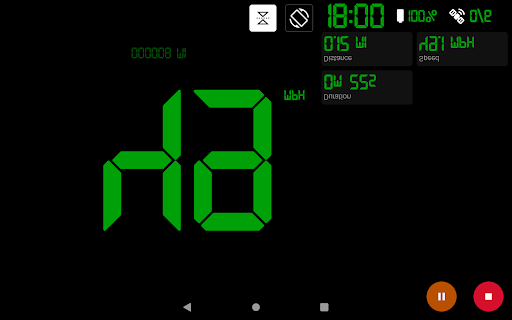
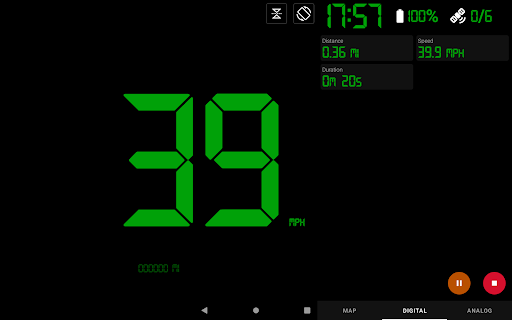
Effortlessly track your car rides, runs, walks, or bike rides using your phone's built-in GPS. Switch between map, digital or analog speedometer. App can continue to record your route and speed in the background while you use your phone for something else. Pause, stop and resume your tracking at any time. Main app features: - Use phone GPS to record your routes and speed - App shortcuts to start/stop recording with one tap - Analog & Digital speedometer - Head-up display / HUD mode - Odometer - Fuel cost estimation - History of saved tracks - Download tracks in .gpx file format - Share current location from map view – as image or text - Share recorded routes as map image - Map follows current location while tracking - Set maximum speed and get over speed alerts, even when app is in background - Dark and light theme - Change map type from map view – light, dark or terrain - Switch between kilometers and miles - Portrait and landscape orientation of gauges GPS Speedometer Pro allows you to download your routes in .gpx file format so you can view your routes in third party software. With the latest update it allows you to replay the saved route in app and see recorded speeds. 100% Private No sign-in required. We will not collect Personally Identifiable Information and will not share any with third parties. Start, Pause, Stop You can pause and start, stop the GPS tracker at any time to save power.

What GPS Speedometer Pro Is Used For

GPS Speedometer Pro appears to be a navigation and tracking app for people who want to monitor movement using a phone’s GPS. Based on the metadata, it is commonly used for car rides, runs, walks, and bike rides, where it can show current speed in either a digital or analog format and keep track of distance, route history, and trip details. The app also includes a map view, so it may be helpful when you want to see where you are while traveling or exercising.

The app can continue recording in the background, which makes it useful when you need to keep tracking without staying in the app the whole time. Its location permissions suggest that it depends on GPS and network-based positioning to calculate speed and route information. Features like over-speed alerts, odometer tracking, fuel cost estimation, and GPX export point to use cases such as trip logging, route review, and sharing data with other software. It also appears to support large-screen-friendly gauge views in portrait or landscape, plus HUD mode for easier glanceable viewing while moving.

Common uses

  • Track speed and distance during driving, running, walking, or cycling
  • Record routes in the background while using other apps
  • View speed with digital or analog gauge styles
  • Review saved trips and replay recorded routes
  • Export tracks in GPX format for use in other software
  • Set a maximum speed and get over-speed alerts
  • Share your current location or route as an image or text
Best for:
Drivers Runners and walkers Cyclists Trip tracking Location logging

App Details

Package:
com.arhiled.speedometer
Developer:
ARTISANS 3D
Version:
28.0
Updated:
May 12, 2024
Min Android:
10
Age Rating:
Everyone
Contains Ads:
No
In-App Purchases:
No

Official Listing

  • Official listing available on Google Play
  • Package name: com.arhiled.speedometer
  • Age rating: Everyone

Explore More

Browse more apps in Maps & Navigation or explore the Phone hub .

Related Maps & Navigation Apps

Drive Smarter icon

Drive Smarter

Maps & Navigation Cedar Electronics
Version 4.8.0.0 ⭐ 4.60 100,000+ installs

How to Download GPS Speedometer Pro

If this app is not hosted directly on APKApps official link, then for the safest and most up-to-date version, install it from its official Google Play listing.