About MM-IPTV - IPTV Player for AAOS
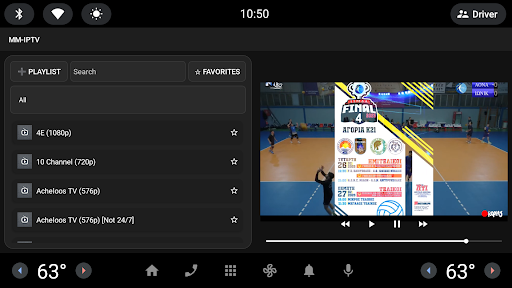
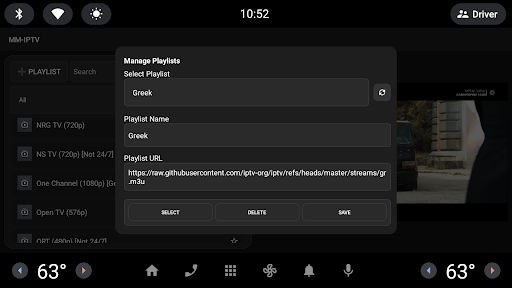
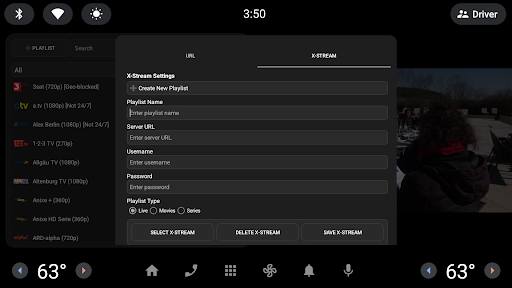
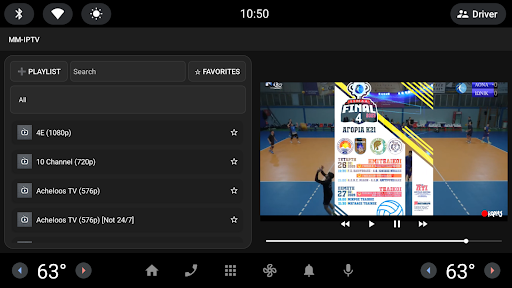
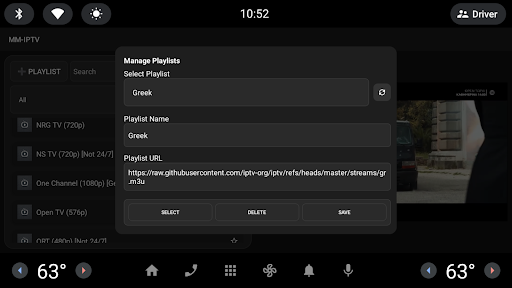
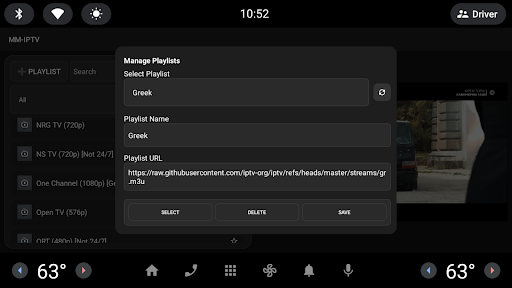
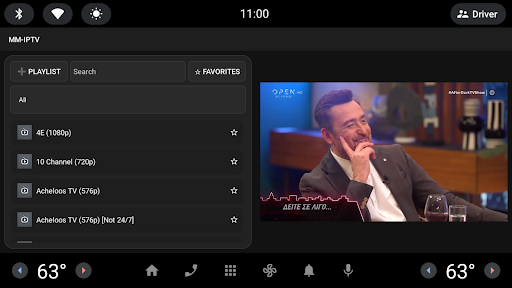
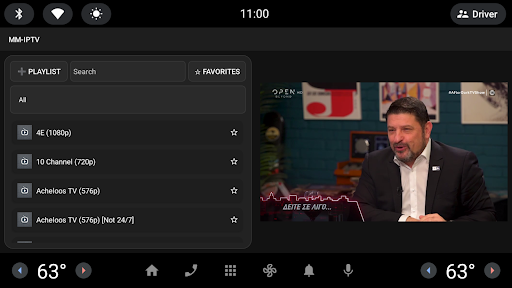
MM-IPTV Car Player brings you a premium IPTV experience tailored for Android Automotive (AAOS) vehicles. Enjoy a distraction-free, smooth, and responsive IPTV media player optimized for in-car entertainment systems. ▶ KEY FEATURES: • Smooth AAOS integration • Resume playback from last-used channel • Category-based filtering & favorites • Custom playlist management (M3U support) • One-tap refresh & search • Full-screen toggle for immersive viewing • Voice-control-ready interface • Channel logos and clean visual layout 🎯 Designed with in-car safety in mind, this app is ideal for parked entertainment use or passenger infotainment systems. 🚗 COMPATIBILITY: • Designed for Android Automotive OS (AAOS) • Not intended for Android Auto (projection-based) 🛠 EASY TO USE: Just load your M3U playlist, pick a channel, and enjoy on your car's native display. No ads, no hidden subscriptions. You own your experience. 🔒 Privacy First: We collect no data or telemetry. Everything stays on your device. MM-IPTV – IPTV reimagined for the road. Disclaimer: Please only use IPTV streams you are legally allowed to view.
What MM-IPTV - IPTV Player for AAOS Is Used For
MM-IPTV - IPTV Player for AAOS appears to be a video player focused on IPTV playback inside Android Automotive OS vehicles. Based on the metadata, it is designed for use on a car’s native display rather than Android Auto projection, so it may be most relevant in parked vehicles or for passenger entertainment systems. The app’s category and description suggest it is meant for watching channel-based streams from an M3U playlist, with a layout adapted for in-car screens.
Common use cases may include loading a personal IPTV playlist, browsing channels by category, saving favorites, and resuming from the last channel used. The listed network permissions, such as full network access, fit an app that needs to connect to online stream sources and refresh playlist content. It also appears to support search, full-screen viewing, and a voice-control-ready interface, which may make it easier to use on larger automotive displays.
Common uses
- Play IPTV streams from M3U playlists on AAOS vehicle displays
- Browse channels with category filtering and favorites
- Resume playback from the last-used channel
- Refresh playlist content and search available channels
- Switch to full-screen viewing for a more immersive layout
- Use on Android Automotive systems rather than Android Auto projection
- View channel logos and a simplified interface suited to car screens
App Details
Package:
com.audiiptv.app
Developer:
Code Odyssey
Version:
2.1.2
Updated:
Mar 3, 2026
Min Android:
11
Age Rating:
Everyone
Contains Ads:
No
In-App Purchases:
No
Official Listing
-
Official listing available on
Google Play
-
Package name:
com.audiiptv.app
-
Age rating:
Everyone
Related Video Players & Editors Apps
Video Players & Editors
•
Joyo Technology Pte Ltd
Watch and share trending short videos, meet new friends and have fun.
Version 13.2.40.544103
239.5 MB
⭐ 4.00
500,000,000+ installs
Video Players & Editors
•
KineMaster, Video Editor Experts Group
KineMaster, Your Ultimate Video Editor!
Version 8.1.4.36338.GP
148.4 MB
⭐ 4.40
500,000,000+ installs
Video Players & Editors
•
QuVideo Inc. Video Editor & Video Maker App
Sora 2 Compatible Video Editor: Powerful AI Auto-Edits & Trendy Filters in 60s
Version 9.34.0
138.6 MB
⭐ 4.30
500,000,000+ installs
Video Players & Editors
•
Videolabs
Popular open-source media player for Android.
Version Varies with device
27.4 MB
⭐ 4.10
100M+ installs
Video Players & Editors
•
InShot Inc.
Screen recorder with audio to take live videos & Screenshot in high quality!
Version 2.5.0.1
29.4 MB
⭐ 4.70
100,000,000+ installs
Video Players & Editors
•
VIDEOSHOW Video Editor & Maker & AI Chat Generator
Al Video Generator: Photo to Video, Edit Video with Effects, Music, Auto Caption
Version 11.0.3.3
51.8 MB
⭐ 4.50
100,000,000+ installs
How to Download MM-IPTV - IPTV Player for AAOS
If this app is not hosted directly on APKApps official link,
then for the safest and most up-to-date version, install it from its official Google Play listing.