Baby Piano: Kids Music Games

Baby Piano: Kids Music Games

com.bimiboo.tunes by Bimi Boo Kids Learning Games for Toddlers FZ-LLC
4.1 (20,666)
10M+
GAME_MUSIC
50.2 MB
Updated Aug 11, 2025
View on Google Play

Screenshots

Screenshot Screenshot Screenshot Screenshot Screenshot Screenshot Screenshot Screenshot Screenshot Screenshot Screenshot Screenshot Screenshot Screenshot Screenshot Screenshot Screenshot Screenshot Screenshot Screenshot
Ad slot: Top Leaderboard

About this app

Bimi Boo kids piano game is a music game for toddlers of 1 to 5 years old. Our learning game for girls and boys will allow your toddlers to develop creativity, an ear for music, hand-eye coordination, fine motor and attention.

Our baby piano game features 5 entertaining and educational games for toddlers. Baby piano for kids & toddlers game by Bimi Boo is perfect for pre-k and preschool education. It is also suitable for kids with developmental disorders, such as autism.

Baby piano include 5 games for toddlers to enjoy music:

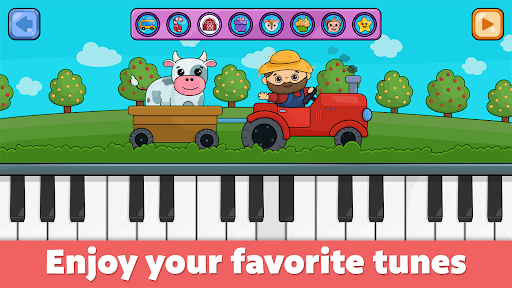
Nursery rhymes. There are 8 classic simple songs for your kid to enjoy:
- Jingle Bells
- Happy Birthday
- Twinkle Twinkle Little Star
- Old MacDonald Had a Farm
- Pop Goes the Weasel
- The Muffin Man
- Wheels on the Bus
- Five Little Monkeys

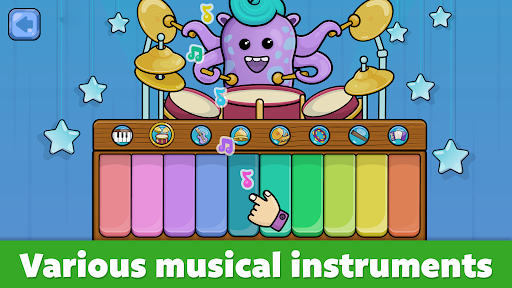
Musical Instruments for toddlers. Kids can use a variety of instruments to play on – piano, drums, bells, flute, guitar, trumpet, harmonic and tambourine. Great animations featuring cool characters will ensure an amazing experience for kids ages 2 to 5.

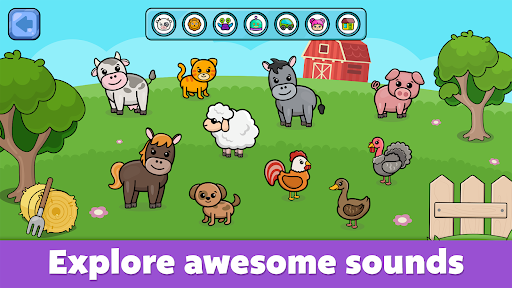
Different sounds for kids. Being not only entertaining but also educational, this games for toddlers will allow your kid to learn sounds of different animals, vehicles and much more! Baby piano contains 60 amazing sounds for kids across 6 awesome sets:
- Animal sounds
- Vehicle sounds
- Kids’ sounds
- Robot sounds
- Alien sounds
- Environment sounds

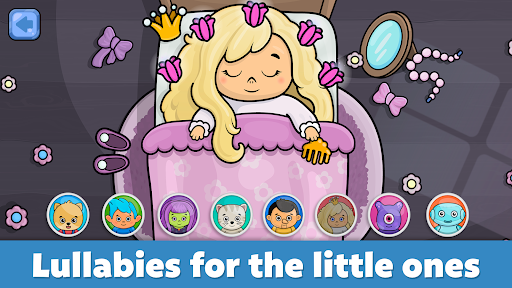
Lullabies for babies and toddlers. 8 outstanding lullabies will help your sweet baby to fall asleep. Let your kid to choose a lovely character to watch them fall asleep while listening to a bedtime song.

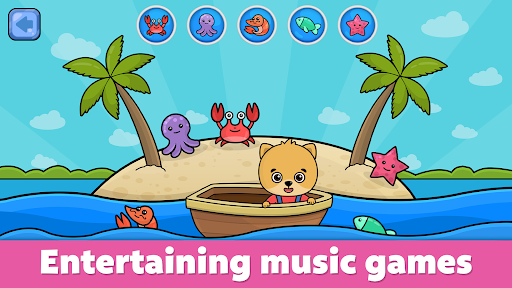
Learning games for kids. 8 educational music games for toddlers to choose from. Help Bimi Boo in his adventures at different locations. Baby piano for kids & toddlers will help your girls and boys to develop love for music. The games for toddlers are perfect for 1, 2, 3, 4 and 5 year olds.

The following content is available for free:
- 20+ ambient sounds.
- 2 music instruments.
- 2 popular songs for babies.
- 2 baby games.
- 2 lullabies.

Please kindly note that an in-app purchase is required to unlock additional content. Baby piano is a game that doesn’t require Wi-Fi to be played and you will never find annoying ads inside our apps. We are always glad to receive your feedback and suggestions.

What's New

This update features improvements to the stability and performance of the app, bug fixes, and other minor optimizations.
We're committed to providing the best possible experience for our young users and their parents, and we hope you enjoy our app.
Thank you for choosing Bimi Boo Kids learning games!

App Information

Version Name
3.9
Version Code
1102
File Size
50.2 MB
Minimum OS
Android 7.0+
Target SDK
Android 33
Developer
Bimi Boo Kids Learning Games for Toddlers FZ-LLC
Contact
Website
Content Rating
Everyone
Package Name
com.bimiboo.tunes

Permissions Required

This app may request the following permissions:

  • view network connections
  • full network access
  • run at startup
  • prevent device from sleeping

Recent Reviews

Julie Lewis
1.0★
I bought this app months ago and never signed out of my account-but, the app locked me out of the full version anyway and won't let me back in. Your directions don't work and neither does the "Restore Purchases" option in unlock (when I click "Full Version" it gives me an Error box that says I already own this item). You need to refund our money or fix the problem.
K G
3.0★
This app would be great for my 1.5yr old if we could figure out how to get the paid version.. It's one of the best apps I've found for him as far as usability at his age, but free version is veryyy limited. I use Google family link, and I've unlocked the "permission for paid features" settings. It still says pending permission, and it lets me "send a request" every day, but I have yet to actually receive one.. Please fix, or make a way to just purchase paid version from the app store!
OobiesGaming
3.0★
Lovely little app, mostly what I'm looking for but it's too easy for my 9 month old to minimise it and press other buttons. He enjoys poking at the fruit, until he drags his fingers and makes the home button appear. It needs to be able to completely lock the screen so that parents have to work to close it, rather than babies being able to swipe out of it.
Destin Pond
5.0★
This is EPIC. Just download and try it. They've got tons of very simple sections for babies(rhymes, games, instruments) . It's easy to use and intuitive. The music and noises arent annoying. My baby loves it. I like that its simple but there is so much variety. After checking it out and showing my baby I got the paid package. Totally worth it for no ads and just an easy to use Super entertaining baby app. I seriously have no clue what could possibly make it better.
Bayou Boee
4.0★
This is a really good app for the little ones, my son is only 1 and has mastered all of the games. Keeps him active and helps develop his mind. My only issue is the New App button in the bottom corner - it keeps attracting him to press it and then he gets lost in the store and it frustrates him. It should be more inconspicuous and hidden, only for the parents eyes. I'm not sure if that was done intentionally to trick kids to buy more apps secretly but buying apps requires my fingerprint.
Tiggz B
3.0★
My little boy loves this app. I have the free version on the ipad and the full version on a Android. On the free version on the piano section there is a play/pause button so the song will play continuously without having to push the keys which is great. On the full version this button isn't there so he gets frustrated when the song stops playing as he doesn't quite understand you have to keep pressing on the keys. It would be great for this play pause button to be available again.
Ad slot: In-Content