Brainscape: Smarter Flashcards icon

Phone

Brainscape: Smarter Flashcards

Education Brainscape ⭐ 4.70 1,000,000+
Version 4.20260305.12 Everyone

Screenshots

Brainscape: Smarter Flashcards screenshot
Permissions Explained 13 permissions requested View details

This app requests 13 permissions. The table below explains what each permission may allow and what users should review before installing.

Status Permission What it means Why it may be used User safety note
ℹ️ Review Read The Contents Of Your Usb Storage read the contents of your USB storage This is an Android permission or app-specific permission requested by the app. The app may use this permission for features related to its category, device support, background behavior, storage, connectivity, or system integration. Review this permission before installing, especially if it does not match the app’s expected purpose.
ℹ️ Review Modify Or Delete The Contents Of Your Usb Storage modify or delete the contents of your USB storage This is an Android permission or app-specific permission requested by the app. The app may use this permission for features related to its category, device support, background behavior, storage, connectivity, or system integration. Review this permission before installing, especially if it does not match the app’s expected purpose.
ℹ️ Review Take Pictures And Videos take pictures and videos This is an Android permission or app-specific permission requested by the app. The app may use this permission for features related to its category, device support, background behavior, storage, connectivity, or system integration. Review this permission before installing, especially if it does not match the app’s expected purpose.
ℹ️ Review Record Audio record audio This is an Android permission or app-specific permission requested by the app. The app may use this permission for features related to its category, device support, background behavior, storage, connectivity, or system integration. Review this permission before installing, especially if it does not match the app’s expected purpose.
ℹ️ Review View Wi Fi Connections view Wi-Fi connections This is an Android permission or app-specific permission requested by the app. The app may use this permission for features related to its category, device support, background behavior, storage, connectivity, or system integration. Review this permission before installing, especially if it does not match the app’s expected purpose.
ℹ️ Review View Network Connections view network connections This is an Android permission or app-specific permission requested by the app. The app may use this permission for features related to its category, device support, background behavior, storage, connectivity, or system integration. Review this permission before installing, especially if it does not match the app’s expected purpose.
ℹ️ Review Pair With Bluetooth Devices pair with Bluetooth devices This is an Android permission or app-specific permission requested by the app. The app may use this permission for features related to its category, device support, background behavior, storage, connectivity, or system integration. Review this permission before installing, especially if it does not match the app’s expected purpose.
ℹ️ Review Full Network Access full network access This is an Android permission or app-specific permission requested by the app. The app may use this permission for features related to its category, device support, background behavior, storage, connectivity, or system integration. Review this permission before installing, especially if it does not match the app’s expected purpose.
ℹ️ Review Run At Startup run at startup This is an Android permission or app-specific permission requested by the app. The app may use this permission for features related to its category, device support, background behavior, storage, connectivity, or system integration. Review this permission before installing, especially if it does not match the app’s expected purpose.
ℹ️ Review Draw Over Other Apps draw over other apps This is an Android permission or app-specific permission requested by the app. The app may use this permission for features related to its category, device support, background behavior, storage, connectivity, or system integration. Review this permission before installing, especially if it does not match the app’s expected purpose.
ℹ️ Review Control Vibration control vibration This is an Android permission or app-specific permission requested by the app. The app may use this permission for features related to its category, device support, background behavior, storage, connectivity, or system integration. Review this permission before installing, especially if it does not match the app’s expected purpose.
ℹ️ Review Prevent Device From Sleeping prevent device from sleeping This is an Android permission or app-specific permission requested by the app. The app may use this permission for features related to its category, device support, background behavior, storage, connectivity, or system integration. Review this permission before installing, especially if it does not match the app’s expected purpose.
ℹ️ Review Google Play License Check Google Play license check This is an Android permission or app-specific permission requested by the app. The app may use this permission for features related to its category, device support, background behavior, storage, connectivity, or system integration. Review this permission before installing, especially if it does not match the app’s expected purpose.

About Brainscape: Smarter Flashcards

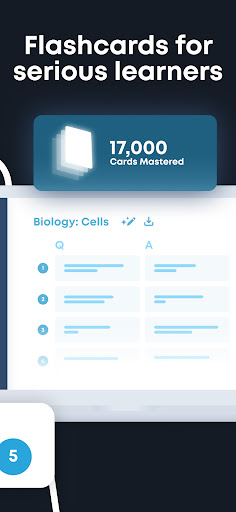
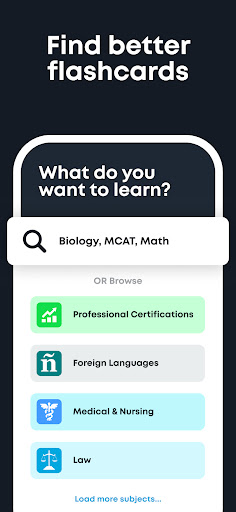
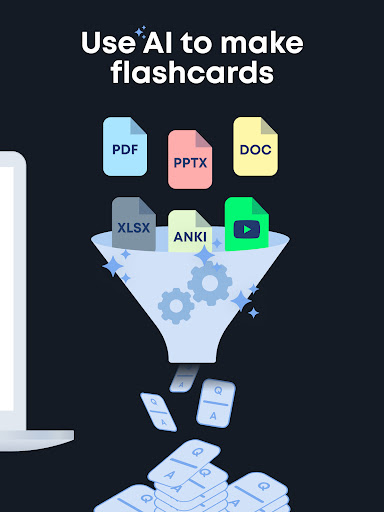
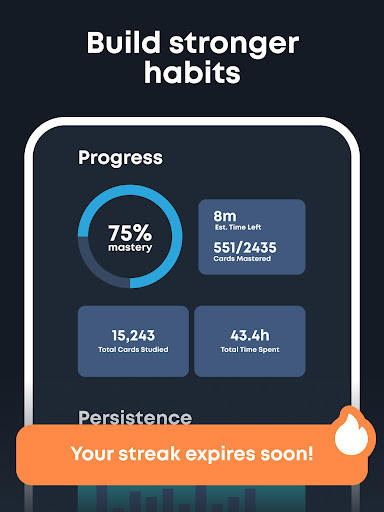
Delete your old flashcard apps! Brainscape has the SMARTEST AI-powered flashcard maker, the BEST marketplace of expert flashcards, and the MOST EFFECTIVE spaced repetition study algorithm on the planet. How does it work? Brainscape’s intelligent study system has been designed in accordance with decades of proven cognitive science to help you learn faster and remember longer than with any other flashcard app. (And we don’t waste time on games. Our flashcards are for serious learners.) Brainscape distills any subject down into bite-sized facts (neatly organized into decks and classes), which are posed as question-and-answer pairs, compelling you to actively recall information from scratch. You then rate how well you know each concept on a scale of 1 to 5, and Brainscape determines the perfect time interval at which to repeat that flashcard again. If you know the answer well, you’ll see that flashcard less often; if you don’t know it well, you’ll see it again and again, at frequent intervals, until it’s deeply ingrained into your brain. And it’s this totally unique combination of active recall, self-assessment (metacognition), and spaced repetition that is scientifically proven to significantly slash your required study time! Where do all of Brainscape’s awesome flashcards come from? Three places: THE WORLD’S TOP EXPERTS. Brainscape partners with top publishers, schools, and educators to create comprehensive collections of certified flashcards for a diverse array of subjects, from foreign languages (we are the best language-learning tool in the world) to high-stakes exams like the AP series, MBE (bar exam), Series 7, NCLEX, MCAT, and more. YOUR PEERS. Top students, professors, teachers, tutorpreneurs, and businesses around the world have created over 1 million subjects that are available to search on Brainscape’s Knowledge Genome. YOU! You can easily create and organize thousands of multimedia flashcards featuring text, images, and even audio files, both on Brainscape’s website AND within the app itself. You can also share your decks with your classmates and collaboratively develop content together. How much does it cost? Creating and sharing great text flashcards is FREE. (Woohoo! And sorry, we do have to charge for image creation for security reasons.) And for unlimited access to ALL of Brainscape's user-generated and premium, expert-curated content, as well as optional features, like bookmarks and card reversibility--or to me your content private, you can upgrade to Pro for $19.99 (monthly), $59.99 (every 6 months), or $95.99 (annually). Alternatively, you can unlock a LIFETIME of learning with Brainscape for a one-time cost of only $199.99 American dolla billz. The fine print: The 3 recurring subscriptions (monthly, semiannual, and annual) will renew automatically within 24 hours before the end of the current period, unless auto-renew is turned off at least 24 hours before the end of the period. You can cancel auto-renewal any time by going to…

What Brainscape: Smarter Flashcards Is Used For

Brainscape: Smarter Flashcards appears to be a study app for creating, organizing, and reviewing flashcards on a phone. Based on the metadata, it is commonly used for active recall practice, spaced repetition review, and keeping study material in decks or classes for subjects like language learning, school courses, and exam prep.

The app may be useful for learners who want a structured way to memorize facts over time rather than cramming. Its permissions suggest it can work with stored files and media, which fits creating multimedia flashcards with text, images, and audio. Network access also aligns with downloading or syncing study content, while the startup and sleep-related permissions may support background study reminders or uninterrupted review sessions. Because the app is in the Education category and described as a phone app, it seems aimed at everyday study on mobile devices rather than a desktop-only workflow.

Common uses

  • Create flashcard decks for classes, exams, or self-study
  • Review cards using spaced repetition and self-rating
  • Study subjects that benefit from memory practice, such as vocabulary or test facts
  • Organize learning material into decks and categories
  • Add media like images or audio to flashcards when needed
  • Use the phone app for quick study sessions anywhere
  • Sync or access study content over a network connection
Best for:
students exam prep language learners memory practice phone study

App Details

Package:
com.brainscape.mobile.portal
Category:
Education
Developer:
Brainscape
Version:
4.20260305.12
Updated:
Mar 13, 2026
Min Android:
10
Age Rating:
Everyone
Contains Ads:
No
In-App Purchases:
Yes

Official Listing

  • Official listing available on Google Play
  • Package name: com.brainscape.mobile.portal
  • Age rating: Everyone

Explore More

Browse more apps in Education or explore the Phone hub .

Related Education Apps

Duolingo: Language Lessons icon

Duolingo: Language Lessons

Education Duolingo

Learn Spanish, French, German, English, Math, Music, Chess and more for free.

Version Varies with device 58.2 MB ⭐ 4.70 500,000,000+ installs
Photomath icon

Photomath

Education Google LLC

Learn math, step-by-step

Version 8.47.1 14.8 MB ⭐ 4.30 100,000,000+ installs
Gauth: AI Study Companion icon

Gauth: AI Study Companion

Education GauthTech Pte. Ltd.

Ask anything, get right answer

Version 1.92.0 60.3 MB ⭐ 4.80 100,000,000+ installs
Kahoot! Play & Create Quizzes icon

Kahoot! Play & Create Quizzes

Education Kahoot!

Create and play learning games at school, at home or at work!

Version 6.6.2 79.1 MB ⭐ 4.70 50,000,000+ installs
Simply Piano: Learn Piano Fast icon

Simply Piano: Learn Piano Fast

Education Simply Ltd

The fast and easy way to master piano skills - Learn piano with songs you love

Version 7.31.1 75.6 MB ⭐ 4.70 50,000,000+ installs

How to Download Brainscape: Smarter Flashcards

If this app is not hosted directly on APKApps official link, then for the safest and most up-to-date version, install it from its official Google Play listing.