









About Video Editor & Maker - InShot
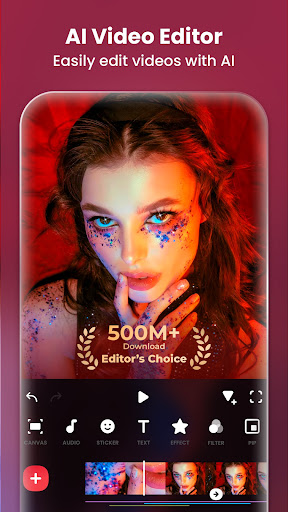
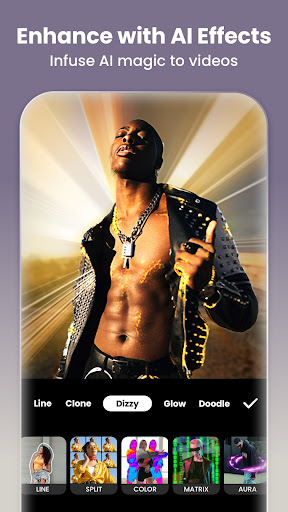
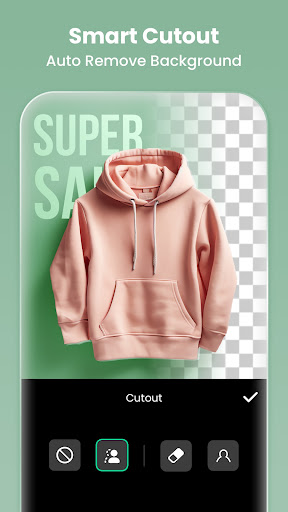
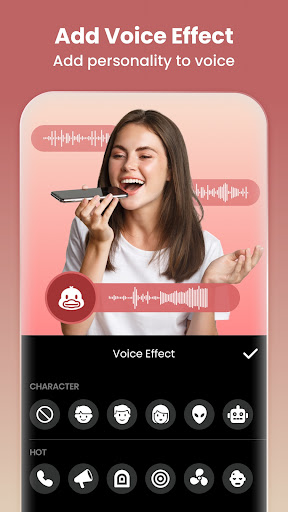
InShot - Powerful all-in-one Video Editor and Video Maker with professional features. Add music, text, transition effects for videos, make smooth slow motion, make video collage, blur background and etc! As an easy-to-use editing app, InShot makes creating vlogs a breeze and helps you to become an influencer on YouTube, Instagram, TikTok, WhatsApp, Facebook, etc. InShot is also a photo editor and collage maker. Edit pictures and selfie, remove bg, add filters, adjust HSL, etc. Make stylish Instagram story covers and posts. Features: AI Tool - AI Body Effects. Experience the magic of AI with instant presets that elevate your images and videos in just one tap. - Auto Captions. AI-powered speech-to-text tool helps you say goodbye to manual text typing and makes video editing effortless. - Auto Remove Background. Remove background of videos/photos at the touch of a button. - Smart tracking. Make stickers/text move seamlessly in sync with your tracking object motion, adding dynamic flair to your videos. - Smooth slow-mo. Experience seamless slow-motion effects for buttery smooth videos. Full-featured Video Editing - Trim/Merge clips. Combine and compress video without losing quality. - Reverse videos. - Add text, emoji and InShot exclusive stickers. - Add music, sound effects & voice-overs. - Add various-styles voice effects. - Adjust ratio. Fit your video and photo in any aspect ratio. - Speed control. Speed up/slow down video. Add speed ramping. - Keyframes editing. Add custome keyframe animations. - Chromakey. Easily edit green screen video. - Picture-in-Picture. Create multi-layered videos. - Mixtures. Blend your video with blend mode. - Color picker. Pick any color on the screen and apply it to the background/text. Filters, Effects & Transitions - Lots of cinematic filters. - Adjust video brightness, contrast, saturation, etc. Customized video filters and video effects. - Unique effects such as Glitch, Fade, Noise, Beats, Weather, Retro DV, celebrate, etc. - AI effects. Clone, stroke, auto-blur, etc. - Pro editing app with super transitions. Combine two clips with transition effects. Photo Editor & Collage Maker * Blur the background easily. * 1000+ stickers, memes, texts & backgrounds. * Turn blurry photos into HD with AI Photo Enhancer. * Remove unwanted objects effortlessly. * AI Flash & Backlight. Use AI Light to brighten your portraits like a pro. * Easy-to-use photo grid collage maker. Up to 20 photos & 100+ highly editable layouts. * Beyond Grid: Explore Freestyle, AI Blend & Pic Stitch collage modes. Canvas & Background - Choose from various background patterns or upload your own pictures. - Adjust video ratios for Instagram/TikTok/Youtube post. Easy to Share - Custom video export resolution, HD pro video editor support 4K 60fps export. - Share your daily life on social media: Instagram Reels, TikTok, Whatsapp Status, YouTube Shorts, etc. InShot is an editing app for videos and photos. With InShot - video maker with music, you can easily…
What Video Editor & Maker - InShot Is Used For
Video Editor & Maker - InShot appears to be a phone app for editing videos and photos on Android. Based on the metadata, it is commonly used to trim and merge clips, add music, text, effects, transitions, and captions, then export content for social posts, short videos, vlogs, or casual edits. The app also includes photo editing and collage tools, so it may be useful when someone wants to prepare both video and image content in one place.
The listed permissions fit that use case: access to storage and media files supports importing and saving photos, videos, and audio, while microphone access suggests voice-overs or recorded audio may be part of editing. Network access, notifications, and billing-related permissions indicate the app connects online and offers in-app purchases, with ads also present. Based on the category and features, it seems aimed at everyday mobile editing rather than specialized desktop-style production, making it a practical option for quick edits directly on a phone.
The listed permissions fit that use case: access to storage and media files supports importing and saving photos, videos, and audio, while microphone access suggests voice-overs or recorded audio may be part of editing. Network access, notifications, and billing-related permissions indicate the app connects online and offers in-app purchases, with ads also present. Based on the category and features, it seems aimed at everyday mobile editing rather than specialized desktop-style production, making it a practical option for quick edits directly on a phone.
Common uses
- Edit short videos with trims, merges, captions, and transitions
- Add music, voice-overs, sound effects, and text overlays
- Create slow-motion clips, collages, and picture-in-picture edits
- Adjust aspect ratios for social media posts and stories
- Use photo tools like filters, background blur, and collage layouts
- Work with media from device storage, including audio and video files
- Record audio for voice-over style edits when needed
App Details
Package:
com.camerasideas.instashot
com.camerasideas.instashot
Category:
Photography
Photography
Developer:
InShot Video Editor
InShot Video Editor
Version:
2.196.1529
2.196.1529
Updated:
Feb 11, 2026
Feb 11, 2026
Min Android:
7.0
7.0
Age Rating:
Everyone
Everyone
Contains Ads:
Yes
Yes
In-App Purchases:
Yes
Yes
Official Listing
- Official listing available on Google Play
- Package name: com.camerasideas.instashot
- Age rating: Everyone
Explore More
Browse more apps in Photography or explore the Phone hub .
Related Photography Apps

Picsart AI Photo Editor, Video
Remove and swap backgrounds in your photos and remove unwanted objects
Version 29.5.13
34.1 MB
⭐ 4.00
1,000,000,000+ installs

Canva: AI Photo & Video Editor
Graphic design and content creation app for mobile.
Version 2.354.1
43.1 MB
⭐ 4.80
500,000,000+ installs
Lightroom Photo & Video Editor
Perfect portraits in one tap: Blur backgrounds, remove blemishes, smooth skin.
Version 11.2.3
71.9 MB
⭐ 4.50
100,000,000+ installs

Adobe Express: AI Photo, Video
AI-powered photo & video creation—fast, fun, and effortless with Quick Actions
Version 30.0.0
99.6 MB
⭐ 4.60
100,000,000+ installs
How to Download Video Editor & Maker - InShot
If this app is not hosted directly on APKApps official link, then for the safest and most up-to-date version, install it from its official Google Play listing.