Recover Deleted Messages icon

Phone

Recover Deleted Messages

Business CoddeX Studio ⭐ 4.40 1,000,000+
Version 1.5.5 Everyone

Screenshots

Recover Deleted Messages screenshot
Permissions Explained 8 permissions requested View details

This app requests 8 permissions. The table below explains what each permission may allow and what users should review before installing.

Status Permission What it means Why it may be used User safety note
ℹ️ Review Read The Contents Of Your Usb Storage read the contents of your USB storage This is an Android permission or app-specific permission requested by the app. The app may use this permission for features related to its category, device support, background behavior, storage, connectivity, or system integration. Review this permission before installing, especially if it does not match the app’s expected purpose.
ℹ️ Review Modify Or Delete The Contents Of Your Usb Storage modify or delete the contents of your USB storage This is an Android permission or app-specific permission requested by the app. The app may use this permission for features related to its category, device support, background behavior, storage, connectivity, or system integration. Review this permission before installing, especially if it does not match the app’s expected purpose.
ℹ️ Review View Network Connections view network connections This is an Android permission or app-specific permission requested by the app. The app may use this permission for features related to its category, device support, background behavior, storage, connectivity, or system integration. Review this permission before installing, especially if it does not match the app’s expected purpose.
ℹ️ Review Full Network Access full network access This is an Android permission or app-specific permission requested by the app. The app may use this permission for features related to its category, device support, background behavior, storage, connectivity, or system integration. Review this permission before installing, especially if it does not match the app’s expected purpose.
ℹ️ Review Run At Startup run at startup This is an Android permission or app-specific permission requested by the app. The app may use this permission for features related to its category, device support, background behavior, storage, connectivity, or system integration. Review this permission before installing, especially if it does not match the app’s expected purpose.
ℹ️ Review Prevent Device From Sleeping prevent device from sleeping This is an Android permission or app-specific permission requested by the app. The app may use this permission for features related to its category, device support, background behavior, storage, connectivity, or system integration. Review this permission before installing, especially if it does not match the app’s expected purpose.
ℹ️ Review Bind To A Notification Listener Service bind to a notification listener service This is an Android permission or app-specific permission requested by the app. The app may use this permission for features related to its category, device support, background behavior, storage, connectivity, or system integration. Review this permission before installing, especially if it does not match the app’s expected purpose.
ℹ️ Review Receive Data From Internet receive data from Internet This is an Android permission or app-specific permission requested by the app. The app may use this permission for features related to its category, device support, background behavior, storage, connectivity, or system integration. Review this permission before installing, especially if it does not match the app’s expected purpose.

About Recover Deleted Messages

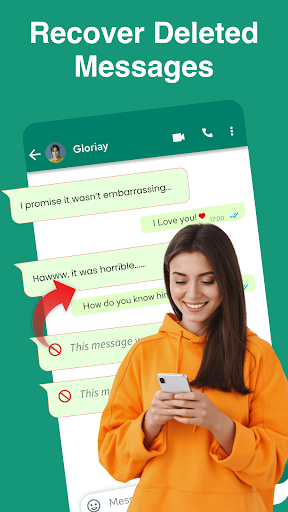
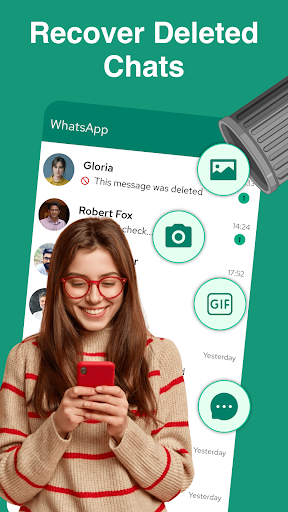
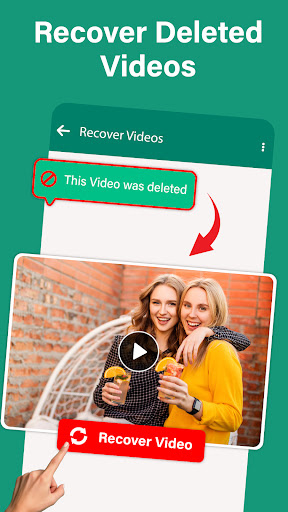
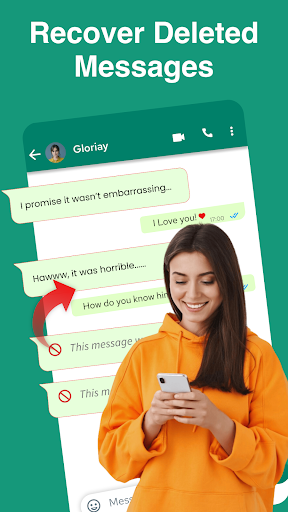
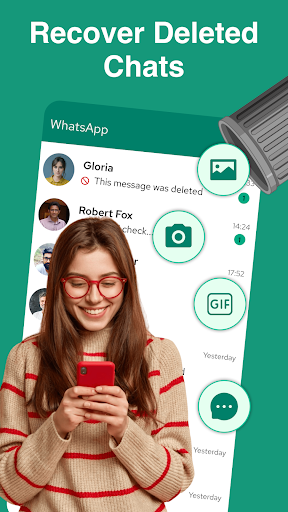
Recover Messages, Deleted Chat is the ultimate Solution to restore any deleted messages. Are you tired of your friends when they deleted messages or photos before you see them? Have you ever wished there was a way to recover deleted messages from your WhatsApp chats? Don’t worry here is a solution to reveal deleted messages in just one tap. Important Note: Be relaxed while using this recover deleted messages app, your all chats are encrypted. Rest assured, your personal information remains completely secure—no data is collected, stored, or shared with anyone. Your privacy is fully protected. Don't let accidental deletions ruin your day. Now Recover Messages, Deleted Chat is here with the amazing experience of deleted data recovery. For any support Contact us at [email protected].

What Recover Deleted Messages Is Used For

Recover Deleted Messages appears to be a phone app focused on viewing or restoring deleted chat content, based on its title and description. It is presented as a tool for recovering messages and photos that were removed from conversations, with WhatsApp specifically mentioned in the metadata. In practical use, people may look for this type of app when they want help reviewing deleted chat items or checking whether messages can still be accessed after removal.

Based on the listed permissions, the app may need broad access to storage, network connectivity, and notification-related services to support message recovery or monitoring features. The notification listener permission suggests it may work by observing incoming notifications, which is a common approach for apps that aim to capture message content before it disappears. Since it is categorized as Business, it may also be used in everyday communication workflows rather than for gaming or media. It appears to be intended for regular Android phone use rather than large-screen devices.

Common uses

  • May help review deleted chat messages or photos
  • May be used to keep track of message content before it is removed
  • May rely on notification access to observe incoming message alerts
  • May use storage permissions to save or read locally stored data
  • May suit users who want a phone-based chat recovery tool
  • May be relevant for WhatsApp-style messaging recovery use cases
  • May run in the background and start with the device
Best for:
Chat recovery Message monitoring Phone users Notification-based tools Business utility

App Details

Package:
com.chatlocker.lockmessages
Category:
Business
Developer:
CoddeX Studio
Version:
1.5.5
Updated:
Mar 3, 2026
Min Android:
8.1
Age Rating:
Everyone
Contains Ads:
Yes
In-App Purchases:
Yes

Official Listing

  • Official listing available on Google Play
  • Package name: com.chatlocker.lockmessages
  • Age rating: Everyone

Explore More

Browse more apps in Business or explore the Phone hub .

Related Business Apps

Avast Cleanup – Phone Cleaner icon

Avast Cleanup – Phone Cleaner

Tools Avast Software

Storage Cleaner: Clear junk to make space on your device

Version 26.04.0 43.0 MB ⭐ 4.60 50,000,000+ installs
WhatisRemoved icon

WhatisRemoved

Tools Development Colors

Recover deleted messages and files from your notifications

Version 12.0.0 WR- 22.0 MB ⭐ 3.99 10,000,000+ installs

How to Download Recover Deleted Messages

If this app is not hosted directly on APKApps official link, then for the safest and most up-to-date version, install it from its official Google Play listing.