CineToolkit:Caster&Roku Remote icon

Phone

CineToolkit:Caster&Roku Remote

Tools Cinetoolkit ⭐ 3.60 1,000,000+
Version 2.3.2 Teen

Screenshots

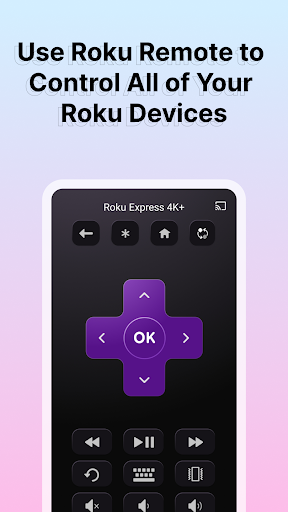
CineToolkit:Caster&Roku Remote screenshot
Permissions Explained 9 permissions requested View details

This app requests 9 permissions. The table below explains what each permission may allow and what users should review before installing.

Status Permission What it means Why it may be used User safety note
ℹ️ Review Read The Contents Of Your Usb Storage read the contents of your USB storage This is an Android permission or app-specific permission requested by the app. The app may use this permission for features related to its category, device support, background behavior, storage, connectivity, or system integration. Review this permission before installing, especially if it does not match the app’s expected purpose.
ℹ️ Review View Wi Fi Connections view Wi-Fi connections This is an Android permission or app-specific permission requested by the app. The app may use this permission for features related to its category, device support, background behavior, storage, connectivity, or system integration. Review this permission before installing, especially if it does not match the app’s expected purpose.
ℹ️ Review View Network Connections view network connections This is an Android permission or app-specific permission requested by the app. The app may use this permission for features related to its category, device support, background behavior, storage, connectivity, or system integration. Review this permission before installing, especially if it does not match the app’s expected purpose.
ℹ️ Review Allow Wi Fi Multicast Reception allow Wi-Fi Multicast reception This is an Android permission or app-specific permission requested by the app. The app may use this permission for features related to its category, device support, background behavior, storage, connectivity, or system integration. Review this permission before installing, especially if it does not match the app’s expected purpose.
ℹ️ Review Full Network Access full network access This is an Android permission or app-specific permission requested by the app. The app may use this permission for features related to its category, device support, background behavior, storage, connectivity, or system integration. Review this permission before installing, especially if it does not match the app’s expected purpose.
ℹ️ Review Run At Startup run at startup This is an Android permission or app-specific permission requested by the app. The app may use this permission for features related to its category, device support, background behavior, storage, connectivity, or system integration. Review this permission before installing, especially if it does not match the app’s expected purpose.
ℹ️ Review Control Vibration control vibration This is an Android permission or app-specific permission requested by the app. The app may use this permission for features related to its category, device support, background behavior, storage, connectivity, or system integration. Review this permission before installing, especially if it does not match the app’s expected purpose.
ℹ️ Review Prevent Device From Sleeping prevent device from sleeping This is an Android permission or app-specific permission requested by the app. The app may use this permission for features related to its category, device support, background behavior, storage, connectivity, or system integration. Review this permission before installing, especially if it does not match the app’s expected purpose.
ℹ️ Review Receive Data From Internet receive data from Internet This is an Android permission or app-specific permission requested by the app. The app may use this permission for features related to its category, device support, background behavior, storage, connectivity, or system integration. Review this permission before installing, especially if it does not match the app’s expected purpose.

About CineToolkit:Caster&Roku Remote

Get all the tools a movie lover could ever want - There are a variety of casting methods for you to choose from. You can cast local media files or an IPTV playback address, or a network playback address. You can also open some websites more easily by scanning QR. Subscription - Unlock all Cinephile tools - Unlimited times and methods of screencasting - Never be interrupted by ads - Stay tuned for more linkage benefits Screencasting Tools There are a variety of casting methods for you to choose from. You can cast network playback address. Privacy policy: https://sites.google.com/view/cinetoolkit/privacypolicy Terms of use: https://sites.google.com/view/cinetoolkit/terms

What CineToolkit:Caster&Roku Remote Is Used For

CineToolkit:Caster&Roku Remote appears to be a phone app for sending media and web-based content from an Android device to a compatible screen or receiver. Based on the metadata, its main use cases include casting local media files, opening IPTV playback addresses, and streaming content from network playback links to a larger display. The mention of QR scanning for websites suggests it may also be used as a shortcut for opening or sharing certain web pages in a more cast-friendly way.

The permissions point to a network-connected app that needs access to Wi‑Fi and internet features to discover devices and handle streaming connections, and USB storage access to read local media files. Because it is listed under Tools and includes Roku remote language in the title, it may also be used as a companion-style utility for media playback control and casting workflows rather than as a standalone player. The app also offers subscriptions and in-app purchases, so some casting methods or ad-free use may be tied to paid access.

Common uses

  • Cast local videos or other media stored on the phone
  • Use network playback links or IPTV addresses for streaming setups
  • Open selected websites through QR scanning for easier access
  • Connect over Wi‑Fi to discover and communicate with compatible devices
  • Keep media playback available while the device stays awake
  • Use as a phone-based casting and control utility for living-room viewing
Best for:
Phone users Casting utility users Home media setups Roku-style remote needs Large-screen viewing

App Details

Package:
com.cinetoolkit.cinetoolkit
Category:
Tools
Developer:
Cinetoolkit
Version:
2.3.2
Updated:
Feb 27, 2026
Min Android:
5.0
Age Rating:
Teen
Contains Ads:
Yes
In-App Purchases:
Yes

Official Listing

  • Official listing available on Google Play
  • Package name: com.cinetoolkit.cinetoolkit
  • Age rating: Teen

Explore More

Browse more apps in Tools or explore the Phone hub .

Related Tools Apps

Turbo VPN - Secure VPN Proxy icon

Turbo VPN - Secure VPN Proxy

Tools Innovative Connecting

Enjoy fast streaming, secure & private internet with super unlimited VPN Turbo

Version 4.2.9.8 25.3 MB ⭐ 4.70 100,000,000+ installs
AVG AntiVirus & Security icon

AVG AntiVirus & Security

Tools AVG Mobile

Scam & Malware protection, Virus Cleaner, Hack Alerts, App Locker, Photo Vault

Version 26.6.0 56.3 MB ⭐ 4.60 100,000,000+ installs
Avast Antivirus & Security icon

Avast Antivirus & Security

Tools Avast Software

Android Mobile Security with Antivirus, Virus cleaner, App Lock & Phone cleaner

Version 26.2.3.260318122 56.8 MB ⭐ 4.60 100,000,000+ installs
F-Secure Mobile Security icon

F-Secure Mobile Security

Tools F-Secure Corporation

Antivirus, Virus Cleaner & Malware Scan | Mobile Security & Hacker Protection

Version 10.57-ff32089 17.9 MB ⭐ 4.20 100,000,000+ installs
TeraBox: 1TB Cloud & AI Space icon

TeraBox: 1TB Cloud & AI Space

Tools Flextech Inc.

Get 1TB Cloud Storage Space with One-Click. Unlock AI Tools in One Smart Space.

Version 4.13.7 112.7 MB ⭐ 4.40 100,000,000+ installs
Secure VPN-Safer Internet icon

Secure VPN-Safer Internet

Tools Secure Signal Inc.

Access favorite websites and apps more securely on the go.

Version 4.3.11 5.6 MB ⭐ 4.70 100,000,000+ installs

How to Download CineToolkit:Caster&Roku Remote

If this app is not hosted directly on APKApps official link, then for the safest and most up-to-date version, install it from its official Google Play listing.