Designs Studio For Cut Machine icon

Phone

Designs Studio For Cut Machine

Art & Design Coloring Laze ⭐ 3.90 100,000+
Version Varies with device Everyone

Screenshots

Designs Studio For Cut Machine screenshot
Permissions Explained 8 permissions requested View details

This app requests 8 permissions. The table below explains what each permission may allow and what users should review before installing.

Status Permission What it means Why it may be used User safety note
ℹ️ Review Read The Contents Of Your Usb Storage read the contents of your USB storage This is an Android permission or app-specific permission requested by the app. The app may use this permission for features related to its category, device support, background behavior, storage, connectivity, or system integration. Review this permission before installing, especially if it does not match the app’s expected purpose.
ℹ️ Review Modify Or Delete The Contents Of Your Usb Storage modify or delete the contents of your USB storage This is an Android permission or app-specific permission requested by the app. The app may use this permission for features related to its category, device support, background behavior, storage, connectivity, or system integration. Review this permission before installing, especially if it does not match the app’s expected purpose.
ℹ️ Review View Wi Fi Connections view Wi-Fi connections This is an Android permission or app-specific permission requested by the app. The app may use this permission for features related to its category, device support, background behavior, storage, connectivity, or system integration. Review this permission before installing, especially if it does not match the app’s expected purpose.
ℹ️ Review View Network Connections view network connections This is an Android permission or app-specific permission requested by the app. The app may use this permission for features related to its category, device support, background behavior, storage, connectivity, or system integration. Review this permission before installing, especially if it does not match the app’s expected purpose.
ℹ️ Review Change Network Connectivity change network connectivity This is an Android permission or app-specific permission requested by the app. The app may use this permission for features related to its category, device support, background behavior, storage, connectivity, or system integration. Review this permission before installing, especially if it does not match the app’s expected purpose.
ℹ️ Review Full Network Access full network access This is an Android permission or app-specific permission requested by the app. The app may use this permission for features related to its category, device support, background behavior, storage, connectivity, or system integration. Review this permission before installing, especially if it does not match the app’s expected purpose.
ℹ️ Review Prevent Device From Sleeping prevent device from sleeping This is an Android permission or app-specific permission requested by the app. The app may use this permission for features related to its category, device support, background behavior, storage, connectivity, or system integration. Review this permission before installing, especially if it does not match the app’s expected purpose.
ℹ️ Review Receive Data From Internet receive data from Internet This is an Android permission or app-specific permission requested by the app. The app may use this permission for features related to its category, device support, background behavior, storage, connectivity, or system integration. Review this permission before installing, especially if it does not match the app’s expected purpose.

About Designs Studio For Cut Machine

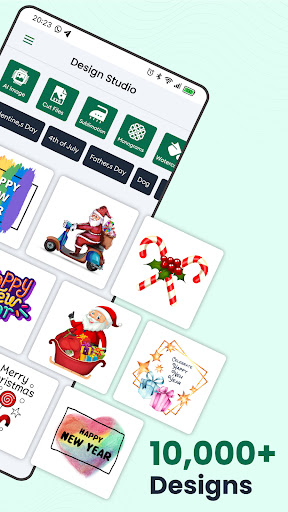
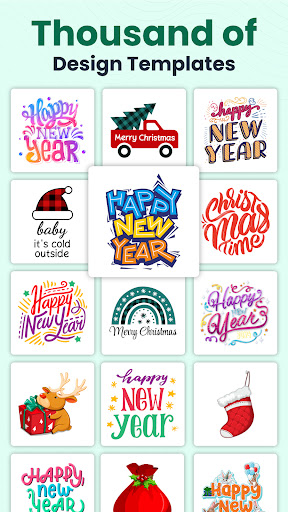
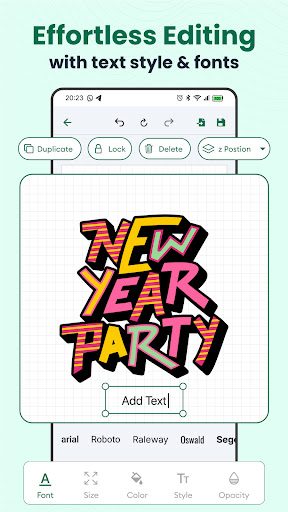
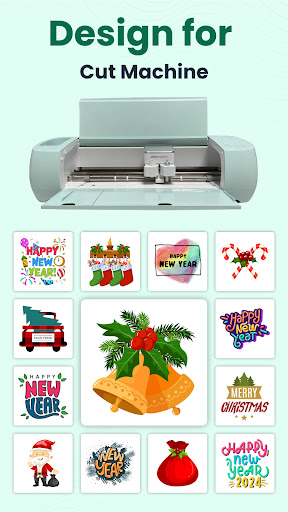
"Transform Ideas into Reality: Choose DIY Design Studio." Welcome to the Design Studio for Cut Machine app – your ultimate companion for all your creative projects & Designs! Whether you're new to Craft Space or an experienced user, this Craft Space app offers endless creative possibilities for your DIY projects & Sublimation designs. Get started by creating DIY projects from scratch or explore thousands of Fonts, sublimation designs & images, ready-to-make projects, and unique fonts in the Image Library. The Craft Space app experience guides you along as you create something fun or functional. DIY Design Studio for Cri-Cut Machine having world's most-loved sign making and vinyl cutting software, developed to perfectly match your vinyl cutter & Design for Cut Machine. "Download Now & Turn Ideas into Art" With Design Studio for Cut Machine, you have total creative freedom. Connect to your machine to design, draw or cut with ease and creative possibilities for your DIY projects. DIY Design Studio for Cri-Cut Machine is the best cut machine for DIY projects and craft projects, offering precision and speed. Discover brand-new features like Draw, add image, add text, add stickers, and more. Access a vast library of cut files, sublimation designs, monograms, shapes, stickers, and watercolors to personalize your crafts. Use a versatile toolset & simple interface to draw, edit and export your file into SVG easily by using SVG editor. Key features of the app includes: A wide variety of DIY project ideas, including monograms and cut files. A classic inventory of fonts to enhance your designs. An exceptional range of shapes, sublimation designs and stickers for added flair. User-friendly editing features for easy customization, like resize, reshape, rotate & more. Save high-quality projects with a single tap. Download DIY projects in SVG, PNG, and JPG formats. Stay inspired with regular updates and new content added to the DIY Design Studio for Cri-Cut Machine app. Craft with confidence using a Cut Machine. Ideal for heat press projects, it ensures flawless results. Enjoy the freedom to create without limitations. Whether you're a beginner or expert, this Design Studio for Cut Machine & Craft Space app makes it easy to bring your artistic vision to life in minutes. Designed for everyone, the app eliminates complexity. No DIY design studio knowledge or expertise required – simply unleash your creativity and craft away! And for existing members with Design Studio machines, try the companion Design Studio app for quick and easy projects in just a few minutes. Unlock your creativity and start crafting like never before with the DIY Design Studio for Cri-Cut Machine app. Whether you're crafting for pleasure or business, the Craft Space app empowers you to create with confidence and precision, every step of the way. Download now and let your imagination run wild!

What Designs Studio For Cut Machine Is Used For

Designs Studio For Cut Machine appears to be an art and design app focused on creating DIY artwork and cut-ready designs on Android phones. Based on the metadata, it may be used by people working on craft projects such as vinyl cutting, sublimation layouts, monograms, stickers, shapes, and text-based designs. The app also mentions an image library, fonts, and SVG export, which suggests it is meant for users who want to assemble and edit design files for personal craft or machine-based projects.

Common use may include drawing, adding text or images, resizing, rotating, reshaping, and exporting finished files in formats like SVG, PNG, or JPG. The permission set indicates the app can read and modify USB storage and access network connections, which may relate to saving project files, importing assets, and downloading online content or updates. It also requests permission to prevent sleep, which can be useful during longer editing sessions or transfers. This looks most relevant for phone users who want a handheld design workspace for craft planning and file preparation.

Common uses

  • Create DIY craft layouts and personalized design files
  • Edit text, images, stickers, shapes, and fonts
  • Export projects in SVG, PNG, or JPG formats
  • Work on monograms, sublimation designs, and cut files
  • Store or move project files through USB storage access
  • Use on a phone for craft planning and design editing
  • Download or update design resources through network access
Best for:
DIY crafters Cut machine users Phone editing SVG export Craft design planning

App Details

Package:
com.cl.svgEditor
Category:
Art & Design
Developer:
Coloring Laze
Version:
Varies with device
Min Android:
Varies with device
Age Rating:
Everyone
Contains Ads:
Yes
In-App Purchases:
Yes

Official Listing

  • Official listing available on Google Play
  • Package name: com.cl.svgEditor
  • Age rating: Everyone

Explore More

Browse more apps in Art & Design or explore the Phone hub .

Related Art & Design Apps

VistaCreate: Graphic Design icon

VistaCreate: Graphic Design

Art & Design Crello Ltd.

Graphic design & visuals made easy! Pro design for social media, print & web.

Version 2.46.13 31.7 MB ⭐ 4.40 5,000,000+ installs

How to Download Designs Studio For Cut Machine

If this app is not hosted directly on APKApps official link, then for the safest and most up-to-date version, install it from its official Google Play listing.