Garmin Pilot icon

Phone

Garmin Pilot

Weather Garmin ⭐ 2.70 500,000+
Version 26.3.0 28.9 MB Everyone

Screenshots

Garmin Pilot screenshot
Permissions Explained 10 permissions requested View details

This app requests 10 permissions. The table below explains what each permission may allow and what users should review before installing.

Status Permission What it means Why it may be used User safety note
⚠️ Sensitive Modify external storage android.permission.WRITE_EXTERNAL_STORAGE Allows the app to write or modify files in shared device storage. Used for saving downloads, media files, exports, edited documents, backups, or cached content. Sensitive permission. Make sure file access matches the app’s purpose.
⚠️ Sensitive Read phone state android.permission.READ_PHONE_STATE Allows the app to access phone status and device-related information. Used for call handling, carrier services, device identification, account security, or playback interruption handling. Sensitive permission. Review whether the app has a clear phone-related reason.
Common Internet access android.permission.INTERNET Allows the app to open network connections and communicate with online services. Commonly used for streaming, syncing, login, ads, analytics, downloads, cloud features, and app updates. Common permission. Review the app’s behavior if it does not appear to need online access.
ℹ️ Review Access Wifi State android.permission.ACCESS_WIFI_STATE This is an Android permission or app-specific permission requested by the app. The app may use this permission for features related to its category, device support, background behavior, storage, connectivity, or system integration. Review this permission before installing, especially if it does not match the app’s expected purpose.
Common View network status android.permission.ACCESS_NETWORK_STATE Allows the app to check whether the device is connected to Wi-Fi, mobile data, or another network. Often used to avoid loading content when offline or to adjust loading based on connection quality. Generally low risk by itself.
ℹ️ Review Keep device awake android.permission.WAKE_LOCK Allows the app to prevent the device from sleeping while a task is running. Used for media playback, downloads, navigation, alarms, calls, or long-running background tasks. Review battery usage if the app keeps the device awake too often.
ℹ️ Review System Alert Window android.permission.SYSTEM_ALERT_WINDOW This is an Android permission or app-specific permission requested by the app. The app may use this permission for features related to its category, device support, background behavior, storage, connectivity, or system integration. Review this permission before installing, especially if it does not match the app’s expected purpose.
⚠️ Sensitive Read external storage android.permission.READ_EXTERNAL_STORAGE Allows the app to read files from shared device storage. Used by media players, file managers, backup apps, editors, upload tools, and document apps. Sensitive permission. Review carefully if the app does not need access to files or media.
⚠️ Sensitive Approximate location android.permission.ACCESS_COARSE_LOCATION Allows the app to access an approximate device location. Used for weather, local content, regional features, nearby services, or location-based settings. Sensitive permission. Review whether the app needs location access.
⚠️ Sensitive Precise location android.permission.ACCESS_FINE_LOCATION Allows the app to access the device’s precise location when granted by the user. Used for maps, navigation, local recommendations, weather, rideshare, nearby devices, or location-based content. Sensitive permission. Grant only when location access matches the app’s purpose.

About Garmin Pilot

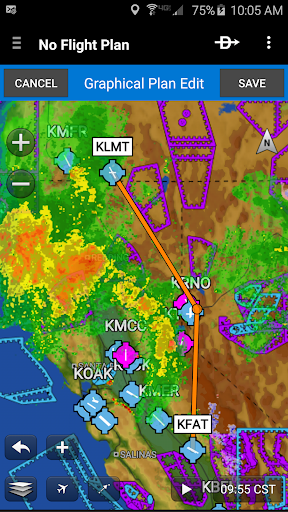
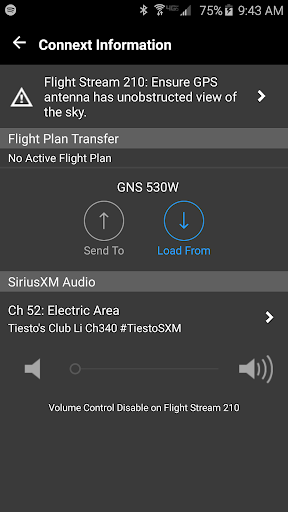
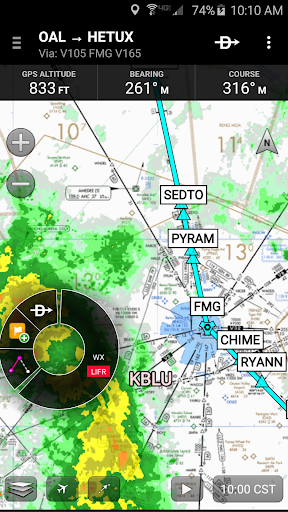
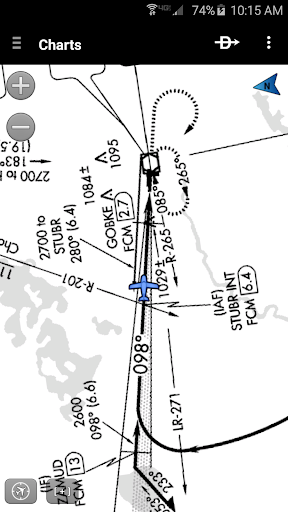
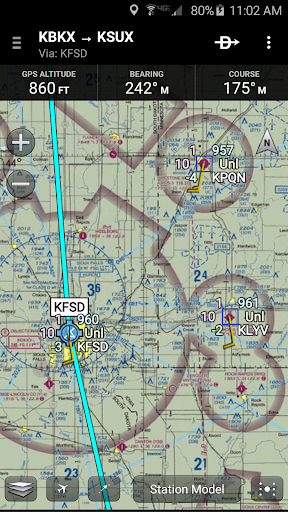
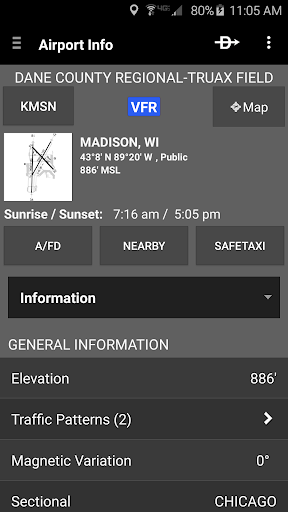
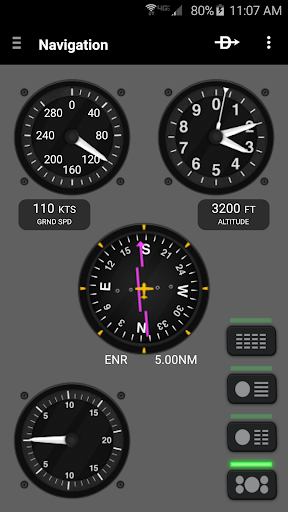
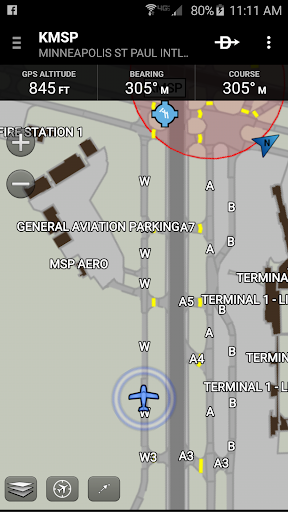
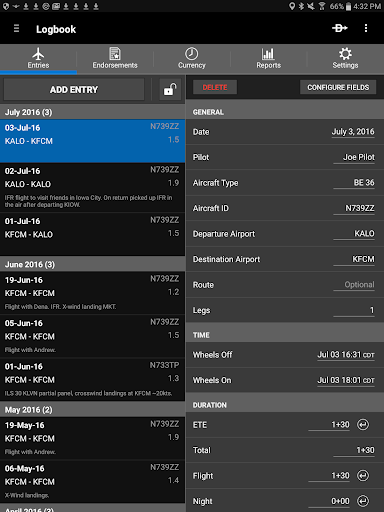
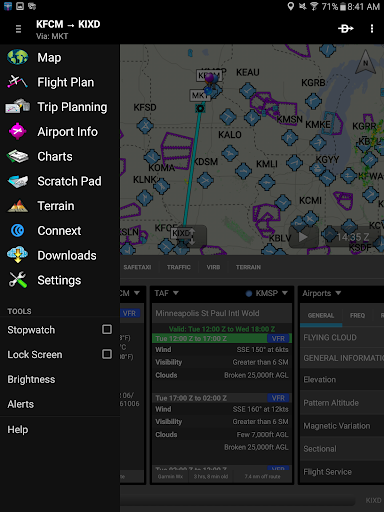
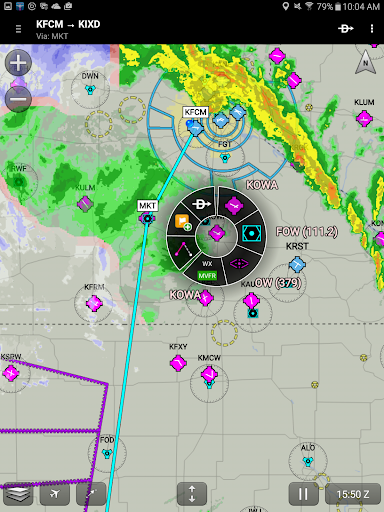
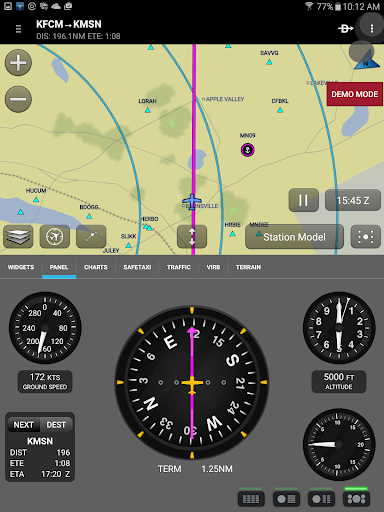
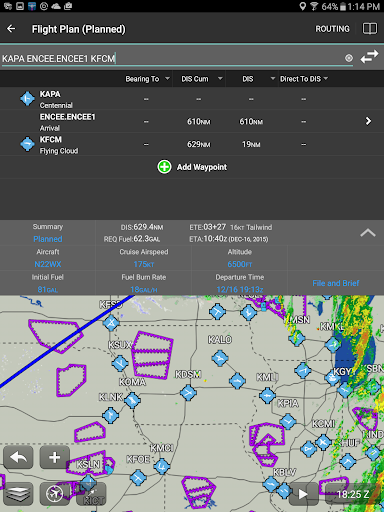
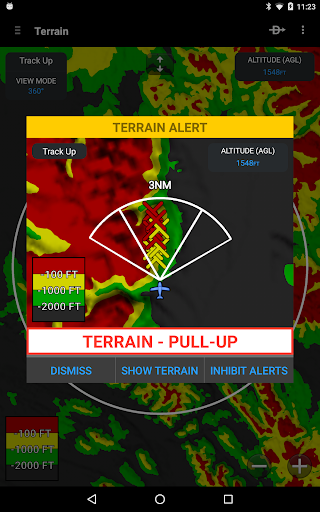
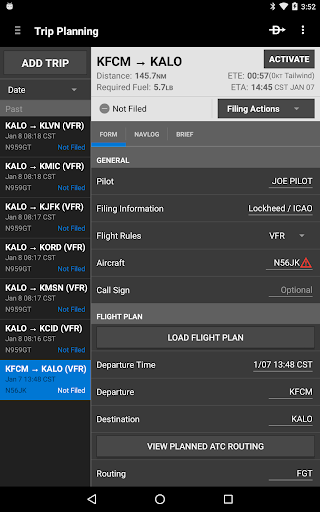
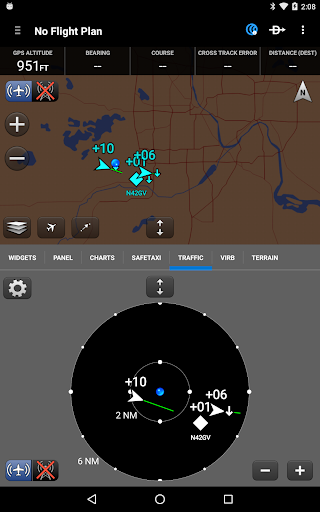
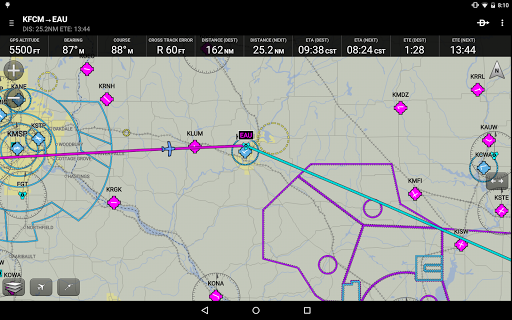
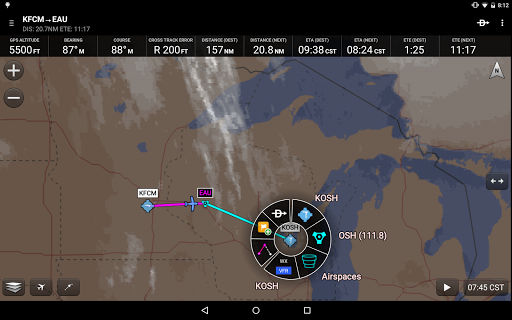
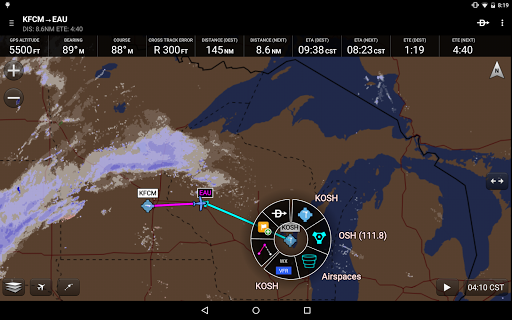
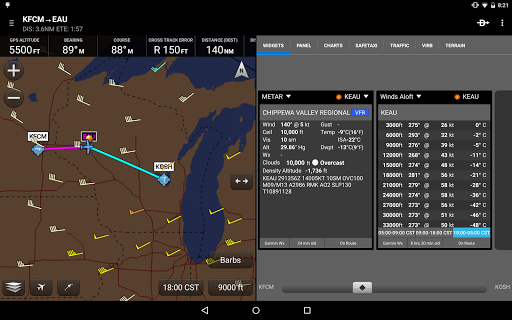
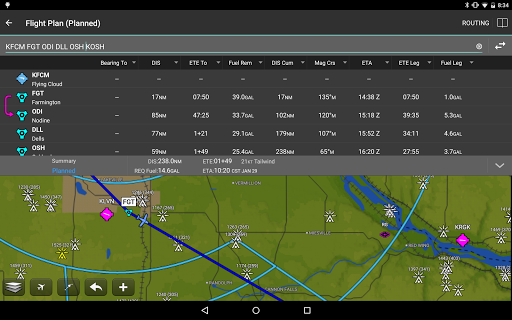
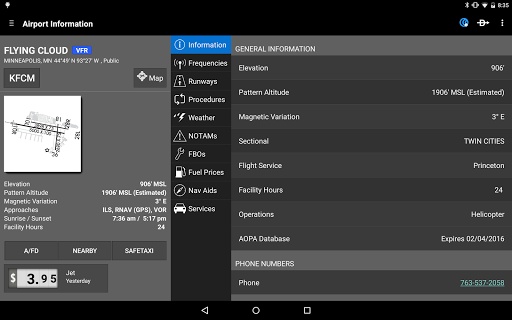
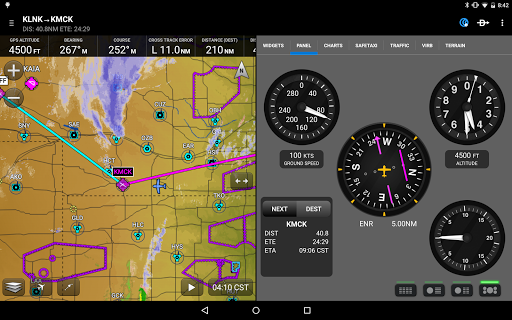
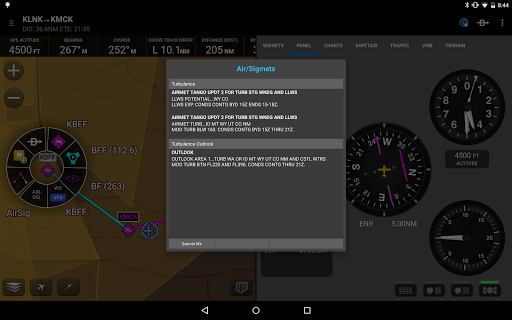
** 30 Day Free Trial! ** Garmin Pilot is a comprehensive aviation application that allows pilots to plan, file, fly and log with ease. Garmin Pilot is the most comprehensive suite of tools for Android designed specifically for general aviation and corporate pilots. Flight planning, filing, charts, interactive maps, weather briefing resources and navigation capabilities; it’s all included. The app’s intuitive interface mirrors those on the newest Garmin touchscreen avionics so you can go seamlessly from preflight to inflight. Plan, file, fly with Garmin Pilot. Plan Garmin Pilot’s powerful capabilities start with pre-flight planning, providing pilots with the most comprehensive aviation weather information to make better-informed flight decisions. Pilots can check NEXRAD radar, visible and infrared cloud imagery, METARs, TAFs, AIRMETs, SIGMETs, PIREPs, NOTAMs, winds and temperature aloft, PIREPs, TFRs and lightning data. With Garmin Pilot, data can be displayed over a VFR sectional or an IFR low or high en-route chart to visualize the weather for your route. Add text-based weather widgets and use the exclusive NavTrack feature to view weather along the planned route. File With Garmin Pilot, users can easily enter a flight plan. Pre-loaded forms make it quick to save and reuse data for frequently flown routes. And when the flight plan is ready, Garmin Pilot makes it simple to file, cancel or close the flight plan. Fly Garmin Pilot provides full en-route navigation capability on its moving map, while showing ETE, ETA, cross track error, distance to waypoint and current position. Log Garmin Pilot includes a comprehensive electronic logbook that syncs with flyGarmin. The logbook automatically generates entries based upon GPS data collected during the flight, tracks currency, supports manual entries, endorsements and creates reports. Garmin Pilot. It’s the app aviators have been waiting for. Features include: - Charts: VFR Sectionals, low and high IFR en-route, airport diagrams and approach procedures - Optional geo-reference Garmin FliteCharts® and Garmin SafeTaxi® show aircraft position on approach charts and taxiways - Weather Maps: Animated radar, AIRMETs/SIGMETs, Lightning, PIREPs, METARs/TAFs, Winds Aloft, TFRs, Infrared and Visible Satellite - Extensive text products: METARs, TAFs, Winds Aloft, PIREPs, AIRMETs, SIGMETs, Area Forecasts and NOTAMs - Dynamic weather overlays with your route displayed on map - AOPA Airport Directory - Flight plan filing via Lockheed Martin and DUATS - Comprehensive weather data direct from the National Weather Service and Environment Canada

What Garmin Pilot Is Used For

Garmin Pilot appears to be a flight-planning and navigation app for pilots, based on the metadata. It is aimed at general aviation and corporate flying, and it may be used before, during, and after a flight to help manage route planning, weather review, chart viewing, and flight logging. The app’s phone format suggests it is meant for use on an Android handset in the cockpit or during preflight preparation.

Based on the description, common uses include checking aviation weather, viewing VFR and IFR charts, building and filing flight plans, and tracking the aircraft’s position on a moving map. The listed location permissions suggest it may use GPS data for navigation and for creating logbook entries tied to flight activity. Storage and network permissions also fit an app that downloads charts, saves flight data, and pulls in weather and flight information. It may also be useful for pilots who want to keep an electronic logbook and reuse saved flight plan details for frequent routes.

Common uses

  • Review aviation weather before departure and en route
  • View VFR and IFR charts on a phone screen
  • Build, file, cancel, or close flight plans
  • Track position, ETA, distance, and cross-track error during flight
  • Log flight activity and generate logbook entries from GPS data
  • Check airport diagrams and approach procedures
  • Use route-based weather and navigation tools for trip planning
Best for:
Pilots Flight planning Aviation weather Navigation on phone Electronic logbook

App Details

Package:
com.digcy.pilot
Category:
Weather
Developer:
Garmin
Version:
26.3.0
Updated:
Feb 27, 2026
Min Android:
11
Age Rating:
Everyone
Contains Ads:
No
In-App Purchases:
Yes

Official Listing

  • Official listing available on Google Play
  • Package name: com.digcy.pilot
  • Age rating: Everyone

Explore More

Browse more apps in Weather or explore the Phone hub .

Related Weather Apps

VesselFinder icon

VesselFinder

Maps & Navigation VT Explorer Ltd

Real time AIS ship tracking of marine traffic, vessel database, ship photos.

Version 5.6.5 28.2 MB ⭐ 3.99 1,000,000+ installs

How to Download Garmin Pilot

If this app is not hosted directly on APKApps official link, then for the safest and most up-to-date version, install it from its official Google Play listing.