Disney+ icon

TV

Disney+

Entertainment Disney ⭐ 4.30 500,000,000+
Version 26.4.0+rc4-2026.03.25 59.6 MB Teen

TV Compatibility

Android TV
Supported
Fire TV
Unknown
Remote Friendly
Yes
Sideload Required
No

Screenshots

Disney+ screenshot
Disney+ screenshot
Disney+ screenshot
Disney+ screenshot
Disney+ screenshot
Disney+ screenshot
Disney+ screenshot
Disney+ screenshot
Disney+ screenshot
Disney+ screenshot
Disney+ screenshot
Disney+ screenshot
Disney+ screenshot
Disney+ screenshot
Disney+ screenshot
Permissions Explained 15 permissions requested View details

This app requests 15 permissions. The table below explains what each permission may allow and what users should review before installing.

Status Permission What it means Why it may be used User safety note
ℹ️ Review Gms Permission Ad Id com.google.android.gms.permission.AD_ID This is an Android permission or app-specific permission requested by the app. The app may use this permission for features related to its category, device support, background behavior, storage, connectivity, or system integration. Review this permission before installing, especially if it does not match the app’s expected purpose.
ℹ️ Review Com Samsung Android Mapsagent Permission Read App Info com.samsung.android.mapsagent.permission.READ_APP_INFO This is an Android permission or app-specific permission requested by the app. The app may use this permission for features related to its category, device support, background behavior, storage, connectivity, or system integration. Review this permission before installing, especially if it does not match the app’s expected purpose.
ℹ️ Review Vending Billing com.android.vending.BILLING This is an Android permission or app-specific permission requested by the app. The app may use this permission for features related to its category, device support, background behavior, storage, connectivity, or system integration. Review this permission before installing, especially if it does not match the app’s expected purpose.
Common Internet access android.permission.INTERNET Allows the app to open network connections and communicate with online services. Commonly used for streaming, syncing, login, ads, analytics, downloads, cloud features, and app updates. Common permission. Review the app’s behavior if it does not appear to need online access.
Common View network status android.permission.ACCESS_NETWORK_STATE Allows the app to check whether the device is connected to Wi-Fi, mobile data, or another network. Often used to avoid loading content when offline or to adjust loading based on connection quality. Generally low risk by itself.
ℹ️ Review Send notifications android.permission.POST_NOTIFICATIONS Allows the app to send notifications to the device. Used for alerts, reminders, messages, account activity, updates, or media controls. Review notification settings if the app sends too many alerts.
Common Vibration control android.permission.VIBRATE Allows the app to control device vibration. Used for notifications, alerts, haptic feedback, timers, alarms, or game feedback. Generally low risk by itself.
ℹ️ Review Foreground Service android.permission.FOREGROUND_SERVICE This is an Android permission or app-specific permission requested by the app. The app may use this permission for features related to its category, device support, background behavior, storage, connectivity, or system integration. Review this permission before installing, especially if it does not match the app’s expected purpose.
ℹ️ Review Use Biometric android.permission.USE_BIOMETRIC This is an Android permission or app-specific permission requested by the app. The app may use this permission for features related to its category, device support, background behavior, storage, connectivity, or system integration. Review this permission before installing, especially if it does not match the app’s expected purpose.
ℹ️ Review Use Fingerprint android.permission.USE_FINGERPRINT This is an Android permission or app-specific permission requested by the app. The app may use this permission for features related to its category, device support, background behavior, storage, connectivity, or system integration. Review this permission before installing, especially if it does not match the app’s expected purpose.
ℹ️ Review Keep device awake android.permission.WAKE_LOCK Allows the app to prevent the device from sleeping while a task is running. Used for media playback, downloads, navigation, alarms, calls, or long-running background tasks. Review battery usage if the app keeps the device awake too often.
ℹ️ Review C2dm Permission Receive com.google.android.c2dm.permission.RECEIVE This is an Android permission or app-specific permission requested by the app. The app may use this permission for features related to its category, device support, background behavior, storage, connectivity, or system integration. Review this permission before installing, especially if it does not match the app’s expected purpose.
ℹ️ Review Finsky Permission Bind Get Install Referrer Service com.google.android.finsky.permission.BIND_GET_INSTALL_REFERRER_SERVICE This is an Android permission or app-specific permission requested by the app. The app may use this permission for features related to its category, device support, background behavior, storage, connectivity, or system integration. Review this permission before installing, especially if it does not match the app’s expected purpose.
ℹ️ Review Receive Boot Completed android.permission.RECEIVE_BOOT_COMPLETED This is an Android permission or app-specific permission requested by the app. The app may use this permission for features related to its category, device support, background behavior, storage, connectivity, or system integration. Review this permission before installing, especially if it does not match the app’s expected purpose.
ℹ️ Review Com Disney Disneyplus Dynamic Receiver Not Exported Permission com.disney.disneyplus.DYNAMIC_RECEIVER_NOT_EXPORTED_PERMISSION This is an Android permission or app-specific permission requested by the app. The app may use this permission for features related to its category, device support, background behavior, storage, connectivity, or system integration. Review this permission before installing, especially if it does not match the app’s expected purpose.

About Disney+

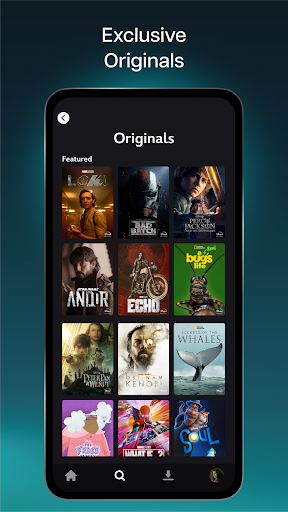
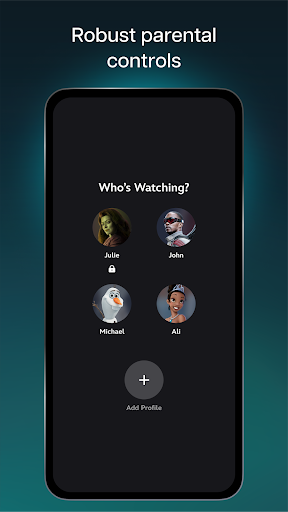
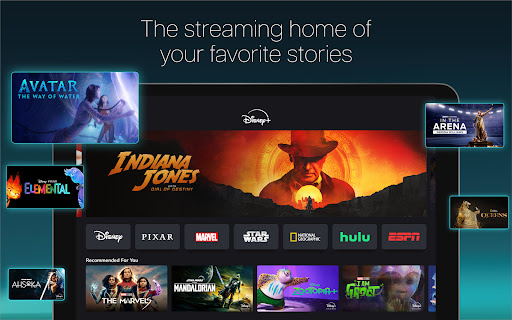
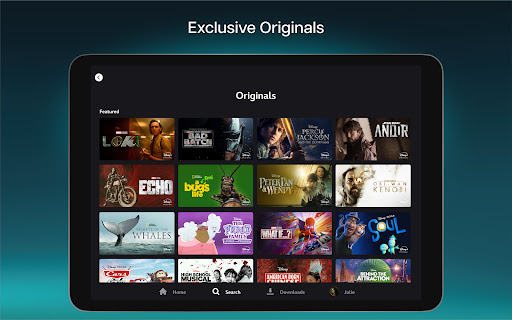
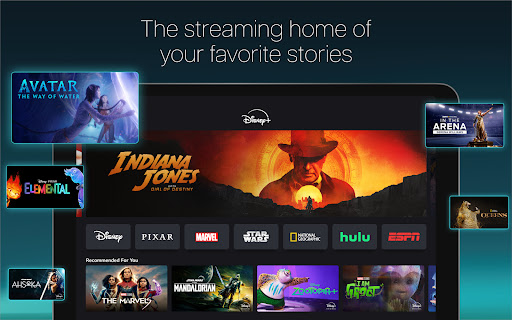
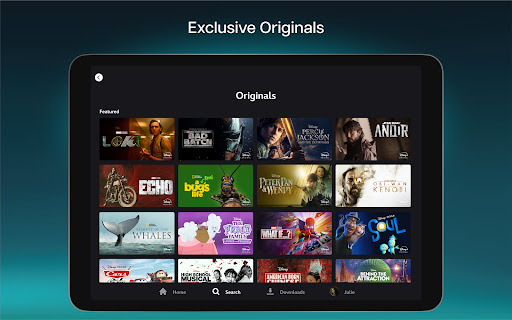
Disney+ is the streaming home of your favorite stories. With beloved movies and series from Disney, Pixar, Marvel, Star Wars, National Geographic, there's always something to explore. Stream the latest movie releases, exclusive Original series, and highly anticipated matchups all in Disney+. Stream Originals like Marvel Studios’ Loki and fan favorites like Encanto and The Simpsons. With a Disney+ subscription plan you will get to experience: • Exclusive new Originals from Disney, Pixar, Marvel, Star Wars, and National Geographic. • Access to new releases, timeless classics, and past seasons of your favorite TV shows. •A live feed of ABC News and Streams that offer carefully curated, continuous programming based on seasonality or interest, from across the Disney+ library* • Over 100 titles in 4K UHD and HDR. • The ability to watch on multiple screens at once at no extra cost. • Multiple parental control features including Profile PIN and Kid-Proof Exit. Easily adjust a profile’s Content Rating settings for a viewing experience that suits everyone • IMAX Enhanced, see the full scale and scope with IMAX's expanded aspect ratio. Available with certain Marvel and Pixar titles and accessible on all devices where Disney+ is supported. • A curated selection of unlocked Hulu content in the Hulu hub within the Disney+ app.** • A curated selection of highly anticipated live sports events, ESPN Originals, and studio programming in the ESPN hub within the Disney+ app** For help with Disney+, please visit: http://help.disneyplus.com For our Subscriber Agreement and other policies please visit: https://disneyplus.com/legal/subscriber-agreement Your California Privacy Rights: https://www.disneyplus.com/legal/your-california-privacy-rights Do Not Sell My Information: https://www.disneyplus.com/legal/privacy-policy The content available on Disney+ may vary by region. Some titles shown above may not be available in your country. *Select Streams are currently available only with the Disney+ Premium plan. ABC News is not rated and will require a profile's Content Rating settings to be set to TV-MA. All other Streams are rated on a program-by-program basis. **Content subject to change. U.S. residents, 18+ only. A limited selection of content from Hulu and ESPN are now available to all Disney+ subscribers. To access the full ESPN on Disney+ and Hulu on Disney+ experiences, you must bundle those services with your Disney+ subscription.

What Disney+ Is Used For

Disney+ appears to be a streaming entertainment app for watching movies, TV series, and other video content from Disney, Pixar, Marvel, Star Wars, and National Geographic. Based on the metadata, it is commonly used on TV devices for viewing on a larger screen, making it a good fit for home entertainment setups where users want access to on-demand shows, films, and original series.

The app also seems designed for subscription-based viewing, with features such as in-app purchases, multiple profiles or viewing controls, and support for playback across multiple screens. Permission requests like internet access, network state, notifications, biometrics, and wake locks are consistent with a streaming app that needs to connect to online content, keep playback active, send updates, and support account access on supported devices.

Because the description mentions curated content, live feeds, and multiple hubs, Disney+ may be used not only for on-demand movies and series but also for browsing themed collections and watching selected live or continuously updated programming. On TV devices, it is likely most useful for relaxed viewing with remote control navigation and family-oriented profile management.

Common uses

  • Watch movies, series, and originals on a TV-based streaming app
  • Browse content from Disney, Pixar, Marvel, Star Wars, and National Geographic
  • Use it for home entertainment on a large screen
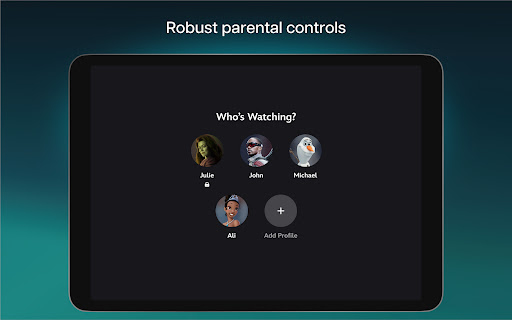
  • Manage viewing with profile and parental control options
  • Access curated collections and selected live or continuous programming
  • Stream content over the internet using a subscription account
  • Suitable for households that want shared viewing on multiple screens
Best for:
tv viewers family viewing movie streaming series streaming large screen

App Details

Package:
com.disney.disneyplus
Category:
Entertainment
Developer:
Disney
Version:
26.4.0+rc4-2026.03.25
Updated:
Mar 25, 2026
Min Android:
6.0
Age Rating:
Teen
Contains Ads:
No
In-App Purchases:
Yes

Official Listing

  • Official listing available on Google Play
  • Package name: com.disney.disneyplus
  • Age rating: Teen

Explore More

Browse more apps in Entertainment or explore the Tv hub .

Related Entertainment Apps

Prime Video icon

Prime Video

Entertainment Amazon Mobile LLC

Watch movies, TV shows, live programming and sports on Prime Video

Version Varies with device 46.9 MB ⭐ 4.10 500,000,000+ installs
Crunchyroll: Anime Streaming icon

Crunchyroll: Anime Streaming

Entertainment Crunchyroll, LLC

World's largest dedicated anime collection

Version Varies with device 47.5 MB ⭐ 4.70 100,000,000+ installs
Apple Music icon

Apple Music

Music & Audio Apple

Stream over 100 million songs, all ad-free.

Version Varies with device 136.0 MB ⭐ 4.60 100,000,000+ installs
HBO Max: Stream TV & Movies icon

HBO Max: Stream TV & Movies

Entertainment WarnerMedia Global Digital Services, LLC

Max Fashion Middle East

Version Varies with device 35.7 MB ⭐ 4.80 100,000,000+ installs
Pluto TV icon

Pluto TV

Entertainment Pluto, Inc.

Stream all your favorite movies, tv, news & sports. Binge full movies and more!

Version 5.37.2-leanback 24.8 MB ⭐ 3.65 100,000,000+ installs
Netflix icon

Netflix

Entertainment Netflix, Inc.

Netflix is the leading subscription service for watching TV episodes and movies.

Version 8.114.0 build 19 50680 72.6 MB ⭐ 3.02 100,000,000+ installs

How to Download Disney+

If this app is not hosted directly on APKApps official link, then for the safest and most up-to-date version, install it from its official Google Play listing.