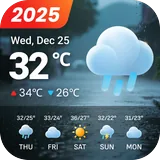
3D Flip Clock & Weather Pro icon

Phone

3D Flip Clock & Weather Pro

Weather MACHAPP Software Ltd ⭐ 4.50 1,000+
Version 9.06.0 17.4 MB Everyone

Screenshots

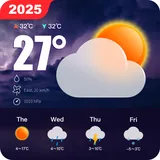
3D Flip Clock & Weather Pro screenshot
Permissions Explained 8 permissions requested View details

This app requests 8 permissions. The table below explains what each permission may allow and what users should review before installing.

Status Permission What it means Why it may be used User safety note
Common Internet access android.permission.INTERNET Allows the app to open network connections and communicate with online services. Commonly used for streaming, syncing, login, ads, analytics, downloads, cloud features, and app updates. Common permission. Review the app’s behavior if it does not appear to need online access.
Common View network status android.permission.ACCESS_NETWORK_STATE Allows the app to check whether the device is connected to Wi-Fi, mobile data, or another network. Often used to avoid loading content when offline or to adjust loading based on connection quality. Generally low risk by itself.
⚠️ Sensitive Precise location android.permission.ACCESS_FINE_LOCATION Allows the app to access the device’s precise location when granted by the user. Used for maps, navigation, local recommendations, weather, rideshare, nearby devices, or location-based content. Sensitive permission. Grant only when location access matches the app’s purpose.
ℹ️ Review Receive Boot Completed android.permission.RECEIVE_BOOT_COMPLETED This is an Android permission or app-specific permission requested by the app. The app may use this permission for features related to its category, device support, background behavior, storage, connectivity, or system integration. Review this permission before installing, especially if it does not match the app’s expected purpose.
⚠️ Sensitive Approximate location android.permission.ACCESS_COARSE_LOCATION Allows the app to access an approximate device location. Used for weather, local content, regional features, nearby services, or location-based settings. Sensitive permission. Review whether the app needs location access.
⚠️ Sensitive Modify external storage android.permission.WRITE_EXTERNAL_STORAGE Allows the app to write or modify files in shared device storage. Used for saving downloads, media files, exports, edited documents, backups, or cached content. Sensitive permission. Make sure file access matches the app’s purpose.
ℹ️ Review Write Internal Storage android.permission.WRITE_INTERNAL_STORAGE This is an Android permission or app-specific permission requested by the app. The app may use this permission for features related to its category, device support, background behavior, storage, connectivity, or system integration. Review this permission before installing, especially if it does not match the app’s expected purpose.
⚠️ Sensitive Read external storage android.permission.READ_EXTERNAL_STORAGE Allows the app to read files from shared device storage. Used by media players, file managers, backup apps, editors, upload tools, and document apps. Sensitive permission. Review carefully if the app does not need access to files or media.

About 3D Flip Clock & Weather Pro

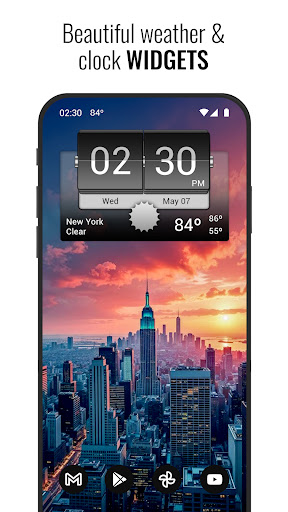
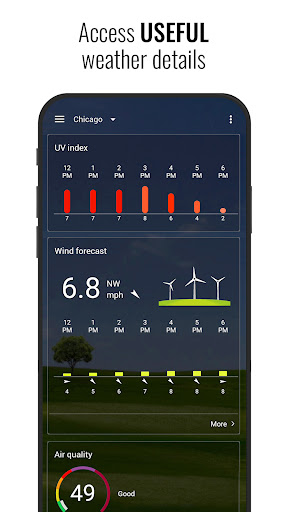
3D Flip clock & weather is a complete weather app that provides accurate weather forecasts and flip-style clock & weather widgets that support many different skins. Note: This version does not display ads. However, it still offers the option to get access to premium functionality via a subscription. The weather app features the following: - Local weather forecasts - Weather radar (updated every 3 hours) - Detailed current weather information - 7 day and 12 hour forecasts - 12 hour wind and UV index forecasts - Extended daily and hourly forecasts - Detailed extended weather graphs (temperatures, pressure, precipitation, wind) - Phases of the moon - Sun information - 4x2 widgets - Temperature notification and weather alerts Widgets: - 4x2 and 5x2 widgets (center on home screen or full width) - Current weather conditions, time and date - Useful hotspots - Next scheduled alarm - More than 30 different skins - Additional skins (download them optional widget skin packs) Subscribe to premium and get the following: - Animated weather radar (with layers for temperature, rain, snow and wind) - Hurricane/storm tracker - Air quality - Additional icons and weather backgrounds - More weather forecast information Website: https://www.machapp.net Email us if you have any problems or suggestions. We are happy to help!

What 3D Flip Clock & Weather Pro Is Used For

3D Flip Clock & Weather Pro appears to be a weather and clock app for Android phones that combines local forecasts with flip-style time and weather widgets. Based on the metadata, people commonly use it to check current conditions, review short-term and multi-day forecasts, and place weather widgets on the home screen for quick access to time, date, and forecast details.

The app also seems geared toward users who want more detailed weather context, such as radar, hourly and daily outlooks, wind and UV information, moon phases, sun data, and weather graphs. The location permissions suggest it may use your device location to show local weather, while network access is needed for forecast and radar updates. Since it includes widgets and alarm-related shortcuts, it may be especially useful for keeping weather information visible at a glance on a phone home screen.

Common uses

  • Check current weather and upcoming forecasts from the phone
  • Use flip-style widgets to display time, date, and weather on the home screen
  • View hourly, daily, wind, UV, and precipitation details
  • Monitor weather radar and storm-related updates in supported premium features
  • Track sun information and moon phases for planning outdoors
  • Use temperature notifications and weather alerts for quick changes
  • Choose from multiple widget skins and layouts for different home screens
Best for:
daily weather checks home screen widgets forecast tracking phone users weather alerts

App Details

Package:
com.droid27.d3flipclockweather.premium
Category:
Weather
Developer:
MACHAPP Software Ltd
Version:
9.06.0
Updated:
Mar 27, 2026
Min Android:
7.0
Age Rating:
Everyone
Contains Ads:
No
In-App Purchases:
Yes

Official Listing

  • Official listing available on Google Play
  • Package name: com.droid27.d3flipclockweather.premium
  • Age rating: Everyone

Explore More

Browse more apps in Weather or explore the Phone hub .

Related Weather Apps

How to Download 3D Flip Clock & Weather Pro

If this app is not hosted directly on APKApps official link, then for the safest and most up-to-date version, install it from its official Google Play listing.