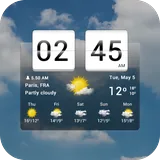
Sense Flip Clock & Weather icon

Phone

Sense Flip Clock & Weather

Weather MACHAPP Software Ltd ⭐ 4.20 10,000,000+
Version 9.05.0 17.5 MB Everyone

Screenshots

Sense Flip Clock & Weather screenshot
Permissions Explained 9 permissions requested View details

This app requests 9 permissions. The table below explains what each permission may allow and what users should review before installing.

Status Permission What it means Why it may be used User safety note
Common Internet access android.permission.INTERNET Allows the app to open network connections and communicate with online services. Commonly used for streaming, syncing, login, ads, analytics, downloads, cloud features, and app updates. Common permission. Review the app’s behavior if it does not appear to need online access.
Common View network status android.permission.ACCESS_NETWORK_STATE Allows the app to check whether the device is connected to Wi-Fi, mobile data, or another network. Often used to avoid loading content when offline or to adjust loading based on connection quality. Generally low risk by itself.
⚠️ Sensitive Precise location android.permission.ACCESS_FINE_LOCATION Allows the app to access the device’s precise location when granted by the user. Used for maps, navigation, local recommendations, weather, rideshare, nearby devices, or location-based content. Sensitive permission. Grant only when location access matches the app’s purpose.
ℹ️ Review Receive Boot Completed android.permission.RECEIVE_BOOT_COMPLETED This is an Android permission or app-specific permission requested by the app. The app may use this permission for features related to its category, device support, background behavior, storage, connectivity, or system integration. Review this permission before installing, especially if it does not match the app’s expected purpose.
⚠️ Sensitive Approximate location android.permission.ACCESS_COARSE_LOCATION Allows the app to access an approximate device location. Used for weather, local content, regional features, nearby services, or location-based settings. Sensitive permission. Review whether the app needs location access.
⚠️ Sensitive Modify external storage android.permission.WRITE_EXTERNAL_STORAGE Allows the app to write or modify files in shared device storage. Used for saving downloads, media files, exports, edited documents, backups, or cached content. Sensitive permission. Make sure file access matches the app’s purpose.
ℹ️ Review Gms Permission Activity Recognition com.google.android.gms.permission.ACTIVITY_RECOGNITION This is an Android permission or app-specific permission requested by the app. The app may use this permission for features related to its category, device support, background behavior, storage, connectivity, or system integration. Review this permission before installing, especially if it does not match the app’s expected purpose.
ℹ️ Review Providers Gsf Permission Read Gservices com.google.android.providers.gsf.permission.READ_GSERVICES This is an Android permission or app-specific permission requested by the app. The app may use this permission for features related to its category, device support, background behavior, storage, connectivity, or system integration. Review this permission before installing, especially if it does not match the app’s expected purpose.
⚠️ Sensitive Read external storage android.permission.READ_EXTERNAL_STORAGE Allows the app to read files from shared device storage. Used by media players, file managers, backup apps, editors, upload tools, and document apps. Sensitive permission. Review carefully if the app does not need access to files or media.

About Sense Flip Clock & Weather

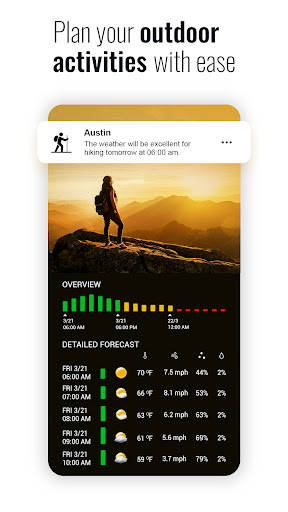
Elevate your mobile experience with Sense Flip Clock & Weather, the ultimate app for timely and accurate weather forecasts and elegant timekeeping. With just a glance, get wrapped in a world of meteorological insights and stylish clock widgets, making every day planning seamless and delightful. 🌈⏰ Why Choose Sense Flip Clock & Weather? Accurate Forecasts: Instantly access current conditions and forecasts for temperature, wind, humidity, and more for up to 10 global locations. 🌡️🌎 Hourly & Daily Insights: Detailed hourly forecasts for the next 12 hours and daily outlooks for 7 days keep you prepared. 🕒📆 Automatic Location Detection: Wherever you are, get real-time weather updates tailored to your exact location. 📍✨ KEY FEATURES: Weather Alerts: Stay safe with timely notifications for severe weather conditions. 🔔⚠️ Customizable Widgets: Choose from various flip-clock and weather widget styles and sizes for your home screen. 📲💖 Comprehensive Forecasts: From UV index to wind forecasts, have all the weather data you need at your fingertips. 🌞💨 Exclusive Widgets & Customizations: Flip-clock style widgets in 4x1, 4x2, and 4x3 sizes. Customizable app skins, weather icons, and backgrounds. Widgets display time, date, current weather, and daily forecast. Go Premium for More: Ad-Free Experience: Enjoy the app without any interruptions. Enhanced Features: Gain access to animated weather radar, air quality forecasts, hurricane trackers, and more. 🚫🌪️ We're Here for You: Have questions or feedback? Our team is just an email away, ready to enhance your Sense Flip Clock & Weather experience. Dive into a world where time and weather harmonize beautifully on your device. Try Sense Flip Clock & Weather now, and redefine how you stay informed and organized every day.

What Sense Flip Clock & Weather Is Used For

Sense Flip Clock & Weather appears to be a weather and clock app for phones that combines current conditions, forecasts, and home screen widgets. Based on the metadata, it is commonly used to check local weather quickly, view hour-by-hour and day-by-day forecasts, and keep track of time in a layout that emphasizes both utility and appearance.

The app may be especially useful for people who want weather updates alongside a flip-clock style display on their Android phone or home screen. The location permissions suggest it can show weather for the user’s current area, while network access is needed to retrieve forecast data. It also mentions support for multiple locations, severe weather alerts, and widget customization, so it seems aimed at everyday planning, commuting, and checking conditions before going outside. Some premium features listed in the metadata include radar, air quality, and hurricane tracking, though those may be part of paid access rather than the core app.

Common uses

  • Check current weather and forecast details at a glance
  • View hourly and daily outlooks for planning ahead
  • Use home screen widgets to show time, date, and weather
  • Track weather for more than one location
  • Receive alerts for severe weather conditions
  • Customize widget size, skins, icons, and backgrounds
  • Use location-based updates for local conditions
Best for:
weather checks home screen widgets daily planning phone users location-based forecasts

App Details

Package:
com.droid27.senseflipclockweather
Category:
Weather
Developer:
MACHAPP Software Ltd
Version:
9.05.0
Updated:
Mar 25, 2026
Min Android:
7.0
Age Rating:
Everyone
Contains Ads:
Yes
In-App Purchases:
Yes

Official Listing

  • Official listing available on Google Play
  • Package name: com.droid27.senseflipclockweather
  • Age rating: Everyone

Explore More

Browse more apps in Weather or explore the Phone hub .

Related Weather Apps

Weather & Widget - Weawow icon

Weather & Widget - Weawow

Weather Weawow

No ads, No data collected. Beautiful and powerfully customizable weather app

Version 7.1.1 10.8 MB ⭐ 4.90 5,000,000+ installs
Foreca Weather & Radar icon

Foreca Weather & Radar

Weather Foreca

Very accurate, clean and convenient weather app which is widely customizable.

Version 4.80.1 154.7 MB ⭐ 4.70 1,000,000+ installs
Weather Live icon

Weather Live

Weather Nuts Mobile Inc.
Version 1.4.0 ⭐ 4.60 1,000+ installs

How to Download Sense Flip Clock & Weather

If this app is not hosted directly on APKApps official link, then for the safest and most up-to-date version, install it from its official Google Play listing.