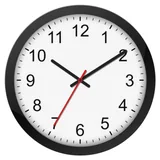
Clock

Clock

com.egert.clock by Egert
3.4 (12,619)
5M+
PERSONALIZATION
3.3 MB
Updated Oct 28, 2024
View on Google Play

Screenshots

Screenshot Screenshot Screenshot Screenshot Screenshot Screenshot Screenshot Screenshot Screenshot Screenshot Screenshot Screenshot Screenshot Screenshot Screenshot Screenshot Screenshot
Ad slot: Top Leaderboard

About this app

You can change every aspect of how the clock looks, from colors to the shape of numbers, and even add your own background image.

The widget is resizable, so you can make it as big or as small as you want.

The clock can also display the date and battery level.

You can have multiple widgets with different timezones.

There's a working second hand that can optionally be turned off.

You can set clock as a live wallpaper that will also be visible on the lock screen.

What's New

- Saving styles now available in free version.

App Information

Version Name
1.5
Version Code
12
File Size
3.3 MB
Minimum OS
Android 8.0+
Target SDK
Android 24
Developer
Egert
Contact
Website
Content Rating
Everyone
Package Name
com.egert.clock

Permissions Required

This app may request the following permissions:

  • view network connections
  • full network access
  • run at startup
  • set wallpaper
  • prevent device from sleeping
  • set an alarm

Recent Reviews

A Google user
5.0★
This clock has themes you can choose from as well as full customization features like color, font, and the hand style. The widget itself can be sized to whatever you want. Overall it's very helpful, and is good for those people out there who really like face clocks instead of digital. I haven't experienced freezing on my clock.
Richard
3.0★
I like it but it is very hard to use its settings. Once you you enter there is no way to back out and save them. You must force close the app and open settings again. Tou are alo limited to round clock only. i would be nice to have some digital options. Paid my $5.00 but thought it to be a little steep. Paid just to stop the nagging.
TerraSpace 1100
4.0★
Great clock widget, the thing is I would like to see a 24-hour movement, free customization of hands without a paywall (e.g. type, length, thickness), and clock face shapes (e.g. square, triangle, etc.) If you don't want to use in-app designs then you can upload images of clock face designs and plug them in the clock face image. The freezing issue is solvable, you just have to sacrifice power saving mode by turning it off. It tends to stop background processes from happening so it freezes.
Ed Lazda
3.0★
This is a great looking clock, probably the only one out there. I only use it as a widget, not as wallpaper. There is a problem -- when my phone is inactive for a long time, such as overnight, the clock freezes. Opening and closing settings will get it started again. Fix this, and it's a 5-star app. Android 15 on Pixel Pro 8.
prihatin karmeni
1.0★
Once in a while, the live wallpaper I've set is vanish. But it's still there in the apk, so I can directly set it again. Not today. Even there is only one clock, the analog clock. No other type of clock! I"ve uninstall then installed it again, still only the analog clock that is available & without any option to adjust it (eg. the position, transparency).
Dave Fowler
5.0★
REASON IT FREEZES - the clock freezing is NOT due to the app - it's a feature of the Android OS, where the OS stops apps that are not active after a certain amount of time/other activity. In settings you can exclude this app from (I think it's battery saving) and stop the freezing. Personally I just click on the click and it wakes up just by visiting settings.
Ad slot: In-Content