About SmoothTrack: Head Tracker
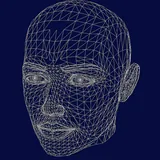
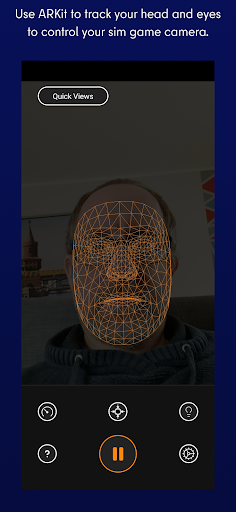
SUPPORTS ANY DEVICE WHICH CAN INSTALL GOOGLE AR SERVICES. SmoothTrack provides 3D head tracking for intuitively controlling your sim game's camera, using the AR capabilities of your device. Any game that supports TrackIR works with SmoothTrack! ---- "The best new controller on the market...if you're flying a plane on PC, you need to check it out." - Polygon ---- It's a near magical experience to seamlessly slightly move your head and have your game perspective immediately play along (the movements in the game are magnified so that you only have to make slight movements of your head to control the camera). - Simply lean forward to get a closer look at your Flight Simulator cockpit! - Look a bit up to see the overhead panel of your A320! - Simply shift your head a bit to the right to see the direction of the space station you're approaching in Elite: Dangerous! - Look a bit left before a hard left turn in Euro Truck Simulator 2! No headset or extra equipment of any kind is required! Simply set up your device so that it can see your face. Using simple camera gestures, you can shift your perspective in-game. Your head movements are slightly exaggerated which enables you to look out of a cockpit side window with just a slight movement of your head to the left. Includes a dark mode to save your battery and your OLED screen, as well as a bright mode for playing in a dark room! Any game that supports the FreeTrack or TrackIR protocol will work with this, including: - Microsoft Flight Simulator - Microsoft FSX - Elite: Dangerous - IL2: Sturmovik - Euro Truck Simulator 2 - Kerbal Space Program - ...and many, many others! Discord and Email support is provided if there are any issues (or if you have any ideas for new features!).
What SmoothTrack: Head Tracker Is Used For
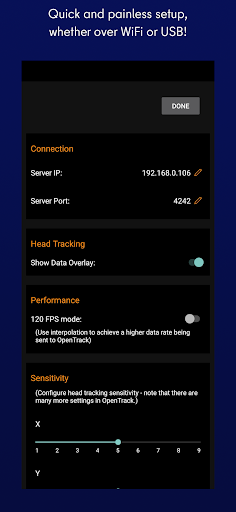
SmoothTrack: Head Tracker appears to be a tools app for turning a compatible Android phone into a 3D head-tracking controller for simulation games. Based on the metadata, it uses the device’s camera and AR capabilities to follow head movement and translate that motion into camera control in games that support TrackIR or FreeTrack protocols.
This kind of app is commonly used in flight simulators, space games, and driving sims where looking around the cockpit or vehicle matters. The permission to take pictures and videos fits that camera-based tracking use, while full network access may be needed for connectivity or app-related services. It appears intended for use while the phone is set up to face the user, making it more of a companion control app than a standalone game.
Common use cases may include checking overhead panels, looking side to side in a cockpit, or shifting the in-game view with small head movements. Based on the description, it does not require a headset or extra tracking hardware, but it does rely on a supported game and a device that can install Google AR Services.
Common uses
- Use a phone’s camera to track head movement for game camera control
- Works with simulation games that support TrackIR or FreeTrack
- May help with looking around cockpits, vehicles, or spacecraft
- Useful for flight, driving, and space simulation setups
- Designed to work as a companion app on a phone rather than a game itself
- Requires a setup where the phone can see your face while you play
App Details
Package:
com.epaga.smoothtrack
Developer:
John Goering
Version:
2.0.1
Updated:
Oct 20, 2025
Min Android:
7.0
Age Rating:
Everyone
Contains Ads:
No
In-App Purchases:
No
Official Listing
-
Official listing available on
Google Play
-
Package name:
com.epaga.smoothtrack
-
Age rating:
Everyone
Related Tools Apps
Sports
•
BaseMap Inc
Version 6.1.2
⭐ 4.10
500,000+ installs
Sports
•
BassForecast, LLC
Version 6.4.1.8
⭐ 4.50
100,000+ installs
How to Download SmoothTrack: Head Tracker
If this app is not hosted directly on APKApps official link,
then for the safest and most up-to-date version, install it from its official Google Play listing.