USB Audio Player PRO icon

Phone

USB Audio Player PRO

Music & Audio eXtream Software Development ⭐ 4.10 100,000+
Version 7.1.0.6 12.2 MB Everyone

Screenshots

USB Audio Player PRO screenshot
Permissions Explained 9 permissions requested View details

This app requests 9 permissions. The table below explains what each permission may allow and what users should review before installing.

Status Permission What it means Why it may be used User safety note
ℹ️ Review Write Settings android.permission.WRITE_SETTINGS This is an Android permission or app-specific permission requested by the app. The app may use this permission for features related to its category, device support, background behavior, storage, connectivity, or system integration. Review this permission before installing, especially if it does not match the app’s expected purpose.
ℹ️ Review System Alert Window android.permission.SYSTEM_ALERT_WINDOW This is an Android permission or app-specific permission requested by the app. The app may use this permission for features related to its category, device support, background behavior, storage, connectivity, or system integration. Review this permission before installing, especially if it does not match the app’s expected purpose.
ℹ️ Review Keep device awake android.permission.WAKE_LOCK Allows the app to prevent the device from sleeping while a task is running. Used for media playback, downloads, navigation, alarms, calls, or long-running background tasks. Review battery usage if the app keeps the device awake too often.
Common Internet access android.permission.INTERNET Allows the app to open network connections and communicate with online services. Commonly used for streaming, syncing, login, ads, analytics, downloads, cloud features, and app updates. Common permission. Review the app’s behavior if it does not appear to need online access.
⚠️ Sensitive Read phone state android.permission.READ_PHONE_STATE Allows the app to access phone status and device-related information. Used for call handling, carrier services, device identification, account security, or playback interruption handling. Sensitive permission. Review whether the app has a clear phone-related reason.
⚠️ Sensitive Modify external storage android.permission.WRITE_EXTERNAL_STORAGE Allows the app to write or modify files in shared device storage. Used for saving downloads, media files, exports, edited documents, backups, or cached content. Sensitive permission. Make sure file access matches the app’s purpose.
ℹ️ Review Broadcast Sticky android.permission.BROADCAST_STICKY This is an Android permission or app-specific permission requested by the app. The app may use this permission for features related to its category, device support, background behavior, storage, connectivity, or system integration. Review this permission before installing, especially if it does not match the app’s expected purpose.
ℹ️ Review Vending Check License com.android.vending.CHECK_LICENSE This is an Android permission or app-specific permission requested by the app. The app may use this permission for features related to its category, device support, background behavior, storage, connectivity, or system integration. Review this permission before installing, especially if it does not match the app’s expected purpose.
⚠️ Sensitive Read external storage android.permission.READ_EXTERNAL_STORAGE Allows the app to read files from shared device storage. Used by media players, file managers, backup apps, editors, upload tools, and document apps. Sensitive permission. Review carefully if the app does not need access to files or media.

About USB Audio Player PRO

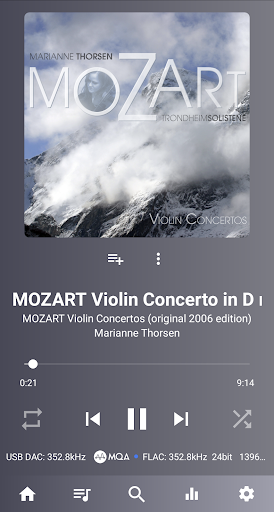
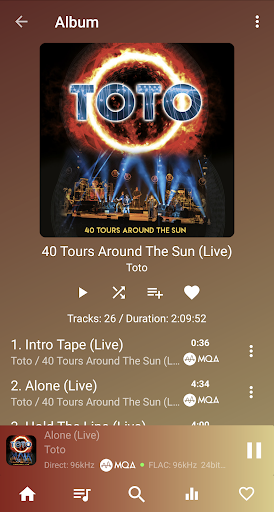
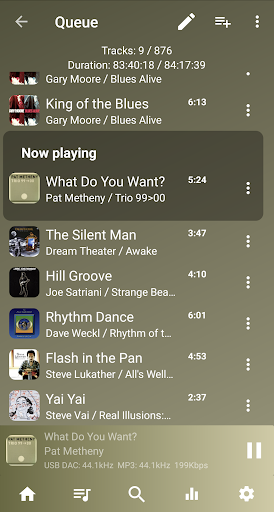
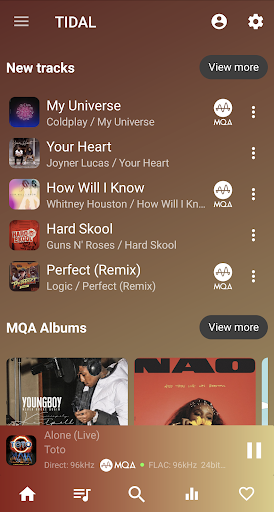
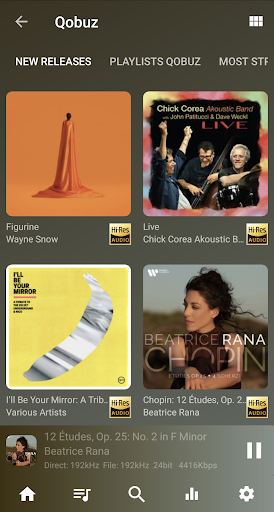
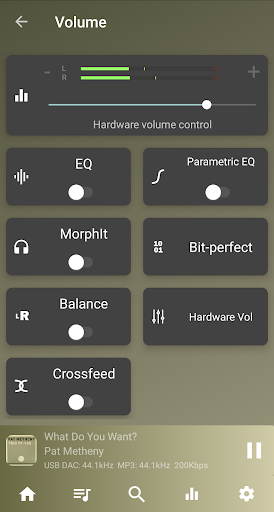
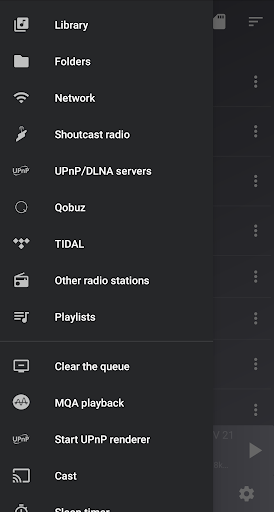
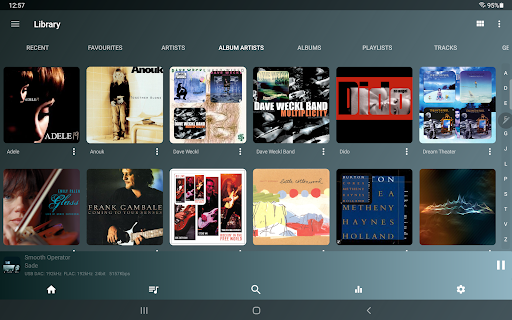
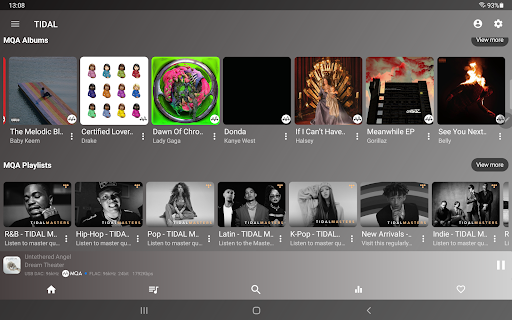
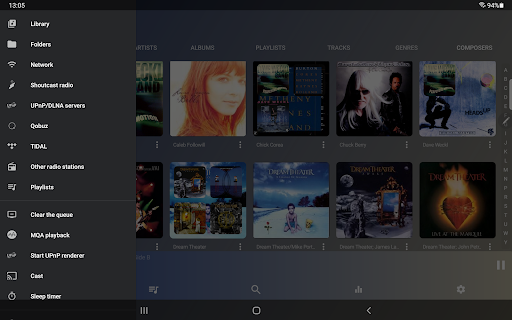
High quality media player supporting USB audio DACs and HiRes audio chips found in the latest phones. Play up to any resolution and sample rate that the DAC supports! All popular and less popular formats are supported (beyond the formats that Android supports), including wav, flac, mp3, m4a, wavpack, SACD ISO, MQA and DSD. This app is a must-have for every audiophile, bypassing all audio limits of Android. Whether you use our custom developed USB audio driver for USB DACs, our HiRes driver for internal audio chips or the standard Android driver, this app is one of the highest quality media players around. New: route and play audio from other apps! With the optional Feature Pack (in-app purchase), you can now route audio from other apps and play it through the app's high-quality USB audio driver (Android 10+, fixed user-chosen sample rate). This allows playback of apps like Deezer, Apple Music and even Poweramp, all using UAPP’s superior sound engine. Note: This is a complex feature that may not work on every device or with every app: some apps like Spotify may require using a browser like Opera with their web player. The latency is too high for movies. On many Android 8+ devices, the app can also switch Bluetooth properties of a BT DAC, like the codec (LDAC, aptX, SSC, etc.) and switch the sample rate according to the source (feature dependent on the specific Android device and BT DAC and can possibly fail). Features: • Plays wav/flac/ogg/mp3/MQA/DSD/SACD ISO/aiff/aac/m4a/ape/cue/wv/etc. files • Supports almost all USB audio DACs • Plays natively up to 32-bit/768kHz or any other sample rate/resolution your USB DAC supports by completely bypassing the Android audio system. Other Android players are limited to 16-bit/48kHz. • Utilizes HiRes audio chips found on many phones (LG V series, Samsung, OnePlus, Sony, Nokia, DAPs etc.) to play HiRes audio at 24-bit without resampling! Bypasses the Android resampling limits! • Free MQA decoding and rendering on the LG V30/V35/V40/V50/G7/G8 (not G8X) • DoP, native DSD and DSD-to-PCM conversion • Toneboosters MorphIt Mobile: improve the quality of your headphones and simulate over 600 headphone models (in-app purchase required) • True folder browsing • Play from a UPnP/DLNA file server • UPnP media renderer and content server • Network playback (SambaV1/V2, FTP, WebDAV) • Stream audio directly from TIDAL (HiRes FLAC and MQA), Qobuz and Shoutcast • Gapless playback • Bit perfect playback • Replay gain • Synchronized lyrics display (.lrc file or embedded in the file) • Sample rate conversion (if your DAC doesn't support the audio file's sample rate, it will be converted to a higher sample rate if available or the highest if not available) • 10-band equalizer • Software and hardware volume control (when applicable) • Upsampling (optional) • Last.fm scrobbling • Android Auto • No root required! In-app purchases: * Advanced parametric EQ from effect vendor ToneBoosters (around €2.99) * MorphIt headphones…

What USB Audio Player PRO Is Used For

USB Audio Player PRO appears to be a specialized music player for Android phones, aimed at people who want more control over audio playback than a standard system player usually offers. Based on the metadata, it is commonly used for playing local music files and high-resolution formats such as FLAC, WAV, DSD, MQA, and SACD ISO, especially when paired with external USB DACs or phones with hi-res audio chips.

It also appears to be useful for users who listen through wired audio gear and want the app to handle audio output directly instead of relying on Android’s default audio path. The listed permissions such as storage access, wake lock, and internet suggest it may read music from device storage, keep playback active, and support online-connected features. An optional feature pack may let it route audio from other apps, which makes it relevant for people who want a more advanced playback engine for supported streaming or music apps. Because this is a complex audio app, some features may depend on the phone, DAC, or other app compatibility.

Common uses

  • Play local music files in many audio formats, including high-resolution and niche formats.
  • Use a USB DAC for direct audio playback from a phone.
  • Listen through supported hi-res audio chips on compatible Android devices.
  • Manage playback from internal storage or external storage on the device.
  • Keep music playing in the background with screen wake and playback controls.
  • Route audio from other apps if the optional feature pack and device/app combination support it.
  • Adjust advanced audio output settings when using compatible hardware.
Best for:
audiophiles usb dac users hi-res audio listeners phone app music playback

App Details

Package:
com.extreamsd.usbaudioplayerpro
Category:
Music & Audio
Developer:
eXtream Software Development
Version:
7.1.0.6
Updated:
Mar 21, 2026
Min Android:
6.0
Age Rating:
Everyone
Contains Ads:
No
In-App Purchases:
Yes

Official Listing

  • Official listing available on Google Play
  • Package name: com.extreamsd.usbaudioplayerpro
  • Age rating: Everyone

Explore More

Browse more apps in Music & Audio or explore the Phone hub .

Related Music & Audio Apps

Pulsar icon

Pulsar

Music & Audio Rhythm Software

Full featured mp3 and audio player with Chromecast and Android Auto support.

Version 1.12.5 5.9 MB ⭐ 4.55 5,000,000+ installs
Music Center icon

Music Center

Music & Audio Sony Corporation

Control Sony's Audio System in your hand

Version 7.4.0 71.0 MB ⭐ 4.47 10,000,000+ installs
AIMP icon

AIMP

Music & Audio Artem Izmaylov

AIMP is old-school playlist-based audio player for Android OS

Version v4.10.1414 (14.05.2024) 19.5 MB ⭐ 4.43 10,000,000+ installs

How to Download USB Audio Player PRO

If this app is not hosted directly on APKApps official link, then for the safest and most up-to-date version, install it from its official Google Play listing.