My OldBoy! - GBC Emulator icon

Phone

My OldBoy! - GBC Emulator

Arcade Pixel Respawn LLC ⭐ 3.90 500,000+
Version Varies with device 0.4 MB Everyone

Screenshots

My OldBoy! - GBC Emulator screenshot
Permissions Explained 8 permissions requested View details

This app requests 8 permissions. The table below explains what each permission may allow and what users should review before installing.

Status Permission What it means Why it may be used User safety note
⚠️ Sensitive Modify external storage android.permission.WRITE_EXTERNAL_STORAGE Allows the app to write or modify files in shared device storage. Used for saving downloads, media files, exports, edited documents, backups, or cached content. Sensitive permission. Make sure file access matches the app’s purpose.
Common Vibration control android.permission.VIBRATE Allows the app to control device vibration. Used for notifications, alerts, haptic feedback, timers, alarms, or game feedback. Generally low risk by itself.
ℹ️ Review Bluetooth access android.permission.BLUETOOTH Allows the app to use Bluetooth features. Used for headphones, controllers, wearables, cars, smart devices, nearby sharing, or accessories. Review if the app has no obvious nearby-device or accessory feature.
ℹ️ Review Bluetooth Admin android.permission.BLUETOOTH_ADMIN This is an Android permission or app-specific permission requested by the app. The app may use this permission for features related to its category, device support, background behavior, storage, connectivity, or system integration. Review this permission before installing, especially if it does not match the app’s expected purpose.
ℹ️ Review Access Wifi State android.permission.ACCESS_WIFI_STATE This is an Android permission or app-specific permission requested by the app. The app may use this permission for features related to its category, device support, background behavior, storage, connectivity, or system integration. Review this permission before installing, especially if it does not match the app’s expected purpose.
Common Internet access android.permission.INTERNET Allows the app to open network connections and communicate with online services. Commonly used for streaming, syncing, login, ads, analytics, downloads, cloud features, and app updates. Common permission. Review the app’s behavior if it does not appear to need online access.
ℹ️ Review NFC access android.permission.NFC Allows the app to use near-field communication features. Used for tap-to-pay, access cards, tags, pairing, identity, transit, or device sharing features. Review if the app has no clear NFC-related function.
⚠️ Sensitive Read external storage android.permission.READ_EXTERNAL_STORAGE Allows the app to read files from shared device storage. Used by media players, file managers, backup apps, editors, upload tools, and document apps. Sensitive permission. Review carefully if the app does not need access to files or media.

About My OldBoy! - GBC Emulator

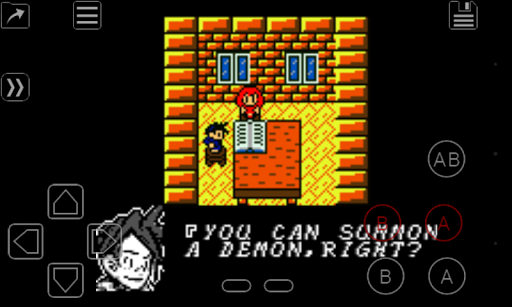
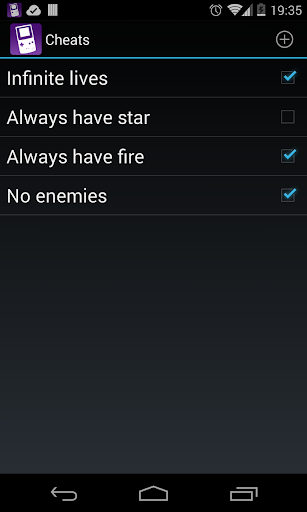
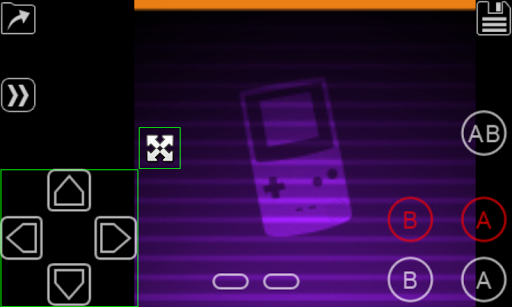
My OldBoy! is a full-featured and super-fast emulator to run Game Boy and Game Boy Color games on the broadest range of Android devices, from very low-end phones to modern tablets. It emulates accurately almost every aspect of the real hardware. Special features including link cable, rumble, and tilt sensor are also supported. You can also make your GB games colorful by selecting a custom palette. Of course it does not just emulate the hardware. Thanks to the save state system, you can save progress at any time and return back to it instantly. And while enabling fast-forward in game, you can quickly skip to the part of the game you are mostly interested in. • Fast emulation with ARM assembly code. Easily get to 60 FPS without frame skips even on very low-end devices. • Very good game compatibility. • Saves your battery as much as possible. • Link cable emulation either on the same device, or across devices over Bluetooth or Wi-Fi, running at decent speed. • Tilt sensor and rumble emulation through your Android's hardware sensors and vibrator! • Game Boy Camera and Game Boy Printer emulation. • Super Game Boy palettes emulation. Enhance monochrome games by bringing more colors! • Enter multilined GameShark/GameGenie cheat codes and enable/disable them on the fly while the game is running. • IPS/UPS ROM patching • Fast-forward to skip long stories, as well as slow down games to get past a level you cannot in normal speed. Depending on your hardware, it can run as fast as 50x normal speed. • OpenGL rendering backend, as well as normal rendering on devices without a GPU. • Cool video filters through the support of GLSL shaders. • Save games at any time with screenshot. • Sync saves with Google Drive. • On-screen keypad, as well as shortcut buttons such as load/save. • A powerful screen layout editor, with which you can define the position and size for each of the on-screen controls, as well as for the game video. • External controllers support, through either the Android native way or input method. • Well-designed user interface. Seamlessly integrated with the latest Android. • Create and switch to different screen-layout and key-mapping profiles. • Create shortcuts to easily launch your favorite games from your desktop. No games are included in this app and you need to obtain yours in a legal way. Place them onto your SD card, and browse to them from within the app. LEGAL: This product is not affiliated with, nor authorized, endorsed or licensed in any way by Nintendo Corporation, its affiliates or subsidiaries.

What My OldBoy! - GBC Emulator Is Used For

My OldBoy! - GBC Emulator appears to be an app for playing Game Boy and Game Boy Color games on Android devices. Based on the metadata, it is designed for phone and tablet use and may be helpful for people who want to run older handheld games on modern hardware with responsive performance and broad device support.

The app description suggests several practical use cases beyond basic gameplay. It may be used to load ROM files, save progress with save states, fast-forward through sections, and adjust controls or screen layout for a better fit on touch screens. The listed permissions also match common emulator functions, such as storage access for game files and saves, vibration support, Bluetooth and Wi‑Fi features for link-cable style play, and internet access for cloud save syncing. It also appears to support external controllers, cheats, custom color palettes, and special hardware emulation like rumble or tilt sensors, which may matter for certain games.

Common uses

  • Play Game Boy and Game Boy Color games on Android
  • Save and load progress with save states
  • Use fast-forward to skip slow sections or dialogs
  • Connect external controllers for easier gameplay
  • Adjust on-screen controls and screen layout
  • Use link-cable style features over Bluetooth or Wi‑Fi
  • Sync save files with Google Drive
Best for:
retro gaming game boy emulator phone app tablet app controller support

App Details

Package:
com.fastemulator.gbc
Category:
Arcade
Developer:
Pixel Respawn LLC
Version:
Varies with device
Updated:
Oct 6, 2025
Min Android:
Varies with device
Age Rating:
Everyone
Contains Ads:
No
In-App Purchases:
No

Official Listing

  • Official listing available on Google Play
  • Package name: com.fastemulator.gbc
  • Age rating: Everyone

Explore More

Browse more apps in Arcade or explore the Phone hub .

Related Arcade Apps

How to Download My OldBoy! - GBC Emulator

If this app is not hosted directly on APKApps official link, then for the safest and most up-to-date version, install it from its official Google Play listing.