About MViewer - PDF, Comic Reader
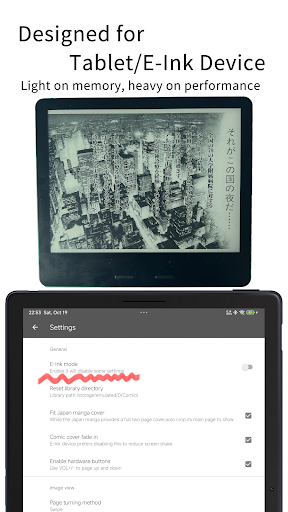
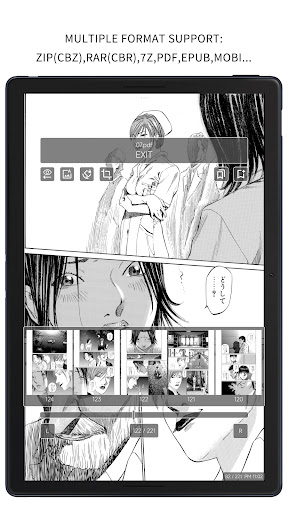
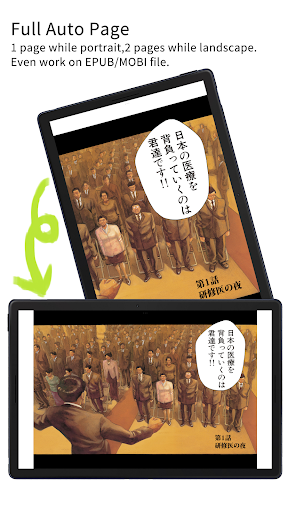
MViewer is a 100% native Android application. It leaves the greater challenges to the developer, while offering users the benefits of being lighter, faster, and more power-efficient. Main features: # WiFi import ( support file/folder import ) ** # E-Ink mode. For E-Ink: Flash on page change(Reduce ghosting). Long press to manually refresh # Support Comic file as types:zip(cbz),rar(cbr),7z,pdf,epub,mobi * # Treat the pictures folder as a book # Vertical continuous mode. Horizontal page-turning mode # Switch reader background: white, black, or auto-adaptive # Sort by last read time # Quick change directory # Colorful theme(and E-Ink theme), and pick any theme color you like # Classifying based on reading progress # "UNREAD", "READING", "READ" badges on book covers # Support custom color for badges and reading progress # High-Definition cover display # Fit Japan manga cover,auto crop its main page to show # Turning page with Bluetooth controller # Full auto page. Even works on epub/mobi # Auto White Margin Cutting (EX), it can trim the inner white edges for dual page.Even work on epub/mobi # Zoom picture # Temporary-Split/Merge-Pages when the screen orientation is locked # Bookmark function # Search function # Change book cover, save piture to the local # Manage files/folders ** # More turning page effects: sliding, peeling, unveiling And so on... Attention: * This app is designed for comic reading, the epub/mobi support is ONLY for comic file. ** Due to Android 10 storage restrictions, these features will be unavailable when the library folder is located on the SD card. No such limitations on Android 10+
What MViewer - PDF, Comic Reader Is Used For
MViewer appears to be a comic-focused reading app for Android phones, based on the metadata. It is designed for opening and organizing comic files and related formats such as ZIP/CBZ, RAR/CBR, 7Z, PDF, EPUB, and MOBI, with the note that EPUB and MOBI support is intended for comic-style content rather than general ebook reading. Common use cases may include reading manga, scanned comics, and image-based books on a phone, especially when a user wants page-by-page reading, continuous vertical scrolling, or horizontal page turning.
The app also includes features that suggest it is meant for managing a local comic library. Based on the listed permissions, it can read and modify storage contents, which may be used for importing files from USB storage, organizing folders, and changing book covers. Other metadata points to reading convenience options such as bookmarks, search, progress badges, background themes, zoom, and page-turn effects. The mention of E-Ink mode and Bluetooth controller support suggests it may also be useful on specialized reading devices or for users who prefer low-ghosting, physical-page-style navigation.
Common uses
- Import comic files and folders over Wi‑Fi or from storage
- Read manga, comics, and image-based books in common archive formats
- Use vertical continuous mode or horizontal page turning
- Organize a local library by reading progress and last-read time
- Bookmark pages, search within a book, and change covers
- Adjust reading appearance with light, dark, or auto backgrounds
- Use E-Ink options and controller-based page turning on supported devices
App Details
Package:
com.feiwen.inkcomicpro
Developer:
Guo feiwen
Version:
1.4.3.2
Updated:
Mar 24, 2026
Min Android:
10
Age Rating:
Everyone
Contains Ads:
No
In-App Purchases:
No
Official Listing
-
Official listing available on
Google Play
-
Package name:
com.feiwen.inkcomicpro
-
Age rating:
Everyone
Related Comics Apps
Comics
•
NAVER WEBTOON
The largest manga, comics, and manhwa community with millions of fans!
Version 3.8.11
54.5 MB
⭐ 4.60
100,000,000+ installs
Comics
•
MangaToon
A universal application for reading comics
Version 3.33.00
40.3 MB
⭐ 4.30
10,000,000+ installs
Comics
•
NAVER WEBTOON
매일 매일 새로운 네이버 웹툰
Version 2.42.1
48.8 MB
⭐ 4.40
10,000,000+ installs
Comics
•
株式会社 集英社
Get the latest manga chapters daily, released simultaneously with Japan.
Version 2.2.2
56.3 MB
⭐ 3.20
10,000,000+ installs
Comics
•
WEBCOMICS HOLDINGS HK LIMITED
Read Manga, Comics & Manhwa of Romance, Action, Fantasy, Drama, BL and more!
Version 3.8.10
36.0 MB
⭐ 4.40
10,000,000+ installs
Comics
•
LEZHIN ENTERTAINMENT
+Not your everyday comic. Everyday.
Version 2026.3.0
21.7 MB
⭐ 3.50
10,000,000+ installs
How to Download MViewer - PDF, Comic Reader
If this app is not hosted directly on APKApps official link,
then for the safest and most up-to-date version, install it from its official Google Play listing.