Find My Device icon

Phone

Find My Device

Maps & Navigation DictionaryAndTranslator ⭐ 4.00 100,000+
Version Varies with device Everyone

Screenshots

Find My Device screenshot
Permissions Explained 10 permissions requested View details

This app requests 10 permissions. The table below explains what each permission may allow and what users should review before installing.

Status Permission What it means Why it may be used User safety note
ℹ️ Review Take Pictures And Videos take pictures and videos This is an Android permission or app-specific permission requested by the app. The app may use this permission for features related to its category, device support, background behavior, storage, connectivity, or system integration. Review this permission before installing, especially if it does not match the app’s expected purpose.
ℹ️ Review Record Audio record audio This is an Android permission or app-specific permission requested by the app. The app may use this permission for features related to its category, device support, background behavior, storage, connectivity, or system integration. Review this permission before installing, especially if it does not match the app’s expected purpose.
ℹ️ Review View Wi Fi Connections view Wi-Fi connections This is an Android permission or app-specific permission requested by the app. The app may use this permission for features related to its category, device support, background behavior, storage, connectivity, or system integration. Review this permission before installing, especially if it does not match the app’s expected purpose.
ℹ️ Review View Network Connections view network connections This is an Android permission or app-specific permission requested by the app. The app may use this permission for features related to its category, device support, background behavior, storage, connectivity, or system integration. Review this permission before installing, especially if it does not match the app’s expected purpose.
ℹ️ Review Control Flashlight control flashlight This is an Android permission or app-specific permission requested by the app. The app may use this permission for features related to its category, device support, background behavior, storage, connectivity, or system integration. Review this permission before installing, especially if it does not match the app’s expected purpose.
ℹ️ Review Full Network Access full network access This is an Android permission or app-specific permission requested by the app. The app may use this permission for features related to its category, device support, background behavior, storage, connectivity, or system integration. Review this permission before installing, especially if it does not match the app’s expected purpose.
ℹ️ Review Control Vibration control vibration This is an Android permission or app-specific permission requested by the app. The app may use this permission for features related to its category, device support, background behavior, storage, connectivity, or system integration. Review this permission before installing, especially if it does not match the app’s expected purpose.
ℹ️ Review Prevent Device From Sleeping prevent device from sleeping This is an Android permission or app-specific permission requested by the app. The app may use this permission for features related to its category, device support, background behavior, storage, connectivity, or system integration. Review this permission before installing, especially if it does not match the app’s expected purpose.
ℹ️ Review Google Play License Check Google Play license check This is an Android permission or app-specific permission requested by the app. The app may use this permission for features related to its category, device support, background behavior, storage, connectivity, or system integration. Review this permission before installing, especially if it does not match the app’s expected purpose.
ℹ️ Review Receive Data From Internet receive data from Internet This is an Android permission or app-specific permission requested by the app. The app may use this permission for features related to its category, device support, background behavior, storage, connectivity, or system integration. Review this permission before installing, especially if it does not match the app’s expected purpose.

About Find My Device

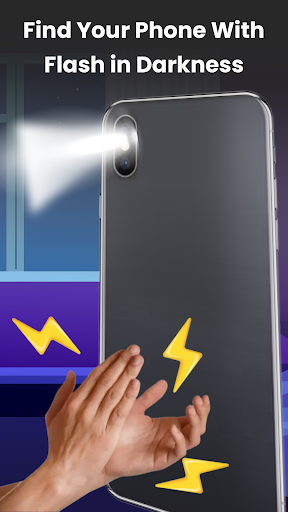
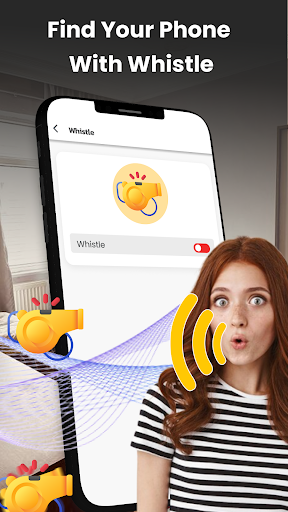
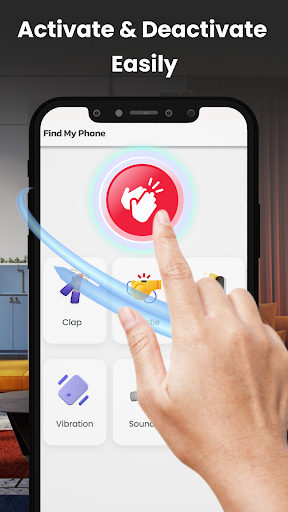
Find My Phone By Clap - Never Lose Your Device Again! Finding your misplaced smartphone in a cluttered room or a busy office has never been easier than with this innovative solution. The Find My Phone By Clap app ensures that you don't have to spend precious time retracing your steps or feeling anxious. Simply use the Clap To Find My Phone App to trigger a loud ring, vibration, or flash, making your device stand out even if it is tucked away under a pillow or in a drawer. By using a dedicated Find My Device Android tool, you can regain control over your mobile's location within seconds of realizing it is missing. If you often struggle with memory or organization, having a reliable Find My Android Phone App on your device is a game-changer for daily productivity. 📄 Locate My Phone: Clap Finder Key Features:📄 📶 Instant recognition of clapping or whistling sounds; 📶 High-decibel ringing even when the device is on silent; 📶 Built-in flashlight strobe for finding devices in the dark; 📶 Customizable vibration patterns for haptic feedback; 📶 One-tap activation for seamless background operation; 📶 Intelligent sound sensitivity adjustments to avoid false alarms; 📶 Low battery consumption ensuring the tool is always ready; 📶 Secure Lost Phone Finder interface for quick accessibility. With Locate My Phone: Clap Finder, Experience Peace of Mind! Users of Find My Phone By Clap enjoy a stress-free environment knowing their hardware is always reachable. Activating the Clap To Find My Phone App allows you to bypass the traditional frustration of searching through every room. The Find My Device Android system is optimized for high-performance sound detection across various environments. Because the Find My Android Phone App works in the background, your Lost Phone Finder capabilities are always active without manual intervention. Advanced Detection Technology Unlocked:⚡ The Find My Phone By Clap technology provides more solutions than standard ringing methods. Standard smartphone users often waste minutes every day searching for their tech. The Clap To Find My Phone App allows you to unlock a smarter way to manage your mobile hardware. This specific Find My Device Android utility is designed to hear you from across the room. Reliability and Quick Recovery:📞 Locating your smartphone becomes faster and more intuitive when the Find My Android Phone App is properly configured. A Lost Phone Finder doesn't just offer sound; it offers the security of knowing your data is within reach. Perfect recovery becomes possible with the Locate My Phone: Clap Finder mode, which uses advanced voice and sound recognition algorithms. Smart Security and Efficiency:📊 Find My Device Android users will intuitively know where their hardware is at all times. Built-in sensitivity meters assist users with monitoring the environment's noise levels. Users will save time and energy with a Lost Phone Finder that reacts instantly to specific acoustic triggers. The Find My Android Phone App keeps…

What Find My Device Is Used For

Find My Device appears to be a phone utility for locating a misplaced Android device. Based on the metadata, it is commonly used when a phone is lost nearby, such as under a couch cushion, in a bag, or somewhere in a room or office, and the user wants a quick way to make it easier to spot.

The app description suggests it listens for clap or whistle sounds and then triggers alerts like ringing, vibration, or a flashlight flash. Permissions such as recording audio, controlling the flashlight, and controlling vibration fit that use case. It may also run in the background and use network access for app functions or licensing. Because it is listed under Maps & Navigation, it seems positioned as a location-help tool rather than a full map or tracking app. It may be most relevant for phone users who want a simple nearby-device finder, especially in everyday home or work settings.

Common uses

  • May help you find a phone by making it ring or vibrate after a clap or whistle
  • Can be used in quiet offices, homes, or other places where a device is misplaced nearby
  • May use the flashlight strobe to make a phone easier to spot in low light
  • Appears to support background listening so the trigger can work without opening the app first
  • Could be useful when the phone is on silent and you need a quick audible alert
  • Uses permissions that match audio detection, flashlight control, vibration, and network access
  • Best suited for locating a nearby phone rather than tracking a device at a distance
Best for:
Nearby phone finding Everyday misplacement Phone app Background alert tool Maps & navigation utility

App Details

Package:
com.find.device.my.whistleclap
Developer:
DictionaryAndTranslator
Version:
Varies with device
Min Android:
Varies with device
Age Rating:
Everyone
Contains Ads:
Yes
In-App Purchases:
Yes

Official Listing

  • Official listing available on Google Play
  • Package name: com.find.device.my.whistleclap
  • Age rating: Everyone

Explore More

Browse more apps in Maps & Navigation or explore the Phone hub .

Related Maps & Navigation Apps

Whitepages Search, Find People icon

Whitepages Search, Find People

Communication Whitepages

People search, phone lookup, email & address finder, and background checks

Version 9.3.2 37.7 MB ⭐ 3.90 5,000,000+ installs

How to Download Find My Device

If this app is not hosted directly on APKApps official link, then for the safest and most up-to-date version, install it from its official Google Play listing.