Moon+ Reader Pro icon

Phone

Moon+ Reader Pro

Books & Reference Moon+ ⭐ 4.20 1,000,000+
Version 10.4 10.4 MB Everyone

Screenshots

Moon+ Reader Pro screenshot
Permissions Explained 11 permissions requested View details

This app requests 11 permissions. The table below explains what each permission may allow and what users should review before installing.

Status Permission What it means Why it may be used User safety note
ℹ️ Review Get Accounts android.permission.GET_ACCOUNTS This is an Android permission or app-specific permission requested by the app. The app may use this permission for features related to its category, device support, background behavior, storage, connectivity, or system integration. Review this permission before installing, especially if it does not match the app’s expected purpose.
Common Internet access android.permission.INTERNET Allows the app to open network connections and communicate with online services. Commonly used for streaming, syncing, login, ads, analytics, downloads, cloud features, and app updates. Common permission. Review the app’s behavior if it does not appear to need online access.
Common View network status android.permission.ACCESS_NETWORK_STATE Allows the app to check whether the device is connected to Wi-Fi, mobile data, or another network. Often used to avoid loading content when offline or to adjust loading based on connection quality. Generally low risk by itself.
⚠️ Sensitive Modify external storage android.permission.WRITE_EXTERNAL_STORAGE Allows the app to write or modify files in shared device storage. Used for saving downloads, media files, exports, edited documents, backups, or cached content. Sensitive permission. Make sure file access matches the app’s purpose.
ℹ️ Review Vending Check License com.android.vending.CHECK_LICENSE This is an Android permission or app-specific permission requested by the app. The app may use this permission for features related to its category, device support, background behavior, storage, connectivity, or system integration. Review this permission before installing, especially if it does not match the app’s expected purpose.
ℹ️ Review Launcher Permission Install Shortcut com.android.launcher.permission.INSTALL_SHORTCUT This is an Android permission or app-specific permission requested by the app. The app may use this permission for features related to its category, device support, background behavior, storage, connectivity, or system integration. Review this permission before installing, especially if it does not match the app’s expected purpose.
⚠️ Sensitive Read phone state android.permission.READ_PHONE_STATE Allows the app to access phone status and device-related information. Used for call handling, carrier services, device identification, account security, or playback interruption handling. Sensitive permission. Review whether the app has a clear phone-related reason.
⚠️ Sensitive Precise location android.permission.ACCESS_FINE_LOCATION Allows the app to access the device’s precise location when granted by the user. Used for maps, navigation, local recommendations, weather, rideshare, nearby devices, or location-based content. Sensitive permission. Grant only when location access matches the app’s purpose.
ℹ️ Review Access Wifi State android.permission.ACCESS_WIFI_STATE This is an Android permission or app-specific permission requested by the app. The app may use this permission for features related to its category, device support, background behavior, storage, connectivity, or system integration. Review this permission before installing, especially if it does not match the app’s expected purpose.
ℹ️ Review Providers Gsf Permission Read Gservices com.google.android.providers.gsf.permission.READ_GSERVICES This is an Android permission or app-specific permission requested by the app. The app may use this permission for features related to its category, device support, background behavior, storage, connectivity, or system integration. Review this permission before installing, especially if it does not match the app’s expected purpose.
⚠️ Sensitive Read external storage android.permission.READ_EXTERNAL_STORAGE Allows the app to read files from shared device storage. Used by media players, file managers, backup apps, editors, upload tools, and document apps. Sensitive permission. Review carefully if the app does not need access to files or media.

About Moon+ Reader Pro

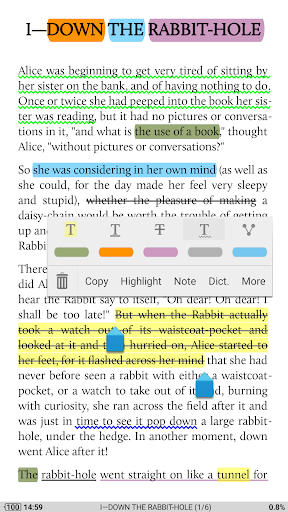
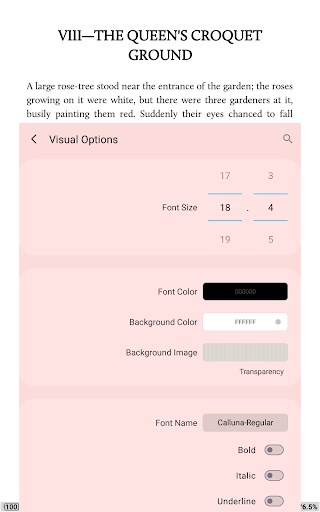
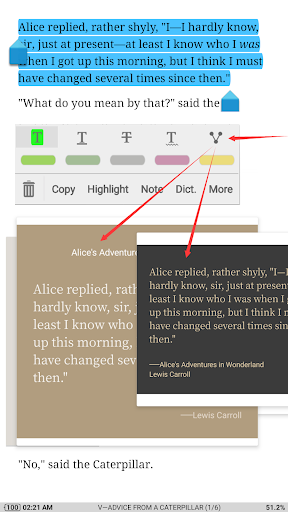
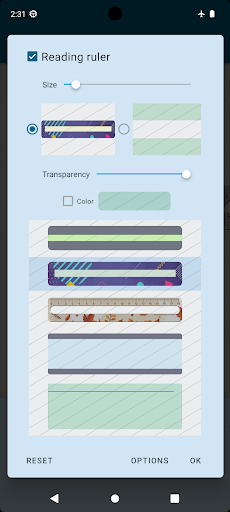
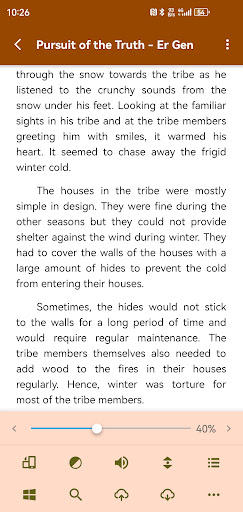
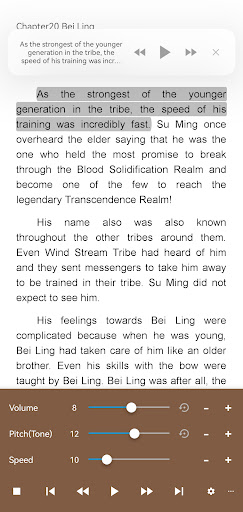
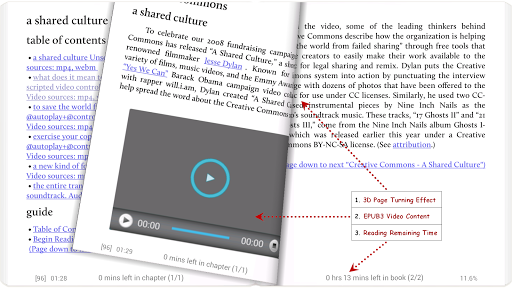
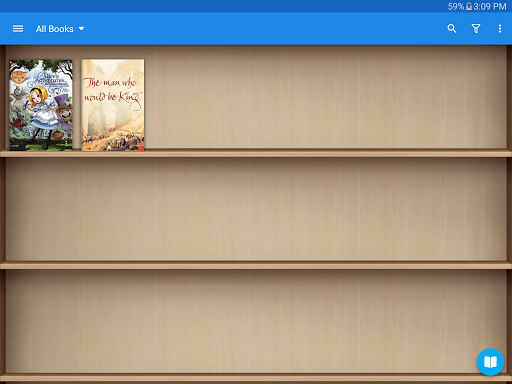
**************** 1,000,000+ downloads, The #1 Paid EBook Reader in Google Play, 30-Day Money Back Guarantee! **************** All-in-one ebook documents management and better designed book reader with powerful controls & full functions, supports EPUB, PDF, DJVU, AZW3, MOBI, FB2, PRC, CHM, CBZ, CBR, UMD, DOCX, ODT, RTF, TXT, HTML, MHT/MHTML, MD(MarkDown), WEBP, RAR, ZIP or OPDS formats. ☀Unleash the Power of Pro: ✔ Ad-free, faster & smoother ✔ Shake the phone to speak (Text-to-speech, TTS engine support) ✔ PDF multiple annotations support, fast & speech compatible ✔ More beautiful themes, background images and fonts ✔ Headset & Bluetooth keys control ✔ Name replacement | Role reversal ✔ Multi-point touch support ✔ Option for password protection at startup (support fingerprint recognition) ✔ Book to home screen shortcut ✔ Widget shelf support, group your favorite books, put them to desktop as widget ✔ Tilt to turn page with customized actions ✔ Customer email support ☀PDF features in Pro version: ✔ Fill out PDF Form ✔ Highlight, annotation, handwriting ✔ Smart scroll lock, smooth reading experience ✔ Night mode support, 6 additional pdf themes available ✔ Dual-page mode for landscape screen ✔ Speech, auto-scroll compatible ✔ Read statistics, sync, flip animation available ☆The key features: • Support online ebook libraries and personal calibre ebook server. • Read local books with smooth scroll and tons of innovation. ☆Standard functions: • Full visual options: line space, font scale, bold, italic, shadow, alpha colors, fading edge etc. • 10+ themes embedded, includes Day & Night mode switcher. • Various types of paging: touch screen, volume keys or even camera, search or back keys. • 24 customized operations (screen click, swipe gesture, hardware keys), apply to 15 customized events: search, bookmark, themes, navigation, font size and more. • 5 auto-scroll modes: rolling blind mode; by pixel, by line or by page. Real-time speed control. • Adjust the brightness by sliding your finger along the left edge of the screen, gesture commands supported. • Intelligent paragraph; indent paragraph; trim unwanted blank spaces and lines options. • Keep your eyes health options for long-time reading. • Real page turning effect with customized speed/color/transparent; 5 page flip animations. • My Bookshelf design: Favorites, Downloads, Authors, Tags; self bookcover, search, import supported. • Justified text alignment, hyphenation mode supported. • Dual page mode for landscape screen. • Support all four screen orientations. • EPUB3 multimedia content support (video and audio), popup footnote support • Backup/Restore options to cloud via DropBox/WebDav, sync reading positions between phones and tablets. • Highlight, Annotation, Dictionary (Offline or Online, support ColorDict, GoldenDict, ABBYY Lingvo, etc.), Translation, Share functions all in moon+ ebook reader. • Bluelight Filter up to 95% for eye care. • Reading Ruler for focus reading (6 styles) -FAQ…

What Moon+ Reader Pro Is Used For

Moon+ Reader Pro appears to be a phone app for reading and organizing ebooks and other document types on Android. Based on the metadata, it is commonly used by people who want a dedicated reading app for personal libraries, downloaded files, or books from online ebook sources. Its broad format support suggests it may also be useful for reading PDFs, text files, and comic or archive-based book files in one place.

The app seems designed for readers who want more control over the reading experience than a basic document viewer. The metadata mentions customizable fonts, themes, page-turn controls, auto-scroll, brightness gestures, and text-to-speech support, so it may suit longer reading sessions and users who prefer adjusting display settings for comfort. The permission set also points to file access and network use, which fits an app that manages local storage and can connect to online libraries or ebook servers.

Common use cases may include building a digital bookshelf, opening personal ebooks from device storage, syncing with a library source, and using reading tools like bookmarks, annotations, and reading statistics. It also appears to support shortcut and widget-style access for favorite books, which can help frequent readers return to what they are reading more quickly.

Common uses

  • Open and read ebooks in formats like EPUB, PDF, MOBI, and TXT
  • Manage a personal book library on a phone
  • Adjust fonts, spacing, themes, and night mode for reading comfort
  • Use text-to-speech or auto-scroll for hands-free reading
  • Add bookmarks, highlights, annotations, or handwriting on supported PDFs
  • Connect to online ebook libraries or a calibre server
  • Create shortcuts or a widget shelf for quick access to favorite books
Best for:
ebook readers phone users PDF reading library management custom reading setup

App Details

Package:
com.flyersoft.moonreaderp
Developer:
Moon+
Version:
10.4
Updated:
Mar 25, 2026
Min Android:
5.0
Age Rating:
Everyone
Contains Ads:
No
In-App Purchases:
No

Official Listing

  • Official listing available on Google Play
  • Package name: com.flyersoft.moonreaderp
  • Age rating: Everyone

Explore More

Browse more apps in Books & Reference or explore the Phone hub .

Related Books & Reference Apps

Amazon Kindle: Reading App icon

Amazon Kindle: Reading App

Books & Reference Amazon Mobile LLC

Your library in your pocket. Anytime, anywhere.

Version Varies with device 139.7 MB ⭐ 4.80 100,000,000+ installs
Wattpad - Read & Write Stories icon

Wattpad - Read & Write Stories

Books & Reference Wattpad.com

A story reading app: Read stories, novels and books, or write your own.

Version 11.27.0 44.1 MB ⭐ 3.80 100,000,000+ installs
Audible: Audio Entertainment icon

Audible: Audio Entertainment

Books & Reference Audible, Inc.

Build a playlist of books & podcasts. Listen to true crime, news, fiction & more

Version Varies with device 57.1 MB ⭐ 4.60 100,000,000+ installs
King James Bible - Verse+Audio icon

King James Bible - Verse+Audio

Books & Reference Ozion

An easy-to-use offline Bible reader with the KJV, daily verses, and study tools.

Version 3.64.0 68.0 MB ⭐ 4.80 100,000,000+ installs

How to Download Moon+ Reader Pro

If this app is not hosted directly on APKApps official link, then for the safest and most up-to-date version, install it from its official Google Play listing.