AlmostTI - TI Calc Emulator icon

Phone

AlmostTI - TI Calc Emulator

Education Garage Research Emulators ⭐ 4.20 10,000+
Version 3.1.11 Everyone

Screenshots

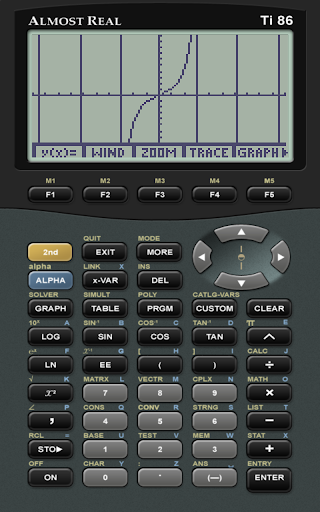
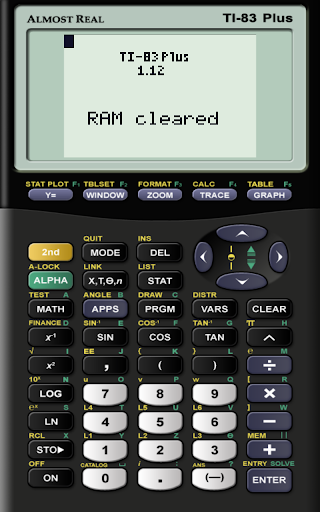
AlmostTI - TI Calc Emulator screenshot
Permissions Explained 7 permissions requested View details

This app requests 7 permissions. The table below explains what each permission may allow and what users should review before installing.

Status Permission What it means Why it may be used User safety note
ℹ️ Review Read The Contents Of Your Usb Storage read the contents of your USB storage This is an Android permission or app-specific permission requested by the app. The app may use this permission for features related to its category, device support, background behavior, storage, connectivity, or system integration. Review this permission before installing, especially if it does not match the app’s expected purpose.
ℹ️ Review Modify Or Delete The Contents Of Your Usb Storage modify or delete the contents of your USB storage This is an Android permission or app-specific permission requested by the app. The app may use this permission for features related to its category, device support, background behavior, storage, connectivity, or system integration. Review this permission before installing, especially if it does not match the app’s expected purpose.
ℹ️ Review View Network Connections view network connections This is an Android permission or app-specific permission requested by the app. The app may use this permission for features related to its category, device support, background behavior, storage, connectivity, or system integration. Review this permission before installing, especially if it does not match the app’s expected purpose.
ℹ️ Review Full Network Access full network access This is an Android permission or app-specific permission requested by the app. The app may use this permission for features related to its category, device support, background behavior, storage, connectivity, or system integration. Review this permission before installing, especially if it does not match the app’s expected purpose.
ℹ️ Review Control Vibration control vibration This is an Android permission or app-specific permission requested by the app. The app may use this permission for features related to its category, device support, background behavior, storage, connectivity, or system integration. Review this permission before installing, especially if it does not match the app’s expected purpose.
ℹ️ Review Prevent Device From Sleeping prevent device from sleeping This is an Android permission or app-specific permission requested by the app. The app may use this permission for features related to its category, device support, background behavior, storage, connectivity, or system integration. Review this permission before installing, especially if it does not match the app’s expected purpose.
ℹ️ Review Google Play License Check Google Play license check This is an Android permission or app-specific permission requested by the app. The app may use this permission for features related to its category, device support, background behavior, storage, connectivity, or system integration. Review this permission before installing, especially if it does not match the app’s expected purpose.

About AlmostTI - TI Calc Emulator

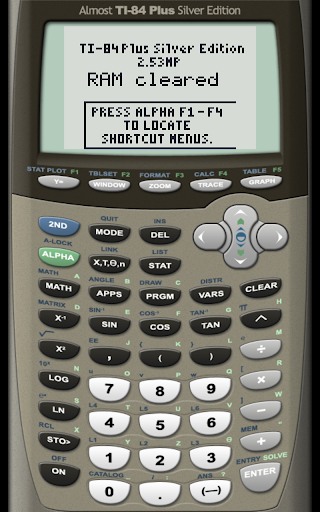
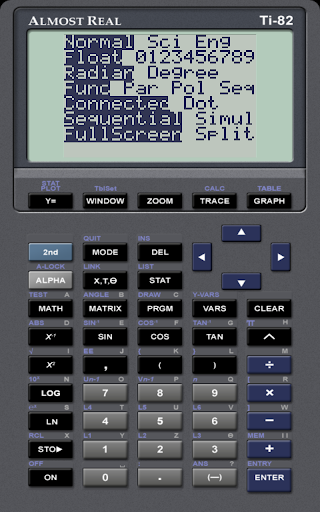
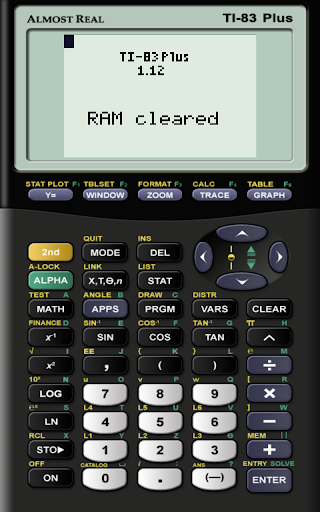
AlmostTI turns your Android device into a Texas Instruments graphing calculator. It fully emulates TI-84+, TI-84+ Silver Edition, TI-83+, TI-83+ Silver Edition, TI-73, TI-83, TI-85, TI-86, TI-82, and TI-81 calculators made by Texas Instruments. And yes, if you have got a tablet, it will become a really BIG TI calculator. AlmostTI also lets you save your calculations at any point and then select from several previously saved tasks. To run AlmostTI, you will need at least one calculator system ROM. AlmostTI does not include any calculator ROMs on its own, as they are intellectual property of Texas Instruments. You should place your own ROM, preferably dumped from the calculator you own, onto your internal storage. AlmostTI recognizes following ROM files (in upper or lower case): TI85.ROM, TI86.ROM, TI81.ROM, TI82.ROM, TI73.ROM, TI83.ROM, TI83P.ROM, TI83SE.ROM, TI84P.ROM, TI84SE.ROM TI-85.ROM, TI-86.ROM, TI-81.ROM, TI-82.ROM, TI-73.ROM, TI-83.ROM, TI-83P.ROM, TI-83SE.ROM, TI-84P.ROM, TI-84SE.ROM For information on dumping a ROM from your own calculator, see here: http://www.ticalc.org/programming/emulators/ For general information about AlmostTI, see its homepage: http://fms.komkon.org/ATI85/ For Android-specific help, please see this web page: http://fms.komkon.org/EmuAndroid/ And to discuss your problems with the author and other users, use this discussion group: http://groups.google.com/group/emul8

What AlmostTI - TI Calc Emulator Is Used For

AlmostTI - TI Calc Emulator appears to be an education app that lets an Android phone act like a Texas Instruments graphing calculator. Based on the metadata, it focuses on emulating several TI models, including the TI-84 series and older TI calculators, which may be useful for students, teachers, or anyone who needs a calculator-style interface on a mobile device.

The app may be used for classwork, homework, test practice, or general calculator tasks when a physical graphing calculator is not available. Because it supports saving calculations and requires access to calculator ROM files stored on the device, it appears aimed at users who already have compatible ROMs and want to run calculator software on their phone or tablet. The permission to read and modify USB storage also fits with loading and managing those files, while network and license-check permissions appear to support app validation and related functions.

Common uses

  • Emulates several Texas Instruments calculator models on Android
  • May be used for math classes, homework, and exam preparation
  • Lets users save calculations and return to previous work
  • Uses calculator ROM files stored on the device
  • Fits phone use, and may also be convenient on tablets with a larger screen
  • Appears suited to users who want a graphing-calculator-style interface on mobile
Best for:
students math users calculator emulator phone app tablet app

App Details

Package:
com.fms.ati
Category:
Education
Developer:
Garage Research Emulators
Version:
3.1.11
Updated:
Mar 14, 2026
Min Android:
5.0
Age Rating:
Everyone
Contains Ads:
No
In-App Purchases:
No

Official Listing

  • Official listing available on Google Play
  • Package name: com.fms.ati
  • Age rating: Everyone

Explore More

Browse more apps in Education or explore the Phone hub .

Related Education Apps

How to Download AlmostTI - TI Calc Emulator

If this app is not hosted directly on APKApps official link, then for the safest and most up-to-date version, install it from its official Google Play listing.