About sDraw Pro (Drawing App)
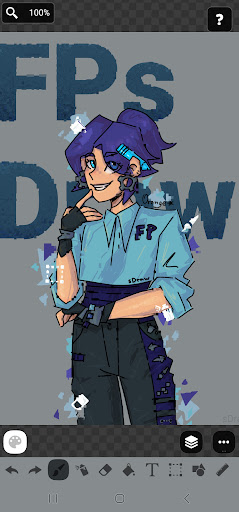
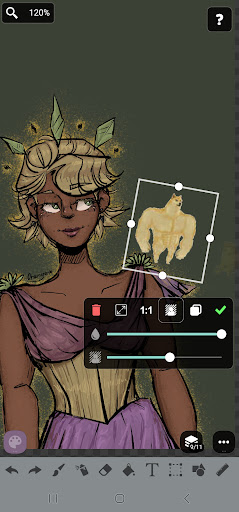
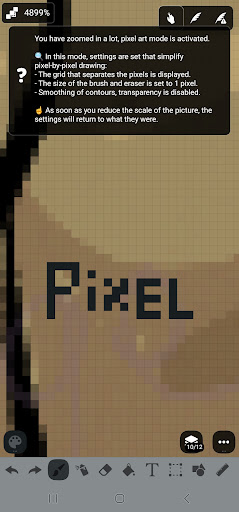
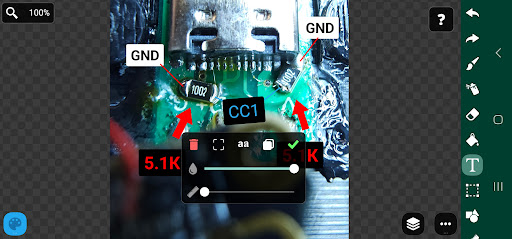
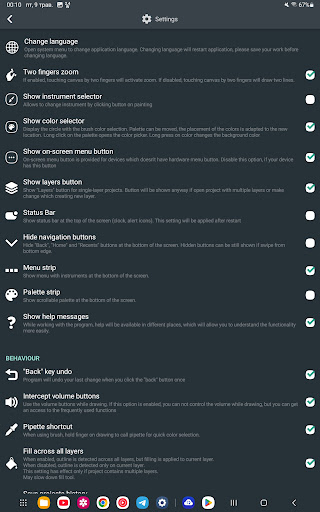
sDraw is a simple and lightweight drawing app - no ads, no clutter, just open and draw. ✅ Designed for those who need a simple tool for simple tasks. Perfect for quick moments when you need to: 🎭 Create a meme or add text to a photo. 🧠 Sketch a diagram, note, or quick idea. 🖼️ Highlight or mark something directly on an image. 🎨 Experiment with different styles - lines, shapes, airbrush, text, and more. Why sDraw is worth having: 📦 Doesn’t take up space or run in the background. 🛑 No ads - nothing distracts you from drawing. 📉 Less than 1 MB - installs in seconds. ⚙️ No setup needed - starts instantly. 📱 Works even on very old phones. 🧩 Flexible UI - even the button shapes can be customized. ✍️ Stylus support: sPen, Active Pen, etc. 💡 Helpful tips appear only when needed. 🛟 Automatic backup keeps your sketches safe. 🔊 Volume buttons can trigger quick actions. Drawing tools: 🪄 Layers - organize complex sketches. 🖼️ Insert from gallery. 🖍 Brush and eraser. 🌬 Airbrush. 🏺 Fill. 🅰️ Text. ✂️ Selection. 🔳 Shapes. 📏 Ruler. 🎨 Eyedropper. 🧩 Mosaic. 🖱 Precision brush. The free version is fully functional - no essential features locked. Pro version adds a few nice extras: 💛 Support the developer. 🖼️ Option to remove “sDraw” label from saved images. 🚫 Removes the message in the main menu. 🙅♂ No more “Buy Pro” reminders when saving. ⚡️ Projects from the free version are fully compatible with Pro. 🍞 Doesn’t eat resources or space - but always ready when needed 😊
What sDraw Pro (Drawing App) Is Used For
sDraw Pro appears to be a lightweight drawing and sketching app for quick, simple creative tasks on a phone. Based on the metadata, people may use it to draw ideas, make diagrams, add text to photos, or mark up an image without opening a larger or more complex design app.
It is described as a minimal tool that starts quickly and keeps the interface focused on drawing. The app may be especially useful for casual sketching, note-like drawings, and basic image annotation, with tools such as brushes, shapes, text, selection, fill, ruler, eyedropper, layers, and eraser. The stylus support also suggests it can work well for users with devices like an S Pen or other active pens. The storage-related permissions indicate it can read and modify files on USB storage, which fits common use cases like opening images from the device gallery and saving edited results back to storage.
Common uses
- Quick sketches and rough concept drawings
- Add text, shapes, or marks to photos
- Make simple diagrams, notes, or visual reminders
- Annotate screenshots or saved images
- Use with a stylus for more precise drawing
- Save and manage drawing files on device storage
- Handle small drawing tasks without a complex setup
App Details
Package:
com.fsoft.FP_sDraw_paid
Developer:
Fsoft Production
Version:
9.1
Updated:
Mar 16, 2026
Min Android:
2.2
Age Rating:
Everyone
Contains Ads:
No
In-App Purchases:
No
Official Listing
-
Official listing available on
Google Play
-
Package name:
com.fsoft.FP_sDraw_paid
-
Age rating:
Everyone
Related Art & Design Apps
Art & Design
•
MediBang Inc.
Sketch, draw, and paint with pencil and pen. A powerful art app for all creators
Version 28.19
47.0 MB
⭐ 3.70
10,000,000+ installs
Art & Design
•
Sketchar Inc
Learn to draw faster with AR drawing, paint, sketch, and relax with colouring
Version 10.5.1-play
244.2 MB
⭐ 3.70
5,000,000+ installs
Art & Design
•
HiPaint
Drawing app for pad perfect for sketch, illustration, Animation art, and more
Version 6.2.7
157.0 MB
⭐ 4.30
1,000,000+ installs
Art & Design
•
ibis inc.
Version 14.0.0
⭐ 4.50
100,000+ installs
Art & Design
•
Artflow Studio
Simple yet powerful sketch and paint application for artist of all ages
Version 2.9.31
20.1 MB
⭐ 3.44
5,000,000+ installs
How to Download sDraw Pro (Drawing App)
If this app is not hosted directly on APKApps official link,
then for the safest and most up-to-date version, install it from its official Google Play listing.