Pro Emulator for Game Consoles icon

Phone

Pro Emulator for Game Consoles

Tools Browser by Fulldive Co. ⭐ 4.40 50,000+
Version 1.9.1 Everyone

Screenshots

Pro Emulator for Game Consoles screenshot
Permissions Explained 10 permissions requested View details

This app requests 10 permissions. The table below explains what each permission may allow and what users should review before installing.

Status Permission What it means Why it may be used User safety note
ℹ️ Review Read The Contents Of Your Usb Storage read the contents of your USB storage This is an Android permission or app-specific permission requested by the app. The app may use this permission for features related to its category, device support, background behavior, storage, connectivity, or system integration. Review this permission before installing, especially if it does not match the app’s expected purpose.
ℹ️ Review Record Audio record audio This is an Android permission or app-specific permission requested by the app. The app may use this permission for features related to its category, device support, background behavior, storage, connectivity, or system integration. Review this permission before installing, especially if it does not match the app’s expected purpose.
ℹ️ Review View Network Connections view network connections This is an Android permission or app-specific permission requested by the app. The app may use this permission for features related to its category, device support, background behavior, storage, connectivity, or system integration. Review this permission before installing, especially if it does not match the app’s expected purpose.
ℹ️ Review Full Network Access full network access This is an Android permission or app-specific permission requested by the app. The app may use this permission for features related to its category, device support, background behavior, storage, connectivity, or system integration. Review this permission before installing, especially if it does not match the app’s expected purpose.
ℹ️ Review Run At Startup run at startup This is an Android permission or app-specific permission requested by the app. The app may use this permission for features related to its category, device support, background behavior, storage, connectivity, or system integration. Review this permission before installing, especially if it does not match the app’s expected purpose.
ℹ️ Review Control Vibration control vibration This is an Android permission or app-specific permission requested by the app. The app may use this permission for features related to its category, device support, background behavior, storage, connectivity, or system integration. Review this permission before installing, especially if it does not match the app’s expected purpose.
ℹ️ Review Prevent Device From Sleeping prevent device from sleeping This is an Android permission or app-specific permission requested by the app. The app may use this permission for features related to its category, device support, background behavior, storage, connectivity, or system integration. Review this permission before installing, especially if it does not match the app’s expected purpose.
ℹ️ Review Read Tv Channel/program Information read TV channel/program information This is an Android permission or app-specific permission requested by the app. The app may use this permission for features related to its category, device support, background behavior, storage, connectivity, or system integration. Review this permission before installing, especially if it does not match the app’s expected purpose.
ℹ️ Review Write Tv Channel/program Information write TV channel/program information This is an Android permission or app-specific permission requested by the app. The app may use this permission for features related to its category, device support, background behavior, storage, connectivity, or system integration. Review this permission before installing, especially if it does not match the app’s expected purpose.
ℹ️ Review Receive Data From Internet receive data from Internet This is an Android permission or app-specific permission requested by the app. The app may use this permission for features related to its category, device support, background behavior, storage, connectivity, or system integration. Review this permission before installing, especially if it does not match the app’s expected purpose.

About Pro Emulator for Game Consoles

Wize Pro Emulator: Pro version of Emulator for Games. It's designed to work on a wide range of devices, from phones to TVs, and to provide the best user experience on Android. Keep in mind not every device can emulate every console. A very powerful one is required for more recent systems. Highlights: • Automatically save and restore game states • Quick save/load with slots • Lightning-fast emulation saves your device battery • Very high game compatibility. Run nearly all games without a problem • Link cable emulation either on the same device or across devices over Bluetooth or Wi-Fi • Gyroscope/tilt/solar sensor and rumble emulation • High-level BIOS emulation. No BIOS file needed • ROMs scanning and indexing • Support for IPS/UPS zipped ROM patching • Optimized touch controls customization (size and position) • OpenGL rendering backend, as well as normal rendering on devices without a GPU • Cool video filters through the support of GLSL shaders • Fast-forward to skip long stories, as well as slow down games to get past a level you cannot in normal speed • On-screen keypad (multi-touch requires Android 2.0 or later), as well as shortcut buttons such as load/save • A very powerful screen layout editor, with which you can define the position and size for each of the on-screen controls, as well as for the game video. • External controllers support, such as the MOGA controllers • Tilt to stick support • Clean & simple yet well-designed user interface. Seamlessly integrated with the latest Android • Create and switch to different key-mapping profiles. • Create shortcuts to easily launch your favorite games from your desktop. • Fast-forward support • Local multiplayer (connect multiple gamepads to the same device) • Cloud save sync • Display simulation (LCD/CRT) Introducing our advanced emulator software that enables you to relive the classic gaming experience of a popular retro console on your mobile device. Our emulator accurately replicates the features of the original system, giving you access to a vast collection of timeless games. However, it's important to note that using our emulator to play games that you don't own or have not obtained through legal means could violate copyright laws. Therefore, we strongly discourage any illegal activity and will not support the use of our software for such purposes. Instead, our emulator is intended for individuals who own physical copies of retro games and want to enjoy them on modern hardware. With our software, you can conveniently play your favorite classic games on your computer or mobile device, with outstanding visuals and seamless gameplay. Additionally, for those who prefer digital copies, there are legitimate ways to acquire them through various online services. Our emulator is fully compatible with legally obtained digital copies, offering an authentic gaming experience that will please any fan of retro games. When using our emulator, please ensure that you are not violating any laws or…

What Pro Emulator for Game Consoles Is Used For

Pro Emulator for Game Consoles appears to be a retro game emulator for Android devices. Based on the metadata, it is designed for playing console games on phones and other supported screens, including some TV setups. People commonly use apps like this to run classic games they already own, manage ROM libraries, and adjust controls for different devices and play styles.

The listed features suggest it may be useful for saving and loading game states, scanning game files, and customizing touch controls or external gamepad input. The permission list also points to practical emulator functions such as reading storage for game files, using network access for cloud sync or link-style multiplayer features, keeping the app active at startup, and controlling vibration for in-game feedback. Because the app notes that performance depends on the device and system being emulated, it may be better suited to users who want to experiment with older game systems or who need flexible control and layout options on Android.

Common uses

  • Run classic console games on an Android phone
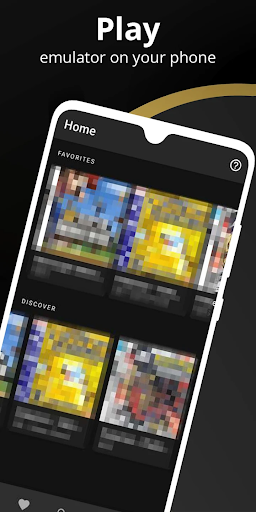
  • Organize and scan ROM files stored on the device
  • Use save states and quick save/load slots
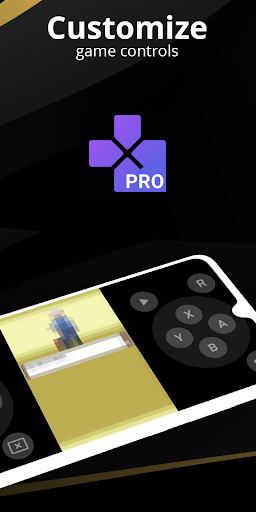
  • Customize touch controls and on-screen button layout
  • Connect external controllers or multiple gamepads
  • Try cloud save sync or device-to-device link features
  • Use fast-forward, display filters, or tilt controls in compatible games
Best for:
retro gaming phone app TV use controller support game library management

App Details

Package:
com.fulldive.extension.fullroid.pro
Category:
Tools
Developer:
Browser by Fulldive Co.
Version:
1.9.1
Updated:
Feb 5, 2026
Min Android:
6.0
Age Rating:
Everyone
Contains Ads:
No
In-App Purchases:
No

Official Listing

  • Official listing available on Google Play
  • Package name: com.fulldive.extension.fullroid.pro
  • Age rating: Everyone

Explore More

Browse more apps in Tools or explore the Phone hub .

Related Tools Apps

How to Download Pro Emulator for Game Consoles

If this app is not hosted directly on APKApps official link, then for the safest and most up-to-date version, install it from its official Google Play listing.