Hi-Q MP3 Voice Recorder (Pro) icon

Phone

Hi-Q MP3 Voice Recorder (Pro)

Music & Audio Audiophile ⭐ 4.00 100,000+
Version Varies with device 5.7 MB Everyone

Screenshots

Hi-Q MP3 Voice Recorder (Pro) screenshot
Permissions Explained 10 permissions requested View details

This app requests 10 permissions. The table below explains what each permission may allow and what users should review before installing.

Status Permission What it means Why it may be used User safety note
⚠️ Sensitive Modify external storage android.permission.WRITE_EXTERNAL_STORAGE Allows the app to write or modify files in shared device storage. Used for saving downloads, media files, exports, edited documents, backups, or cached content. Sensitive permission. Make sure file access matches the app’s purpose.
⚠️ Sensitive Read phone state android.permission.READ_PHONE_STATE Allows the app to access phone status and device-related information. Used for call handling, carrier services, device identification, account security, or playback interruption handling. Sensitive permission. Review whether the app has a clear phone-related reason.
Common Internet access android.permission.INTERNET Allows the app to open network connections and communicate with online services. Commonly used for streaming, syncing, login, ads, analytics, downloads, cloud features, and app updates. Common permission. Review the app’s behavior if it does not appear to need online access.
ℹ️ Review Access Wifi State android.permission.ACCESS_WIFI_STATE This is an Android permission or app-specific permission requested by the app. The app may use this permission for features related to its category, device support, background behavior, storage, connectivity, or system integration. Review this permission before installing, especially if it does not match the app’s expected purpose.
Common View network status android.permission.ACCESS_NETWORK_STATE Allows the app to check whether the device is connected to Wi-Fi, mobile data, or another network. Often used to avoid loading content when offline or to adjust loading based on connection quality. Generally low risk by itself.
ℹ️ Review Keep device awake android.permission.WAKE_LOCK Allows the app to prevent the device from sleeping while a task is running. Used for media playback, downloads, navigation, alarms, calls, or long-running background tasks. Review battery usage if the app keeps the device awake too often.
ℹ️ Review System Alert Window android.permission.SYSTEM_ALERT_WINDOW This is an Android permission or app-specific permission requested by the app. The app may use this permission for features related to its category, device support, background behavior, storage, connectivity, or system integration. Review this permission before installing, especially if it does not match the app’s expected purpose.
⚠️ Sensitive Read external storage android.permission.READ_EXTERNAL_STORAGE Allows the app to read files from shared device storage. Used by media players, file managers, backup apps, editors, upload tools, and document apps. Sensitive permission. Review carefully if the app does not need access to files or media.
⚠️ Sensitive Approximate location android.permission.ACCESS_COARSE_LOCATION Allows the app to access an approximate device location. Used for weather, local content, regional features, nearby services, or location-based settings. Sensitive permission. Review whether the app needs location access.
⚠️ Sensitive Precise location android.permission.ACCESS_FINE_LOCATION Allows the app to access the device’s precise location when granted by the user. Used for maps, navigation, local recommendations, weather, rideshare, nearby devices, or location-based content. Sensitive permission. Grant only when location access matches the app’s purpose.

About Hi-Q MP3 Voice Recorder (Pro)

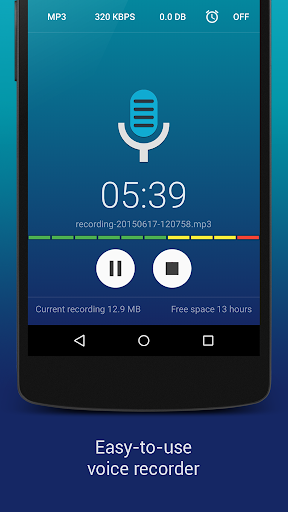
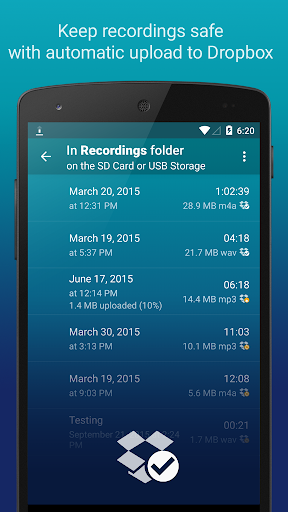
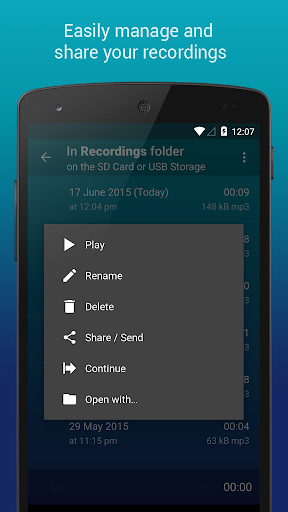
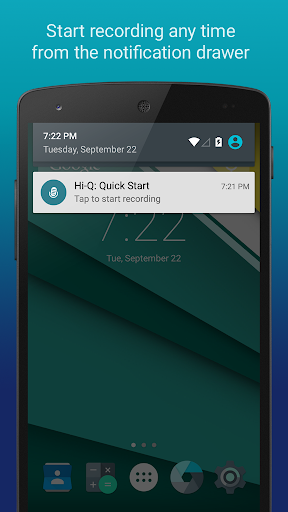
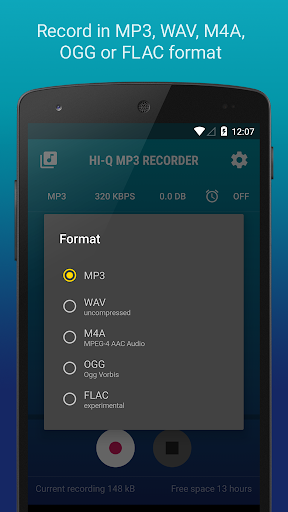
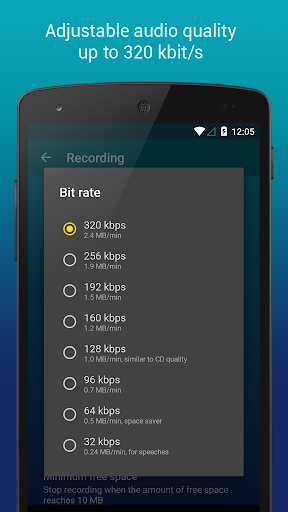
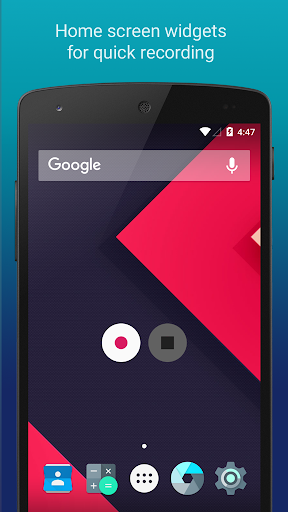
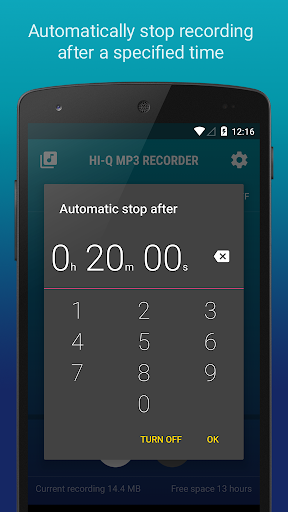
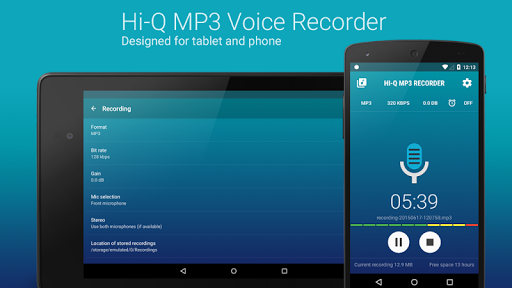
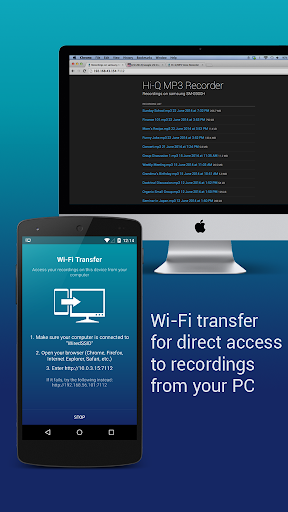
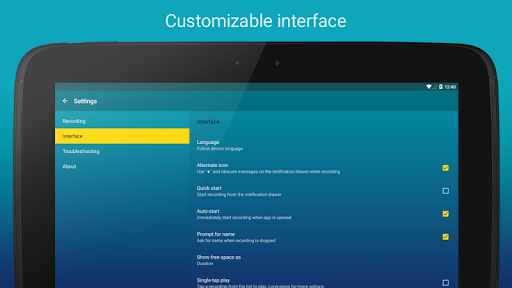
The Hi-Q MP3 Voice Recorder is a feature-packed, yet easy to use app that takes the mobile sound recording to the next level. The variety of customization options suggest the ultimate user experience and it’s high-fidelity 44 kHz audio sampling makes it miles ahead of any standard recording app. What can you use the recorder app for? From personal voice notes, group discussions, lectures, talks to band practice, concerts, and so much more — if you can hear it, this app can record it. Top features: • Shhh! - Discretion Mode • 320 kbps recordings • Home Screen Widgets • Google Drive or Dropbox Auto Upload • Clip Management • Wi-Fi Transfer • Control Gain Level How does it work? Start the app and you are good to go! Press the striking Red button, and you'll immediately start recording. Being a pro recorder app, Hi-Q MP3 Voice Recorder (Pro) allows you to customize your notification drawer for even easier access. Another great “ease-of-access” feature the app provides is the home screen widget for even quicker recordings. With this voice recorder app, you won’t ever have to fuss with your phone to get the best recording quality. Record yourself and practice for a presentation, record song ideas and brainstorming sessions. You can record anything! More details about the features: MP3 clips: Your recordings are stored as MP3 files in real-time, which are compact enough and can be played almost everywhere. Keep Recordings Safe: With automatic upload to Dropbox and Google Drive, your recordings are stored safely and you can free up more space on your device. Sync happens when the preferred connection is available (Wi-Fi only or Wi-Fi and mobile network). Home Screen Widgets: You can start, pause, and resume recording in a flash with the home screen widgets specially designed for your personal voice recorder. Quality Settings: Customize audio quality with a changeable bit rate up to 320 kbps. You can also record in WAV, OGG, M4A, and FLAC (experimental) formats. Input Selection: Select the more sensitive front microphone, or the clearer back microphone as you wish (depending on individual device). Whether you only need an MP3 voice sample or you are recording a demo, this app has got you covered. Shhh! You can switch the recording icon for discretion so nobody notices if you are pressing the record button. Manage Clips: Share, sort, rename and delete recordings as you please. Speed up playback to save time, or slow down to perceive details in your recordings without changing pitch. Wi-Fi Transfer: Transfer recordings to your computer and other devices wirelessly with the built-in Wi-Fi Transfer, utilizing your home Wi-Fi or your device's Wi-Fi Hotspot capability. Gain: Specify input gain settings in real-time for optimum recording at various noise levels. If you have any questions about the professional voice recorder app, feel free to read the FAQ Link: http://www.hiqrecorder.com/faq Notes: – Phone calls are not supported. – Widgets are enabled only…

What Hi-Q MP3 Voice Recorder (Pro) Is Used For

Hi-Q MP3 Voice Recorder (Pro) appears to be a phone-based audio recording app for capturing spoken audio and other sounds in everyday situations. Based on the metadata, people may use it for voice notes, lectures, meetings, interviews, rehearsals, presentations, or recording song ideas and practice sessions. Its Music & Audio category and recording-focused description suggest it is meant for quick start-and-record use rather than editing-heavy production.

The app may also be useful when users want more control over recording quality and file handling. The metadata mentions MP3 output, higher bitrate settings, and support for other formats, along with options such as home screen widgets, clip management, gain control, and transfer or cloud upload features. Permissions like storage and network access fit those functions, since recordings need to be saved, shared, or uploaded. Because it is a phone app, it seems aimed at portable, on-the-go recording on Android devices.

Common uses

  • Record voice memos and personal notes
  • Capture lectures, talks, or meetings
  • Save rehearsals, band practice, or song ideas
  • Use quick-access widgets for faster recording
  • Store recordings as audio files for later playback or sharing
  • Transfer or upload clips through Wi‑Fi or cloud services
  • Adjust recording settings such as gain or bitrate
Best for:
voice notes lecture recording music practice audio capture phone app

App Details

Package:
com.hiqrecorder.full
Category:
Music & Audio
Developer:
Audiophile
Version:
Varies with device
Updated:
Dec 4, 2025
Min Android:
Varies with device
Age Rating:
Everyone
Contains Ads:
No
In-App Purchases:
No

Official Listing

  • Official listing available on Google Play
  • Package name: com.hiqrecorder.full
  • Age rating: Everyone

Explore More

Browse more apps in Music & Audio or explore the Phone hub .

Related Music & Audio Apps

Spotify: Music and Podcasts icon

Spotify: Music and Podcasts

Music & Audio Spotify AB

Listen to music and podcasts. Discover playlists and lyrics.

Version Varies with device 89.6 MB ⭐ 4.30 1,000,000,000+ installs
StarMaker: Sing Karaoke Songs icon

StarMaker: Sing Karaoke Songs

Music & Audio SKYWORK AI PTE. LTD.

Record karaoke songs with pro audio editors, learn to sing, duet and share music

Version 9.7.7 239.5 MB ⭐ 4.40 500,000,000+ installs
JioSaavn - Music & Podcasts icon

JioSaavn - Music & Podcasts

Music & Audio Saavn Media Limited

Play music in 16 languages, download the latest hits, and set trending JioTunes.

Version Varies with device 48.5 MB ⭐ 4.30 500,000,000+ installs
Gaana: Music App, MP3 Songs icon

Gaana: Music App, MP3 Songs

Music & Audio Entertainment Network (India) Ltd.

India's Largest Hindi, English, Panjabi Music Streaming & Radio & Podcast App

Version 8.56.5 5.6 MB ⭐ 4.20 100,000,000+ installs
Smule: Sing, Duet & Karaoke icon

Smule: Sing, Duet & Karaoke

Music & Audio Smule

Create music together! Sing, record & share your voice with a worldwide audience

Version 12.8.5 124.5 MB ⭐ 4.10 100,000,000+ installs

How to Download Hi-Q MP3 Voice Recorder (Pro)

If this app is not hosted directly on APKApps official link, then for the safest and most up-to-date version, install it from its official Google Play listing.