Note AI: Smart Note Taker icon

Phone

Note AI: Smart Note Taker

Productivity HubX ⭐ 4.30 500,000+
Version 1.2.5 Everyone

Screenshots

Note AI: Smart Note Taker screenshot
Permissions Explained 8 permissions requested View details

This app requests 8 permissions. The table below explains what each permission may allow and what users should review before installing.

Status Permission What it means Why it may be used User safety note
ℹ️ Review Record Audio record audio This is an Android permission or app-specific permission requested by the app. The app may use this permission for features related to its category, device support, background behavior, storage, connectivity, or system integration. Review this permission before installing, especially if it does not match the app’s expected purpose.
ℹ️ Review View Network Connections view network connections This is an Android permission or app-specific permission requested by the app. The app may use this permission for features related to its category, device support, background behavior, storage, connectivity, or system integration. Review this permission before installing, especially if it does not match the app’s expected purpose.
ℹ️ Review Full Network Access full network access This is an Android permission or app-specific permission requested by the app. The app may use this permission for features related to its category, device support, background behavior, storage, connectivity, or system integration. Review this permission before installing, especially if it does not match the app’s expected purpose.
ℹ️ Review Run At Startup run at startup This is an Android permission or app-specific permission requested by the app. The app may use this permission for features related to its category, device support, background behavior, storage, connectivity, or system integration. Review this permission before installing, especially if it does not match the app’s expected purpose.
ℹ️ Review Control Vibration control vibration This is an Android permission or app-specific permission requested by the app. The app may use this permission for features related to its category, device support, background behavior, storage, connectivity, or system integration. Review this permission before installing, especially if it does not match the app’s expected purpose.
ℹ️ Review Prevent Device From Sleeping prevent device from sleeping This is an Android permission or app-specific permission requested by the app. The app may use this permission for features related to its category, device support, background behavior, storage, connectivity, or system integration. Review this permission before installing, especially if it does not match the app’s expected purpose.
ℹ️ Review Read Google Service Configuration read Google service configuration This is an Android permission or app-specific permission requested by the app. The app may use this permission for features related to its category, device support, background behavior, storage, connectivity, or system integration. Review this permission before installing, especially if it does not match the app’s expected purpose.
ℹ️ Review Receive Data From Internet receive data from Internet This is an Android permission or app-specific permission requested by the app. The app may use this permission for features related to its category, device support, background behavior, storage, connectivity, or system integration. Review this permission before installing, especially if it does not match the app’s expected purpose.

About Note AI: Smart Note Taker

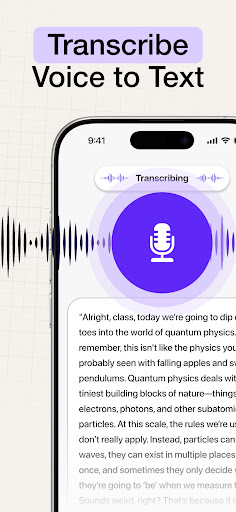
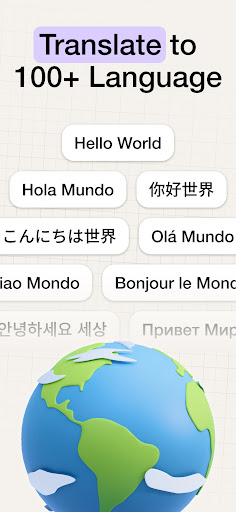
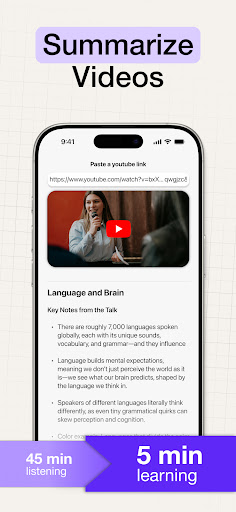
Unlock Smarter Note-Taking with Note AI Struggling to keep with the notes while in the class or in a meeting? Say goodbye to the hassle of manual note-taking! Note AI will transform the way you capture, organize, and study. Get ready to experience effortless, AI-powered notes that will improve your productivity and learning! Effortless Transcription, Anytime, Anywhere Note AI's cutting-edge technology lets you easily transcribe audio to text. No more missing important details. Record lectures, meetings, and voice memos. Record and transcribe with a single tap. Perfect for students, professionals, and anyone who needs to capture important details without the hassle of typing. Why You’ll Love It: • AI-Powered Notes: Transcribe your audio into clean, organized text. • Transcribe Video to Text: Upload and transcribe videos effortlessly. • Multiple Languages: Transcribe and translate in over 50 languages. • Voice to Text: Capture your thoughts hands-free, whether you're on the go or at your desk. • AI Study Notes: Generate custom study notes from your recordings, tailored to your learning style. Enhance Your Study and Learning with AI Maximize your productivity with AI-generated study aids. Let Note AI generate flashcards, summaries, and quizzes that help you learn faster and smarter. No more boring, time-consuming note-taking—just useful study materials that you can actually use! How It Helps You Study: = Lecture Summaries: Capture the key points and get summaries. = Customizable Study Tools: Create personalized quizzes, flashcards, and summaries, tailored for you! = Instant AI Notes: Generate notes automatically from audio recordings—just press record, and let AI do the rest! Easy Collaboration and Multilingual Support Working with a group? No worries! Note AI lets you sync your notes and recordings across all your devices. Share your notes with anyone, anywhere, instantly. Descript AI Accuracy: Benefit from context-aware transcriptions for precise and reliable notes in any language. Your All-in-One Audio to Text Solution AI Note Taker is more than a note recorder—it's your go-to tool for capturing and organizing information. Whether you're recording a voice memo, meeting transcription, or lecture notes, our app provides a hassle-free solution to all your note-taking needs. Why use Note AI? - Fast & Accurate Transcription: Transcribe audio and video with precision. - AI Summaries & Study Aids: Save time with automated summaries and learning tools. - Free Speech-to-Text App: Enjoy powerful features without breaking the bank. - Secure & Accessible: Your data is safe and always available across devices. Perfect For: Students: Capture lectures and let AI turn them into study-ready notes. Professionals: Record meetings and never miss a thing again. Creators: Record and transcribe videos or voice memos for your projects. Ready to change the way you take notes and study? Download Note AI today and revolutionize how you take notes, transcribe audio, and…

What Note AI: Smart Note Taker Is Used For

Note AI: Smart Note Taker appears to be a productivity app for turning spoken content into written notes on a phone. Based on the metadata, it may be used to record lectures, meetings, voice memos, or other audio and convert them into text, which can help when typing is inconvenient or when users want a cleaner record of what was said.

The app description also suggests broader study and organization use cases. It appears to support generating summaries, flashcards, quizzes, and other study materials from recordings, so students may use it to review class content and professionals may use it to capture meeting points. The permissions for audio recording, network access, startup behavior, and preventing sleep are consistent with an app that records, processes, and syncs information online. It also mentions video-to-text support and multilingual transcription/translation, so it may be useful when working with different languages or mixed media notes.

Common uses

  • Record lectures, meetings, or voice memos for later review
  • Convert spoken audio into text notes on a phone
  • Generate study aids such as summaries, flashcards, or quizzes
  • Transcribe video content into written notes
  • Use multilingual transcription and translation for cross-language content
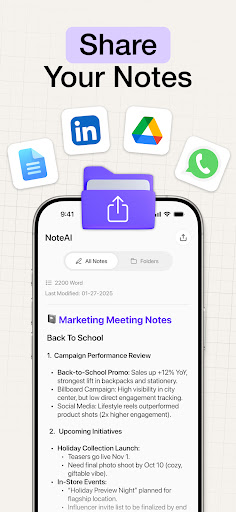
  • Share or sync notes and recordings across devices
  • Keep the app active during longer recording or transcription sessions
Best for:
students meeting notes voice memos study tools phone app

App Details

Package:
com.hubx.noteai
Category:
Productivity
Developer:
HubX
Version:
1.2.5
Updated:
Mar 24, 2026
Min Android:
9
Age Rating:
Everyone
Contains Ads:
No
In-App Purchases:
Yes

Official Listing

  • Official listing available on Google Play
  • Package name: com.hubx.noteai
  • Age rating: Everyone

Explore More

Browse more apps in Productivity or explore the Phone hub .

Related Productivity Apps

How to Download Note AI: Smart Note Taker

If this app is not hosted directly on APKApps official link, then for the safest and most up-to-date version, install it from its official Google Play listing.