About bVNC Pro: Secure VNC Viewer
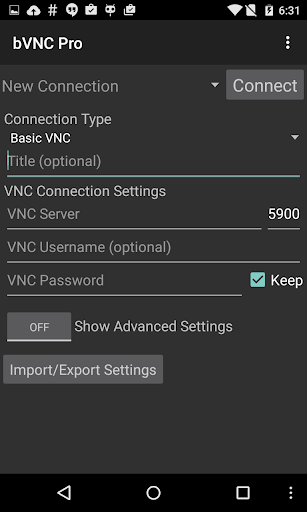
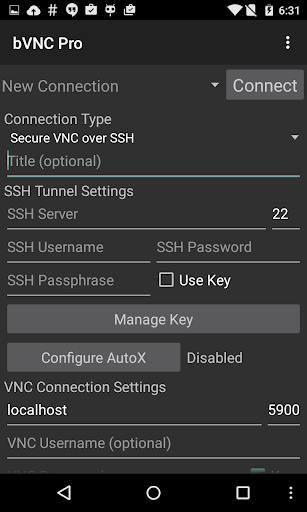
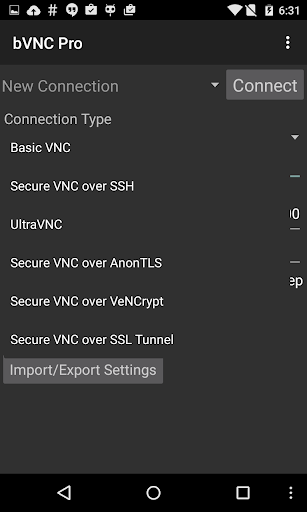
Connect to your computers from anywhere without network configuration! Sign up for the free Morpheusly Beta by visiting www.morpheusly.com to Download and Get Started Need bVNC on iOS or Mac OS X? Now available at https://apps.apple.com/ca/app/bvnc-pro/id1506461202 Thank you for supporting my work and GPL open-source software by donating! Please also rate my application, and tell everyone about it! Release notes: https://github.com/iiordanov/remote-desktop-clients/blob/master/bVNC/CHANGELOG-bVNC Older versions: https://github.com/iiordanov/remote-desktop-clients/releases Report bugs: https://github.com/iiordanov/remote-desktop-clients/issues If you have questions, please don't post a negative review, rather, ask your question on the forum so everybody benefits: https://groups.google.com/forum/#!forum/bvnc-ardp-aspice-opaque-remote-desktop-clients Check out my RDP Client, aRDP https://play.google.com/store/apps/details?id=com.iiordanov.freeaRDP For Proxmox and oVirt, get Opaque https://play.google.com/store/apps/details?id=com.undatech.opaque bVNC is a secure, open source VNC client. Its features include: - Windows, Mac, Linux, BSD, or any other OS with a VNC server installed - Fully compatible with PiKVM - Master password support in the Pro version - Multi-factor (two-factor) SSH authentication in the Pro version - Multi-touch control over the remote mouse. One finger tap left-clicks, two-finger tap right-clicks, and three-finger tap middle-clicks - Left, right and middle button drag/drop if you don't lift the first finger that tapped - Scrolling with a two-finger drag - Pinch-zoom - Force Landscape, Immersive Mode, Keep Screen Awake - Dynamic resolution changes, allowing you to reconfigure your desktop while connected, and control over virtual machines from BIOS to OS - Full rotation - Multi-language - Full mouse support - Full desktop visibility even with soft keyboard extended - SSH tunneling, AnonTLS and VeNCrypt for secure connections (does not support RealVNC encryption). - High-grade encryption superior to RDP using SSH and VeNCrypt (x509 certificates and SSL), preventing man-in-the-middle attacks - AutoX session discovery/creation like NX client - Tight and CopyRect encodings for quick updates - Ability to reduce the color depth over slow links - Copy/paste integration - Samsung DEX, Alt-Tab, Start Button capture - Ctrl+Space capture - SSH public/private (pubkey) - Importing encrypted/unencrypted RSA keys in PEM format - Zoomable, Fit to Screen, and One to One scaling modes - Two Direct, one Simulated Touchpad, and one Single-handed input modes - In single-handed input mode, long-tap to get a choice of clicks, drag modes, scroll, and zoom - Supports most VNC servers including TightVNC, UltraVNC, TigerVNC, and RealVNC - Supports Mac OS X built-in remote desktop server (ARD) and Mac OS X authentication - Does NOT support RealVNC encryption (use VNC over SSH or VeNCrypt instead) - Stowable on-screen keys - Right-click with Back button -…
What bVNC Pro Is Used For
bVNC Pro appears to be a remote desktop app for connecting to computers that run a VNC server. Based on the metadata, people commonly use it to view and control desktops on Windows, Mac, Linux, BSD, or similar systems from an Android phone. It is also described as useful for accessing remote machines and virtual machines, including situations where direct network setup may not be convenient.
The app’s permissions and feature list suggest it relies on network access to maintain remote sessions and transmit desktop data. The metadata also mentions secure connection options such as SSH tunneling and encrypted connections, which indicates it is meant for remote administration or personal access where login and connection handling matter. On a phone, it may be used when someone needs to check a desktop, manage a server, or interact with a home or work computer without sitting in front of it.
Common usage can include moving the pointer, clicking, dragging, scrolling, and zooming around a remote screen. The app also appears to support keyboard and orientation controls for working with full desktop layouts on a smaller display.
Common uses
- View and control a remote computer from an Android phone
- Access Windows, macOS, Linux, or BSD systems with VNC
- Connect to machines that already run a VNC server
- Use network-based remote access for desktop or server tasks
- Interact with the remote mouse using touch gestures
- Adjust the view with zoom, rotation, and full-screen style controls
- Work with secure connection options such as SSH tunneling
App Details
Package:
com.iiordanov.bVNC
Developer:
Iordan Iordanov (Undatech)
Version:
v6.3.1
Updated:
Mar 17, 2026
Min Android:
5.0
Age Rating:
Everyone
Contains Ads:
No
In-App Purchases:
No
Official Listing
-
Official listing available on
Google Play
-
Package name:
com.iiordanov.bVNC
-
Age rating:
Everyone
Related Productivity Apps
Business
•
Termius Corporation
Beautifully designed terminal with built-in SSH, SFTP, Telnet and Mosh
Version 7.5.1
66.0 MB
⭐ 4.60
1,000,000+ installs
Productivity
•
datronicsoft Technology GmbH
Multi Monitor Remote Desktop. Screen share, mirror and extend. USB, WiFi and LAN
Version 2.1.10
3.4 MB
⭐ 4.58
5,000,000+ installs
Productivity
•
TeamViewer
Get instant remote assistance for your device
Version 15.53.459
47.7 MB
⭐ 4.45
50,000,000+ installs
Productivity
•
RealVNC Limited
Remotely control a desktop anywhere in the world from your Android device!
Version 1.2.6.109857
4.6 MB
⭐ 4.00
5,000,000+ installs
Business
•
AnyDesk Software GmbH
Remote access from anywhere. Fast and secure. All operating systems and devices
Version 7.1.0
20.4 MB
⭐ 2.64
50,000,000+ installs
How to Download bVNC Pro: Secure VNC Viewer
If this app is not hosted directly on APKApps official link,
then for the safest and most up-to-date version, install it from its official Google Play listing.