Rolly: AI Budget Money Tracker icon

Phone

Rolly: AI Budget Money Tracker

Finance Rolly AI ⭐ 4.70 100,000+
Version 13.1.1 Everyone

Screenshots

Rolly: AI Budget Money Tracker screenshot
Permissions Explained 11 permissions requested View details

This app requests 11 permissions. The table below explains what each permission may allow and what users should review before installing.

Status Permission What it means Why it may be used User safety note
ℹ️ Review Read The Contents Of Your Usb Storage read the contents of your USB storage This is an Android permission or app-specific permission requested by the app. The app may use this permission for features related to its category, device support, background behavior, storage, connectivity, or system integration. Review this permission before installing, especially if it does not match the app’s expected purpose.
ℹ️ Review Modify Or Delete The Contents Of Your Usb Storage modify or delete the contents of your USB storage This is an Android permission or app-specific permission requested by the app. The app may use this permission for features related to its category, device support, background behavior, storage, connectivity, or system integration. Review this permission before installing, especially if it does not match the app’s expected purpose.
ℹ️ Review Take Pictures And Videos take pictures and videos This is an Android permission or app-specific permission requested by the app. The app may use this permission for features related to its category, device support, background behavior, storage, connectivity, or system integration. Review this permission before installing, especially if it does not match the app’s expected purpose.
ℹ️ Review Record Audio record audio This is an Android permission or app-specific permission requested by the app. The app may use this permission for features related to its category, device support, background behavior, storage, connectivity, or system integration. Review this permission before installing, especially if it does not match the app’s expected purpose.
ℹ️ Review View Network Connections view network connections This is an Android permission or app-specific permission requested by the app. The app may use this permission for features related to its category, device support, background behavior, storage, connectivity, or system integration. Review this permission before installing, especially if it does not match the app’s expected purpose.
ℹ️ Review Full Network Access full network access This is an Android permission or app-specific permission requested by the app. The app may use this permission for features related to its category, device support, background behavior, storage, connectivity, or system integration. Review this permission before installing, especially if it does not match the app’s expected purpose.
ℹ️ Review Run At Startup run at startup This is an Android permission or app-specific permission requested by the app. The app may use this permission for features related to its category, device support, background behavior, storage, connectivity, or system integration. Review this permission before installing, especially if it does not match the app’s expected purpose.
ℹ️ Review Control Vibration control vibration This is an Android permission or app-specific permission requested by the app. The app may use this permission for features related to its category, device support, background behavior, storage, connectivity, or system integration. Review this permission before installing, especially if it does not match the app’s expected purpose.
ℹ️ Review Prevent Device From Sleeping prevent device from sleeping This is an Android permission or app-specific permission requested by the app. The app may use this permission for features related to its category, device support, background behavior, storage, connectivity, or system integration. Review this permission before installing, especially if it does not match the app’s expected purpose.
ℹ️ Review Read Google Service Configuration read Google service configuration This is an Android permission or app-specific permission requested by the app. The app may use this permission for features related to its category, device support, background behavior, storage, connectivity, or system integration. Review this permission before installing, especially if it does not match the app’s expected purpose.
ℹ️ Review Receive Data From Internet receive data from Internet This is an Android permission or app-specific permission requested by the app. The app may use this permission for features related to its category, device support, background behavior, storage, connectivity, or system integration. Review this permission before installing, especially if it does not match the app’s expected purpose.

About Rolly: AI Budget Money Tracker

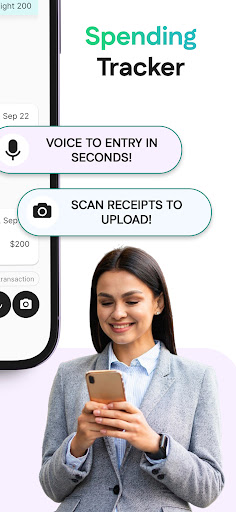
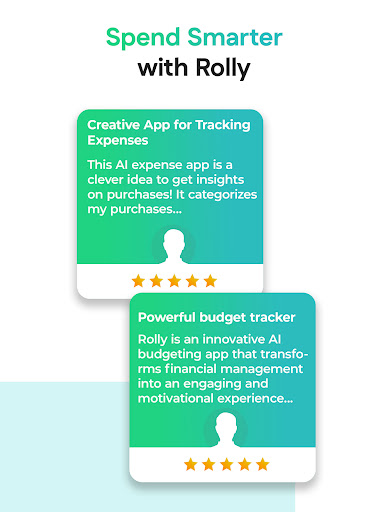
Rolly – Your Personal AI Money Tracker, Budget Planner & Finance Advisor Sick of switching between budgeting apps, logging expenses by hand, and still not knowing where your money goes? Meet Rolly, the all-in-one AI money tracker, budget planner, and personal finance advisor that simplifies how you track spending, manage budgets, and control your money. Whether you're budgeting monthly, weekly, or daily, Rolly makes money management effortless through an intuitive AI chat. Snap receipts, speak to log expenses, or just type it in—your AI budget tracker handles everything automatically. Rolly is your complete money manager, expense tracker, budget tracker, and savings tracker, all in one smart app. Why Choose Rolly as Your Smart Money & Budget Tracker? Managing money shouldn’t feel complicated. Unlike basic budgeting apps that only show numbers, Rolly adapts to your mood and gives real-time guidance. Feeling spendy? Rolly’s Angry Mom personality will remind you about your budget. Need motivation? Switch to a calmer personality to help you stay disciplined and hit your savings goals. With AI-powered categorization, Rolly sorts every transaction and provides insights to help you improve your budget and spending habits. It’s more than a budget planner—it’s your complete AI finance tracker. Rolly Solves Real Problems: Problem: Forgetting to track small expenses Solution: Tell Rolly via chat, voice, or snap—it instantly updates your money tracker and budget. Problem: Losing track of savings Solution: Let Rolly be your money saving tracker with visual goals. Problem: Using too many apps for bills, goals, and budgets Solution: Rolly becomes your one-stop budgeting app, payment tracker, and finance manager. Key Features That Make Rolly the Best Budget & Money Tracker: • Chat to Track – Log expenses like “Coffee 15, Taxi 20” and the AI categorizes for you • Voice Logging – Hands-free money tracking • Receipt Scanner – Snap receipts; Rolly auto-creates transactions • AI Categorization – Accurate sorting for your budget and expense tracker • Multiple Wallets – Manage work, travel, and personal budgets separately • Shared Wallets – Perfect for families, couples, or groups • Savings & Goal Tracker – Monitor financial milestones • Bill & Payment Tracker – Stay on top of recurring payments • AI Personalities – From sassy to wise, Rolly adapts to your style Whether you’re managing a weekly budget, a monthly budget, or long-term financial goals, Rolly is the budget planner that makes sense of your money. Built for Real Life Rolly is your trusted: • Budget tracker for everyday control • Money tracker for all your spending • Expense manager to organize every transaction • Savings tracker to reach your goals faster • Payment tracker for bills & subscriptions • All-in-one finance tracker that works seamlessly Download Rolly — The AI Budgeting App You’ll Actually Use If traditional money apps feel confusing or overwhelming, switch to a simpler, smarter, and more…

What Rolly: AI Budget Money Tracker Is Used For

Rolly: AI Budget Money Tracker appears to be a finance app for tracking spending, planning budgets, and organizing everyday money management on a phone. Based on the metadata, it is designed for people who want to log expenses quickly, review where money goes, and keep different budget goals in one place. The app may be useful for monthly, weekly, or daily budgeting, depending on how a user prefers to manage finances.

The app description suggests several common ways to record transactions, including typed entries, voice input, and receipt capture. That makes it a practical option for users who want to note purchases as they happen instead of entering everything later. The permission set also fits this kind of app: camera access may support receipt scanning, audio recording may support voice logging, and network access likely helps with syncing or AI-related features. Because it is a phone app, it seems aimed at personal use on the go rather than desktop-style bookkeeping.

It also appears to support budget oversight beyond simple expense logging, with features like categorization, savings tracking, and possibly shared wallets for households or groups. People who want a more guided budgeting experience may use it to monitor habits, set goals, and keep separate spending areas for work, travel, or personal expenses.

Common uses

  • Log everyday expenses by typing, speaking, or scanning receipts
  • Track spending against monthly, weekly, or daily budgets
  • Separate money into different wallets for work, travel, or personal use
  • Review spending categories to see where money is going
  • Monitor savings goals and progress over time
  • Use shared wallets for couples, families, or small groups
Best for:
Budget tracking Expense logging Savings goals Phone app Shared wallets

App Details

Package:
com.jc.rollymoneytracker
Category:
Finance
Developer:
Rolly AI
Version:
13.1.1
Updated:
Mar 9, 2026
Min Android:
7.0
Age Rating:
Everyone
Contains Ads:
No
In-App Purchases:
Yes

Official Listing

  • Official listing available on Google Play
  • Package name: com.jc.rollymoneytracker
  • Age rating: Everyone

Explore More

Browse more apps in Finance or explore the Phone hub .

Related Finance Apps

Investing.com: Stock Market icon

Investing.com: Stock Market

Finance INVESTING.com

Get real-time stock market alerts & investment ideas. Track your stocks & ETFs.

Version 6.47.1 104.3 MB ⭐ 4.60 50,000,000+ installs
TradingView: Track All Markets icon

TradingView: Track All Markets

Finance TradingView Inc.

From stocks to crypto. Technical analysis, Trading ideas and Financial news.

Version Varies with device 54.1 MB ⭐ 4.70 50,000,000+ installs
Splitwise icon

Splitwise

Finance Splitwise

Split expenses with friends, roommates, group trips, and more

Version 26.3.1 69.5 MB ⭐ 4.20 10,000,000+ installs
Yahoo Finance: Stocks & News icon

Yahoo Finance: Stocks & News

Finance Yahoo

Breaking Financial News about the market, Stocks, Crypto & Portfolio Tracking

Version Varies with device 40.4 MB ⭐ 4.60 10,000,000+ installs
Experian® icon

Experian®

Finance Experian

Your Big Financial Friend

Version 4.2.15 117.5 MB ⭐ 4.70 10,000,000+ installs
Webull: Investing & Trading icon

Webull: Investing & Trading

Finance Webull Technologies Pte. Ltd.

Stocks, Options, Crypto, Futures, and ETFs

Version 11.8.0.38 90.3 MB ⭐ 4.60 10,000,000+ installs

How to Download Rolly: AI Budget Money Tracker

If this app is not hosted directly on APKApps official link, then for the safest and most up-to-date version, install it from its official Google Play listing.