About Root Checker Pro
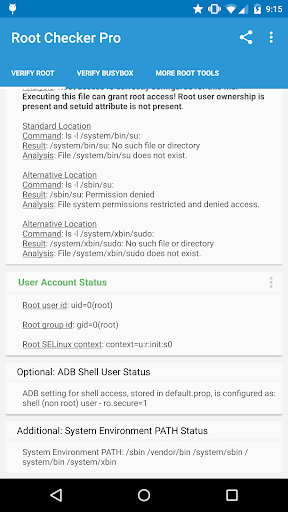
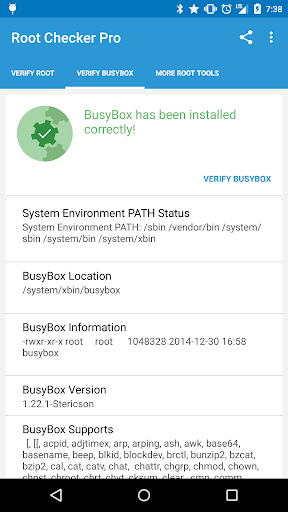
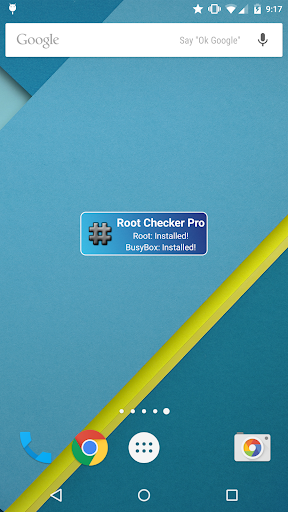
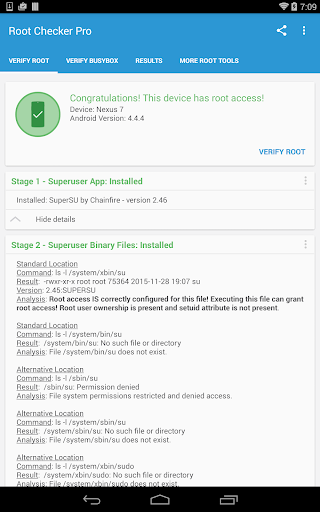
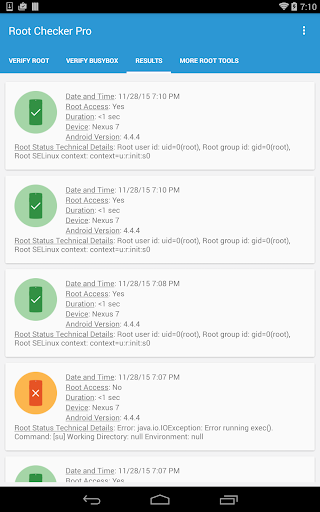
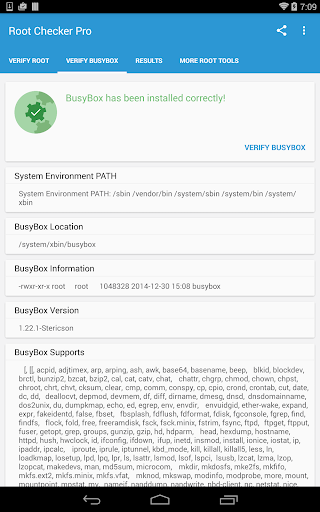
**** THIS APPLICATION DOES NOT REQUIRE ROOT ACCESS **** **** THIS APPLICATION WILL NOT ROOT THE DEVICE **** This application will allow the user to confirm they have proper root ( superuser ) access and a proper BusyBox installation. The Root Check mode displays the most important information when determining whether root (superuser) access has been properly installed: standard su binary locations and file permissions, root uid/gid (user id/group id) and SELinux context results, Superuser application installations and version, adb shell default user mode (shell or root user), SELinux Status (enforcing or not), and the System defined PATH. For the more advanced and technically inclined users, many important details are provided around the Root and BusyBox installation. The application presents all the details needed to properly troubleshoot any Root or BusyBox issues. The goal of this application is to provide even the newest Android user with a simple method to check their device for root access. This application will also allow the user to verify a proper BusyBox installation. **PLEASE EMAIL ME WITH ISSUES OR QUESTIONS REGARDING MY APPLICATION. I ALWAYS REPLY!** The application makes it very simple and easy to export the detailed output via email or any other social media application installed on the device. One simple button allows Root (superuser) and BusyBox details to be shared for collaborating or troubleshooting! This application will test the device for root access. Very simple, quick, and reliable test method to check for root access. The su binary is the most common binary used on Android devices to grant root access. This application will check and verify the su binary location and permissions on the device. This information is generally the most helpful in diagnosing issues with root access. A common method for resolving issues around properly installing and configuring root access via the su binary is to gather the permissions around the su binary along with the installation location. All this information is quickly summarized in a few seconds by this application. To grant even greater convenience, this information can be quickly exported and shared for assistance in resolving su binary and root issues. The widget provided along with this application allows easy and constant monitoring of root and busybox installation status. The widget allows the user to setup a timer interval to check for root and busybox status. The widget will always keep the user up to date via on screen widget notifications regarding root and busybox installation and operating status. Please don't leave negative feedback! Instead, please email me with your feedback, suggestions, and comments! Feel free to email your advanced root/BusyBox results along with your feedback! Thank you!!
What Root Checker Pro Is Used For
Root Checker Pro appears to be a tools app for checking whether an Android device has root, or superuser, access configured. Based on the metadata, it does not root the device itself; instead, it focuses on confirming root-related status and showing technical details that can help users understand how root is set up on the phone.
The app seems especially useful for troubleshooting. It may display information such as su binary locations, file permissions, SELinux status, BusyBox installation details, and the current shell user mode. That makes it helpful for users who have already rooted a device and want to confirm that the setup is working as expected, or for those comparing root-related system information before asking for support. The export/share function also suggests it can be used to send results to email or another app for review.
Because this is a phone app in the Tools category, it appears aimed at hands-on Android users, developers, and people who manage rooted devices. The network permissions listed may relate to license checking or sharing features rather than core root detection.
Common uses
- Check whether root access appears to be enabled on the device
- Review su binary location and permissions
- Inspect BusyBox installation details
- View SELinux and shell-user status for troubleshooting
- Export results for support or collaboration
- Compare root-related system information after setup
App Details
Package:
com.joeykrim.rootcheckp
Developer:
joeykrim
Version:
1.6.4
Updated:
Aug 18, 2024
Min Android:
5.0
Age Rating:
Everyone
Contains Ads:
No
In-App Purchases:
No
Official Listing
-
Official listing available on
Google Play
-
Package name:
com.joeykrim.rootcheckp
-
Age rating:
Everyone
Related Tools Apps
Tools
•
F-Secure Corporation
Antivirus, Virus Cleaner & Malware Scan | Mobile Security & Hacker Protection
Version 10.57-ff32089
17.9 MB
⭐ 4.20
100,000,000+ installs
How to Download Root Checker Pro
If this app is not hosted directly on APKApps official link,
then for the safest and most up-to-date version, install it from its official Google Play listing.