ScreenCoach - Parental Control icon

Phone

ScreenCoach - Parental Control

Parenting LifeTech Balance Pty Ltd ⭐ 4.40 10,000+
Version Varies with device Everyone

Screenshots

ScreenCoach - Parental Control screenshot
Permissions Explained 13 permissions requested View details

This app requests 13 permissions. The table below explains what each permission may allow and what users should review before installing.

Status Permission What it means Why it may be used User safety note
ℹ️ Review Read The Contents Of Your Usb Storage read the contents of your USB storage This is an Android permission or app-specific permission requested by the app. The app may use this permission for features related to its category, device support, background behavior, storage, connectivity, or system integration. Review this permission before installing, especially if it does not match the app’s expected purpose.
ℹ️ Review Modify Or Delete The Contents Of Your Usb Storage modify or delete the contents of your USB storage This is an Android permission or app-specific permission requested by the app. The app may use this permission for features related to its category, device support, background behavior, storage, connectivity, or system integration. Review this permission before installing, especially if it does not match the app’s expected purpose.
ℹ️ Review Take Pictures And Videos take pictures and videos This is an Android permission or app-specific permission requested by the app. The app may use this permission for features related to its category, device support, background behavior, storage, connectivity, or system integration. Review this permission before installing, especially if it does not match the app’s expected purpose.
ℹ️ Review View Network Connections view network connections This is an Android permission or app-specific permission requested by the app. The app may use this permission for features related to its category, device support, background behavior, storage, connectivity, or system integration. Review this permission before installing, especially if it does not match the app’s expected purpose.
ℹ️ Review Full Network Access full network access This is an Android permission or app-specific permission requested by the app. The app may use this permission for features related to its category, device support, background behavior, storage, connectivity, or system integration. Review this permission before installing, especially if it does not match the app’s expected purpose.
ℹ️ Review Run At Startup run at startup This is an Android permission or app-specific permission requested by the app. The app may use this permission for features related to its category, device support, background behavior, storage, connectivity, or system integration. Review this permission before installing, especially if it does not match the app’s expected purpose.
ℹ️ Review Draw Over Other Apps draw over other apps This is an Android permission or app-specific permission requested by the app. The app may use this permission for features related to its category, device support, background behavior, storage, connectivity, or system integration. Review this permission before installing, especially if it does not match the app’s expected purpose.
ℹ️ Review Control Vibration control vibration This is an Android permission or app-specific permission requested by the app. The app may use this permission for features related to its category, device support, background behavior, storage, connectivity, or system integration. Review this permission before installing, especially if it does not match the app’s expected purpose.
ℹ️ Review Prevent Device From Sleeping prevent device from sleeping This is an Android permission or app-specific permission requested by the app. The app may use this permission for features related to its category, device support, background behavior, storage, connectivity, or system integration. Review this permission before installing, especially if it does not match the app’s expected purpose.
ℹ️ Review Read Google Service Configuration read Google service configuration This is an Android permission or app-specific permission requested by the app. The app may use this permission for features related to its category, device support, background behavior, storage, connectivity, or system integration. Review this permission before installing, especially if it does not match the app’s expected purpose.
ℹ️ Review Bind To A Notification Listener Service bind to a notification listener service This is an Android permission or app-specific permission requested by the app. The app may use this permission for features related to its category, device support, background behavior, storage, connectivity, or system integration. Review this permission before installing, especially if it does not match the app’s expected purpose.
ℹ️ Review Update Component Usage Statistics update component usage statistics This is an Android permission or app-specific permission requested by the app. The app may use this permission for features related to its category, device support, background behavior, storage, connectivity, or system integration. Review this permission before installing, especially if it does not match the app’s expected purpose.
ℹ️ Review Receive Data From Internet receive data from Internet This is an Android permission or app-specific permission requested by the app. The app may use this permission for features related to its category, device support, background behavior, storage, connectivity, or system integration. Review this permission before installing, especially if it does not match the app’s expected purpose.

About ScreenCoach - Parental Control

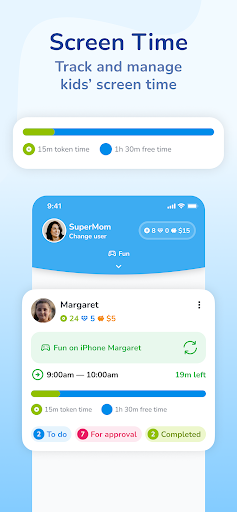
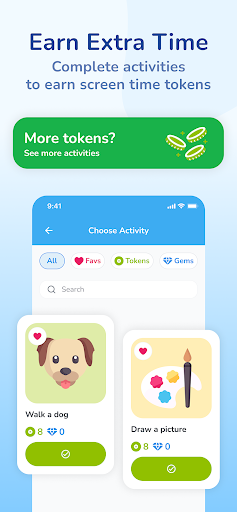
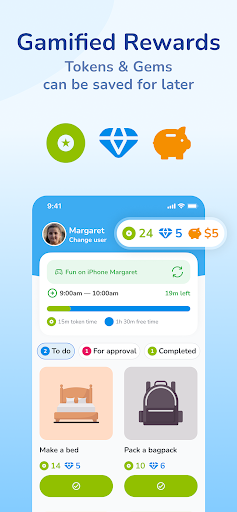
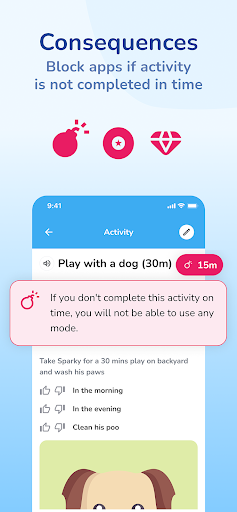
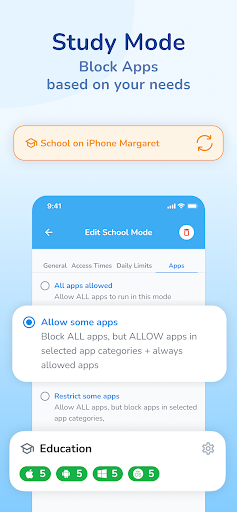
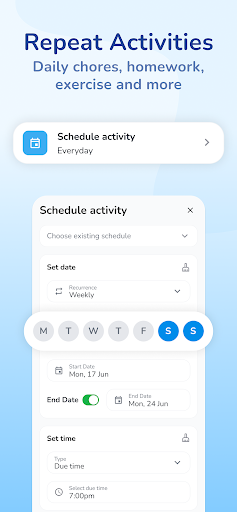
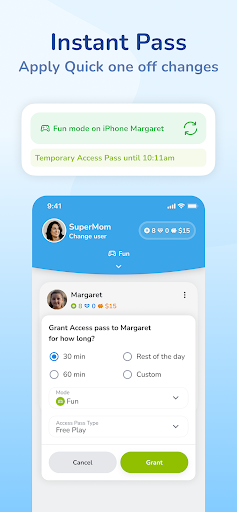
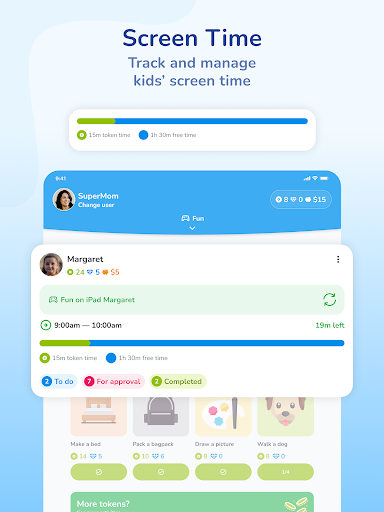
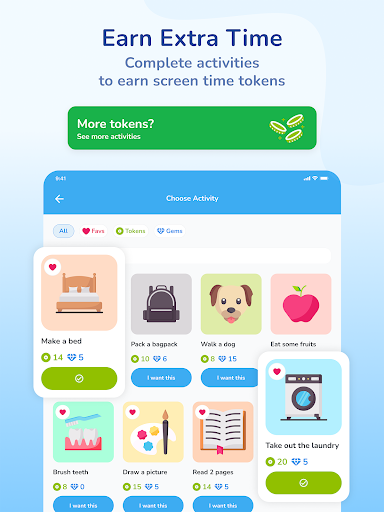
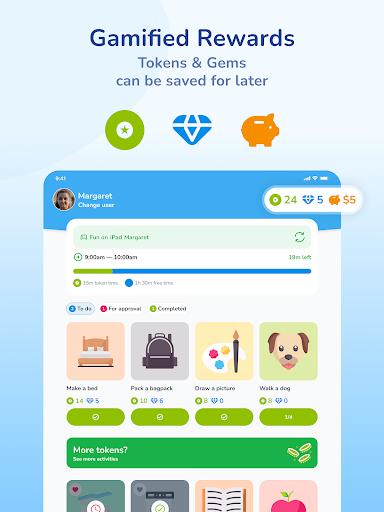
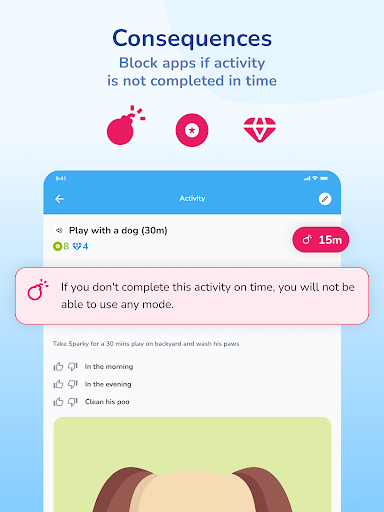
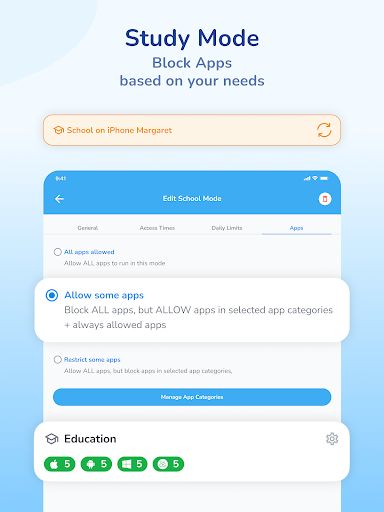
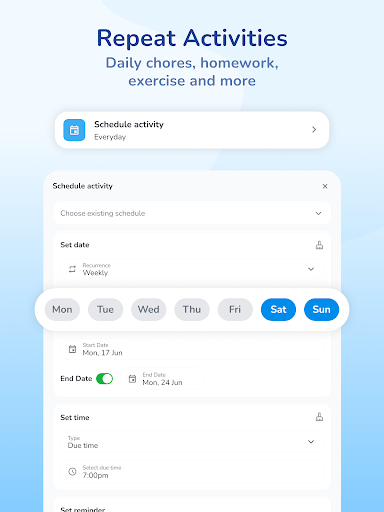
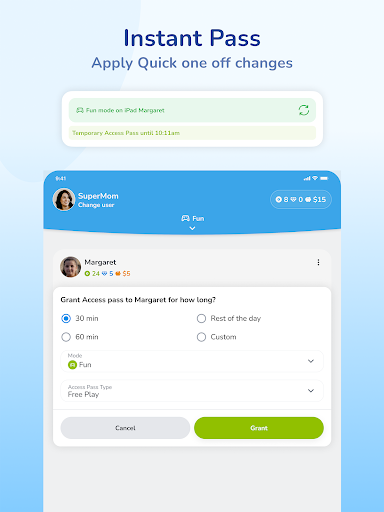
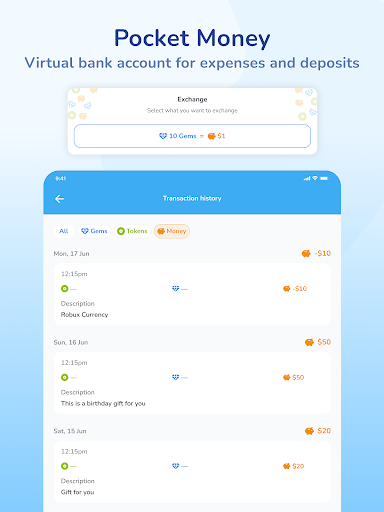
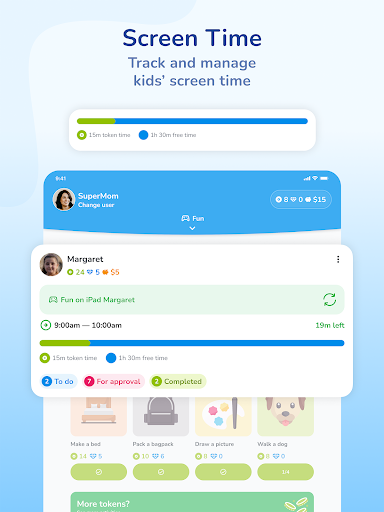
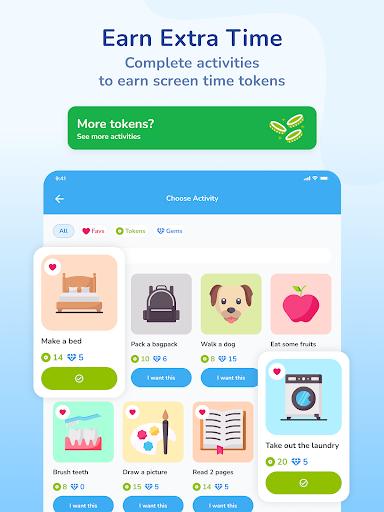
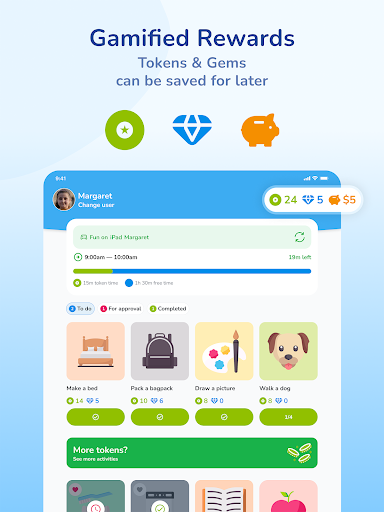
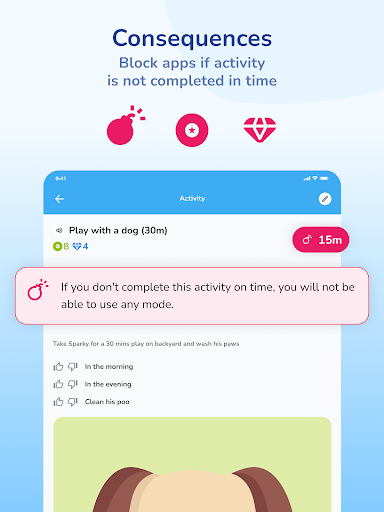
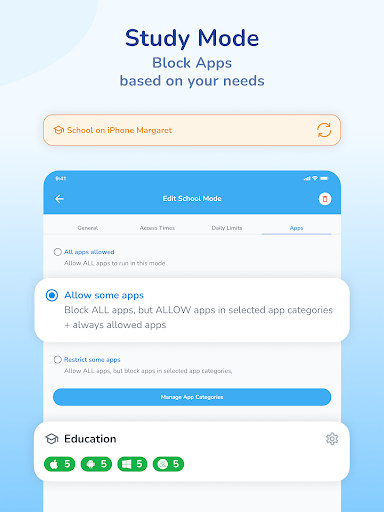
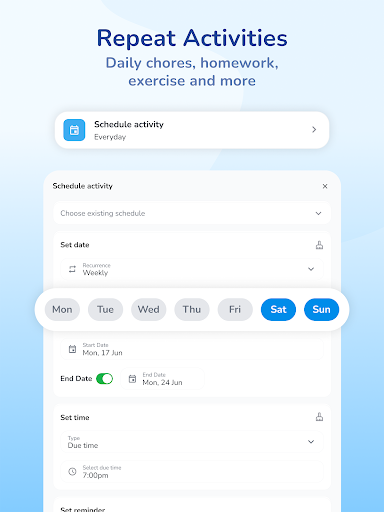
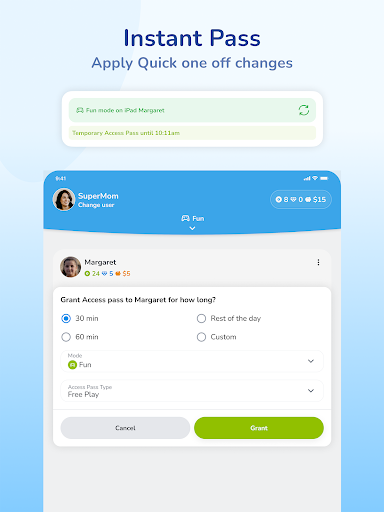
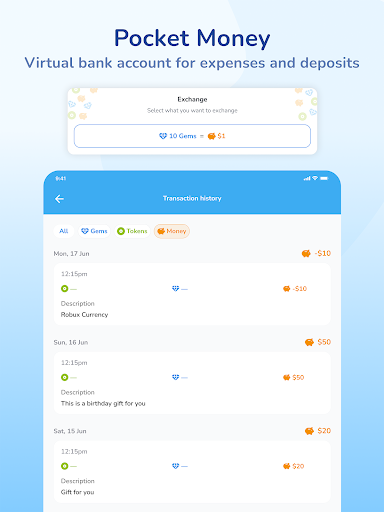
Tired of the constant struggle to pry your kids away from their devices? Introducing ScreenCoach - Your Ultimate Screen Time Manager for the Whole Family that Rewards Good Habits! START YOUR 30-DAY TRIAL (OR TRY OUR NO-CARD TRIAL) Discover ScreenCoach, the life-tech balance superhero that makes managing screen time a breeze for busy parents like you. It rewards your kids for non-screen activities and even includes an allowance manager! Key Features: Earn More Screen Time: Watch your kids eagerly complete chores, exercise, homework, and fun activities to earn extra screen time or pocket money (or both!). Multiple access times: For ultimate parental control, you can have several allowed access times set up in a single day. For example, 7-8am, 4-5pm and 6-7pm. Works across multiple platforms: When your child’s time is up on one device, they can’t simply pick up another - because it will also be blocked! Allowance Management: Reward your child, track and efficiently manage allowance / pocket money, including automated recurring expenses and income. Customizable Activities: Create a tailored list of engaging activities to keep your kids active and entertained offline. Also includes reminders & automated repeating activities - eg. brush teeth at 8pm every night! Modes for School Time, Fun time & Sleep: Switch to School mode to temporarily block games, social media, and streaming during study hours. At night, all Apps can be blocked except an audio app for listening to music or bedtime stories. Interactive Parent Dashboard: Keep tabs on your child's total device time, current pocket money, and the tokens they've earned by completing set activities. App Blocking: When screen time is up or during restricted hours, ScreenCoach automatically blocks access to apps. Child-Driven Fun: ScreenCoach is designed to be easy and enjoyable for kids, as they watch their device time grow with each completed activity. It really is a digital Screen Coach, teaching them healthy new life-tech habits for life. Join the ScreenCoach family today and create a harmonious home where kids embrace a balanced tech lifestyle, while still enjoying their screen time in a controlled and responsible manner. Download ScreenCoach now and experience the joy of hassle-free screen time management with a touch of fun and empowerment for the entire family! This app uses Accessibility Service's to block apps when not allowed to be used and to prevent the child from deleting the ScreenCoach app. If a device is only used by a parent, this does not need to be enabled. The first 30 days are free on all family plans.

What ScreenCoach - Parental Control Is Used For

ScreenCoach - Parental Control appears to be a family screen-time management app for Android phones. Based on the metadata, parents may use it to set daily access windows, limit app use during school or bedtime, and block access when screen time runs out. The app also seems designed to work across multiple devices so a child cannot simply switch to another device to continue using apps after a limit is reached.

It may also be used as a behavior-reward tool rather than only a restriction tool. The description suggests parents can assign offline activities such as chores, homework, exercise, or routine tasks, and then reward completion with more screen time or pocket money tracking. The listed permissions, including notification access, app usage statistics, and drawing over other apps, are consistent with an app that monitors device activity and enforces limits in the background. Because it is a phone app in the Parenting category, it appears intended for day-to-day family use on a child’s mobile device, with a parent dashboard for reviewing time, allowance, and completed activities.

Common uses

  • Set screen-time schedules for school, fun, and sleep periods
  • Block selected apps or all apps during restricted times
  • Reward offline tasks with extra device time or allowance tracking
  • Monitor device-time totals and activity progress from a parent dashboard
  • Create repeating routines and reminders for daily habits
  • Manage limits across multiple devices linked to the child
  • Use on a phone as part of a family parenting setup
Best for:
Parents Screen-time limits Household routines Allowance tracking Child device management

App Details

Package:
com.lifetech_balance
Category:
Parenting
Developer:
LifeTech Balance Pty Ltd
Version:
Varies with device
Updated:
Mar 20, 2026
Min Android:
7.0
Age Rating:
Everyone
Contains Ads:
No
In-App Purchases:
Yes

Official Listing

  • Official listing available on Google Play
  • Package name: com.lifetech_balance
  • Age rating: Everyone

Explore More

Browse more apps in Parenting or explore the Phone hub .

Related Parenting Apps

Findmykids: Kids GPS Tracker icon

Findmykids: Kids GPS Tracker

Parenting LETEM LTD

GPS tracker app: Simple GPS phone tracker for fast family location tracking

Version 2.11.1-google 85.9 MB ⭐ 4.60 50,000,000+ installs
Be Closer: Family location icon

Be Closer: Family location

Parenting Golden Gate Media

Use GPS family location tracker and be sure your family is safe

Version 4.7.8 144.8 MB ⭐ 4.40 10,000,000+ installs
Pregnancy Tracker: amma icon

Pregnancy Tracker: amma

Parenting PERIOD TRACKER & PREGNANCY AND BABY CALENDAR

Expecting a baby? Due date calculator & baby tracker week-by-week

Version 3.80.0.3 96.4 MB ⭐ 4.60 10,000,000+ installs
FlashGet Kids:parental control icon

FlashGet Kids:parental control

Parenting HONGKONG FLASHGET NETWORK TECHNOLOGY

Parental control App for Location, Remote Camera, Screen Mirroring, Block Apps.

Version 1.3.8.5 150.0 MB ⭐ 4.60 10,000,000+ installs

How to Download ScreenCoach - Parental Control

If this app is not hosted directly on APKApps official link, then for the safest and most up-to-date version, install it from its official Google Play listing.