Boosted Ad Maker by Lightricks icon

Phone

Boosted Ad Maker by Lightricks

Video Players & Editors Lightricks Ltd. ⭐ 4.30 5,000,000+

Marketing promo video maker. Ad creator for social media. Easy-to-use templates

Version 1.8.6.1 70.3 MB Everyone

Screenshots

Boosted Ad Maker by Lightricks screenshot
Permissions Explained 16 permissions requested View details

This app requests 16 permissions. The table below explains what each permission may allow and what users should review before installing.

Status Permission What it means Why it may be used User safety note
Common Internet access android.permission.INTERNET Allows the app to open network connections and communicate with online services. Commonly used for streaming, syncing, login, ads, analytics, downloads, cloud features, and app updates. Common permission. Review the app’s behavior if it does not appear to need online access.
ℹ️ Review Vending Billing com.android.vending.BILLING This is an Android permission or app-specific permission requested by the app. The app may use this permission for features related to its category, device support, background behavior, storage, connectivity, or system integration. Review this permission before installing, especially if it does not match the app’s expected purpose.
⚠️ Sensitive Read external storage android.permission.READ_EXTERNAL_STORAGE Allows the app to read files from shared device storage. Used by media players, file managers, backup apps, editors, upload tools, and document apps. Sensitive permission. Review carefully if the app does not need access to files or media.
ℹ️ Review Read Media Audio android.permission.READ_MEDIA_AUDIO This is an Android permission or app-specific permission requested by the app. The app may use this permission for features related to its category, device support, background behavior, storage, connectivity, or system integration. Review this permission before installing, especially if it does not match the app’s expected purpose.
ℹ️ Review Read Media Video android.permission.READ_MEDIA_VIDEO This is an Android permission or app-specific permission requested by the app. The app may use this permission for features related to its category, device support, background behavior, storage, connectivity, or system integration. Review this permission before installing, especially if it does not match the app’s expected purpose.
ℹ️ Review Read Media Images android.permission.READ_MEDIA_IMAGES This is an Android permission or app-specific permission requested by the app. The app may use this permission for features related to its category, device support, background behavior, storage, connectivity, or system integration. Review this permission before installing, especially if it does not match the app’s expected purpose.
⚠️ Sensitive Modify external storage android.permission.WRITE_EXTERNAL_STORAGE Allows the app to write or modify files in shared device storage. Used for saving downloads, media files, exports, edited documents, backups, or cached content. Sensitive permission. Make sure file access matches the app’s purpose.
Common View network status android.permission.ACCESS_NETWORK_STATE Allows the app to check whether the device is connected to Wi-Fi, mobile data, or another network. Often used to avoid loading content when offline or to adjust loading based on connection quality. Generally low risk by itself.
ℹ️ Review Access Wifi State android.permission.ACCESS_WIFI_STATE This is an Android permission or app-specific permission requested by the app. The app may use this permission for features related to its category, device support, background behavior, storage, connectivity, or system integration. Review this permission before installing, especially if it does not match the app’s expected purpose.
Common Vibration control android.permission.VIBRATE Allows the app to control device vibration. Used for notifications, alerts, haptic feedback, timers, alarms, or game feedback. Generally low risk by itself.
ℹ️ Review Keep device awake android.permission.WAKE_LOCK Allows the app to prevent the device from sleeping while a task is running. Used for media playback, downloads, navigation, alarms, calls, or long-running background tasks. Review battery usage if the app keeps the device awake too often.
ℹ️ Review Send notifications android.permission.POST_NOTIFICATIONS Allows the app to send notifications to the device. Used for alerts, reminders, messages, account activity, updates, or media controls. Review notification settings if the app sends too many alerts.
ℹ️ Review C2dm Permission Receive com.google.android.c2dm.permission.RECEIVE This is an Android permission or app-specific permission requested by the app. The app may use this permission for features related to its category, device support, background behavior, storage, connectivity, or system integration. Review this permission before installing, especially if it does not match the app’s expected purpose.
ℹ️ Review Finsky Permission Bind Get Install Referrer Service com.google.android.finsky.permission.BIND_GET_INSTALL_REFERRER_SERVICE This is an Android permission or app-specific permission requested by the app. The app may use this permission for features related to its category, device support, background behavior, storage, connectivity, or system integration. Review this permission before installing, especially if it does not match the app’s expected purpose.
ℹ️ Review Gms Permission Ad Id com.google.android.gms.permission.AD_ID This is an Android permission or app-specific permission requested by the app. The app may use this permission for features related to its category, device support, background behavior, storage, connectivity, or system integration. Review this permission before installing, especially if it does not match the app’s expected purpose.
ℹ️ Review Foreground Service android.permission.FOREGROUND_SERVICE This is an Android permission or app-specific permission requested by the app. The app may use this permission for features related to its category, device support, background behavior, storage, connectivity, or system integration. Review this permission before installing, especially if it does not match the app’s expected purpose.

About Boosted Ad Maker by Lightricks

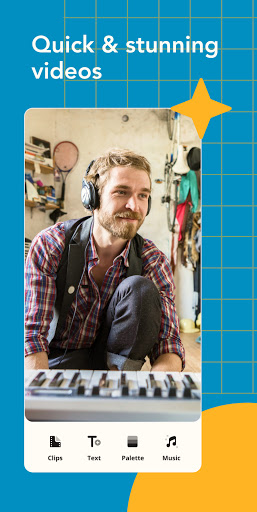
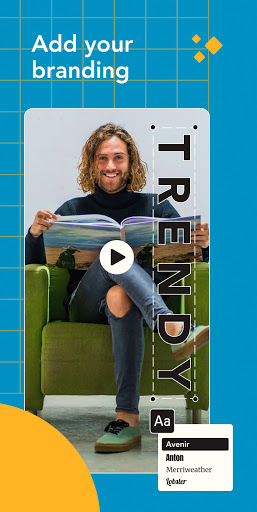
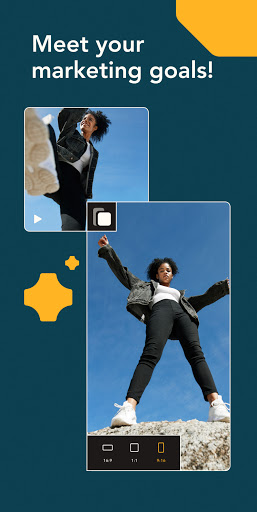
Boost your social media marketing with Boosted by Lightricks, a video maker for your brand or business that makes it quick and simple to create stunning videos with ready-made templates! ❥ Transform your brand’s social media content into a work of art with the most creative and powerful video creation app out there. Advertise your business and build your brand with engaging videos that stand out. Our advertisement maker app with its' easy-to-use templates enables you to make an amazing video that will level up your brand’s marketing in only a few taps! ❥ With Boosted video maker, you have a professional content creation tool at your fingertips. Whether you need to create an intro or outro for YouTube, a promo video to advertise your brand or a social media ad – we’ve got you covered. Our unique and dynamic templates will increase your traffic, improve your branding, and explode your marketing conversions. In just a few steps, you can create a dynamic and creative video with amazing colors and effects that will make your brand stand out on social media. PERFECT FOR EVERY BUSINESS OWNER Whether you run a small business, a one-person operation, or a corporation, you need strong branding and a robust marketing presence. Boosted will help you advertise your business, keep your brand visible and your customers engaged. With Boosted video maker, your business can create promotional, marketing, or artistic videos to improve your branding and attract new customers.The Boosted video maker will help you meet all of your business goals and boost your brand’s online presence – even if you have no prior content creation experience! HOW DOES IT WORK? 1. Choose a video template – there are tons of templates to choose from within the Boosted editor gallery. Select a seasonal template or pick one that matches the niche of your business. Before you begin customizing your template, select your desired video format. You can create social media posts, video ads, intro and outro videos for YouTube and more! 2. Customize! Use our creative video maker to customize your video with incredible music, colors, and more. 3. Try out different fonts and add your own media to your project for an extra layer of creativity and customized branding. Export and share your creative, high-resolution videos directly to Instagram, Facebook, and other social media feeds. WHY DO BUSINESS OWNERS USE BOOSTED VIDEO EDITOR? ☑️ Boosted video maker & editor enables businesses to easily create videos for social media. Boosted videos are high-converting, engaging and easily optimized for all social media platforms. ☑️ Improve your company’s marketing strategy and brand visibility, boost your business’ audience retention, and stand out on social media – all while making fun creations that your audience will love! ☑️ Easily advertise your company online and increase engagement across all social media platforms! The content options are endless – you can create promotional videos, how-tos, explainers…

What Boosted Ad Maker by Lightricks Is Used For

Boosted Ad Maker by Lightricks appears to be a phone app for creating short marketing and promotional videos. Based on the metadata, it is aimed at businesses, creators, and social media users who want to build ads, branded clips, and simple video content from ready-made templates rather than starting from scratch.

Common uses may include making social media ads, promo videos for a brand or product, and intro or outro clips for YouTube. The app’s video editor category and template-focused description suggest it is meant for quick content production on Android phones, especially when users want to customize text, colors, music, and media in a few steps. The listed storage and media permissions also fit an editor that can access photos, videos, and audio on the device to assemble a project.

Because it includes billing and network permissions, the app may also connect to online features, template downloads, or subscription-based tools. It appears best suited for people who need a lightweight way to prepare business-oriented video content for posting or sharing, rather than for complex professional editing.

Common uses

  • Create promotional videos for a brand or business
  • Build social media ad clips from templates
  • Make intro and outro videos for YouTube
  • Customize videos with text, colors, music, and media
  • Use on a phone for quick mobile editing
  • Work with stored photos, videos, and audio files
  • Access online content or paid features through the app
Best for:
small businesses social media creators mobile video editing promo videos phone app

App Details

Package:
com.lightricks.videoboost
Developer:
Lightricks Ltd.
Version:
1.8.6.1
Updated:
Jan 14, 2026
Min Android:
8.0
Age Rating:
Everyone
Contains Ads:
No
In-App Purchases:
Yes

Official Listing

  • Official listing available on Google Play
  • Package name: com.lightricks.videoboost
  • Age rating: Everyone

Explore More

Browse more apps in Video Players & Editors or explore the Phone hub .

Related Video Players & Editors Apps

PixelFlow icon

PixelFlow

Video Players & Editors PixelFlow Tech Private Limited

Intro maker, outro maker & Logo animation, 2D video intro maker for YT Channel

Version 2.6.6 79.8 MB ⭐ 4.23 5,000,000+ installs

How to Download Boosted Ad Maker by Lightricks

If this app is not hosted directly on APKApps official link, then for the safest and most up-to-date version, install it from its official Google Play listing.