Lumosity: Brain Training Games icon

Phone

Lumosity: Brain Training Games

Education Lumos Labs, Inc. ⭐ 4.70 10,000,000+

Train your mind with fun brain games to target memory, problem-solving and more.

Version 10.20.6 96.0 MB Everyone

Screenshots

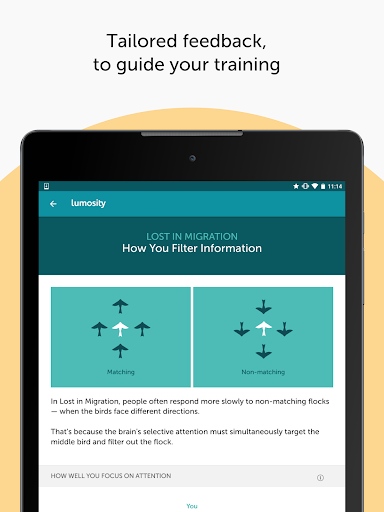
Lumosity: Brain Training Games screenshot
Permissions Explained 14 permissions requested View details

This app requests 14 permissions. The table below explains what each permission may allow and what users should review before installing.

Status Permission What it means Why it may be used User safety note
Common Internet access android.permission.INTERNET Allows the app to open network connections and communicate with online services. Commonly used for streaming, syncing, login, ads, analytics, downloads, cloud features, and app updates. Common permission. Review the app’s behavior if it does not appear to need online access.
Common View network status android.permission.ACCESS_NETWORK_STATE Allows the app to check whether the device is connected to Wi-Fi, mobile data, or another network. Often used to avoid loading content when offline or to adjust loading based on connection quality. Generally low risk by itself.
ℹ️ Review Keep device awake android.permission.WAKE_LOCK Allows the app to prevent the device from sleeping while a task is running. Used for media playback, downloads, navigation, alarms, calls, or long-running background tasks. Review battery usage if the app keeps the device awake too often.
ℹ️ Review Receive Boot Completed android.permission.RECEIVE_BOOT_COMPLETED This is an Android permission or app-specific permission requested by the app. The app may use this permission for features related to its category, device support, background behavior, storage, connectivity, or system integration. Review this permission before installing, especially if it does not match the app’s expected purpose.
Common Vibration control android.permission.VIBRATE Allows the app to control device vibration. Used for notifications, alerts, haptic feedback, timers, alarms, or game feedback. Generally low risk by itself.
⚠️ Sensitive Precise location android.permission.ACCESS_FINE_LOCATION Allows the app to access the device’s precise location when granted by the user. Used for maps, navigation, local recommendations, weather, rideshare, nearby devices, or location-based content. Sensitive permission. Grant only when location access matches the app’s purpose.
ℹ️ Review Send notifications android.permission.POST_NOTIFICATIONS Allows the app to send notifications to the device. Used for alerts, reminders, messages, account activity, updates, or media controls. Review notification settings if the app sends too many alerts.
ℹ️ Review Download Without Notification android.permission.DOWNLOAD_WITHOUT_NOTIFICATION This is an Android permission or app-specific permission requested by the app. The app may use this permission for features related to its category, device support, background behavior, storage, connectivity, or system integration. Review this permission before installing, especially if it does not match the app’s expected purpose.
ℹ️ Review Vending Billing com.android.vending.BILLING This is an Android permission or app-specific permission requested by the app. The app may use this permission for features related to its category, device support, background behavior, storage, connectivity, or system integration. Review this permission before installing, especially if it does not match the app’s expected purpose.
ℹ️ Review Com Lumoslabs Lumosity Permission C2d Message com.lumoslabs.lumosity.permission.C2D_MESSAGE This is an Android permission or app-specific permission requested by the app. The app may use this permission for features related to its category, device support, background behavior, storage, connectivity, or system integration. Review this permission before installing, especially if it does not match the app’s expected purpose.
ℹ️ Review C2dm Permission Receive com.google.android.c2dm.permission.RECEIVE This is an Android permission or app-specific permission requested by the app. The app may use this permission for features related to its category, device support, background behavior, storage, connectivity, or system integration. Review this permission before installing, especially if it does not match the app’s expected purpose.
ℹ️ Review Gms Permission Ad Id com.google.android.gms.permission.AD_ID This is an Android permission or app-specific permission requested by the app. The app may use this permission for features related to its category, device support, background behavior, storage, connectivity, or system integration. Review this permission before installing, especially if it does not match the app’s expected purpose.
ℹ️ Review Com Lumoslabs Lumosity Dynamic Receiver Not Exported Permission com.lumoslabs.lumosity.DYNAMIC_RECEIVER_NOT_EXPORTED_PERMISSION This is an Android permission or app-specific permission requested by the app. The app may use this permission for features related to its category, device support, background behavior, storage, connectivity, or system integration. Review this permission before installing, especially if it does not match the app’s expected purpose.
ℹ️ Review Finsky Permission Bind Get Install Referrer Service com.google.android.finsky.permission.BIND_GET_INSTALL_REFERRER_SERVICE This is an Android permission or app-specific permission requested by the app. The app may use this permission for features related to its category, device support, background behavior, storage, connectivity, or system integration. Review this permission before installing, especially if it does not match the app’s expected purpose.

About Lumosity: Brain Training Games

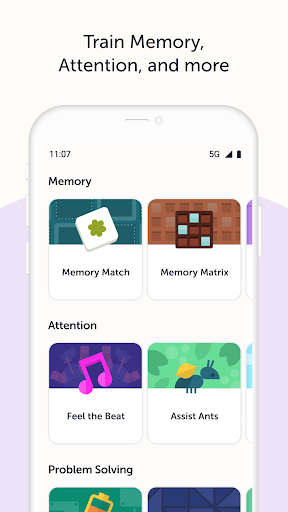
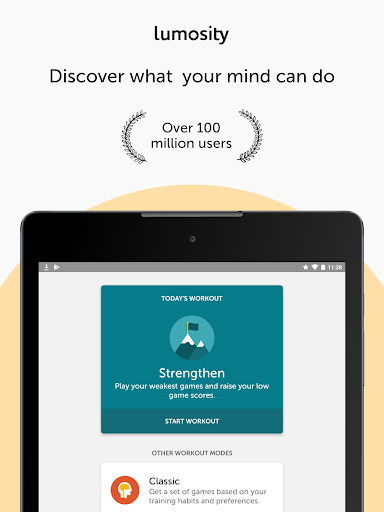
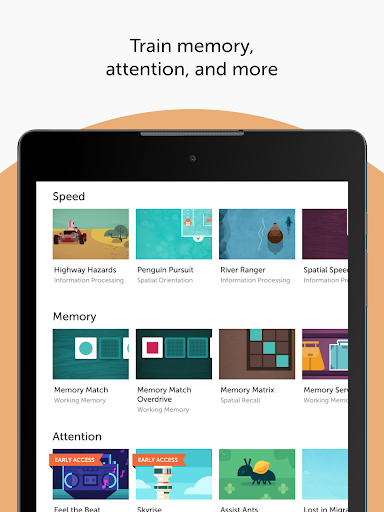
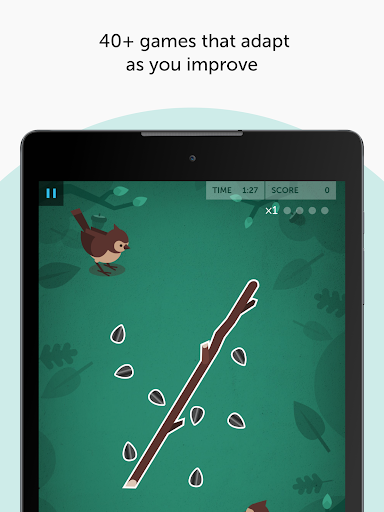
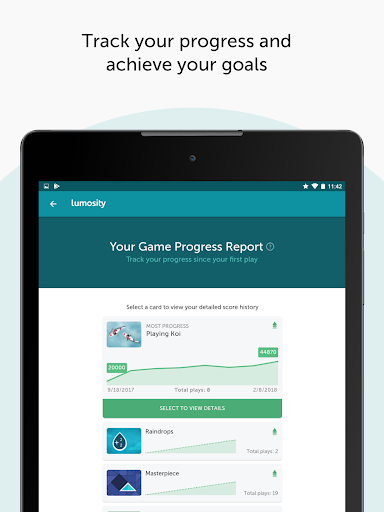
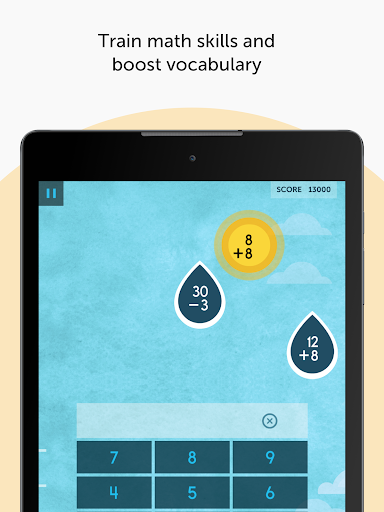
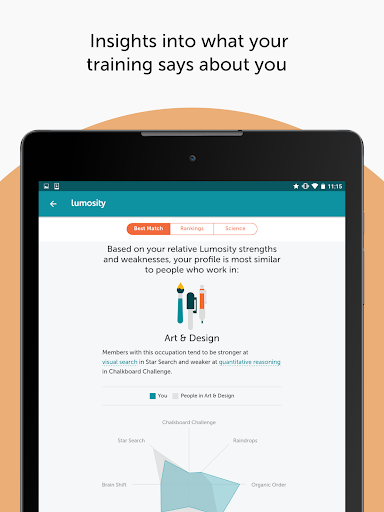
Train your mind with Lumosity’s fun brain games. Lumosity is a leading brain training app, used by over 100 million people worldwide to play cognitive games that exercise memory, attention, problem-solving and more. WHAT’S INSIDE THE APP •40+ Brain games that adapt as you play •Daily workout plans to train your brain •Insights into your performance •Track your progress and achieve your training goals GET STARTED WITH A FIT TEST Take a free, 10-minute Fit Test to set your baseline scores and see how your performance compares with others your age. EXPLORE BRAIN GAMES BY SKILL Choose the skill you want to target by playing games for speed, memory, attention, flexibility, problem-solving, math and word games. DAILY PERSONALIZED BRAIN WORKOUTS Build daily habits with workouts curated for you. Get personalized challenges based on your training habits and preferences. Practice key skills through curated, targeted brain games. DETAILED TRAINING INSIGHTS Discover your game strengths and weaknesses with in-depth performance insights. Get analysis of your game play to help understand your cognitive patterns. THE SCIENCE BEHIND LUMOSITY We’re a team of scientists and designers exploring new ways to challenge the brain and advance cognitive research. We take established cognitive and neuropsychological tasks, or create entirely new, experimental challenges. We then transform these tasks into games and puzzles that challenge core cognitive skills. We also collaborate with 40+ university researchers worldwide. We provide qualified researchers free access to Lumosity’s tools, to support new investigations in the cognitive sciences. WHO IS LUMOSITY FOR? •People of all ages who enjoy challenging their minds with fun, brain training games •Lifelong learners interested in games that engage cognitive skills. •Anyone aiming to exercise memory, speed, attention, or problem-solving skills. Whether you're drinking your morning coffee or winding down before bed, Lumosity makes it easy to fit a meaningful brain training session into your day. Join millions using Lumosity to train their minds. Download today and build your brain training habit. GET HELP: https://lumositybeta.zendesk.com FOLLOW US: http://twitter.com/lumosity LIKE US: http://facebook.com/lumosity LUMOSITY PREMIUM & TERMS With Lumosity Premium, you will work out with a personalized training program, unlock in-depth insights about how you play, and receive tips for better game accuracy, speed and strategy. Lumosity Premium subscriptions are charged through your Google Play account upon confirmation of purchase. Your subscription will automatically renew at the price and period selected above unless you turn off auto-renewal at least 24 hours before the end of the current period. You will be charged for renewal within 24 hours prior to the end of the current period. You may manage your subscription and turn off auto-renewal in your Google Play account settings after purchase. Refunds are not provided for the…

What Lumosity: Brain Training Games Is Used For

Lumosity: Brain Training Games appears to be a phone app for short cognitive exercise sessions focused on memory, attention, problem-solving, speed, flexibility, math, and word skills. Based on the metadata, it is commonly used by people who want structured brain games rather than traditional study material, with built-in daily workouts and skill-based game selection.

The app also seems designed for tracking progress over time. Its description mentions a fit test, performance insights, and personalized challenges, which suggests users may use it to compare baseline scores, follow guided training plans, and see how their game performance changes. Because it includes internet access, notifications, and location-related permission support, it may use online features such as syncing, reminders, and account-based content delivery. It is likely best suited to individual use on a phone during brief free moments, such as commuting, breaks, or a daily routine.

Common uses

  • Play quick brain games targeting specific skills
  • Follow daily personalized workout plans
  • Check baseline and progress through fit tests
  • Review performance insights and game strengths
  • Practice memory, attention, and problem-solving
  • Use short sessions as part of a daily routine
Best for:
brain training daily practice phone app progress tracking skill games

App Details

Package:
com.lumoslabs.lumosity
Category:
Education
Developer:
Lumos Labs, Inc.
Version:
10.20.6
Updated:
Mar 27, 2026
Min Android:
7.0
Age Rating:
Everyone
Contains Ads:
No
In-App Purchases:
Yes

Official Listing

  • Official listing available on Google Play
  • Package name: com.lumoslabs.lumosity
  • Age rating: Everyone

Explore More

Browse more apps in Education or explore the Phone hub .

Related Education Apps

Duolingo: Language Lessons icon

Duolingo: Language Lessons

Education Duolingo

Learn Spanish, French, German, English, Math, Music, Chess and more for free.

Version Varies with device 58.2 MB ⭐ 4.70 500,000,000+ installs
Photomath icon

Photomath

Education Google LLC

Learn math, step-by-step

Version 8.47.1 14.8 MB ⭐ 4.30 100,000,000+ installs
Gauth: AI Study Companion icon

Gauth: AI Study Companion

Education GauthTech Pte. Ltd.

Ask anything, get right answer

Version 1.92.0 60.3 MB ⭐ 4.80 100,000,000+ installs
Kahoot! Play & Create Quizzes icon

Kahoot! Play & Create Quizzes

Education Kahoot!

Create and play learning games at school, at home or at work!

Version 6.6.2 79.1 MB ⭐ 4.70 50,000,000+ installs
Simply Piano: Learn Piano Fast icon

Simply Piano: Learn Piano Fast

Education Simply Ltd

The fast and easy way to master piano skills - Learn piano with songs you love

Version 7.31.1 75.6 MB ⭐ 4.70 50,000,000+ installs

How to Download Lumosity: Brain Training Games

If this app is not hosted directly on APKApps official link, then for the safest and most up-to-date version, install it from its official Google Play listing.