WiFi Pro FTP Server icon

Phone

WiFi Pro FTP Server

Tools Medha Apps ⭐ 4.20 100,000+
Version 2.2.8 Everyone

Screenshots

WiFi Pro FTP Server screenshot
Permissions Explained 8 permissions requested View details

This app requests 8 permissions. The table below explains what each permission may allow and what users should review before installing.

Status Permission What it means Why it may be used User safety note
ℹ️ Review Precise Location (gps And Network Based) precise location (GPS and network-based) This is an Android permission or app-specific permission requested by the app. The app may use this permission for features related to its category, device support, background behavior, storage, connectivity, or system integration. Review this permission before installing, especially if it does not match the app’s expected purpose.
ℹ️ Review Read The Contents Of Your Usb Storage read the contents of your USB storage This is an Android permission or app-specific permission requested by the app. The app may use this permission for features related to its category, device support, background behavior, storage, connectivity, or system integration. Review this permission before installing, especially if it does not match the app’s expected purpose.
ℹ️ Review Modify Or Delete The Contents Of Your Usb Storage modify or delete the contents of your USB storage This is an Android permission or app-specific permission requested by the app. The app may use this permission for features related to its category, device support, background behavior, storage, connectivity, or system integration. Review this permission before installing, especially if it does not match the app’s expected purpose.
ℹ️ Review View Wi Fi Connections view Wi-Fi connections This is an Android permission or app-specific permission requested by the app. The app may use this permission for features related to its category, device support, background behavior, storage, connectivity, or system integration. Review this permission before installing, especially if it does not match the app’s expected purpose.
ℹ️ Review View Network Connections view network connections This is an Android permission or app-specific permission requested by the app. The app may use this permission for features related to its category, device support, background behavior, storage, connectivity, or system integration. Review this permission before installing, especially if it does not match the app’s expected purpose.
ℹ️ Review Full Network Access full network access This is an Android permission or app-specific permission requested by the app. The app may use this permission for features related to its category, device support, background behavior, storage, connectivity, or system integration. Review this permission before installing, especially if it does not match the app’s expected purpose.
ℹ️ Review Run At Startup run at startup This is an Android permission or app-specific permission requested by the app. The app may use this permission for features related to its category, device support, background behavior, storage, connectivity, or system integration. Review this permission before installing, especially if it does not match the app’s expected purpose.
ℹ️ Review Prevent Device From Sleeping prevent device from sleeping This is an Android permission or app-specific permission requested by the app. The app may use this permission for features related to its category, device support, background behavior, storage, connectivity, or system integration. Review this permission before installing, especially if it does not match the app’s expected purpose.

About WiFi Pro FTP Server

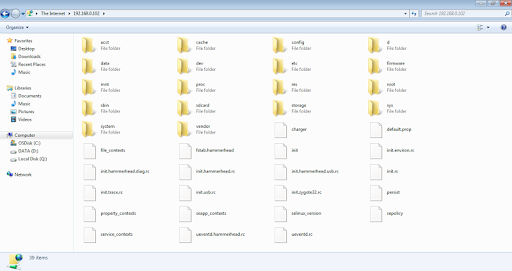
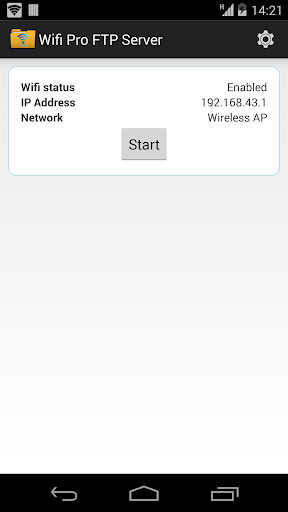
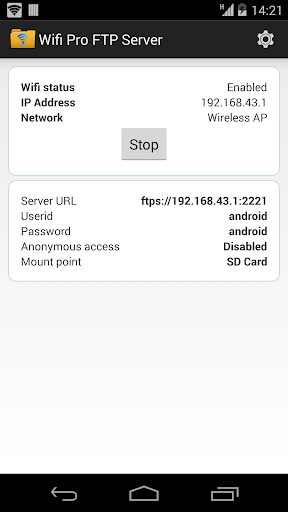
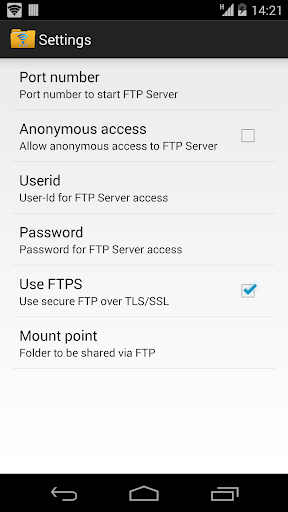
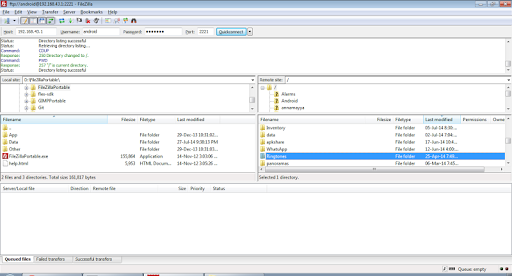
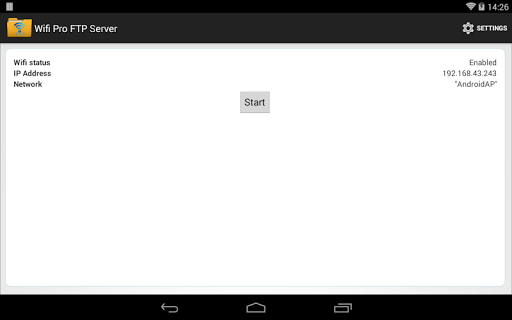
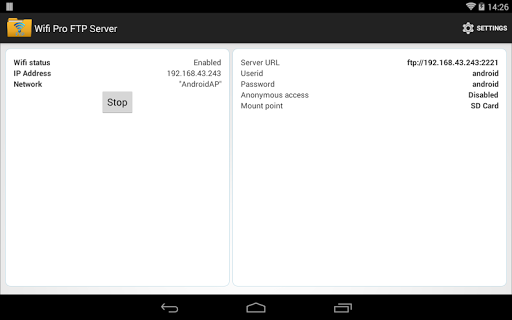
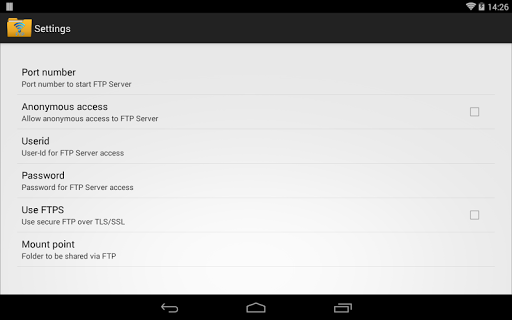
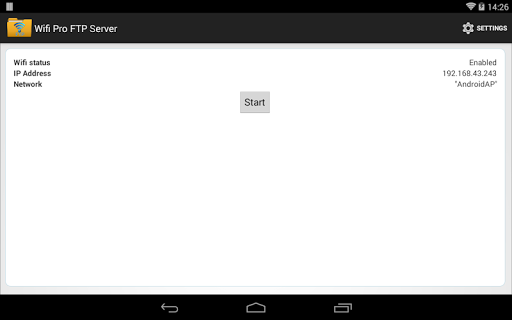
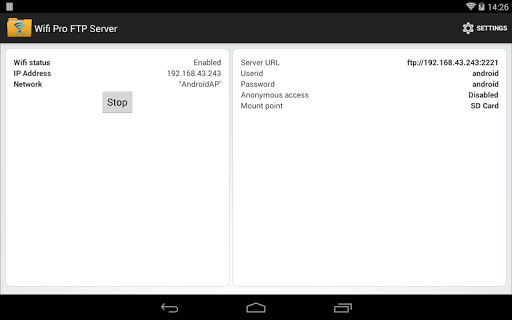
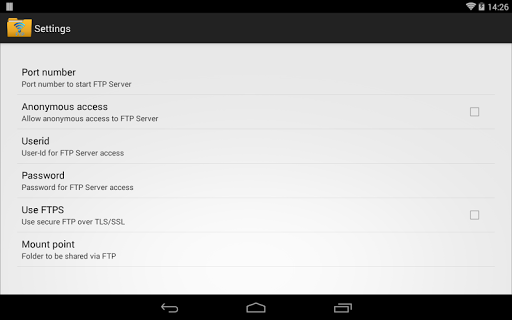
Convert your android phone/tablet into a FTP Server! Use this cool app to host your own FTP Server on your phone/tablet. Use the FTP Server to transfer files, photos, movies, songs etc...to/from your android device using a FTP client like FileZilla. Key features: ★Complete FTP server with configurable port number ★Supports FTP over TLS/SSL (FTPS) ★Configurable anonymous access ★Configurable home folder (mount point) ★Configurable user-name/password ★Avoid using USB cables for file transfer and copy/backup files over Wifi ★Works over Wifi and Wifi tethering mode (hotspot mode) ★Try before you buy!!!. Try the free ad-supported version of the same FTP Server at https://play.google.com/store/apps/details?id=com.medhaapps.wififtpserver before buying Please email feedback/bugs to the support email-id. If you want to use FTPS (FTP over TLS/SSL), please note that the server URL would be ftps:// and not ftp:// Please note that FTPS and SFTP are not the same. SFTP support will be added soon. Port number should be greater than 1024 as binding to ports like 21 will not be possible on non-rooted phones. The default port number is configured to 2221 and can be changed from settings screen. For security reasons, anonymous access is not enabled by default. It can be enabled from settings screen. If you dont have a FTP client, you could download Filezilla from https://filezilla-project.org/download.php?type=client You can also access the ftp server from windows file explorer. Follow us on twitter: https://twitter.com/medhaapps

What WiFi Pro FTP Server Is Used For

WiFi Pro FTP Server appears to be a tools app for turning an Android phone or tablet into an FTP server. Based on the metadata, it is commonly used to move files between the device and a computer or other FTP-capable client over Wi‑Fi, which may reduce the need for USB cable transfers. The app description also suggests it can be used for transferring photos, videos, music, and other files to or from the device.

This app may be useful in home, office, or hotspot setups where the phone needs to share storage over a local network. The permission set aligns with that role: network access and Wi‑Fi status are needed for server connections, while storage permissions suggest it can read and modify files in shared folders. Startup and sleep-related permissions may help keep the server available while it is running. The metadata also mentions configurable ports, username/password options, anonymous access settings, and FTP over TLS/SSL (FTPS), which indicates it is meant for users who need more control over how the file server is exposed on the device.

Common uses

  • Start an FTP server on an Android phone or tablet
  • Transfer files over Wi‑Fi without a USB cable
  • Share photos, videos, songs, and other files with an FTP client
  • Use with desktop clients or file explorer tools that support FTP
  • Configure login details, port number, and shared folders
  • Work over standard Wi‑Fi or hotspot tethering connections
  • Optionally use FTPS for encrypted FTP connections
Best for:
file transfer phone sharing network file access power users tablet app

App Details

Package:
com.medhaapps.wififtpserver.pro
Category:
Tools
Developer:
Medha Apps
Version:
2.2.8
Updated:
Nov 2, 2025
Min Android:
6.0
Age Rating:
Everyone
Contains Ads:
No
In-App Purchases:
No

Official Listing

  • Official listing available on Google Play
  • Package name: com.medhaapps.wififtpserver.pro
  • Age rating: Everyone

Explore More

Browse more apps in Tools or explore the Phone hub .

Related Tools Apps

Send Anywhere icon

Send Anywhere

Productivity Rakuten Symphony Korea, Inc.

Send whatever you want, wherever you want

Version 23.2.3 58.0 MB ⭐ 4.60 10,000,000+ installs

How to Download WiFi Pro FTP Server

If this app is not hosted directly on APKApps official link, then for the safest and most up-to-date version, install it from its official Google Play listing.