Microsoft Designer icon

Phone

Microsoft Designer

Art & Design Microsoft Corporation ⭐ 3.70 5,000,000+
Version 1.2604204.7002 Everyone

Screenshots

Microsoft Designer screenshot
Permissions Explained 15 permissions requested View details

This app requests 15 permissions. The table below explains what each permission may allow and what users should review before installing.

Status Permission What it means Why it may be used User safety note
ℹ️ Review Read Phone Status And Identity read phone status and identity This is an Android permission or app-specific permission requested by the app. The app may use this permission for features related to its category, device support, background behavior, storage, connectivity, or system integration. Review this permission before installing, especially if it does not match the app’s expected purpose.
ℹ️ Review Read The Contents Of Your Usb Storage read the contents of your USB storage This is an Android permission or app-specific permission requested by the app. The app may use this permission for features related to its category, device support, background behavior, storage, connectivity, or system integration. Review this permission before installing, especially if it does not match the app’s expected purpose.
ℹ️ Review Modify Or Delete The Contents Of Your Usb Storage modify or delete the contents of your USB storage This is an Android permission or app-specific permission requested by the app. The app may use this permission for features related to its category, device support, background behavior, storage, connectivity, or system integration. Review this permission before installing, especially if it does not match the app’s expected purpose.
ℹ️ Review Take Pictures And Videos take pictures and videos This is an Android permission or app-specific permission requested by the app. The app may use this permission for features related to its category, device support, background behavior, storage, connectivity, or system integration. Review this permission before installing, especially if it does not match the app’s expected purpose.
ℹ️ Review Record Audio record audio This is an Android permission or app-specific permission requested by the app. The app may use this permission for features related to its category, device support, background behavior, storage, connectivity, or system integration. Review this permission before installing, especially if it does not match the app’s expected purpose.
ℹ️ Review View Network Connections view network connections This is an Android permission or app-specific permission requested by the app. The app may use this permission for features related to its category, device support, background behavior, storage, connectivity, or system integration. Review this permission before installing, especially if it does not match the app’s expected purpose.
ℹ️ Review Full Network Access full network access This is an Android permission or app-specific permission requested by the app. The app may use this permission for features related to its category, device support, background behavior, storage, connectivity, or system integration. Review this permission before installing, especially if it does not match the app’s expected purpose.
ℹ️ Review Change Your Audio Settings change your audio settings This is an Android permission or app-specific permission requested by the app. The app may use this permission for features related to its category, device support, background behavior, storage, connectivity, or system integration. Review this permission before installing, especially if it does not match the app’s expected purpose.
ℹ️ Review Control Near Field Communication control Near Field Communication This is an Android permission or app-specific permission requested by the app. The app may use this permission for features related to its category, device support, background behavior, storage, connectivity, or system integration. Review this permission before installing, especially if it does not match the app’s expected purpose.
ℹ️ Review Run At Startup run at startup This is an Android permission or app-specific permission requested by the app. The app may use this permission for features related to its category, device support, background behavior, storage, connectivity, or system integration. Review this permission before installing, especially if it does not match the app’s expected purpose.
ℹ️ Review Reorder Running Apps reorder running apps This is an Android permission or app-specific permission requested by the app. The app may use this permission for features related to its category, device support, background behavior, storage, connectivity, or system integration. Review this permission before installing, especially if it does not match the app’s expected purpose.
ℹ️ Review Set Wallpaper set wallpaper This is an Android permission or app-specific permission requested by the app. The app may use this permission for features related to its category, device support, background behavior, storage, connectivity, or system integration. Review this permission before installing, especially if it does not match the app’s expected purpose.
ℹ️ Review Control Vibration control vibration This is an Android permission or app-specific permission requested by the app. The app may use this permission for features related to its category, device support, background behavior, storage, connectivity, or system integration. Review this permission before installing, especially if it does not match the app’s expected purpose.
ℹ️ Review Prevent Device From Sleeping prevent device from sleeping This is an Android permission or app-specific permission requested by the app. The app may use this permission for features related to its category, device support, background behavior, storage, connectivity, or system integration. Review this permission before installing, especially if it does not match the app’s expected purpose.
ℹ️ Review Receive Data From Internet receive data from Internet This is an Android permission or app-specific permission requested by the app. The app may use this permission for features related to its category, device support, background behavior, storage, connectivity, or system integration. Review this permission before installing, especially if it does not match the app’s expected purpose.

About Microsoft Designer

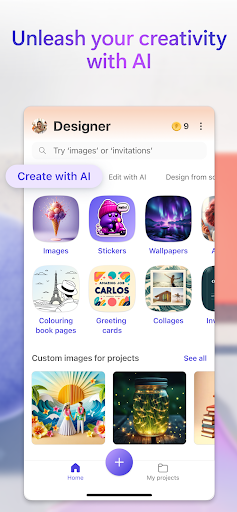
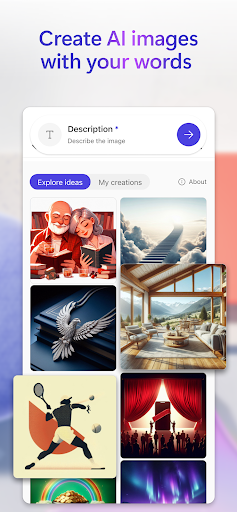
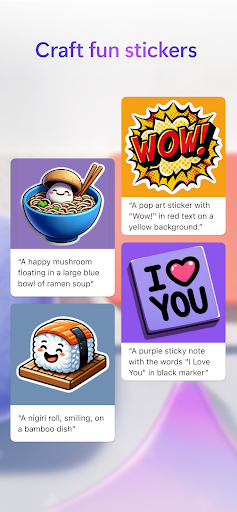
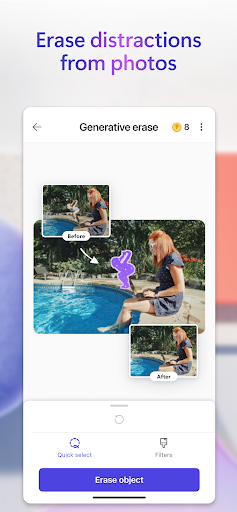
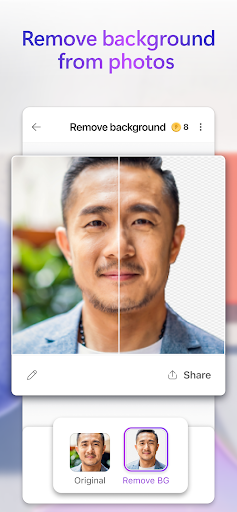
Microsoft Designer is an AI-powered design tool that helps you create designs and edit photos in seconds. Unleash your creativity—visually create, design, and edit just about anything you can imagine with AI. Use the power of generative AI to create eye-catching images with your words, craft next-level designs that pop like personalized birthday cards, holiday cards, and wallpapers for your phone, and even use AI to edit photos like an expert - erasing unwanted objects from photos. Create what you want, when and where you need it. Key capabilities: Images: Create any image you can imagine. Sci-fi art, surreal scenes, funny images? Dream it, describe it, and create it with AI. Your imagination is limitless! Stickers: Create something that sticks. Make custom stickers that help you stick out on messaging apps, social, and more. Edit with AI: make your photos and images picture perfect with AI. Generative erase: Erase unwanted distractions to make objects you don’t want in your image disappear. Remove background: Say bye-bye to bad backgrounds. Easily remove unwanted image backgrounds in one step. Blur background: Bring what’s most important into focus. Blur the background of any image to make your subject pop. Add filters, adjust brightness, resize: Customize to fit your creative vision, including resizing to turn your creations into a square or custom size that fits just right. Wallpapers/Backgrounds: Put it all on display. Create custom wallpaper or background to fit your current mood, make a statement, or to keep a special occasion front and center on your phone screen. Greeting cards: Craft the perfect greeting for any occasion. From birthday cards to holiday cards and beyond, create a thoughtful greeting card with personalized messages and images even if you’re at a loss for words. Monograms: Make your mark. Add some personal pop to your everyday life or for a special occasion like a wedding with custom crafted monograms that use letters and more to define your mark. Invitations: Create invitations that wow. Customize your invitations for every occasion and any event like birthdays, weddings, and anything else big or small. Social posts: Stand out online. Elevate and craft your next social post with Designer to create the perfect image and text to share online. Icons: Express yourself visually. Create icons to easily communicate your vision and decorate your designs. Emojis: Express yourself! Have the perfect reaction on hand with custom crafted emojis to fit any mood. Coloring book pages: Color it in and get in your flow. Create custom coloring book pages to make coloring more exciting. Great for all ages. Frame image: Turn your photos into a customized framed memory that you can share everywhere. Collages: Bring your favorite photos, styles, and descriptions together create a custom collage from your favorite memories. Banners: Create banners for newsletter headers, social profiles, and more to grab attention and stand out. Microsoft…

What Microsoft Designer Is Used For

Microsoft Designer appears to be an AI-powered design and photo editing app for Android phones. Based on the metadata, it is commonly used to create images from text prompts, build simple graphic designs, and edit photos without needing advanced editing skills. It may also be useful for making personalized visuals such as greeting cards, invitations, wallpapers, monograms, stickers, and social posts.

The listed permissions fit a creative app that works with local media and online AI features. Access to storage may be needed to open, save, and export images, while camera and audio-related permissions suggest it can support content capture or related media tasks. Network access likely supports AI generation, downloading assets, and sharing finished designs. Overall, this app appears aimed at quick, mobile-friendly design work on a phone rather than full desktop-style editing.

Common uses

  • Create AI-generated images from text prompts
  • Edit photos by removing objects or backgrounds
  • Make custom wallpapers for your phone
  • Design greeting cards, invitations, and monograms
  • Create stickers and social media visuals
  • Adjust images with filters, resizing, and brightness controls
  • Save, import, and export design files from device storage
Best for:
phone users quick design tasks AI image creation photo editing social media visuals

App Details

Package:
com.microsoft.designer
Category:
Art & Design
Developer:
Microsoft Corporation
Version:
1.2604204.7002
Updated:
Feb 11, 2026
Min Android:
9
Age Rating:
Everyone
Contains Ads:
No
In-App Purchases:
Yes

Official Listing

  • Official listing available on Google Play
  • Package name: com.microsoft.designer
  • Age rating: Everyone

Explore More

Browse more apps in Art & Design or explore the Phone hub .

Related Art & Design Apps

Desygner: Graphic Design Maker icon

Desygner: Graphic Design Maker

Art & Design Desygner Pty Ltd

Your All-In-One Design App. Design logos, posts, business cards, flyers & more!

Version 5.4.9 131.9 MB ⭐ 4.60 5,000,000+ installs
VistaCreate: Graphic Design icon

VistaCreate: Graphic Design

Art & Design Crello Ltd.

Graphic design & visuals made easy! Pro design for social media, print & web.

Version 2.46.13 31.7 MB ⭐ 4.40 5,000,000+ installs
Bazaart AI Photo Editor Design icon

Bazaart AI Photo Editor Design

Art & Design Bazaart Ltd.

AI photo editor, background eraser & object remover in one powerful design app

Version 4.0.1 27.2 MB ⭐ 4.70 5,000,000+ installs

How to Download Microsoft Designer

If this app is not hosted directly on APKApps official link, then for the safest and most up-to-date version, install it from its official Google Play listing.