Microsoft Defender: Antivirus icon

Phone

Microsoft Defender: Antivirus

Tools Microsoft Corporation ⭐ 4.30 10,000,000+
Version 1.0.8703.0101 Everyone

Screenshots

Microsoft Defender: Antivirus screenshot
Permissions Explained 15 permissions requested View details

This app requests 15 permissions. The table below explains what each permission may allow and what users should review before installing.

Status Permission What it means Why it may be used User safety note
ℹ️ Review Approximate Location (network Based) approximate location (network-based) This is an Android permission or app-specific permission requested by the app. The app may use this permission for features related to its category, device support, background behavior, storage, connectivity, or system integration. Review this permission before installing, especially if it does not match the app’s expected purpose.
ℹ️ Review Precise Location (gps And Network Based) precise location (GPS and network-based) This is an Android permission or app-specific permission requested by the app. The app may use this permission for features related to its category, device support, background behavior, storage, connectivity, or system integration. Review this permission before installing, especially if it does not match the app’s expected purpose.
ℹ️ Review Read The Contents Of Your Usb Storage read the contents of your USB storage This is an Android permission or app-specific permission requested by the app. The app may use this permission for features related to its category, device support, background behavior, storage, connectivity, or system integration. Review this permission before installing, especially if it does not match the app’s expected purpose.
ℹ️ Review Modify Or Delete The Contents Of Your Usb Storage modify or delete the contents of your USB storage This is an Android permission or app-specific permission requested by the app. The app may use this permission for features related to its category, device support, background behavior, storage, connectivity, or system integration. Review this permission before installing, especially if it does not match the app’s expected purpose.
ℹ️ Review View Wi Fi Connections view Wi-Fi connections This is an Android permission or app-specific permission requested by the app. The app may use this permission for features related to its category, device support, background behavior, storage, connectivity, or system integration. Review this permission before installing, especially if it does not match the app’s expected purpose.
ℹ️ Review View Network Connections view network connections This is an Android permission or app-specific permission requested by the app. The app may use this permission for features related to its category, device support, background behavior, storage, connectivity, or system integration. Review this permission before installing, especially if it does not match the app’s expected purpose.
ℹ️ Review Connect And Disconnect From Wi Fi connect and disconnect from Wi-Fi This is an Android permission or app-specific permission requested by the app. The app may use this permission for features related to its category, device support, background behavior, storage, connectivity, or system integration. Review this permission before installing, especially if it does not match the app’s expected purpose.
ℹ️ Review Full Network Access full network access This is an Android permission or app-specific permission requested by the app. The app may use this permission for features related to its category, device support, background behavior, storage, connectivity, or system integration. Review this permission before installing, especially if it does not match the app’s expected purpose.
ℹ️ Review Control Near Field Communication control Near Field Communication This is an Android permission or app-specific permission requested by the app. The app may use this permission for features related to its category, device support, background behavior, storage, connectivity, or system integration. Review this permission before installing, especially if it does not match the app’s expected purpose.
ℹ️ Review Run At Startup run at startup This is an Android permission or app-specific permission requested by the app. The app may use this permission for features related to its category, device support, background behavior, storage, connectivity, or system integration. Review this permission before installing, especially if it does not match the app’s expected purpose.
ℹ️ Review Reorder Running Apps reorder running apps This is an Android permission or app-specific permission requested by the app. The app may use this permission for features related to its category, device support, background behavior, storage, connectivity, or system integration. Review this permission before installing, especially if it does not match the app’s expected purpose.
ℹ️ Review Draw Over Other Apps draw over other apps This is an Android permission or app-specific permission requested by the app. The app may use this permission for features related to its category, device support, background behavior, storage, connectivity, or system integration. Review this permission before installing, especially if it does not match the app’s expected purpose.
ℹ️ Review Prevent Device From Sleeping prevent device from sleeping This is an Android permission or app-specific permission requested by the app. The app may use this permission for features related to its category, device support, background behavior, storage, connectivity, or system integration. Review this permission before installing, especially if it does not match the app’s expected purpose.
ℹ️ Review Google Play License Check Google Play license check This is an Android permission or app-specific permission requested by the app. The app may use this permission for features related to its category, device support, background behavior, storage, connectivity, or system integration. Review this permission before installing, especially if it does not match the app’s expected purpose.
ℹ️ Review Receive Data From Internet receive data from Internet This is an Android permission or app-specific permission requested by the app. The app may use this permission for features related to its category, device support, background behavior, storage, connectivity, or system integration. Review this permission before installing, especially if it does not match the app’s expected purpose.

About Microsoft Defender: Antivirus

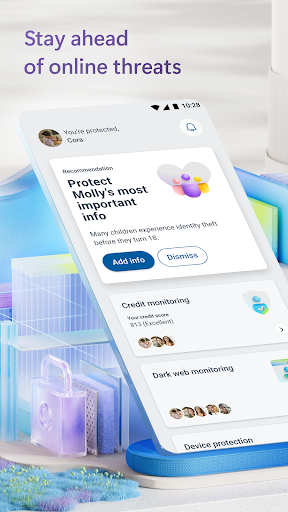
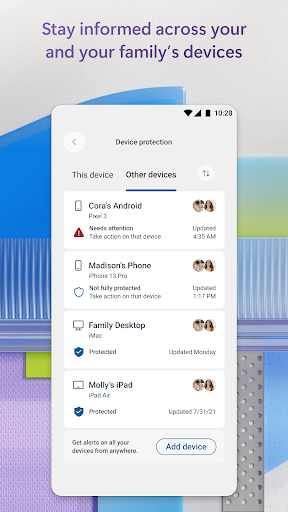
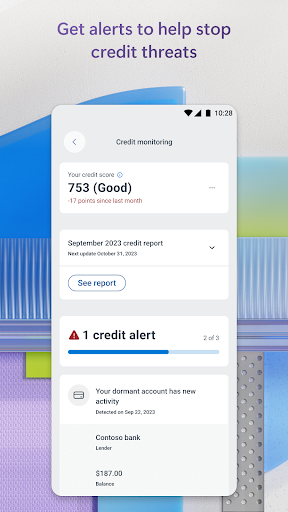
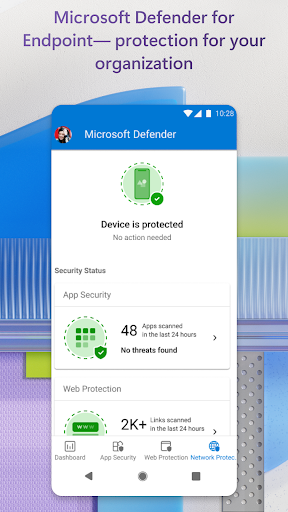
Microsoft Defender is an online security app for your digital life1 and work2. Stay safer online with Microsoft Defender for individuals1. Defender is an easy-to-use app that helps keep you and your family one step ahead of threats. Microsoft Defender for individuals is available with a Microsoft 365 Personal or Family subscription. All-in-one security app Protect your personal identity, privacy, and devices against malicious threats with antivirus scanning3, threat monitoring4, multidevice alerts, and expert guidance. Manage your security in one place • Check the security status of your family’s devices and identity5. • Get timely threat alerts and recommended actions across your devices. Safeguard your family’s personal information • Get continuous monitoring of your and your family's personal identity4 and credit6. • Call an identity theft restoration expert for help, anytime day or night. • Get identity insurance coverage, up to USD1 million, to help cover restoration fees. Insurance coverage includes up to USD100,000 to recover lost funds7. Trusted device protection • Protect your devices against new and existing threats3. • Get alerted if malicious apps are found and take steps to remove the threat. • Continuously scans for harmful links before you click on them to help protect you from malicious threats. Microsoft Defender for Endpoint Microsoft Defender for Endpoint is an industry-leading, cloud-powered endpoint security solution that helps to secure against ransomware, file-less malware, and other sophisticated attacks across platforms. Microsoft Defender uses accessibility services to automatically block malicious web pages that may be accessed via links from SMS, messaging apps, browsers, and email. App and feature availability may vary by device, language, and region. 1. Microsoft 365 Family or Personal subscription required. Sign in with your Microsoft account. App is currently not available in certain Microsoft 365 Personal or Family regions. 2. If you are a member of a business or organization, login with your work or school email. Your school or business is required to have a valid license or subscription. 3. Does not replace existing malware protection on iOS and Windows devices. 4. Feature is available in the United States and US territories. 5. A one-time parent or legal guardian verification is required to receive dark web threat alert details for children. If the organizer’s family member is under 13, consent is not required to create and/or monitor a child’s identity. Consent is required to create and/or monitor identity of family members over 13 years of age. 6. Feature available in the United States and US territories. Credit score is a single bureau VantageScore 3.0 provided by Experian®. The monthly credit report is provided by Experian® using single bureau data. For users under the age of 18 or those without a credit history, credit score not included. Family organizers will not have the ability to onboard, view, and…

What Microsoft Defender: Antivirus Is Used For

Microsoft Defender: Antivirus appears to be a security and device-protection app for Android phones. Based on the metadata, it is used to scan for suspicious apps, monitor for threats, and provide alerts and guidance that may help users respond to security issues on their devices. It also appears to support identity and privacy monitoring as part of a broader Microsoft security offering for individuals and families.

The app may be especially relevant for people who want to manage protection in one place across multiple devices, since the description mentions multidevice alerts and family device status. The listed permissions suggest it needs network access for threat checks and updates, storage access for scanning or handling files, and startup/background behavior to keep monitoring active. It also uses accessibility services to help block malicious web pages from links opened through SMS, messaging apps, browsers, and email, which indicates a focus on web and link protection as well as app scanning.

Common uses

  • Scan Android phones for suspicious or harmful apps
  • Monitor device and account security status in one place
  • Receive alerts about possible threats and recommended actions
  • Check links before opening them from messages, email, or browsers
  • Support family or multi-device security monitoring
  • Use background protection that may stay active after startup
  • Review identity and privacy-related monitoring features
Best for:
phone users family security multi-device protection identity monitoring security-conscious users

App Details

Package:
com.microsoft.scmx
Category:
Tools
Developer:
Microsoft Corporation
Version:
1.0.8703.0101
Updated:
Mar 29, 2026
Min Android:
10
Age Rating:
Everyone
Contains Ads:
No
In-App Purchases:
Yes

Official Listing

  • Official listing available on Google Play
  • Package name: com.microsoft.scmx
  • Age rating: Everyone

Explore More

Browse more apps in Tools or explore the Phone hub .

Related Tools Apps

Microsoft OneDrive icon

Microsoft OneDrive

Productivity Microsoft Corporation

Securely save and share your favorite memories and files across your devices.

Version Varies with device 89.8 MB ⭐ 4.60 5,000,000,000+ installs
Microsoft 365 Copilot icon

Microsoft 365 Copilot

Productivity Microsoft Corporation
Version Varies with device ⭐ 4.60 1,000,000,000+ installs
AVG AntiVirus & Security icon

AVG AntiVirus & Security

Tools AVG Mobile

Scam & Malware protection, Virus Cleaner, Hack Alerts, App Locker, Photo Vault

Version 26.6.0 56.3 MB ⭐ 4.60 100,000,000+ installs
Malwarebytes Mobile Security icon

Malwarebytes Mobile Security

Tools Malwarebytes

All-in-One Antivirus, Malware, Privacy, & VPN Protection for Your Digital Life

Version 5.21.1+533 64.6 MB ⭐ 4.50 50,000,000+ installs
Edge icon

Edge

Communication Microsoft Corporation

Enhance browsing with AI-powered features and Copilot.

Version 124.0.2478.104 149.4 MB ⭐ 4.68 100,000,000+ installs
Authenticator icon

Authenticator

Tools Google LLC

Enable 2-step verification to protect your account from hijacking.

Version 6.2404.2872 102.2 MB ⭐ 3.78 100,000,000+ installs

How to Download Microsoft Defender: Antivirus

If this app is not hosted directly on APKApps official link, then for the safest and most up-to-date version, install it from its official Google Play listing.