xScan: Document Scanner icon

Phone

xScan: Document Scanner

Business VPN MobApps Limited ⭐ 4.40 5,000,000+

Picture to PDF Converter

Version 1.6.1 24.7 MB Everyone

Screenshots

xScan: Document Scanner screenshot
Permissions Explained 14 permissions requested View details

This app requests 14 permissions. The table below explains what each permission may allow and what users should review before installing.

Status Permission What it means Why it may be used User safety note
⚠️ Sensitive Camera access android.permission.CAMERA Allows the app to use the device camera. Used for QR scanning, taking photos, video calls, document capture, AR features, or profile images. Sensitive permission. Grant only when camera features are expected.
ℹ️ Review Vending Billing com.android.vending.BILLING This is an Android permission or app-specific permission requested by the app. The app may use this permission for features related to its category, device support, background behavior, storage, connectivity, or system integration. Review this permission before installing, especially if it does not match the app’s expected purpose.
Common Vibration control android.permission.VIBRATE Allows the app to control device vibration. Used for notifications, alerts, haptic feedback, timers, alarms, or game feedback. Generally low risk by itself.
Common Internet access android.permission.INTERNET Allows the app to open network connections and communicate with online services. Commonly used for streaming, syncing, login, ads, analytics, downloads, cloud features, and app updates. Common permission. Review the app’s behavior if it does not appear to need online access.
Common View network status android.permission.ACCESS_NETWORK_STATE Allows the app to check whether the device is connected to Wi-Fi, mobile data, or another network. Often used to avoid loading content when offline or to adjust loading based on connection quality. Generally low risk by itself.
ℹ️ Review Access Wifi State android.permission.ACCESS_WIFI_STATE This is an Android permission or app-specific permission requested by the app. The app may use this permission for features related to its category, device support, background behavior, storage, connectivity, or system integration. Review this permission before installing, especially if it does not match the app’s expected purpose.
⚠️ Sensitive Read phone state android.permission.READ_PHONE_STATE Allows the app to access phone status and device-related information. Used for call handling, carrier services, device identification, account security, or playback interruption handling. Sensitive permission. Review whether the app has a clear phone-related reason.
ℹ️ Review Gms Permission Ad Id com.google.android.gms.permission.AD_ID This is an Android permission or app-specific permission requested by the app. The app may use this permission for features related to its category, device support, background behavior, storage, connectivity, or system integration. Review this permission before installing, especially if it does not match the app’s expected purpose.
ℹ️ Review Keep device awake android.permission.WAKE_LOCK Allows the app to prevent the device from sleeping while a task is running. Used for media playback, downloads, navigation, alarms, calls, or long-running background tasks. Review battery usage if the app keeps the device awake too often.
ℹ️ Review C2dm Permission Receive com.google.android.c2dm.permission.RECEIVE This is an Android permission or app-specific permission requested by the app. The app may use this permission for features related to its category, device support, background behavior, storage, connectivity, or system integration. Review this permission before installing, especially if it does not match the app’s expected purpose.
ℹ️ Review Finsky Permission Bind Get Install Referrer Service com.google.android.finsky.permission.BIND_GET_INSTALL_REFERRER_SERVICE This is an Android permission or app-specific permission requested by the app. The app may use this permission for features related to its category, device support, background behavior, storage, connectivity, or system integration. Review this permission before installing, especially if it does not match the app’s expected purpose.
ℹ️ Review Receive Boot Completed android.permission.RECEIVE_BOOT_COMPLETED This is an Android permission or app-specific permission requested by the app. The app may use this permission for features related to its category, device support, background behavior, storage, connectivity, or system integration. Review this permission before installing, especially if it does not match the app’s expected purpose.
ℹ️ Review Foreground Service android.permission.FOREGROUND_SERVICE This is an Android permission or app-specific permission requested by the app. The app may use this permission for features related to its category, device support, background behavior, storage, connectivity, or system integration. Review this permission before installing, especially if it does not match the app’s expected purpose.
ℹ️ Review Com Mobapps Scanner Dynamic Receiver Not Exported Permission com.mobapps.scanner.DYNAMIC_RECEIVER_NOT_EXPORTED_PERMISSION This is an Android permission or app-specific permission requested by the app. The app may use this permission for features related to its category, device support, background behavior, storage, connectivity, or system integration. Review this permission before installing, especially if it does not match the app’s expected purpose.

About xScan: Document Scanner

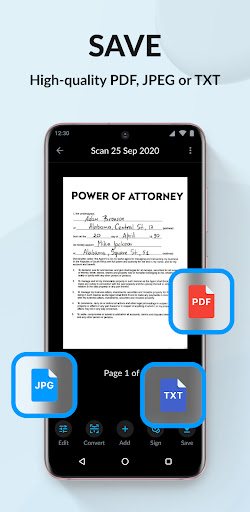
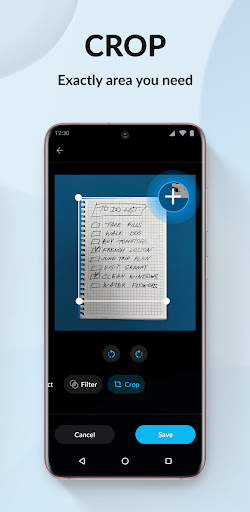
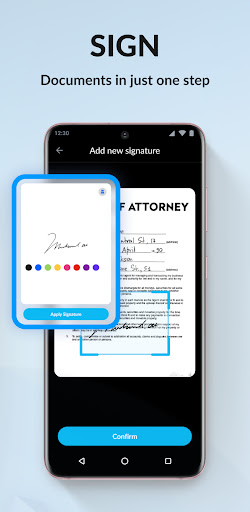
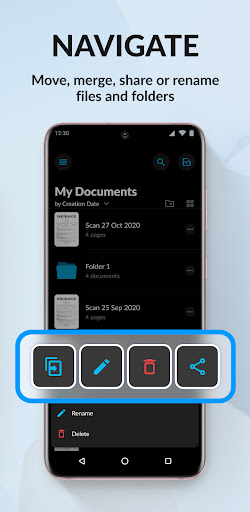
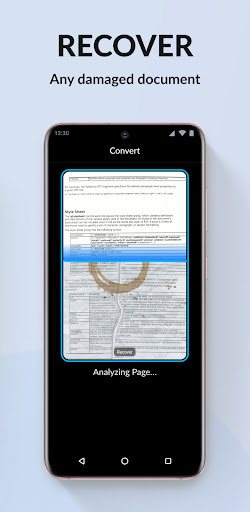
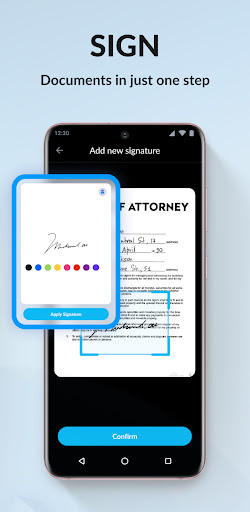
xScan is a mobile scanner app that will turn your Smartphone into a powerful mobile scanner. Simple use, accurate scans, easy editing, and sharing. You can scan anything you need: contracts, books, to-do lists, paper notes, fax papers, receipts, ID cards and store your scans as high-quality PDF or JPEG files. All scanned documents are stored locally on your device and are inaccessible to us and to any third party. SCAN. Using only your Smartphone camera you can easily scan, save and print any document including: - Contracts, Invoices, Bills, Tax Rolls, Business Cards, Letters - To-do lists, Paper Notes, Whiteboards, Mindmaps, Receipts - Book Pages, Articles - ID cards, Credentials, Certificates - Texts and documents that don't offer a digital copy; CONVERT. Easily turn an image to editable text format with the OCR function. Extract text from a scanned document and then edit it as you wish. Languages supported for text recognition: English, German, French, Spanish, Italian, Portuguese, Dutch, Swedish, Norwegian, Turkish, Russian, Ukrainian, Japanese, Chinese, Arabic, Hindi, Korean, Hebrew. SAVE. You can save documents in high quality as PDF, JPEG or DOC. SIGN. E-sign any docs by simply adding your signature to electronic documents with just a few taps. SHARE. Easily share documents with others via social media, messengers or email attachments. Upload scans to cloud services like Dropbox or Google Drive or simply print it via any WI-FI printer. Information about the auto-renewal of unlimited access subscription: – You can subscribe for unlimited access to all features within the app - Subscription automatically renews unless auto-renewal is turned off at least 24-hours before the end of the current period. - Subscriptions may be managed by the user and auto-renewal may be turned off by going to the user’s Account Settings after purchase. - Please note: any unused portion of a free trial period will be forfeited when the user purchases a subscription. - An account will be charged for renewal within 24 hours prior to the end of the current period. The cost depends on the selected plan. Terms of Services: https://mobapps.limited/scanner/terms-of-use.html Privacy Policy: https://mobapps.limited/scanner/privacy.html Terms of Subscription: https://mobapps.limited/scanner/terms-of-subscription.html Got questions or suggestions? We’d love to hear your feedback: [email protected]

What xScan: Document Scanner Is Used For

xScan: Document Scanner appears to be a phone-based business app for turning paper documents into digital files using your device camera. Based on the metadata, it is commonly used for scanning items like contracts, receipts, invoices, notes, business cards, ID cards, and book pages, then saving them as PDF or JPEG files for later access or sharing.

The app also appears to include OCR, which may let users extract text from scans and edit it afterward. That makes it useful when you need to reuse text from printed material rather than just store an image. The metadata also mentions signing documents, which suggests it may be used for adding an electronic signature to forms or other paperwork.

Because it is a phone app, xScan is likely intended for quick capture on the go, such as office tasks, school documents, or personal record-keeping. The listed permissions also fit common scanner-app functions like using the camera, handling network features for sharing or cloud upload, and supporting billing for subscription features.

Common uses

  • Scan paper documents with your phone camera
  • Convert scans into PDF, JPEG, or DOC files
  • Extract text from images using OCR
  • Add an electronic signature to documents
  • Save and organize receipts, notes, and IDs on the device
  • Share scans through email, messaging, or cloud services
  • Print scans over a Wi‑Fi printer when supported
Best for:
phone users document scanning OCR text extraction PDF conversion e-signing forms office and personal paperwork

App Details

Package:
com.mobapps.scanner
Category:
Business
Developer:
VPN MobApps Limited
Version:
1.6.1
Updated:
Feb 12, 2025
Min Android:
8.0
Age Rating:
Everyone
Contains Ads:
Yes
In-App Purchases:
Yes

Official Listing

  • Official listing available on Google Play
  • Package name: com.mobapps.scanner
  • Age rating: Everyone

Explore More

Browse more apps in Business or explore the Phone hub .

Related Business Apps

LinkedIn: Community & Network icon

LinkedIn: Community & Network

Business LinkedIn

Smarter career moves start here. AI job alerts, insights & the right tools.

Version 4.1.1185.1 90.3 MB ⭐ 4.10 1,000,000,000+ installs
Zoom Workplace icon

Zoom Workplace

Business zoom.com
Version Varies with device 181.9 MB ⭐ 4.10 1,000,000,000+ installs
Microsoft Teams icon

Microsoft Teams

Business Microsoft Corporation

Chat, meet, and collaborate to achieve more together, all in one place on Teams

Version 1416/1.0.0.2026044202 346.8 MB ⭐ 4.70 500,000,000+ installs
Adobe Scan AI PDF Scanner, OCR icon

Adobe Scan AI PDF Scanner, OCR

Business Adobe

Scan and save to multiple files types like PDF, Microsoft Word, JPEG and more.

Version Varies with device 79.3 MB ⭐ 4.70 100,000,000+ installs
File Commander Manager & Vault icon

File Commander Manager & Vault

Business MobiSystems

File manager | Explorer for cloud storage files & folders | Hide private photos.

Version Varies with device 23.1 MB ⭐ 4.20 100,000,000+ installs

How to Download xScan: Document Scanner

If this app is not hosted directly on APKApps official link, then for the safest and most up-to-date version, install it from its official Google Play listing.