Fake GPS Location- LocaEdit icon

Phone

Fake GPS Location- LocaEdit

Maps & Navigation Mobispeedy ⭐ 4.20 1,000,000+
Version 1.2.9 Everyone

Screenshots

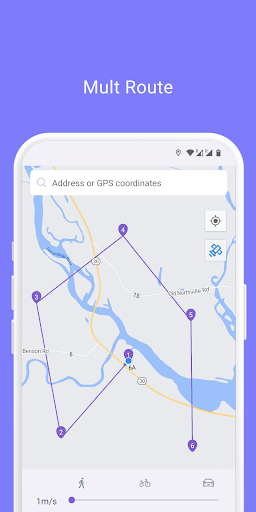
Fake GPS Location- LocaEdit screenshot
Permissions Explained 9 permissions requested View details

This app requests 9 permissions. The table below explains what each permission may allow and what users should review before installing.

Status Permission What it means Why it may be used User safety note
ℹ️ Review Approximate Location (network Based) approximate location (network-based) This is an Android permission or app-specific permission requested by the app. The app may use this permission for features related to its category, device support, background behavior, storage, connectivity, or system integration. Review this permission before installing, especially if it does not match the app’s expected purpose.
ℹ️ Review Precise Location (gps And Network Based) precise location (GPS and network-based) This is an Android permission or app-specific permission requested by the app. The app may use this permission for features related to its category, device support, background behavior, storage, connectivity, or system integration. Review this permission before installing, especially if it does not match the app’s expected purpose.
ℹ️ Review Access Extra Location Provider Commands access extra location provider commands This is an Android permission or app-specific permission requested by the app. The app may use this permission for features related to its category, device support, background behavior, storage, connectivity, or system integration. Review this permission before installing, especially if it does not match the app’s expected purpose.
ℹ️ Review View Wi Fi Connections view Wi-Fi connections This is an Android permission or app-specific permission requested by the app. The app may use this permission for features related to its category, device support, background behavior, storage, connectivity, or system integration. Review this permission before installing, especially if it does not match the app’s expected purpose.
ℹ️ Review Mock Location Sources For Testing mock location sources for testing This is an Android permission or app-specific permission requested by the app. The app may use this permission for features related to its category, device support, background behavior, storage, connectivity, or system integration. Review this permission before installing, especially if it does not match the app’s expected purpose.
ℹ️ Review View Network Connections view network connections This is an Android permission or app-specific permission requested by the app. The app may use this permission for features related to its category, device support, background behavior, storage, connectivity, or system integration. Review this permission before installing, especially if it does not match the app’s expected purpose.
ℹ️ Review Full Network Access full network access This is an Android permission or app-specific permission requested by the app. The app may use this permission for features related to its category, device support, background behavior, storage, connectivity, or system integration. Review this permission before installing, especially if it does not match the app’s expected purpose.
ℹ️ Review Draw Over Other Apps draw over other apps This is an Android permission or app-specific permission requested by the app. The app may use this permission for features related to its category, device support, background behavior, storage, connectivity, or system integration. Review this permission before installing, especially if it does not match the app’s expected purpose.
ℹ️ Review Prevent Device From Sleeping prevent device from sleeping This is an Android permission or app-specific permission requested by the app. The app may use this permission for features related to its category, device support, background behavior, storage, connectivity, or system integration. Review this permission before installing, especially if it does not match the app’s expected purpose.

About Fake GPS Location- LocaEdit

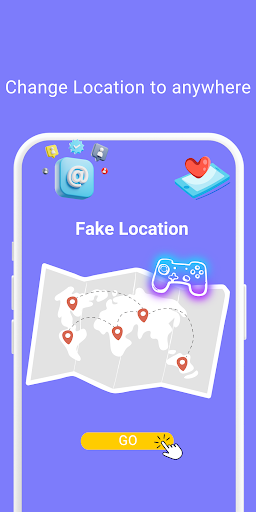
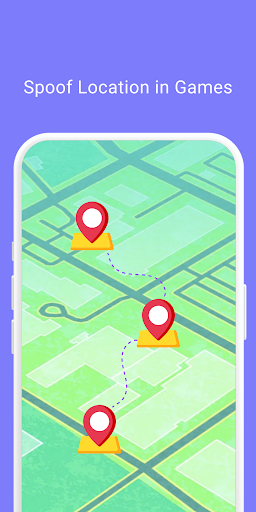
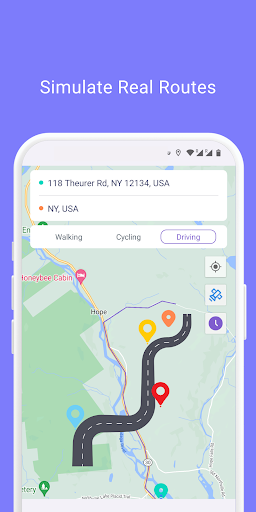
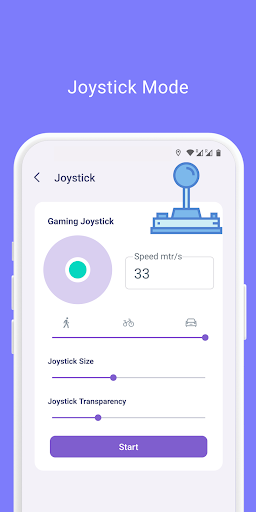
LocaEdit is a useful app for Fake GPS location. To play location change pranks, just tap to change your phone's GPS location. Will override your current location and any app you want to test will assume you are in New York, London, or anywhere else in the world! Key Feature:: Teleport Mode Change GPS location with one click and easily teleport your phone anywhere in the world . This app sets a Fake GPS location so that all other app in your phone believe you are there! Joystick Mode 360° joystick movement, one key to switch the speed of walking, riding, driving, you can also customize the speed unit and value, smooth control, enhance the game experience. Simulated Navigation Mode Simulated navigation routes with the option to plan trips on foot, by bike or by car Simulate Multi-Point Route Mode Simulate multi-point routes, with the option of travelling on foot, by bicycle or by car Game Mode For AR games, it can help people who are unable to play location-based AR games properly due to physical conditions, social regulations or climate. Privacy Protection Effectively protect your real location information, safeguard your personal privacy and security Support popular apps Suitable for most apps Supports most location-based social media apps, AR games, navigation apps and location service apps to fully meet your application needs. With this location faker and GPS changer, you can spoof your phone's GPS position. GPS spoofing and location simulation has never been easier! Privacy Policy: https://www.mobispeedy.com/privacy-policy Terms & Conditions: https://www.mobispeedy.com/terms-and-conditions.html If you have any questions, please contact [email protected]

What Fake GPS Location- LocaEdit Is Used For

Fake GPS Location- LocaEdit appears to be a location spoofing app for Android phones. Based on the metadata, it may let users replace the device’s reported GPS position with a different place, such as another city or country, for testing or location simulation purposes. The app also mentions modes for teleporting, joystick movement, and route simulation, which suggests it is designed to control how the fake location changes over time rather than just setting one fixed point.

Because it requests precise and approximate location access, network access, and mock location source permissions, the app likely works by overriding the phone’s normal location signals so other apps receive the simulated position instead. That makes it relevant for people checking how location-based apps behave, or for users of location-based AR games and navigation-style demos. The metadata also indicates it can draw over other apps and keep the device awake, which may support on-screen controls and continuous location simulation during use.

Common uses

  • Set a mock GPS position for testing or simulation
  • Move the reported location to another city or region
  • Simulate walking, biking, or driving routes
  • Use joystick-style controls to adjust fake movement
  • Check how location-based apps respond to different locations
  • Run location simulation on a phone while other apps are open
Best for:
location testing GPS spoofing AR game simulation phone app route simulation

App Details

Package:
com.mobile.fakelocation
Developer:
Mobispeedy
Version:
1.2.9
Updated:
Nov 24, 2025
Min Android:
6.0
Age Rating:
Everyone
Contains Ads:
No
In-App Purchases:
Yes

Official Listing

  • Official listing available on Google Play
  • Package name: com.mobile.fakelocation
  • Age rating: Everyone

Explore More

Browse more apps in Maps & Navigation or explore the Phone hub .

Related Maps & Navigation Apps

MixerBox BFF icon

MixerBox BFF

Social MB Tools

Locate GPS location. Find family, friends & your phone. Ur location tracker app.

Version 0.9.61 98.7 MB ⭐ 4.50 5,000,000+ installs

How to Download Fake GPS Location- LocaEdit

If this app is not hosted directly on APKApps official link, then for the safest and most up-to-date version, install it from its official Google Play listing.