Pixel Studio PRO: editor icon

Phone

Pixel Studio PRO: editor

Art & Design Hippo Games AM ⭐ 4.80 10,000+
Version 5.42 Everyone

Screenshots

Pixel Studio PRO: editor screenshot
Permissions Explained 8 permissions requested View details

This app requests 8 permissions. The table below explains what each permission may allow and what users should review before installing.

Status Permission What it means Why it may be used User safety note
ℹ️ Review Read The Contents Of Your Usb Storage read the contents of your USB storage This is an Android permission or app-specific permission requested by the app. The app may use this permission for features related to its category, device support, background behavior, storage, connectivity, or system integration. Review this permission before installing, especially if it does not match the app’s expected purpose.
ℹ️ Review Modify Or Delete The Contents Of Your Usb Storage modify or delete the contents of your USB storage This is an Android permission or app-specific permission requested by the app. The app may use this permission for features related to its category, device support, background behavior, storage, connectivity, or system integration. Review this permission before installing, especially if it does not match the app’s expected purpose.
ℹ️ Review View Wi Fi Connections view Wi-Fi connections This is an Android permission or app-specific permission requested by the app. The app may use this permission for features related to its category, device support, background behavior, storage, connectivity, or system integration. Review this permission before installing, especially if it does not match the app’s expected purpose.
ℹ️ Review View Network Connections view network connections This is an Android permission or app-specific permission requested by the app. The app may use this permission for features related to its category, device support, background behavior, storage, connectivity, or system integration. Review this permission before installing, especially if it does not match the app’s expected purpose.
ℹ️ Review Full Network Access full network access This is an Android permission or app-specific permission requested by the app. The app may use this permission for features related to its category, device support, background behavior, storage, connectivity, or system integration. Review this permission before installing, especially if it does not match the app’s expected purpose.
ℹ️ Review Control Vibration control vibration This is an Android permission or app-specific permission requested by the app. The app may use this permission for features related to its category, device support, background behavior, storage, connectivity, or system integration. Review this permission before installing, especially if it does not match the app’s expected purpose.
ℹ️ Review Prevent Device From Sleeping prevent device from sleeping This is an Android permission or app-specific permission requested by the app. The app may use this permission for features related to its category, device support, background behavior, storage, connectivity, or system integration. Review this permission before installing, especially if it does not match the app’s expected purpose.
ℹ️ Review Receive Data From Internet receive data from Internet This is an Android permission or app-specific permission requested by the app. The app may use this permission for features related to its category, device support, background behavior, storage, connectivity, or system integration. Review this permission before installing, especially if it does not match the app’s expected purpose.

About Pixel Studio PRO: editor

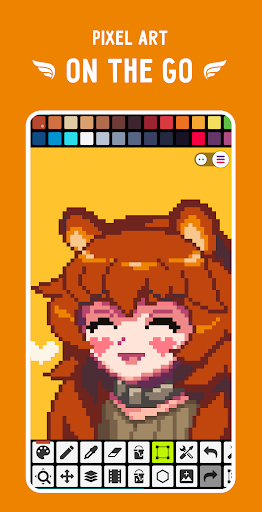
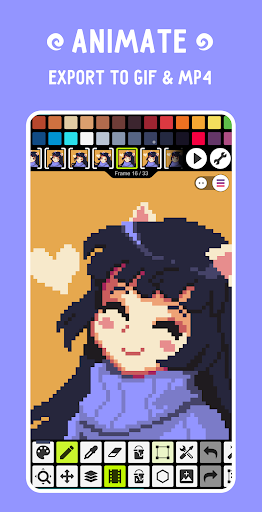
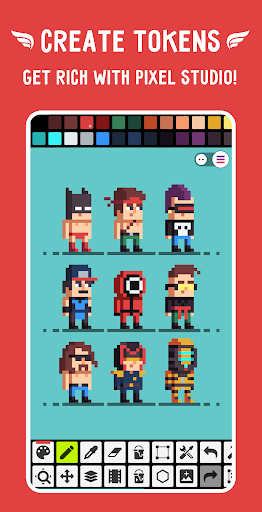
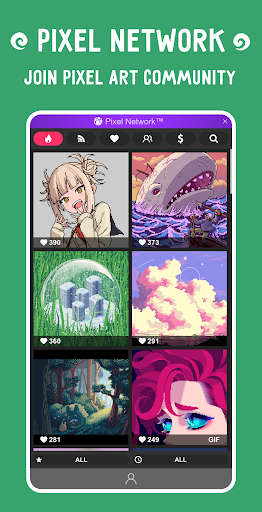
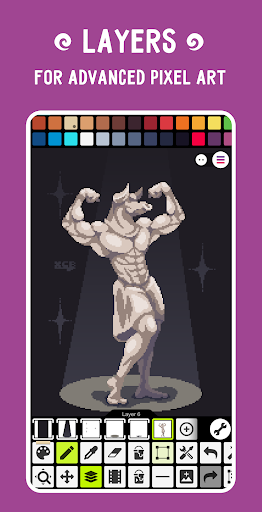
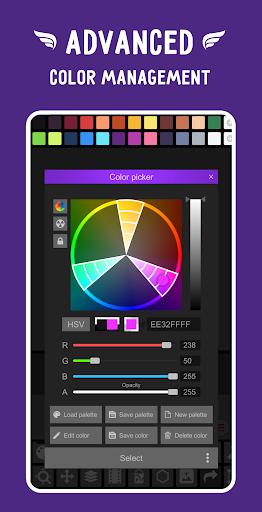
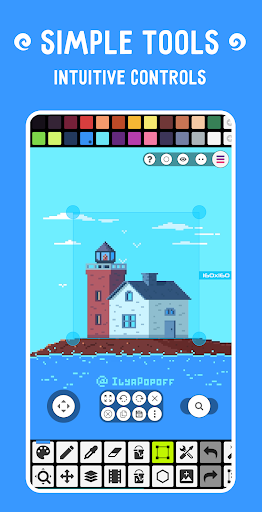
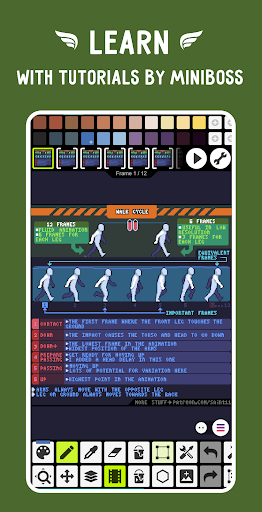
This is special edition of Pixel Studio without ads and purchases, but with all PRO features unlocked. Pixel Studio is a new pixel art editor for artists and game developers. Simple, fast and portable. No matter whether you are a beginner or a professional. Create amazing pixel art anywhere and anytime! We support layers and animations and have a ton of useful tools - all you need to create cool projects. Add music to your animations and export videos to MP4. Use Google Drive to sync your work between different devices and even platforms. Join Pixel Network™ - our new pixel art community! Create NFT! Don't doubt, just try it and make sure you've chosen the best pixel art tool ever! Over 5.000.000 downloads around the world, translated to more than 25 languages! Features: • It's super simple, intuitive and user friendly • Use layers for advanced pixel art • Create frame-by-frame animations • Save animations to GIF or sprite sheets • Extend animations with music and export videos to MP4 • Share arts with friends and Pixel Network™ community • Create custom palettes, use built-in or download palettes from Lospec • Advanced color picker with RGBA and HSV modes • Simple zoom and move with gestures and joysticks • Use Portrait mode for mobile and Landscape for tablets and PC • Customizable toolbar and a lot of other settings • We support Samsung S-Pen, HUAWEI M-pencil and Xiaomi Smart Pen! • We support all popular formats: PNG, JPG, GIF, BMP, TGA, PSP (Pixel Studio Project), PSD (Adobe Photoshop), EXR • Autosave and backup - don't lose your work! • Discover a ton of other useful tools and features! More features: • Shape Tool for primitives • Gradient Tool • Built-in and custom brushes • Sprite Library for your image patterns • Tile Mode for brushes • Symmetry drawing (X, Y, X+Y) • Dot Pen for precise drawing with a cursor • Text Tool with different fonts • Dithering Pen for shadows and flares • Pixel art rotation with Fast RotSprite algorithm • Pixel art scaler (Scale2x/AdvMAME2x, Scale3x/AdvMAME3x) • Onion Skin for advanced animation • Apply palettes to images • Grab palettes from images • Mini-map and Pixel Perfect preview • Unlimited canvas size • Canvas resizing and rotation • Customizable background color • Customizable grid • Multithreaded image processing • JASC Palette (PAL) format support • Aseprite files support (import only) PRO features: • No ads • Google Drive sync (single platform) • Dark Theme • 256-color palettes • Tile mode for making seamless textures • Extended max project size • Extra formats support: AI, EPS, HEIC, PDF, SVG, WEBP (cloud read only) and PSD (cloud read/write) • Unlimited color adjustment (Hue, Saturation, Lightness) • Unlimited export to MP4 • Extended storage in Pixel Network System requirements: • Minimal: 4 GB of RAM, Snapdragon 460 / Helio G80 / Tiger T606 • Recommended: 6 GB of RAM, Snapdragon 4 Gen 1 / Helio G99 / Unisoc T760 and newer Sample images made by lorddkno, Redshrike, Calciumtrice, Buch, Tomoe Mami…

What Pixel Studio PRO: editor Is Used For

Pixel Studio PRO: editor appears to be a pixel art creation app for Android phones, aimed at people who want to draw, animate, and export retro-style graphics on mobile devices. Based on the metadata, it is commonly used for making sprites, game assets, icons, and small illustrations with pixel-level control. The app’s art and design category, along with tools for layers, frame-by-frame animation, and palette management, suggests it is built for both hobby use and more structured creative work.

It may also be used for animation workflows, since the metadata mentions GIF and sprite sheet export, onion skinning, and MP4 video output with music. That makes it useful for artists and game developers who need to preview motion or prepare assets for games and social sharing. Support for custom brushes, symmetry, gradients, and multiple file formats suggests it can handle a range of editing tasks, while cloud sync and autosave point to keeping projects accessible across devices. Permissions for storage and network access appear consistent with saving files, importing assets, and syncing work.

Common uses

  • Create pixel art drawings and game sprites on a phone
  • Build frame-by-frame animations with onion skin and layers
  • Export finished work as PNG, GIF, sprite sheets, or MP4 video
  • Manage color work with palettes, eyedropper-style picking, and RGBA/HSV controls
  • Import and edit projects from common image and project formats
  • Use cloud sync and autosave to keep work backed up across devices
  • Work with stylus support and gesture-based zoom for finer editing
Best for:
Pixel artists Game developers Mobile drawing Animation projects Retro art editing

App Details

Package:
com.pixelstudio.pro
Category:
Art & Design
Developer:
Hippo Games AM
Version:
5.42
Updated:
Nov 28, 2025
Min Android:
6.0
Age Rating:
Everyone
Contains Ads:
No
In-App Purchases:
Yes

Official Listing

  • Official listing available on Google Play
  • Package name: com.pixelstudio.pro
  • Age rating: Everyone

Explore More

Browse more apps in Art & Design or explore the Phone hub .

Related Art & Design Apps

Sketchar AR Drawing Sketchpad icon

Sketchar AR Drawing Sketchpad

Art & Design Sketchar Inc

Learn to draw faster with AR drawing, paint, sketch, and relax with colouring

Version 10.5.1-play 244.2 MB ⭐ 3.70 5,000,000+ installs
HiPaint: Sketch & Draw art icon

HiPaint: Sketch & Draw art

Art & Design HiPaint

Drawing app for pad perfect for sketch, illustration, Animation art, and more

Version 6.2.7 157.0 MB ⭐ 4.30 1,000,000+ installs
ibis Paint icon

ibis Paint

Art & Design ibis inc.
Version 14.0.0 ⭐ 4.50 100,000+ installs
ArtFlow icon

ArtFlow

Art & Design Artflow Studio

Simple yet powerful sketch and paint application for artist of all ages

Version 2.9.31 20.1 MB ⭐ 3.44 5,000,000+ installs

How to Download Pixel Studio PRO: editor

If this app is not hosted directly on APKApps official link, then for the safest and most up-to-date version, install it from its official Google Play listing.