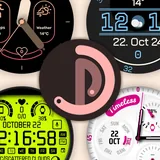
Pujie Watch Faces - Wear OS 6 icon

Phone

Pujie Watch Faces - Wear OS 6

Personalization Pujie ⭐ 4.40 100,000+
Version 7.0.74f Everyone

Screenshots

Pujie Watch Faces - Wear OS 6 screenshot
Permissions Explained 15 permissions requested View details

This app requests 15 permissions. The table below explains what each permission may allow and what users should review before installing.

Status Permission What it means Why it may be used User safety note
ℹ️ Review Precise Location (gps And Network Based) precise location (GPS and network-based) This is an Android permission or app-specific permission requested by the app. The app may use this permission for features related to its category, device support, background behavior, storage, connectivity, or system integration. Review this permission before installing, especially if it does not match the app’s expected purpose.
ℹ️ Review Read The Contents Of Your Usb Storage read the contents of your USB storage This is an Android permission or app-specific permission requested by the app. The app may use this permission for features related to its category, device support, background behavior, storage, connectivity, or system integration. Review this permission before installing, especially if it does not match the app’s expected purpose.
ℹ️ Review Modify Or Delete The Contents Of Your Usb Storage modify or delete the contents of your USB storage This is an Android permission or app-specific permission requested by the app. The app may use this permission for features related to its category, device support, background behavior, storage, connectivity, or system integration. Review this permission before installing, especially if it does not match the app’s expected purpose.
ℹ️ Review View Wi Fi Connections view Wi-Fi connections This is an Android permission or app-specific permission requested by the app. The app may use this permission for features related to its category, device support, background behavior, storage, connectivity, or system integration. Review this permission before installing, especially if it does not match the app’s expected purpose.
ℹ️ Review View Network Connections view network connections This is an Android permission or app-specific permission requested by the app. The app may use this permission for features related to its category, device support, background behavior, storage, connectivity, or system integration. Review this permission before installing, especially if it does not match the app’s expected purpose.
ℹ️ Review Pair With Bluetooth Devices pair with Bluetooth devices This is an Android permission or app-specific permission requested by the app. The app may use this permission for features related to its category, device support, background behavior, storage, connectivity, or system integration. Review this permission before installing, especially if it does not match the app’s expected purpose.
ℹ️ Review Access Bluetooth Settings access Bluetooth settings This is an Android permission or app-specific permission requested by the app. The app may use this permission for features related to its category, device support, background behavior, storage, connectivity, or system integration. Review this permission before installing, especially if it does not match the app’s expected purpose.
ℹ️ Review Connect And Disconnect From Wi Fi connect and disconnect from Wi-Fi This is an Android permission or app-specific permission requested by the app. The app may use this permission for features related to its category, device support, background behavior, storage, connectivity, or system integration. Review this permission before installing, especially if it does not match the app’s expected purpose.
ℹ️ Review Full Network Access full network access This is an Android permission or app-specific permission requested by the app. The app may use this permission for features related to its category, device support, background behavior, storage, connectivity, or system integration. Review this permission before installing, especially if it does not match the app’s expected purpose.
ℹ️ Review Run At Startup run at startup This is an Android permission or app-specific permission requested by the app. The app may use this permission for features related to its category, device support, background behavior, storage, connectivity, or system integration. Review this permission before installing, especially if it does not match the app’s expected purpose.
ℹ️ Review Control Vibration control vibration This is an Android permission or app-specific permission requested by the app. The app may use this permission for features related to its category, device support, background behavior, storage, connectivity, or system integration. Review this permission before installing, especially if it does not match the app’s expected purpose.
ℹ️ Review Prevent Device From Sleeping prevent device from sleeping This is an Android permission or app-specific permission requested by the app. The app may use this permission for features related to its category, device support, background behavior, storage, connectivity, or system integration. Review this permission before installing, especially if it does not match the app’s expected purpose.
ℹ️ Review Google Play License Check Google Play license check This is an Android permission or app-specific permission requested by the app. The app may use this permission for features related to its category, device support, background behavior, storage, connectivity, or system integration. Review this permission before installing, especially if it does not match the app’s expected purpose.
ℹ️ Review Read Google Service Configuration read Google service configuration This is an Android permission or app-specific permission requested by the app. The app may use this permission for features related to its category, device support, background behavior, storage, connectivity, or system integration. Review this permission before installing, especially if it does not match the app’s expected purpose.
ℹ️ Review Receive Data From Internet receive data from Internet This is an Android permission or app-specific permission requested by the app. The app may use this permission for features related to its category, device support, background behavior, storage, connectivity, or system integration. Review this permission before installing, especially if it does not match the app’s expected purpose.

About Pujie Watch Faces - Wear OS 6

Pujie Watch Faces: Design, Customize, and Discover the Best Watch Faces for Wear OS 6 Create your perfect watch face with Pujie. Whether you want to design from scratch, make small changes to an existing watch face, or simply browse a large catalog of ready-to-use free or premium watch faces, Pujie is built for you. ———————— ⚡ Built for Wear OS 6 Pujie is fully compliant with Google’s Watch Face Format (WFF), delivering smooth performance and battery-friendly efficiency on the newest smartwatches. Compatible with: • Samsung Galaxy Watch 8 • Samsung Galaxy Watch 8 Classic • Samsung Galaxy Watch Ultra (2025) • Samsung Galaxy Watch 7 • Samsung Galaxy Watch Ultra • Samsung Galaxy Watch 6 • Samsung Galaxy Watch 5 • Samsung Galaxy Watch 4 • Google Pixel Watch 4, • Google Pixel Watch 3 • Google Pixel Watch 2 Soon to be updated: • OnePlus Watch 2, Watch 2R, Watch 3 ———————— 🎨 Why Pujie? Pujie adapts to every type of smartwatch user: • Design from scratch: A complete watch face maker with unlimited creative control. • Customize existing designs: Make quick tweaks, change colors, hands, complications, or layout. • Browse the library: Instantly apply thousands of ready-made watch faces from the catalog. Whether you prefer minimal watch faces, bold digital watch faces, elegant analog watch faces, or fully personalized smartwatch faces, Pujie makes your device unique. You can even enjoy smooth, customizable Galaxy Watch 8 watch faces or create unique Pixel Watch 4 watch faces that fit your personal style. ———————— ✨ Key Features • Get started fast — 20+ free watch faces included • Explore more — unlimited access to thousands of designs with premium • Create your own — full custom watch face editor with fonts, colors, animations, and complications • Enjoy smooth performance — optimized for Wear OS 6 watch faces with Always-On Display support • Stay informed — exclusive complication data provider shows your phone’s battery level on the watch • Do more — Tasker integration lets you launch apps and tasks from your watch face • Share your style — publish your own designs or import faces made by others ———————— 🚀 Start Free — Upgrade Anytime • Free: Access the watch face designer + 20+ free watch faces faces • Premium: Unlock the complete library and save unlimited creations ———————— 💬 Support We care about our users. If you ever run into issues, please don’t leave a 1-star rating. Reach out instead — our support team responds mighty fast and will help you right away: 👉 https://pujie.io/help For more info and updates, visit: https://pujie.io ———————— Download Pujie Watch Faces today — the most flexible way to design, customize, and enjoy smartwatch faces, from Galaxy Watch 8 watch faces to Pixel Watch 4 watch faces and beyond.

What Pujie Watch Faces - Wear OS 6 Is Used For

Pujie Watch Faces - Wear OS 6 appears to be a smartwatch personalization app for creating, editing, and browsing watch faces for Wear OS devices. Based on the metadata, it is commonly used by people who want to change how their watch screen looks, whether that means building a face from scratch, adjusting an existing design, or selecting from a library of ready-made options.

The app also seems aimed at users who want their watch face to do more than just show the time. The listed features suggest support for complications, animations, colors, fonts, and layout changes, which may help you tailor the display to match your style or surface useful information at a glance. Because it mentions Wear OS 6 and Always-On Display support, it appears intended for newer Android smartwatch setups rather than a general phone customization tool. Permissions such as Bluetooth, network access, and location suggest it may interact with a paired watch, sync content, fetch designs, or support connected watch-face features.

Common uses

  • Design a watch face from the ground up with custom elements and layouts
  • Modify an existing watch face by changing colors, hands, complications, or styling
  • Browse and apply ready-made watch faces from the app’s catalog
  • Use it with compatible Wear OS smartwatches, especially newer models
  • Show extra data on the watch face, such as phone battery information
  • Set up watch face actions or shortcuts that may launch apps or tasks
  • Use Always-On Display support for watch faces that stay readable on the wrist
Best for:
smartwatch customization wear os users watch face design android phone companion large watch screens

App Details

Package:
com.pujie.watchfaces
Developer:
Pujie
Version:
7.0.74f
Updated:
Jan 25, 2026
Min Android:
Varies with device
Age Rating:
Everyone
Contains Ads:
Yes
In-App Purchases:
Yes

Official Listing

  • Official listing available on Google Play
  • Package name: com.pujie.watchfaces
  • Age rating: Everyone

Explore More

Browse more apps in Personalization or explore the Phone hub .

Related Personalization Apps

Zepp icon

Zepp

Sports Zepp, Inc.

Personal Digital Health Management Platform

Version 10.0.9-play 285.9 MB ⭐ 4.40 10,000,000+ installs
WatchCharts icon

WatchCharts

Shopping WatchEnthusiasts LLC
Version 1.20.1 ⭐ 4.60 50,000+ installs
FitCloudPro icon

FitCloudPro

Health & Fitness topstep

FitCloudPro takes care of your health every minute.

Version 2.3.0 75.2 MB ⭐ 3.79 10,000,000+ installs
H Band icon

H Band

Health & Fitness Shenzhen Veepoo Technology Co., Ltd.

With H Band, you can review your health data and manage smart wearable device.

Version 10.2.82 31.9 MB ⭐ 3.62 5,000,000+ installs

How to Download Pujie Watch Faces - Wear OS 6

If this app is not hosted directly on APKApps official link, then for the safest and most up-to-date version, install it from its official Google Play listing.