About Rarevision VHS: Retro Cam
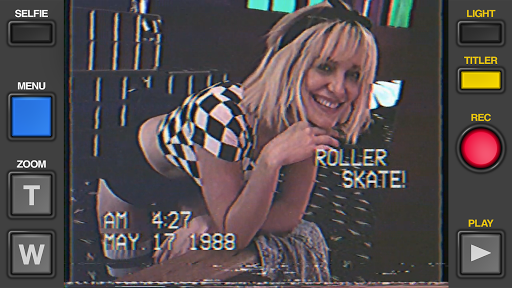
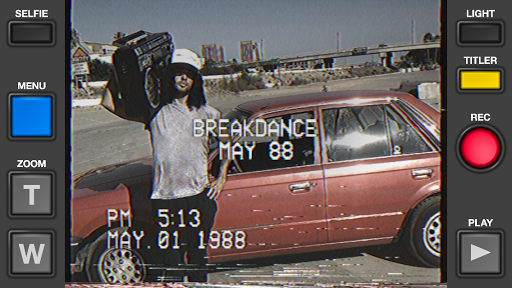
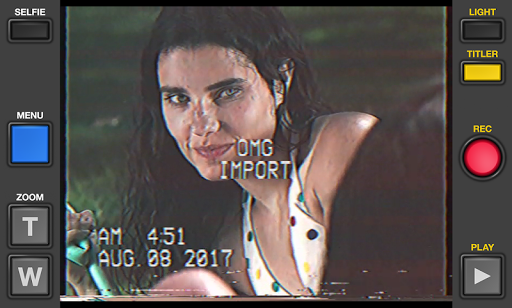
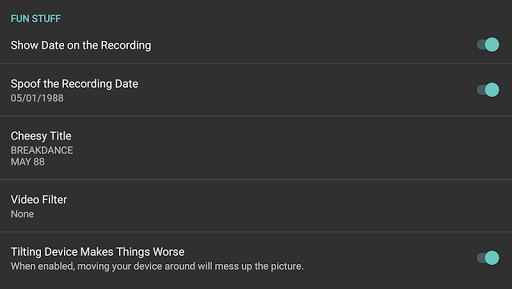
Used by Kendall Jenner, Snoop Dogg, BTS, Ariana Grande, Khloe Kardashian, Wiz Khalifa, Victoria Beckham, Die Antwoord and featured on SNL (S41E01) and in countless TV shows and music videos! Covered by WIRED, TechCrunch, Mashable, Forbes, Wall Street Journal, Popular Mechanics, The Independent, Macworld, TMZ and many, many others! It's 1984, and you've got a VHS camcorder! It'll look that way when you record and send old, messed up-looking retro videos to friends. They'll swear you built a time machine: "OMG, how'd you shoot that?" With Rarevision VHS, you'll make home movies that look and sound like real retro video tapes pulled out of storage after 30 years. You can change the on-screen date to trick your friends, create flashing cheesy custom titles, glitch up the picture by shaking your device and use the zoom lens feature to emphasize those truly embarrassing moments! Trust us, we asked literally everyone and it's unanimous: this app is freakin' rad! Here's Why You Need It: • Four words: Best. Throwback. Videos. Ever. • Create VHS-style retro videos of your kids that look like the ones from your childhood • The only VHS cam app you should ever consider to capture your 80s and 90s-themed parties • Shoot your own "found footage" movie and become a big Hollywood director like those other guys • Make your kids' incredibly boring school plays actually rad • Impress the new girl by using our app to convince her you built a time machine • Pretend like you lived through the rad 1980s using our app! What Rarevision VHS Can Do: • Realism: the ORIGINAL and BEST VHS app for simulating the glitches of old videotape recordings • Import videos and give them the VHS look • Make your own signature look using the old-school picture adjustment menu • Create your own animated titles for the ultimate in on-screen awesomeness • Change the on-screen date so people think you're way younger (or older) than you really are • Glitch the picture during recording using your finger or by shaking your device • Fake zoom feature dramatically enhances the cheese factor • Don't think we forgot to make things sound retro terrible. We didn't. • Up to 60p recording for a more accurate VHS video look (depends on device capability) • Widescreen recording option (but would you REALLY want to use it?) *** PLEASE NOTE: THIS APP DOES NOT WORK ON ROOTED DEVICES WITH CUSTOM ROMS. If you don't know what "rooted" means, don't worry about this. *** Follow Rarevision: http://instagram.com/rarevision http://x.com/rarevision http://facebook.com/rarevisionvhs Rarevision is a US-based company. Copyright © 2015-2025 Rarevision LLC. All rights reserved.
What Rarevision VHS: Retro Cam Is Used For
Rarevision VHS: Retro Cam appears to be a camera and video app focused on making recordings look like old VHS tape footage. Based on the metadata, people commonly use it to shoot retro-style videos, import existing clips and apply a vintage camcorder effect, or create “found footage” and 1980s/1990s-themed content for social sharing and personal projects.
The app’s permissions suggest it can access the camera, microphone, storage, and network, which fits a phone app designed for recording, saving, editing, and possibly sharing video files. The described tools include date overlays, animated titles, picture glitches, and a zoom effect, so it may be especially useful when someone wants an intentionally worn, nostalgic look rather than a clean modern recording. It seems aimed at users making themed home movies, prank-style retro clips, party videos, or stylized short-form content.
Common uses
- Record new videos with a VHS-inspired look
- Import existing clips and apply retro tape styling
- Add dated overlays and custom on-screen titles
- Create glitch effects by shaking the device or using finger input
- Use zoom and picture adjustments for a more camcorder-like result
- Save or manage video files on the device
- Capture audio along with video for a more authentic tape-style result
App Details
Package:
com.rarevision.vhscamcorder
Developer:
Rarevision
Version:
1.6.9
Updated:
Mar 23, 2026
Min Android:
5.0
Age Rating:
Everyone
Contains Ads:
No
In-App Purchases:
No
Official Listing
-
Official listing available on
Google Play
-
Package name:
com.rarevision.vhscamcorder
-
Age rating:
Everyone
Related Photography Apps
Events
•
Untitled Tech, Inc.
For weddings, parties & events
Version 1.44.170
23.1 MB
⭐ 4.70
1,000,000+ installs
Video Players & Editors
•
Bian Di
Version Varies with device
⭐ 4.40
100,000+ installs
Photography
•
Chantal Pro SIA
Version 043db
⭐ 4.50
10,000+ installs
How to Download Rarevision VHS: Retro Cam
If this app is not hosted directly on APKApps official link,
then for the safest and most up-to-date version, install it from its official Google Play listing.