FamilyKeeper Parental Control icon

Phone

FamilyKeeper Parental Control

Parenting Reason Labs ⭐ 3.10 100,000+
Version 1.12.2 Everyone

Screenshots

FamilyKeeper Parental Control screenshot
Permissions Explained 7 permissions requested View details

This app requests 7 permissions. The table below explains what each permission may allow and what users should review before installing.

Status Permission What it means Why it may be used User safety note
ℹ️ Review View Wi Fi Connections view Wi-Fi connections This is an Android permission or app-specific permission requested by the app. The app may use this permission for features related to its category, device support, background behavior, storage, connectivity, or system integration. Review this permission before installing, especially if it does not match the app’s expected purpose.
ℹ️ Review View Network Connections view network connections This is an Android permission or app-specific permission requested by the app. The app may use this permission for features related to its category, device support, background behavior, storage, connectivity, or system integration. Review this permission before installing, especially if it does not match the app’s expected purpose.
ℹ️ Review Full Network Access full network access This is an Android permission or app-specific permission requested by the app. The app may use this permission for features related to its category, device support, background behavior, storage, connectivity, or system integration. Review this permission before installing, especially if it does not match the app’s expected purpose.
ℹ️ Review Run At Startup run at startup This is an Android permission or app-specific permission requested by the app. The app may use this permission for features related to its category, device support, background behavior, storage, connectivity, or system integration. Review this permission before installing, especially if it does not match the app’s expected purpose.
ℹ️ Review Prevent Device From Sleeping prevent device from sleeping This is an Android permission or app-specific permission requested by the app. The app may use this permission for features related to its category, device support, background behavior, storage, connectivity, or system integration. Review this permission before installing, especially if it does not match the app’s expected purpose.
ℹ️ Review Read Google Service Configuration read Google service configuration This is an Android permission or app-specific permission requested by the app. The app may use this permission for features related to its category, device support, background behavior, storage, connectivity, or system integration. Review this permission before installing, especially if it does not match the app’s expected purpose.
ℹ️ Review Receive Data From Internet receive data from Internet This is an Android permission or app-specific permission requested by the app. The app may use this permission for features related to its category, device support, background behavior, storage, connectivity, or system integration. Review this permission before installing, especially if it does not match the app’s expected purpose.

About FamilyKeeper Parental Control

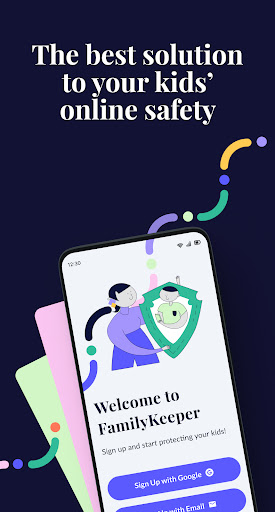
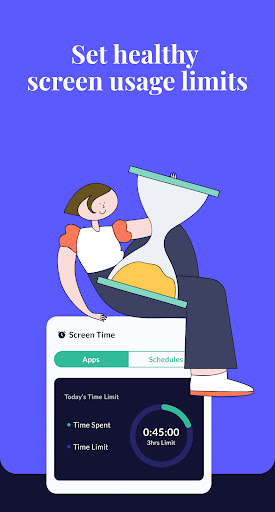
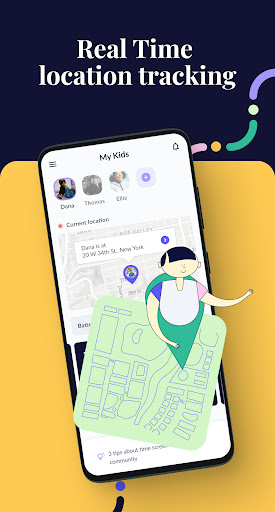
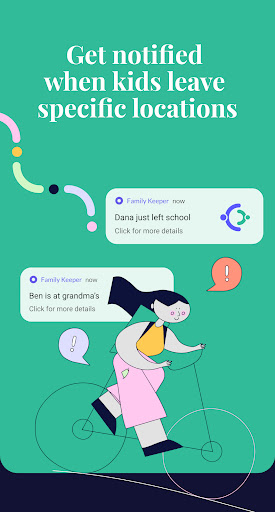
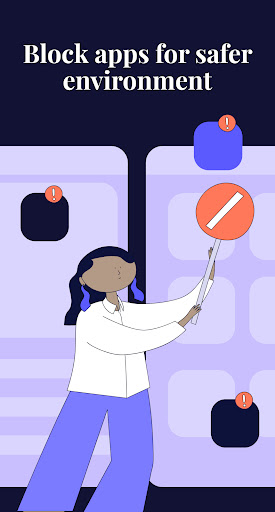
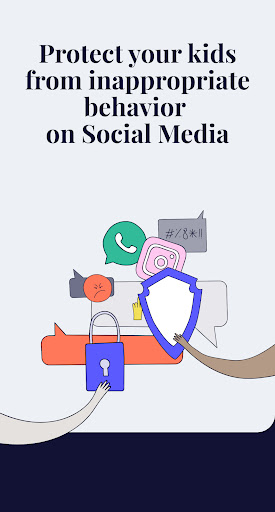
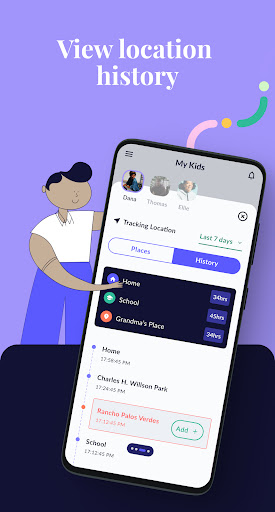
FamilyKeeper is the #1 parental control app that helps parents keep their kids safe! FamilyKeeper parental control app is powered by state-of-the-art AI technology. FamilyKeeper is designed to help parents keep their kids safe online by combatting digital threats such as the viewing of offensive content, cyberbullying, screen time overload, and more. A one-stop shop for child safety on all fronts, It also includes a GPS tracker to keep you informed of your child’s location. FamilyKeeper assists you in monitoring online activity and behavior, social media interactions, and texts with real-time notifications if something is amiss. Protecting kids from cyberbullying is one of our main goals - so while your kids are socializing online, exploring new territory, and learning to exert their independence, you can do your part by protecting them from any online threat or damage. Key Features of FamilyKeeper: Parental Control for Security 👍Allows you to customize which online content your child has access to 👍Filters inappropriate apps, sites, and browser usage 👍Blocks harmful sites and malicious content 👍Monitors new photos and saved images on your child’s phone 👍Battery tracker - notifies you when your child’s battery is running low Cyberbullying Prevention 👍Uses AI to detect worrying behavioral patterns and recognize potential cyber threats 👍 Alerts you to offensive language by identifying incendiary keywords across most social media platforms Screen Time Schedule 👍Combat screen addiction by limiting the amount of time spent online 👍Track screen time history 👍Customize your family’s screen time schedule by allocating fixed times when your child can use their device GPS Alerts 👍Location tracking for peace of mind 👍Receive notifications when your child enters or leaves a specific area 👍View location history Real-Time Alerts for Age-Inappropriate Activities 👍Available on most social media platforms 👍Helps protect from online predators 👍Alerts you if unknown numbers or profiles attempt to contact your child FamilyKeeper is free to download and install, so there’s no better time to start using it! How do I install the Family keeper app? ➡️Download and register the FamilyKeeper app on your device ➡️Download and register the FamilyKeeper Kids app on your kid's device ➡️Quickly and conveniently pair the Parent & kid apps using your unique pin code Parenting is a daunting task - we’re here to help make it easier! If you have any questions about working and installing the Family keeper app, you can find help and online support at www.familykeeper.co or email [email protected]

What FamilyKeeper Parental Control Is Used For

FamilyKeeper Parental Control is a phone app for parents who want to monitor and manage a child’s device use. Based on the metadata, it appears to focus on parental oversight features such as filtering apps and websites, tracking screen time, and sending alerts about activity that may need attention. The parenting category and the app’s description suggest it is meant for everyday family use rather than entertainment or general productivity.

The app also appears to include location-related tools, since the metadata mentions GPS tracking, location history, and alerts for entering or leaving specific areas. Its network and startup permissions suggest it may stay connected in the background to deliver real-time notifications and reporting. Common use cases may include checking online activity, reviewing social media or text-related alerts, and setting limits around when and how a child can use their phone.

Common uses

  • Monitor a child’s phone activity and online behavior
  • Set screen time limits and usage schedules
  • Filter or block websites, apps, and browser access
  • Track location and view location history
  • Receive alerts about potentially concerning contacts or content
  • Review battery or device status notifications
  • Use background notifications for ongoing parental oversight
Best for:
parents child device monitoring screen time control location tracking phone app

App Details

Package:
com.reasonlabs.familykeeper.parentalcontrol.parents
Category:
Parenting
Developer:
Reason Labs
Version:
1.12.2
Updated:
Mar 13, 2025
Min Android:
6.0
Age Rating:
Everyone
Contains Ads:
No
In-App Purchases:
Yes

Official Listing

  • Official listing available on Google Play
  • Package name: com.reasonlabs.familykeeper.parentalcontrol.parents
  • Age rating: Everyone

Explore More

Browse more apps in Parenting or explore the Phone hub .

Related Parenting Apps

How to Download FamilyKeeper Parental Control

If this app is not hosted directly on APKApps official link, then for the safest and most up-to-date version, install it from its official Google Play listing.