Receipt Tracker App - Dext icon

Phone

Receipt Tracker App - Dext

Business Dext ⭐ 4.70 500,000+
Version 5.4.3 Everyone

Screenshots

Receipt Tracker App - Dext screenshot
Permissions Explained 14 permissions requested View details

This app requests 14 permissions. The table below explains what each permission may allow and what users should review before installing.

Status Permission What it means Why it may be used User safety note
ℹ️ Review Approximate Location (network Based) approximate location (network-based) This is an Android permission or app-specific permission requested by the app. The app may use this permission for features related to its category, device support, background behavior, storage, connectivity, or system integration. Review this permission before installing, especially if it does not match the app’s expected purpose.
ℹ️ Review Precise Location (gps And Network Based) precise location (GPS and network-based) This is an Android permission or app-specific permission requested by the app. The app may use this permission for features related to its category, device support, background behavior, storage, connectivity, or system integration. Review this permission before installing, especially if it does not match the app’s expected purpose.
ℹ️ Review Read The Contents Of Your Usb Storage read the contents of your USB storage This is an Android permission or app-specific permission requested by the app. The app may use this permission for features related to its category, device support, background behavior, storage, connectivity, or system integration. Review this permission before installing, especially if it does not match the app’s expected purpose.
ℹ️ Review Modify Or Delete The Contents Of Your Usb Storage modify or delete the contents of your USB storage This is an Android permission or app-specific permission requested by the app. The app may use this permission for features related to its category, device support, background behavior, storage, connectivity, or system integration. Review this permission before installing, especially if it does not match the app’s expected purpose.
ℹ️ Review Take Pictures And Videos take pictures and videos This is an Android permission or app-specific permission requested by the app. The app may use this permission for features related to its category, device support, background behavior, storage, connectivity, or system integration. Review this permission before installing, especially if it does not match the app’s expected purpose.
ℹ️ Review Record Audio record audio This is an Android permission or app-specific permission requested by the app. The app may use this permission for features related to its category, device support, background behavior, storage, connectivity, or system integration. Review this permission before installing, especially if it does not match the app’s expected purpose.
ℹ️ Review View Wi Fi Connections view Wi-Fi connections This is an Android permission or app-specific permission requested by the app. The app may use this permission for features related to its category, device support, background behavior, storage, connectivity, or system integration. Review this permission before installing, especially if it does not match the app’s expected purpose.
ℹ️ Review View Network Connections view network connections This is an Android permission or app-specific permission requested by the app. The app may use this permission for features related to its category, device support, background behavior, storage, connectivity, or system integration. Review this permission before installing, especially if it does not match the app’s expected purpose.
ℹ️ Review Change Network Connectivity change network connectivity This is an Android permission or app-specific permission requested by the app. The app may use this permission for features related to its category, device support, background behavior, storage, connectivity, or system integration. Review this permission before installing, especially if it does not match the app’s expected purpose.
ℹ️ Review Full Network Access full network access This is an Android permission or app-specific permission requested by the app. The app may use this permission for features related to its category, device support, background behavior, storage, connectivity, or system integration. Review this permission before installing, especially if it does not match the app’s expected purpose.
ℹ️ Review Run At Startup run at startup This is an Android permission or app-specific permission requested by the app. The app may use this permission for features related to its category, device support, background behavior, storage, connectivity, or system integration. Review this permission before installing, especially if it does not match the app’s expected purpose.
ℹ️ Review Prevent Device From Sleeping prevent device from sleeping This is an Android permission or app-specific permission requested by the app. The app may use this permission for features related to its category, device support, background behavior, storage, connectivity, or system integration. Review this permission before installing, especially if it does not match the app’s expected purpose.
ℹ️ Review Read Google Service Configuration read Google service configuration This is an Android permission or app-specific permission requested by the app. The app may use this permission for features related to its category, device support, background behavior, storage, connectivity, or system integration. Review this permission before installing, especially if it does not match the app’s expected purpose.
ℹ️ Review Receive Data From Internet receive data from Internet This is an Android permission or app-specific permission requested by the app. The app may use this permission for features related to its category, device support, background behavior, storage, connectivity, or system integration. Review this permission before installing, especially if it does not match the app’s expected purpose.

About Receipt Tracker App - Dext

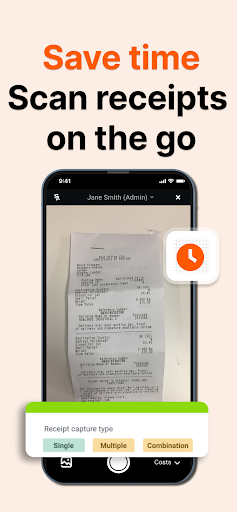
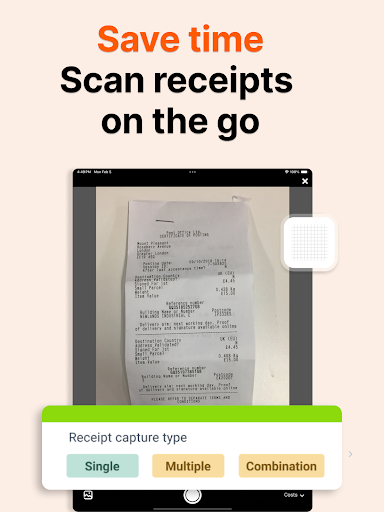
Dext: Smart Receipt Scanner & Expense Tracker that matches bank transactions and syncs seamlessly with your accounting software. Stop drowning in paperwork! Dext is the leading receipt scanner and expense tracker app designed to automate and simplify how businesses manage expenses. Say goodbye to manual data entry and hello to effortless financial organization. Snap a photo, and our AI does the rest. Our award-winning technology categorizes, and sends your receipts, invoices, and bills directly to Quickbooks or Xero in seconds. Focus on what matters – growing your business – while Dext handles the tedious expense tracking. Effortless Expense Management: ✦ Snap & Save: Capture receipts with your phone's camera. Our powerful OCR and AI digitize and organize everything with 99% accuracy. Handle single receipts, multiple receipts, or even large invoices with ease. ✦ PDF Power: Upload PDF invoices directly to Dext – no manual entry required. ✦ Teamwork: Invite team members to centralise expense tracking and simplify reimbursements. Request receipts directly through the app. ✦ Seamless Integrations: Connect with your favourite accounting software, plus over 11,500 banks and financial institutions worldwide. ✦ Flexible & Convenient: Capture expenses via mobile app, WhatsApp, computer upload, email, or bank feeds. ✦ Dedicated Workspaces: Track costs, sales, and expenses with dedicated sections for each. ✦ Desktop Access: Unlock deeper automation rules, integrations, and Bank Match - automatically linking costs to unreconciled bank transactions Why Choose Dext for Your Expense Tracking? ✓ Save Time & Money: Automate data entry and reconciliation. ✓ Real-time Reporting: Access your expense data anytime, anywhere. ✓ Secure Archive: Store financial documents safely with bank-level encryption and full GDPR compliance. ✓ Community Support: Join our thriving Dext community for tips, tutorials, and expert advice. ✓ Award-Winning: Recognised by industry experts for its reliability and ease of use. (See awards below) ✓ Highly Rated: Trusted by users on QuickBooks, Trustpilot, Xero, and the Play Store. Say goodbye to expense headaches and hello to Dext! Start your 14-day free trial today. Awards: ★ 2024 Winner - 'Small Business App Partner of the Year' (Xero Awards US) ★ 2024 Winner - 'Small Business App Partner of the Year' (Xero Awards UK) ★ 2024 Spotlight - 'Intuit Developer Growth Program Spotlight: Dext' (Quickbooks) Integrates with: QuickBooks Online, Xero, Sage, Freeagent, KashFlow, Twinfield, Gusto, WorkFlowMax, PayPal, Dropbox, Tripcatcher, and more. Note: Direct app integrations are available for QuickBooks and Xero. However, additional features - such as connections to other accounting software, bank feeds, e-commerce platforms, supplier integrations, user management, and advanced automation tools - are accessible via the web platform. Setup can be completed on the web, while data management and editing remain seamless through the app. For more…

What Receipt Tracker App - Dext Is Used For

Receipt Tracker App - Dext appears to be a business expense management app for capturing and organizing receipts, invoices, and bills on Android phones. Based on the metadata, it is commonly used by people who need to reduce manual data entry by snapping photos of receipts, uploading PDFs, or bringing in expense records for later accounting and reimbursement work.

The app also appears designed to connect expense information with accounting software and bank activity. Its description mentions matching bank transactions, syncing with accounting tools, and handling team-based expense workflows, so it may be useful for small businesses, finance teams, or contractors who manage spending across multiple sources. The permissions for camera, audio, storage, network access, and location suggest support for document capture, file handling, syncing, and related mobile workflows rather than entertainment use.

Because this is a phone app, it seems most practical for on-the-go receipt capture and quick expense logging after purchases, travel, or client work. Users looking for a mobile way to store financial documents, request receipts from teammates, or keep expense records organized may find this type of app relevant.

Common uses

  • Snap receipts and invoices with the phone camera
  • Upload PDF bills or other expense documents
  • Organize business spending for bookkeeping
  • Match expense records with bank transactions
  • Share receipt collection across a team
  • Send expense data to accounting software
  • Use it for mobile expense capture and reimbursement workflows
Best for:
Small businesses Freelancers Bookkeeping Expense tracking Phone app

App Details

Package:
com.receiptbank.android
Category:
Business
Developer:
Dext
Version:
5.4.3
Updated:
Mar 24, 2026
Min Android:
9
Age Rating:
Everyone
Contains Ads:
No
In-App Purchases:
Yes

Official Listing

  • Official listing available on Google Play
  • Package name: com.receiptbank.android
  • Age rating: Everyone

Explore More

Browse more apps in Business or explore the Phone hub .

Related Business Apps

LinkedIn: Community & Network icon

LinkedIn: Community & Network

Business LinkedIn

Smarter career moves start here. AI job alerts, insights & the right tools.

Version 4.1.1185.1 90.3 MB ⭐ 4.10 1,000,000,000+ installs
Zoom Workplace icon

Zoom Workplace

Business zoom.com
Version Varies with device 181.9 MB ⭐ 4.10 1,000,000,000+ installs
Microsoft Teams icon

Microsoft Teams

Business Microsoft Corporation

Chat, meet, and collaborate to achieve more together, all in one place on Teams

Version 1416/1.0.0.2026044202 346.8 MB ⭐ 4.70 500,000,000+ installs
Adobe Scan AI PDF Scanner, OCR icon

Adobe Scan AI PDF Scanner, OCR

Business Adobe

Scan and save to multiple files types like PDF, Microsoft Word, JPEG and more.

Version Varies with device 79.3 MB ⭐ 4.70 100,000,000+ installs
File Commander Manager & Vault icon

File Commander Manager & Vault

Business MobiSystems

File manager | Explorer for cloud storage files & folders | Hide private photos.

Version Varies with device 23.1 MB ⭐ 4.20 100,000,000+ installs

How to Download Receipt Tracker App - Dext

If this app is not hosted directly on APKApps official link, then for the safest and most up-to-date version, install it from its official Google Play listing.