QuickEdit Text Editor Pro icon

Phone

QuickEdit Text Editor Pro

Productivity Rhythm Software ⭐ 4.30 100,000+
Version 1.12.8 2.3 MB Everyone

Screenshots

QuickEdit Text Editor Pro screenshot
Permissions Explained 4 permissions requested View details

This app requests 4 permissions. The table below explains what each permission may allow and what users should review before installing.

Status Permission What it means Why it may be used User safety note
Common Internet access android.permission.INTERNET Allows the app to open network connections and communicate with online services. Commonly used for streaming, syncing, login, ads, analytics, downloads, cloud features, and app updates. Common permission. Review the app’s behavior if it does not appear to need online access.
Common View network status android.permission.ACCESS_NETWORK_STATE Allows the app to check whether the device is connected to Wi-Fi, mobile data, or another network. Often used to avoid loading content when offline or to adjust loading based on connection quality. Generally low risk by itself.
⚠️ Sensitive Modify external storage android.permission.WRITE_EXTERNAL_STORAGE Allows the app to write or modify files in shared device storage. Used for saving downloads, media files, exports, edited documents, backups, or cached content. Sensitive permission. Make sure file access matches the app’s purpose.
⚠️ Sensitive Read external storage android.permission.READ_EXTERNAL_STORAGE Allows the app to read files from shared device storage. Used by media players, file managers, backup apps, editors, upload tools, and document apps. Sensitive permission. Review carefully if the app does not need access to files or media.

About QuickEdit Text Editor Pro

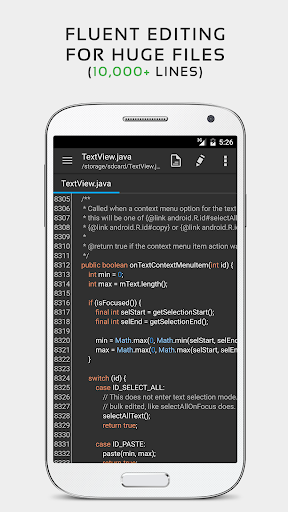
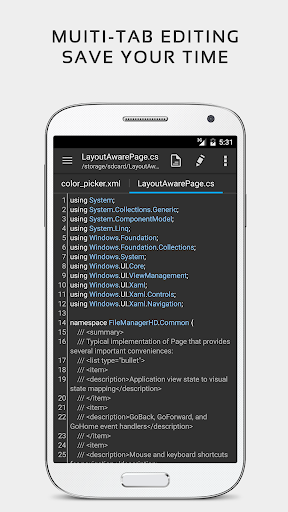
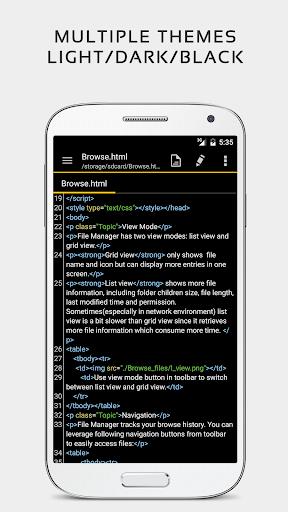
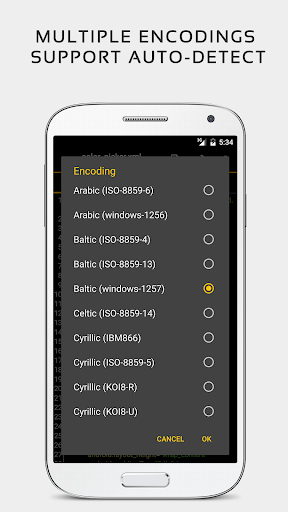
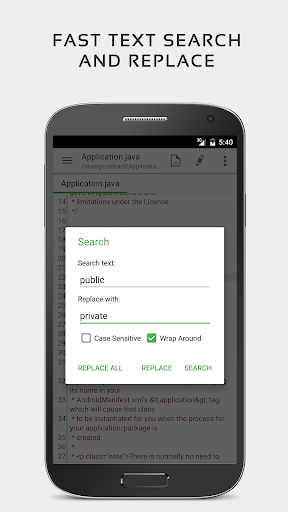
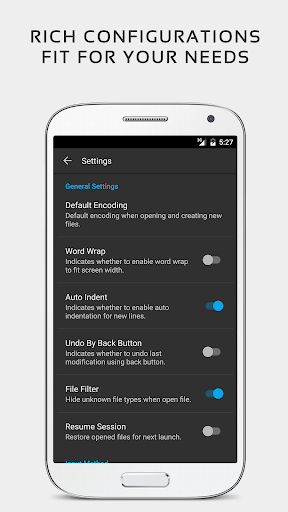
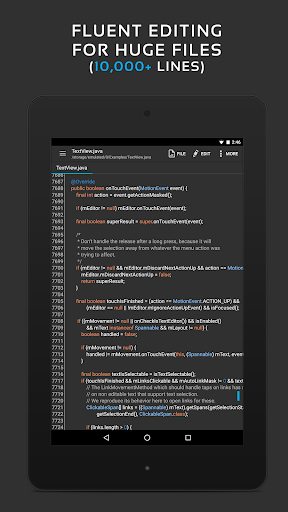
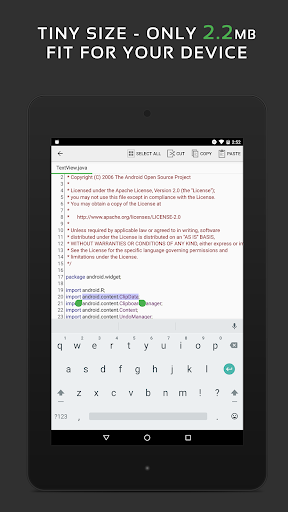
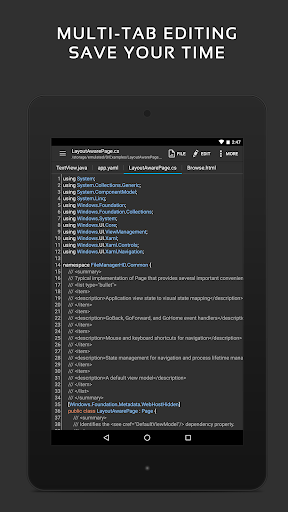
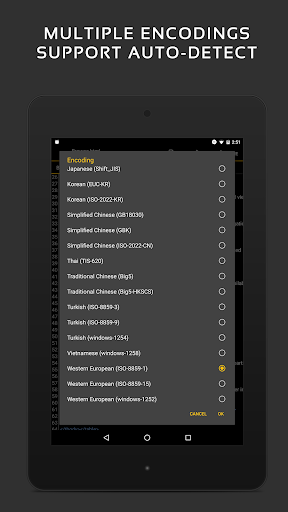
QuickEdit text editor is a fast, stable and full featured text editor. It has been optimized for using on both phones and tablets. QuickEdit text editor can be used as standard text editor for plain text files, or as a code editor for programming files. It is suitable for both general and professional use. QuickEdit text editor includes a number of performance optimizations and user experience tweaks. The speed and responsiveness of the app are much better than other text editor apps commonly found on Google Play. Features: ✓ Enhanced notepad application with numerous improvements. ✓ Code editor and syntax highlight for 170+ languages (C++, C#, Java, XML, Javascript, Markdown, PHP, Perl, Python, Ruby, Smali, Swift, etc). ✓ Include online compiler, can compile and run over 30 common languages (Python, PHP, Java, JS/NodeJS, C/C++, Rust, Pascal, Haskell, Ruby, etc). ✓ High performance with no lag, even on large text files (more than 10,000 lines). ✓ Easily navigate between multiple open tabs. ✓ Show or hide line numbers. ✓ Undo and redo changes without limit. ✓ Display, increase, or decrease line indentations. ✓ Fast selecting and editing abilities. ✓ Physical keyboard support, including key combinations. ✓ Smooth scrolling both vertically and horizontally. ✓ Directly target any specified line number. ✓ Quickly search and replace content. ✓ Easily input hex color values. ✓ Automatically detect charset and encoding. ✓ Automatically indent new lines. ✓ Various fonts and sizes. ✓ Preview HTML, CSS, AsciiDoc and markdown files. ✓ Open files from recently opened or added file collections. ✓ Ability to edit system files on rooted devices. ✓ Access files from FTP, Google Drive, Dropbox, and OneDrive. ✓ Handy tool to edit INI, LOG, TXT files and hack games. ✓ Supports both light and dark themes. ✓ Optimized usage for phones and tablets. ✓ Ad-free version. If you can help to translate this application to your native language, please contact our email: [email protected]. If you run into any issues or have any suggestions, please feel free to contact us: [email protected] You can also share your comments with the QuickEdit thread on xda-developers: http://forum.xda-developers.com/android/apps-games/app-quickedit-text-editor-t2899385 Thanks for using QuickEdit!


What QuickEdit Text Editor Pro Is Used For

QuickEdit Text Editor Pro appears to be a productivity app for writing, editing, and reviewing text on Android phones and tablets. Based on the metadata, it is commonly used for plain text notes, code editing, and working with files such as TXT, LOG, INI, Markdown, HTML, CSS, and other programming-related formats. The app’s focus on fast editing, multiple tabs, line numbers, search and replace, and syntax highlighting suggests it is meant for users who need a practical editor rather than a simple notes app.

The listed storage permissions indicate that it can read and write files on the device, which fits its role as a file-based editor. Network permissions and support for online features may be used for file access or related services, while the mention of cloud and FTP access suggests it may help users open or manage files from remote locations. Based on the metadata, it may also be useful for developers, technical users, and anyone editing large text files or working on code from a mobile device.

Common uses

  • Edit plain text files and notes on a phone or tablet
  • Work with programming files using syntax highlighting
  • Open and manage multiple documents in tabs
  • Search, replace, and navigate to specific lines quickly
  • Preview common web and markup file types
  • Access files stored locally or through supported online sources
  • Use keyboard shortcuts and external keyboard input for faster editing
Best for:
coders developers note editing large text files phone and tablet use

App Details

Package:
com.rhmsoft.edit.pro
Category:
Productivity
Developer:
Rhythm Software
Version:
1.12.8
Updated:
Mar 24, 2026
Min Android:
5.0
Age Rating:
Everyone
Contains Ads:
No
In-App Purchases:
No

Official Listing

  • Official listing available on Google Play
  • Package name: com.rhmsoft.edit.pro
  • Age rating: Everyone

Explore More

Browse more apps in Productivity or explore the Phone hub .

Related Productivity Apps

Shortcut Maker icon

Shortcut Maker

Personalization Rushikesh Kamewar

Simple app to create shortcut for anything you want.

Version 4.2.4 3.9 MB ⭐ 3.94 5,000,000+ installs

How to Download QuickEdit Text Editor Pro

If this app is not hosted directly on APKApps official link, then for the safest and most up-to-date version, install it from its official Google Play listing.