Voice Notes (Pro) icon

Phone

Voice Notes (Pro)

Productivity Pacific Fisher Group ⭐ 4.00 10,000+
Version 5.1.97 pro Everyone

Screenshots

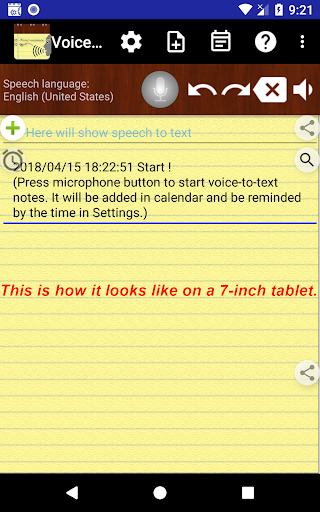
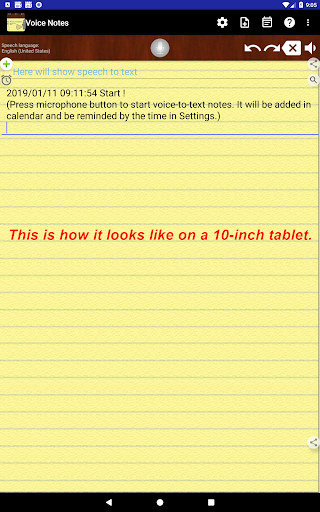
Voice Notes (Pro) screenshot
Permissions Explained 9 permissions requested View details

This app requests 9 permissions. The table below explains what each permission may allow and what users should review before installing.

Status Permission What it means Why it may be used User safety note
ℹ️ Review Read Calendar Events Plus Confidential Information read calendar events plus confidential information This is an Android permission or app-specific permission requested by the app. The app may use this permission for features related to its category, device support, background behavior, storage, connectivity, or system integration. Review this permission before installing, especially if it does not match the app’s expected purpose.
ℹ️ Review Add Or Modify Calendar Events And Send Email To Guests Without Owners' Knowledge add or modify calendar events and send email to guests without owners' knowledge This is an Android permission or app-specific permission requested by the app. The app may use this permission for features related to its category, device support, background behavior, storage, connectivity, or system integration. Review this permission before installing, especially if it does not match the app’s expected purpose.
ℹ️ Review Record Audio record audio This is an Android permission or app-specific permission requested by the app. The app may use this permission for features related to its category, device support, background behavior, storage, connectivity, or system integration. Review this permission before installing, especially if it does not match the app’s expected purpose.
ℹ️ Review View Network Connections view network connections This is an Android permission or app-specific permission requested by the app. The app may use this permission for features related to its category, device support, background behavior, storage, connectivity, or system integration. Review this permission before installing, especially if it does not match the app’s expected purpose.
ℹ️ Review Full Network Access full network access This is an Android permission or app-specific permission requested by the app. The app may use this permission for features related to its category, device support, background behavior, storage, connectivity, or system integration. Review this permission before installing, especially if it does not match the app’s expected purpose.
ℹ️ Review Change Your Audio Settings change your audio settings This is an Android permission or app-specific permission requested by the app. The app may use this permission for features related to its category, device support, background behavior, storage, connectivity, or system integration. Review this permission before installing, especially if it does not match the app’s expected purpose.
ℹ️ Review Prevent Device From Sleeping prevent device from sleeping This is an Android permission or app-specific permission requested by the app. The app may use this permission for features related to its category, device support, background behavior, storage, connectivity, or system integration. Review this permission before installing, especially if it does not match the app’s expected purpose.
ℹ️ Review Read Google Service Configuration read Google service configuration This is an Android permission or app-specific permission requested by the app. The app may use this permission for features related to its category, device support, background behavior, storage, connectivity, or system integration. Review this permission before installing, especially if it does not match the app’s expected purpose.
ℹ️ Review Receive Data From Internet receive data from Internet This is an Android permission or app-specific permission requested by the app. The app may use this permission for features related to its category, device support, background behavior, storage, connectivity, or system integration. Review this permission before installing, especially if it does not match the app’s expected purpose.

About Voice Notes (Pro)

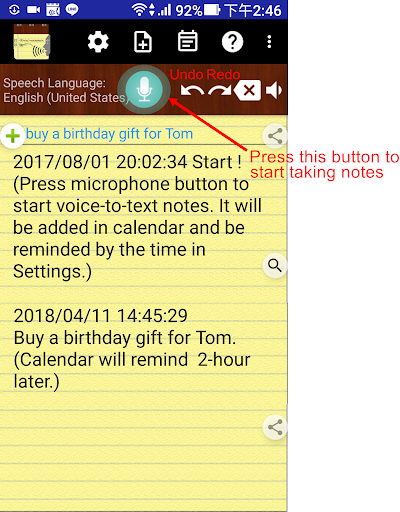
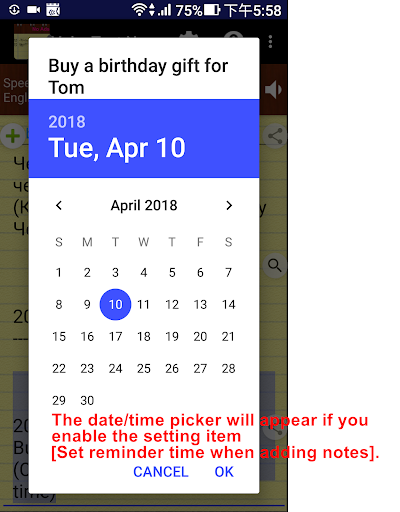
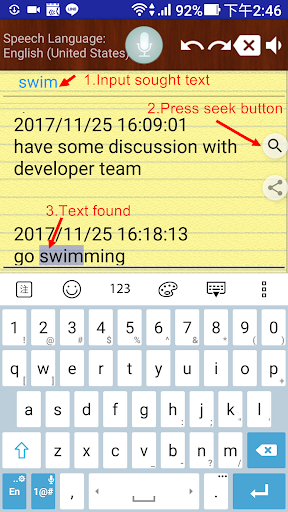
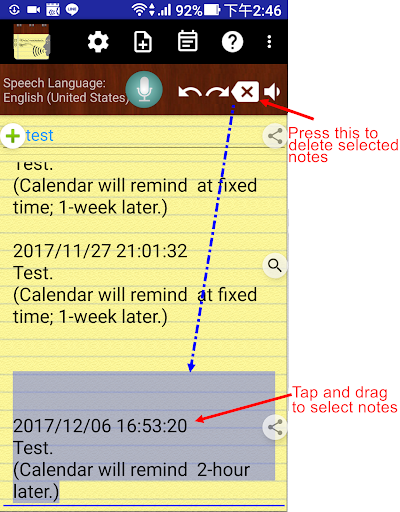
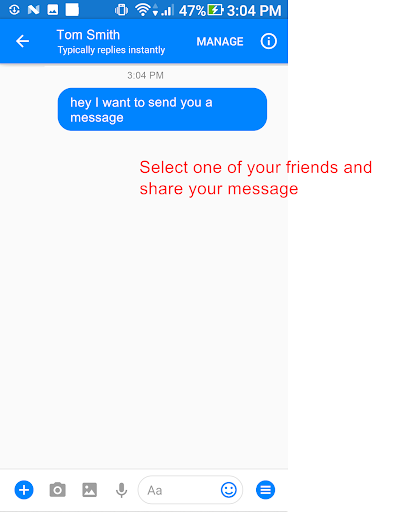
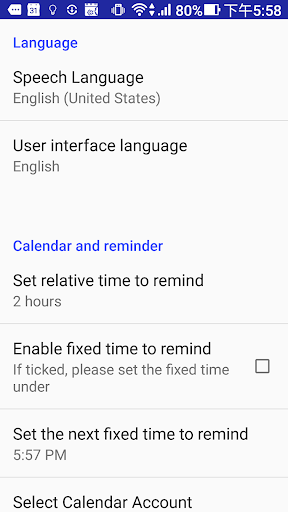
* Just one payment, no additional monthly or subscription fees! * After this paid version installed, please launch the new app icon with "Pro" * Paid version premium features: Remove Ads Print function Unlimited to use [Set reminder time when adding notes] and the Alarm button Features: - Only one touch needed. It can keep receiving your speech and convert to text. Note down and remind you later at the date/time you set. - Easily take notes, memos, to-do list and more just by speaking! - Integrated with your Android calendars, you need not maintain another one. - Also easy to share voice-to-text to friends. - Automatically save your notes in a storage file, and easily back up to cloud. - Support to create note files by projects or categories. - It can work when the phone screen is turned off. With the Recite option, you can make sure the notes are correctly recorded. - Support headset button to control Start/Stop voice recognition. - Supported speech recognition 120 languages. - Supported 20 user interface languages (including English) - Simple user interface. Just press the microphone button and speak to take note! Requirements: - "Google Speech Recognition & Synthesis" or "Google voice search (Google App)" is required as a speech to text engine. It's used as a voice input or voice typing method. Most devices have it pre-installed. If your devices do not install it, This app will guide you to install. https://play.google.com/store/apps/details?id=com.google.android.tts https://play.google.com/store/apps/details?id=com.google.android.googlequicksearchbox Permissions Notice: This app may ask for permission to access the following features • Microphone for speech recognition • Calendar for adding reminder events If you need, you can try this free version: https://play.google.com/store/apps/details?id=com.SouthernPacificOceanFisher.VoiceToText_memo

What Voice Notes (Pro) Is Used For

Voice Notes (Pro) appears to be a productivity app for creating notes, memos, and to-do items by speaking instead of typing. Based on the metadata, it uses speech recognition to convert spoken input into text, which may make it useful for quick note-taking, hands-free reminders, and capturing thoughts when typing is inconvenient. It also appears to support organizing notes by project or category, sharing text, and backing up stored notes.

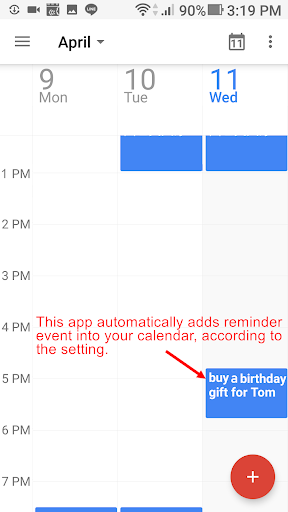
The app metadata also suggests it can work with calendar integration, so users may use it to add reminder times or connect notes to calendar events. Other listed functions include keeping the app active while the screen is off, using a headset button to start or stop recognition, and support for multiple languages. Because it requests microphone access and calendar permissions, it seems designed for voice input and reminder scheduling on a phone device rather than for passive reading or media playback.

Common uses

  • Dictate notes and memos by voice
  • Create to-do lists with spoken input
  • Set reminder times for notes
  • Organize notes by project or category
  • Share voice-to-text notes with others
  • Back up saved notes to storage or cloud
  • Use calendar integration for reminders
Best for:
voice note taking hands-free reminders quick memo capture to-do lists phone productivity

App Details

Package:
com.SouthernPacificOceanFisher.VoiceToText_memo.pro
Category:
Productivity
Developer:
Pacific Fisher Group
Version:
5.1.97 pro
Updated:
Dec 21, 2025
Min Android:
6.0
Age Rating:
Everyone
Contains Ads:
No
In-App Purchases:
No

Official Listing

  • Official listing available on Google Play
  • Package name: com.SouthernPacificOceanFisher.VoiceToText_memo.pro
  • Age rating: Everyone

Explore More

Browse more apps in Productivity or explore the Phone hub .

Related Productivity Apps

How to Download Voice Notes (Pro)

If this app is not hosted directly on APKApps official link, then for the safest and most up-to-date version, install it from its official Google Play listing.