Budgeting App - Spend Tracker icon

Phone

Budgeting App - Spend Tracker

Finance The Budgeting App ⭐ 4.60 100,000+
Version 6.0.4 Everyone

Screenshots

Budgeting App - Spend Tracker screenshot
Permissions Explained 8 permissions requested View details

This app requests 8 permissions. The table below explains what each permission may allow and what users should review before installing.

Status Permission What it means Why it may be used User safety note
ℹ️ Review View Network Connections view network connections This is an Android permission or app-specific permission requested by the app. The app may use this permission for features related to its category, device support, background behavior, storage, connectivity, or system integration. Review this permission before installing, especially if it does not match the app’s expected purpose.
ℹ️ Review Change Network Connectivity change network connectivity This is an Android permission or app-specific permission requested by the app. The app may use this permission for features related to its category, device support, background behavior, storage, connectivity, or system integration. Review this permission before installing, especially if it does not match the app’s expected purpose.
ℹ️ Review Full Network Access full network access This is an Android permission or app-specific permission requested by the app. The app may use this permission for features related to its category, device support, background behavior, storage, connectivity, or system integration. Review this permission before installing, especially if it does not match the app’s expected purpose.
ℹ️ Review Run At Startup run at startup This is an Android permission or app-specific permission requested by the app. The app may use this permission for features related to its category, device support, background behavior, storage, connectivity, or system integration. Review this permission before installing, especially if it does not match the app’s expected purpose.
ℹ️ Review Prevent Device From Sleeping prevent device from sleeping This is an Android permission or app-specific permission requested by the app. The app may use this permission for features related to its category, device support, background behavior, storage, connectivity, or system integration. Review this permission before installing, especially if it does not match the app’s expected purpose.
ℹ️ Review Google Play License Check Google Play license check This is an Android permission or app-specific permission requested by the app. The app may use this permission for features related to its category, device support, background behavior, storage, connectivity, or system integration. Review this permission before installing, especially if it does not match the app’s expected purpose.
ℹ️ Review Read Google Service Configuration read Google service configuration This is an Android permission or app-specific permission requested by the app. The app may use this permission for features related to its category, device support, background behavior, storage, connectivity, or system integration. Review this permission before installing, especially if it does not match the app’s expected purpose.
ℹ️ Review Receive Data From Internet receive data from Internet This is an Android permission or app-specific permission requested by the app. The app may use this permission for features related to its category, device support, background behavior, storage, connectivity, or system integration. Review this permission before installing, especially if it does not match the app’s expected purpose.

About Budgeting App - Spend Tracker

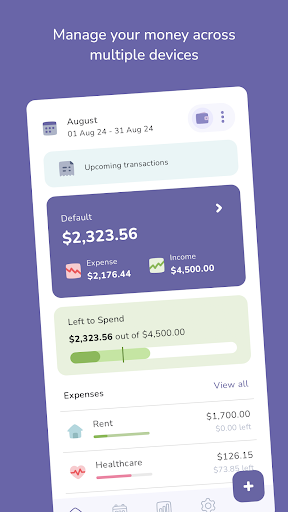
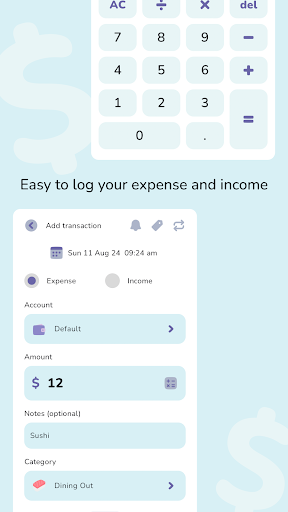
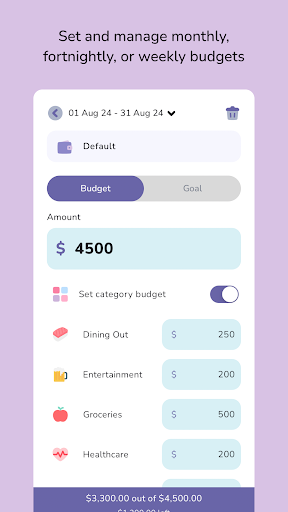
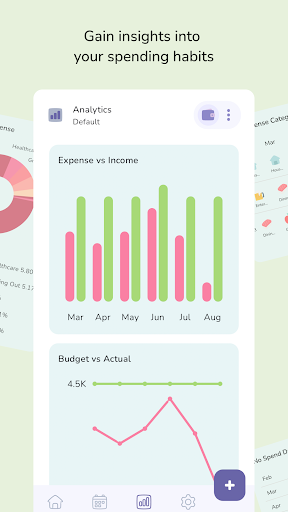
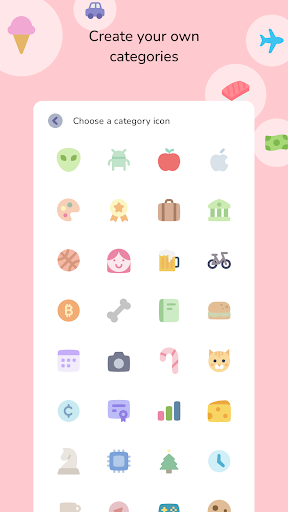
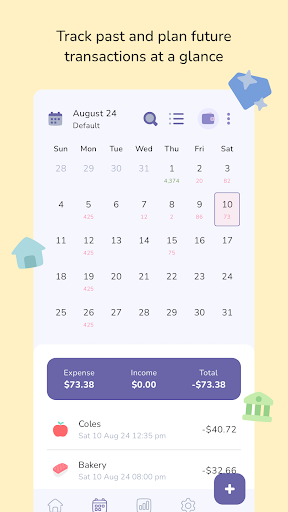
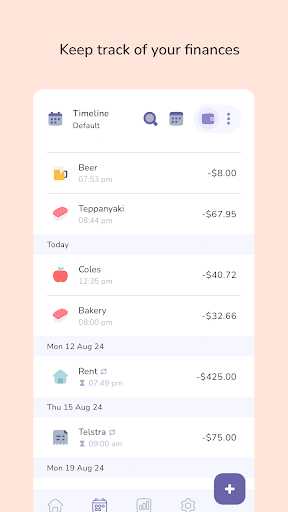
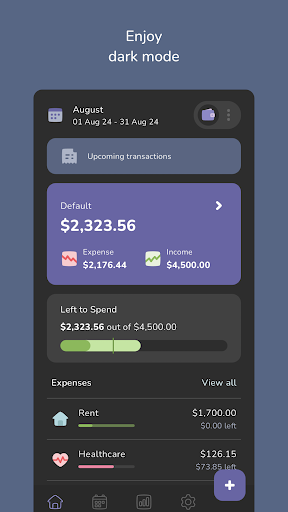
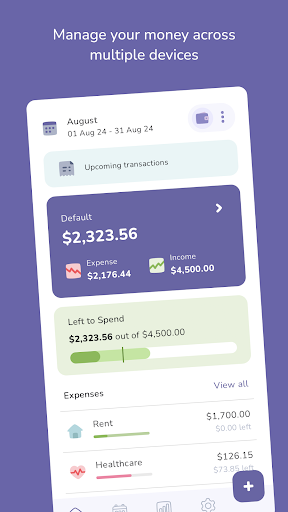
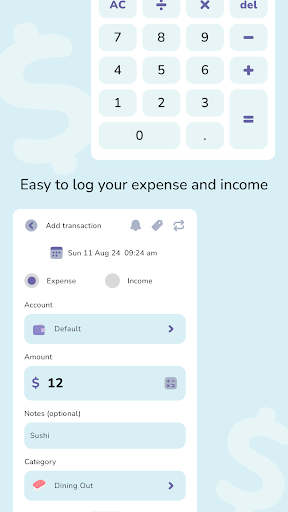
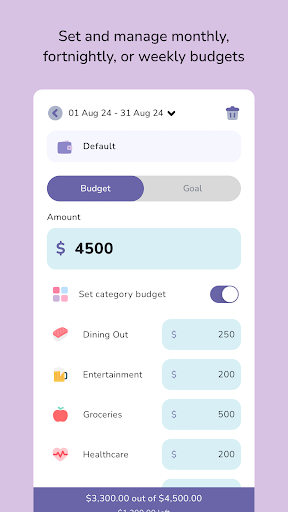
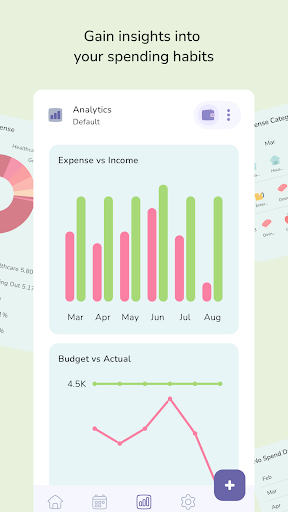
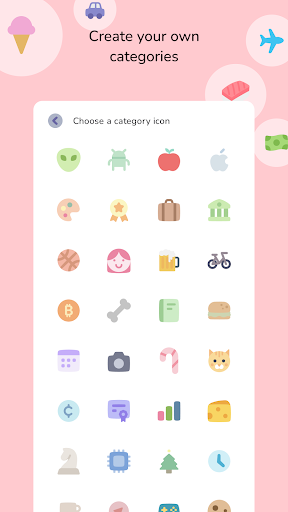
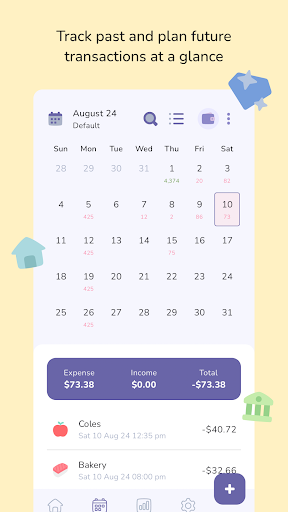
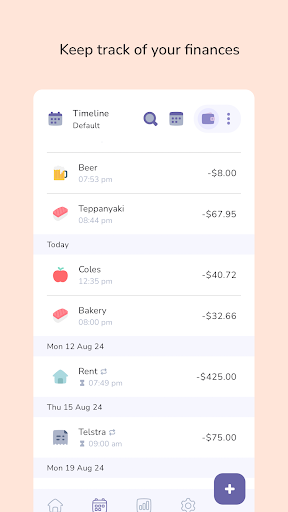
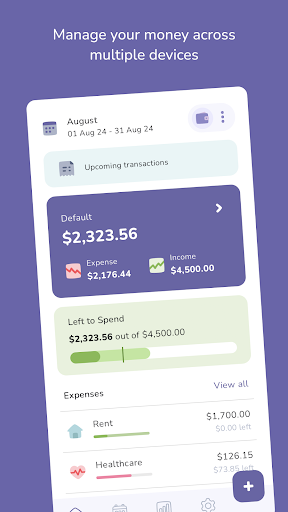
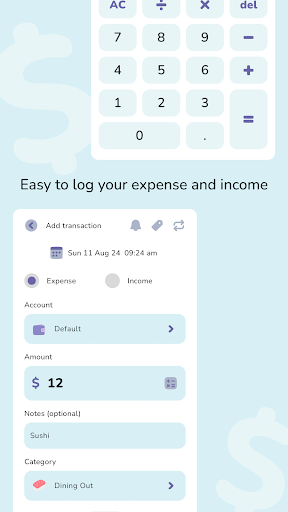
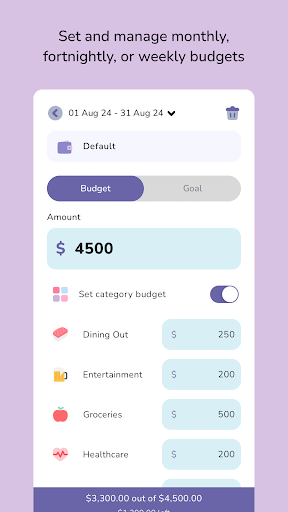
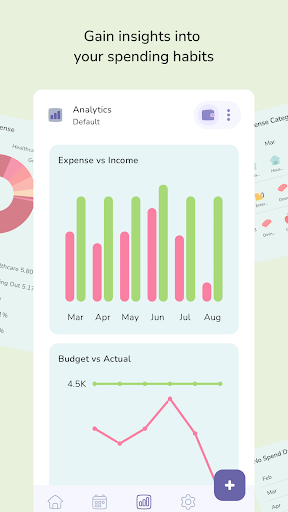
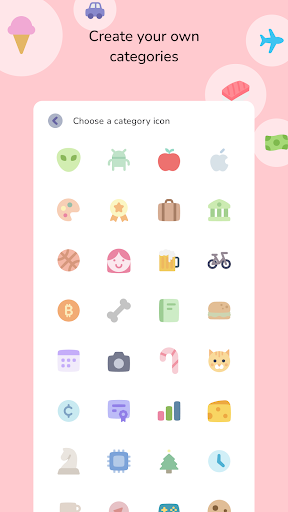
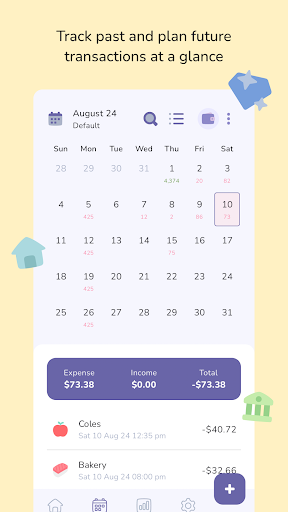
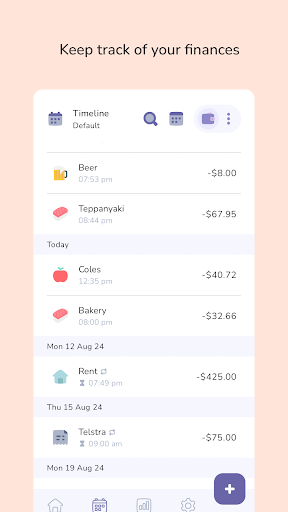
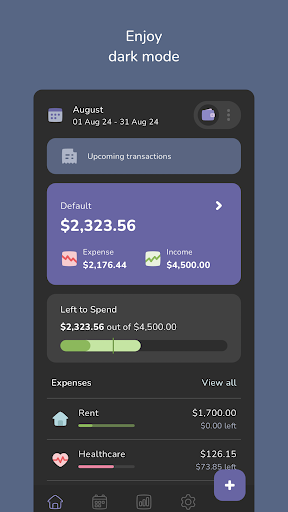
The Budgeting App is a simple and easy-to-use budget planner and daily expense tracker designed to simplify your personal finance. - Sync Devices: Easily jump between devices and stay on top of your spending and financial goals. - Flexible Budgeting: Adjust your budget to match your pay cycle, whether it’s monthly, fortnightly, or weekly. - Custom Categories: Select from a range of charming icons to create and customise categories, making your budget planner truly personal. - Recurring Transactions: Automatically handle recurring bills and subscriptions like health insurance or Netflix. - In-Built Calculator: Perform calculations directly within the app before logging income or expenses. - Timeline and Calendar View: Two distinct ways to track your transactions, allowing you to visualise past spending while anticipating future expenses. - Insightful Analytics: Use detailed analytics in your budget planner to gain insights into spending habits. Monitor averages and trends over time. - Multiple Accounts: Create multiple accounts with unique budgets, goals, and currencies for comprehensive financial control in your expense tracker. - Savings & Loan Trackers: Set savings goals or track loan repayments - all in one place to help you stay financially focused. [Minimum supported app version: 5.9.3]

What Budgeting App - Spend Tracker Is Used For

Based on the metadata, Budgeting App - Spend Tracker appears to be a personal finance app for planning budgets and recording everyday spending. It is aimed at people who want to track income, expenses, and financial goals from a phone, with tools for organizing money by category and reviewing where it goes over time.

The app description suggests it may be useful for recurring bills, savings targets, and loan repayment tracking. It also mentions device syncing, multiple accounts, timeline and calendar views, and spending analytics, which points to a budgeting workflow where you can compare past transactions, monitor trends, and adjust plans to fit weekly, fortnightly, or monthly pay cycles. The network-related permissions and startup/background permissions may be tied to syncing, updates, and keeping the app responsive for ongoing expense tracking.

Common uses

  • Track daily expenses and income in one place
  • Plan budgets around weekly, fortnightly, or monthly pay cycles
  • Organize spending with custom categories and icons
  • Monitor recurring bills, subscriptions, savings goals, and loan repayments
  • Review transactions in timeline or calendar views
  • Compare spending trends with built-in analytics
  • Use on a phone for ongoing personal finance tracking
Best for:
budget planning expense tracking personal finance savings goals loan tracking phone app

App Details

Package:
com.thebudgetingapp.thebudgetingapp
Category:
Finance
Developer:
The Budgeting App
Version:
6.0.4
Updated:
Mar 30, 2026
Min Android:
11
Age Rating:
Everyone
Contains Ads:
No
In-App Purchases:
Yes

Official Listing

  • Official listing available on Google Play
  • Package name: com.thebudgetingapp.thebudgetingapp
  • Age rating: Everyone

Explore More

Browse more apps in Finance or explore the Phone hub .

Related Finance Apps

Investing.com: Stock Market icon

Investing.com: Stock Market

Finance INVESTING.com

Get real-time stock market alerts & investment ideas. Track your stocks & ETFs.

Version 6.47.1 104.3 MB ⭐ 4.60 50,000,000+ installs
TradingView: Track All Markets icon

TradingView: Track All Markets

Finance TradingView Inc.

From stocks to crypto. Technical analysis, Trading ideas and Financial news.

Version Varies with device 54.1 MB ⭐ 4.70 50,000,000+ installs
Splitwise icon

Splitwise

Finance Splitwise

Split expenses with friends, roommates, group trips, and more

Version 26.3.1 69.5 MB ⭐ 4.20 10,000,000+ installs
Yahoo Finance: Stocks & News icon

Yahoo Finance: Stocks & News

Finance Yahoo

Breaking Financial News about the market, Stocks, Crypto & Portfolio Tracking

Version Varies with device 40.4 MB ⭐ 4.60 10,000,000+ installs
Experian® icon

Experian®

Finance Experian

Your Big Financial Friend

Version 4.2.15 117.5 MB ⭐ 4.70 10,000,000+ installs
Webull: Investing & Trading icon

Webull: Investing & Trading

Finance Webull Technologies Pte. Ltd.

Stocks, Options, Crypto, Futures, and ETFs

Version 11.8.0.38 90.3 MB ⭐ 4.60 10,000,000+ installs

How to Download Budgeting App - Spend Tracker

If this app is not hosted directly on APKApps official link, then for the safest and most up-to-date version, install it from its official Google Play listing.