Timeshifter Jet Lag icon

Phone

Timeshifter Jet Lag

Travel & Local Timeshifter Inc. ⭐ 4.50 100,000+
Version 2.2.7 Everyone

Screenshots

Timeshifter Jet Lag screenshot
Permissions Explained 9 permissions requested View details

This app requests 9 permissions. The table below explains what each permission may allow and what users should review before installing.

Status Permission What it means Why it may be used User safety note
ℹ️ Review Read The Contents Of Your Usb Storage read the contents of your USB storage This is an Android permission or app-specific permission requested by the app. The app may use this permission for features related to its category, device support, background behavior, storage, connectivity, or system integration. Review this permission before installing, especially if it does not match the app’s expected purpose.
ℹ️ Review View Wi Fi Connections view Wi-Fi connections This is an Android permission or app-specific permission requested by the app. The app may use this permission for features related to its category, device support, background behavior, storage, connectivity, or system integration. Review this permission before installing, especially if it does not match the app’s expected purpose.
ℹ️ Review View Network Connections view network connections This is an Android permission or app-specific permission requested by the app. The app may use this permission for features related to its category, device support, background behavior, storage, connectivity, or system integration. Review this permission before installing, especially if it does not match the app’s expected purpose.
ℹ️ Review Full Network Access full network access This is an Android permission or app-specific permission requested by the app. The app may use this permission for features related to its category, device support, background behavior, storage, connectivity, or system integration. Review this permission before installing, especially if it does not match the app’s expected purpose.
ℹ️ Review Run At Startup run at startup This is an Android permission or app-specific permission requested by the app. The app may use this permission for features related to its category, device support, background behavior, storage, connectivity, or system integration. Review this permission before installing, especially if it does not match the app’s expected purpose.
ℹ️ Review Draw Over Other Apps draw over other apps This is an Android permission or app-specific permission requested by the app. The app may use this permission for features related to its category, device support, background behavior, storage, connectivity, or system integration. Review this permission before installing, especially if it does not match the app’s expected purpose.
ℹ️ Review Control Vibration control vibration This is an Android permission or app-specific permission requested by the app. The app may use this permission for features related to its category, device support, background behavior, storage, connectivity, or system integration. Review this permission before installing, especially if it does not match the app’s expected purpose.
ℹ️ Review Prevent Device From Sleeping prevent device from sleeping This is an Android permission or app-specific permission requested by the app. The app may use this permission for features related to its category, device support, background behavior, storage, connectivity, or system integration. Review this permission before installing, especially if it does not match the app’s expected purpose.
ℹ️ Review Receive Data From Internet receive data from Internet This is an Android permission or app-specific permission requested by the app. The app may use this permission for features related to its category, device support, background behavior, storage, connectivity, or system integration. Review this permission before installing, especially if it does not match the app’s expected purpose.

About Timeshifter Jet Lag

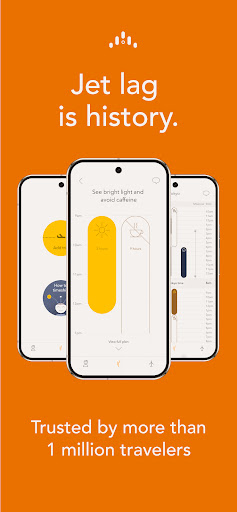
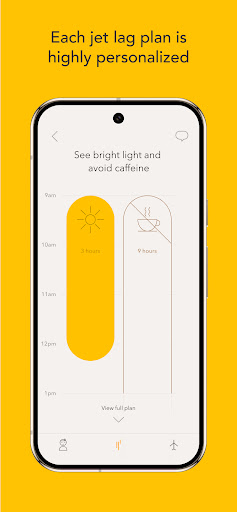
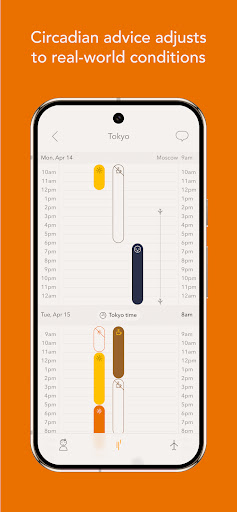
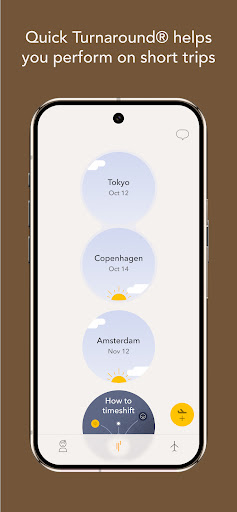
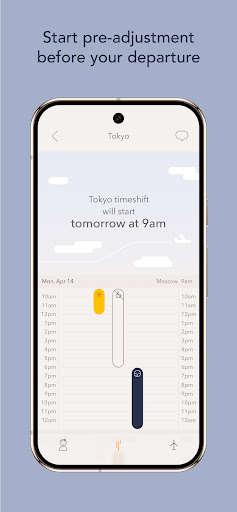
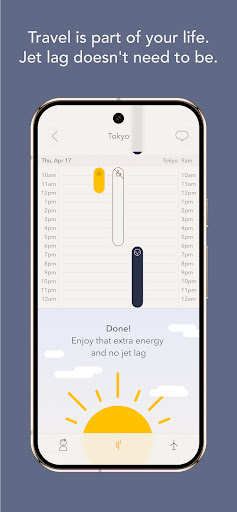
Timeshifter applies the latest circadian science to adjust you quickly to new time zones. Make jet lag history with highly personalized jet lag plans, based on your chronotype, normal sleep pattern and itinerary. // Condé Nast Traveler: “Say goodbye to jet lag” // The Wall Street Journal: "Indispensable" // Travel + Leisure: “Game-changer” // New York Times: “Timeshifter is as good as it’s going to get." // CNBC: "Saves time and money" // WIRED: "Will help reset your [circadian] clock” // Lonely Planet: "Incredible" // Prevention: “One of the best apps according to doctors” JET LAG MYTHS VS. CIRCADIAN SCIENCE Misleading advice on conquering jet lag — often promoted by non-experts — not only fails to help travelers but can make jet lag symptoms worse and may even cause harm. It’s time to replace the myths with real science. Generic sleep advice, exercise, hydration, grounding, dietary supplements, special diets, or fasting won’t solve jet lag because they don’t "reset" your circadian clock to new time zones. THE REAL SCIENCE BEHIND REDUCING JET LAG // In your brain, a circadian clock helps manage the regular rhythm of your day. // Jet lag is caused when your sleep/wake and light/dark cycles shift too quickly for your circadian clock to keep up. // Light is the key time cue to “reset” your circadian clock, so the correct timing of light exposure and avoidance is the only way to adjust to new time zones quickly. If your timing is wrong, it will make your jet lag worse. WHY WE MADE TIMESHIFTER Getting the timing right is both complex and unintuitive. We created Timeshifter to make circadian science accessible and help you apply it to conquer jet lag. Timeshifter helps you tackle both the underlying cause of jet lag – the disruption of your circadian clock – as well as reduce the disruptive symptoms, such as insomnia, sleepiness and digestive discomfort. KEY FEATURES // Circadian Time™: Advice is based on your body’s clock // Practicality Filter™: Adjusts advice to the "real world" // Quick Turnaround®: Automatically detects short trips // Pre-travel advice: Start adjusting before departure // Push notifications: View advice without opening the app PROVEN RESULTS Based on ~130,000 post-flight surveys: // 96.4% of users who followed Timeshifter's advice 80% or more did not struggle with severe or very severe jet lag. // Travelers who did not follow the advice experienced a 6.2x increase in severe or very severe jet lag, and a 14.1x increase in very severe jet lag! TRY IT FREE Your first jet lag plan is free—no commitment required! After your free plan, you can choose to purchase plans as-you-go or subscribe for unlimited plans. These statements have not been evaluated by the Food and Drug Administration. Timeshifter is not intended to diagnose, treat, cure or prevent any disease, and is intended for healthy adults, 18 years of age or older. Timeshifter is not intended for pilots and flight crew on duty.

What Timeshifter Jet Lag Is Used For

Timeshifter Jet Lag appears to be a travel planning app focused on helping users adjust to new time zones. Based on the metadata, it uses circadian science and trip details to create personalized jet lag schedules, which may be useful before departure and after arrival. The app is aimed at frequent travelers who want guidance on when to seek light, avoid light, and manage sleep timing during a trip.

As a phone app in the Travel & Local category, it may be used while preparing for flights, long-haul travel, or short turnaround trips. The listed permissions suggest it can connect to the internet, send push notifications, run at startup, and keep the device awake, which fits an app that delivers ongoing reminders and time-based advice. The metadata also mentions practical symptom support, so common use could include tracking sleep-related adjustments and following day-by-day instructions during travel.

Common uses

  • Create a personalized jet lag plan for an upcoming trip
  • Follow timing guidance before departure and after landing
  • Use trip-based advice for light exposure and sleep schedule changes
  • Get push notifications for reminders without opening the app
  • Review guidance for short trips or quick turnarounds
  • Manage travel-related sleep disruption and time-zone changes
  • Use on a phone while traveling or preparing for travel
Best for:
Frequent travelers Long-haul flyers Time-zone changes Phone users Trip planning

App Details

Package:
com.timeshifter.timeshifter
Developer:
Timeshifter Inc.
Version:
2.2.7
Updated:
Jul 2, 2025
Min Android:
7.0
Age Rating:
Everyone
Contains Ads:
No
In-App Purchases:
Yes

Official Listing

  • Official listing available on Google Play
  • Package name: com.timeshifter.timeshifter
  • Age rating: Everyone

Explore More

Browse more apps in Travel & Local or explore the Phone hub .

Related Travel & Local Apps

Sectograph icon

Sectograph

Productivity Laboratory 27

A visual time planner that displays daily events in a 12-hour pie chart

Version 5.27.3 10.3 MB ⭐ 4.64 5,000,000+ installs

How to Download Timeshifter Jet Lag

If this app is not hosted directly on APKApps official link, then for the safest and most up-to-date version, install it from its official Google Play listing.