Tripomatic Planner & Maps icon

Phone

Tripomatic Planner & Maps

Travel & Local Tripomatic s.r.o. ⭐ 4.30 1,000,000+

Explore & plan trips with offline maps & travel guides on the go.

Version 26.0.103 39.0 MB Everyone

Screenshots

Tripomatic Planner & Maps screenshot
Permissions Explained 15 permissions requested View details

This app requests 15 permissions. The table below explains what each permission may allow and what users should review before installing.

Status Permission What it means Why it may be used User safety note
ℹ️ Review Com Tripomatic Permission C2d Message com.tripomatic.permission.C2D_MESSAGE This is an Android permission or app-specific permission requested by the app. The app may use this permission for features related to its category, device support, background behavior, storage, connectivity, or system integration. Review this permission before installing, especially if it does not match the app’s expected purpose.
ℹ️ Review C2dm Permission Receive com.google.android.c2dm.permission.RECEIVE This is an Android permission or app-specific permission requested by the app. The app may use this permission for features related to its category, device support, background behavior, storage, connectivity, or system integration. Review this permission before installing, especially if it does not match the app’s expected purpose.
⚠️ Sensitive Read phone state android.permission.READ_PHONE_STATE Allows the app to access phone status and device-related information. Used for call handling, carrier services, device identification, account security, or playback interruption handling. Sensitive permission. Review whether the app has a clear phone-related reason.
ℹ️ Review Keep device awake android.permission.WAKE_LOCK Allows the app to prevent the device from sleeping while a task is running. Used for media playback, downloads, navigation, alarms, calls, or long-running background tasks. Review battery usage if the app keeps the device awake too often.
Common Internet access android.permission.INTERNET Allows the app to open network connections and communicate with online services. Commonly used for streaming, syncing, login, ads, analytics, downloads, cloud features, and app updates. Common permission. Review the app’s behavior if it does not appear to need online access.
ℹ️ Review Access Wifi State android.permission.ACCESS_WIFI_STATE This is an Android permission or app-specific permission requested by the app. The app may use this permission for features related to its category, device support, background behavior, storage, connectivity, or system integration. Review this permission before installing, especially if it does not match the app’s expected purpose.
Common View network status android.permission.ACCESS_NETWORK_STATE Allows the app to check whether the device is connected to Wi-Fi, mobile data, or another network. Often used to avoid loading content when offline or to adjust loading based on connection quality. Generally low risk by itself.
Common Vibration control android.permission.VIBRATE Allows the app to control device vibration. Used for notifications, alerts, haptic feedback, timers, alarms, or game feedback. Generally low risk by itself.
ℹ️ Review Vending Billing com.android.vending.BILLING This is an Android permission or app-specific permission requested by the app. The app may use this permission for features related to its category, device support, background behavior, storage, connectivity, or system integration. Review this permission before installing, especially if it does not match the app’s expected purpose.
ℹ️ Review Use Credentials android.permission.USE_CREDENTIALS This is an Android permission or app-specific permission requested by the app. The app may use this permission for features related to its category, device support, background behavior, storage, connectivity, or system integration. Review this permission before installing, especially if it does not match the app’s expected purpose.
⚠️ Sensitive Approximate location android.permission.ACCESS_COARSE_LOCATION Allows the app to access an approximate device location. Used for weather, local content, regional features, nearby services, or location-based settings. Sensitive permission. Review whether the app needs location access.
⚠️ Sensitive Precise location android.permission.ACCESS_FINE_LOCATION Allows the app to access the device’s precise location when granted by the user. Used for maps, navigation, local recommendations, weather, rideshare, nearby devices, or location-based content. Sensitive permission. Grant only when location access matches the app’s purpose.
ℹ️ Review Get Accounts android.permission.GET_ACCOUNTS This is an Android permission or app-specific permission requested by the app. The app may use this permission for features related to its category, device support, background behavior, storage, connectivity, or system integration. Review this permission before installing, especially if it does not match the app’s expected purpose.
⚠️ Sensitive Modify external storage android.permission.WRITE_EXTERNAL_STORAGE Allows the app to write or modify files in shared device storage. Used for saving downloads, media files, exports, edited documents, backups, or cached content. Sensitive permission. Make sure file access matches the app’s purpose.
⚠️ Sensitive Read external storage android.permission.READ_EXTERNAL_STORAGE Allows the app to read files from shared device storage. Used by media players, file managers, backup apps, editors, upload tools, and document apps. Sensitive permission. Review carefully if the app does not need access to files or media.

About Tripomatic Planner & Maps

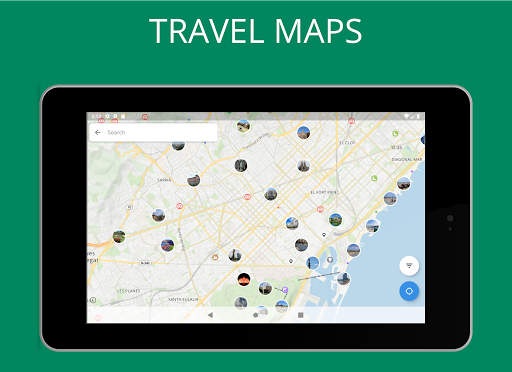
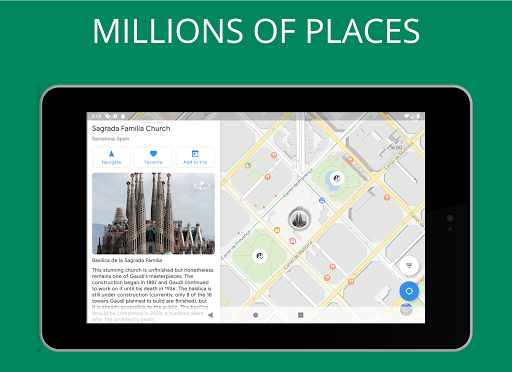
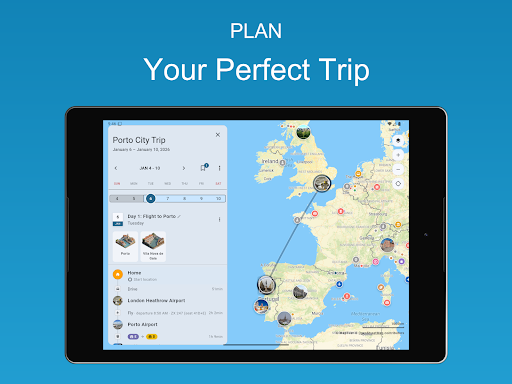
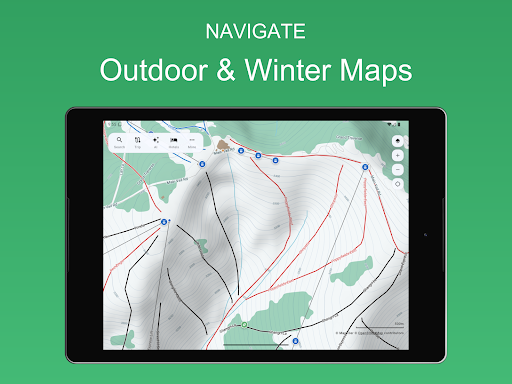
The new Tripomatic is here! Your trusted trip planner just got even better with improved features and AI travel planning. Discover exciting things to do wherever you go. Plan detailed trip itineraries with the Tripomatic (formerly Sygic Travel) itinerary planner. Navigate with helpful travel guides. The ultimate all-in-one planning app for every traveler. AI TRIP PLANNER Create a detailed day-by-day itinerary for your trip with our easy-to-use trip planner. Get help from AI for even faster travel planning. View estimated travel times and walking distances to keep your plans realistic. Invite friends to collaborate on your trips. Track costs and add notes to keep everything at your fingertips. OUTDOOR, WINTER, AND SATELLITE MAPS Choose from multiple travel maps including outdoor maps, winter maps suitable for skiing, and satellite maps. WORLDWIDE OFFLINE MAPS Upgrade to Tripomatic Premium to use the app without an internet connection, including unlimited offline map downloads and walking navigation. Get offline maps for all destinations in your trip itinerary - from urban destinations like Athens, Tel Aviv, Vienna, and Tokyo to nature getaways in Scotland, Koh Lanta, Madeira, and Santorini. 50 MILLION PLACES Whether you're on a sightseeing tour, a shopping trip, or a romantic weekend getaway, we’ve got you covered. Tripomatic covers well-known cities such as Singapore, Sydney, Dubai, Madrid, Jerusalem, Prague, Marrakech, Cairo, or Istanbul, as well as hidden gems all round the world. TRAVEL GUIDES Be your own tour guide. Collections such as 'Best Beaches' or 'Modern Architecture' make it easy to discover interesting places. Travel guides are available for thousands of cities including London, Paris, New York City, Rome, Barcelona, San Francisco, or Las Vegas. USE ON ALL DEVICES Your trips created on Tripomatic (previously Sygic Travel) will sync automatically between all your devices and the web planner available at https://maps.tripomatic.com TRIPOMATIC PREMIUM With Tripomatic Premium, you will unlock all Tripomatic features including AI travel planning on all devices signed in with the same account. Start with a free trial to explore all premium features. Subscribe and pay through your Google Play account. After your free trial ends, payment will be charged to your Google Play account at confirmation of purchase. Your subscription will automatically renew unless canceled at least 24 hours before the end of the current period. Your account will be charged for renewal within 24 hours prior to the end of the current period. You may cancel your free trial at any time before it ends to avoid being charged. Manage subscriptions and turn off auto-renewal after purchase by going to the 'Manage Subscription' page in Tripomatic settings. GET IN TOUCH WITH US See more info at https://tripomatic.com Check out our online travel maps at https://maps.tripomatic.com Contact support at https://support.tripomatic.com

What Tripomatic Planner & Maps Is Used For

Tripomatic Planner & Maps appears to be a travel planning app for organizing trips before and during travel. Based on the metadata, people commonly use it to build day-by-day itineraries, look up places to visit, and keep trip details in one place. The app also mentions AI-assisted planning, estimated travel times, walking distances, and collaboration, which suggests it is meant for travelers who want to map out activities in a structured way.

It also seems useful on the road because it includes maps and offline map support, which can matter when internet access is limited or unavailable. The app category, travel guides, and location permissions indicate it may help users find attractions, browse guides for cities, and navigate between destinations. Storage permissions suggest it may save offline map data or trip content locally on the device. Because it is a phone app, it is most relevant for mobile trip planning and on-the-go reference rather than desktop-style planning alone.

Common uses

  • Build trip itineraries with planned stops and daily schedules
  • Browse travel guides and lists of places to visit
  • Check travel times and walking distances between locations
  • Use offline maps when traveling without reliable internet
  • Collaborate with friends on shared trips and plans
  • Track trip costs and add notes for reference
  • Save destination details and itinerary content on the phone
Best for:
Trip planning Travel itineraries Offline maps City sightseeing Phone app

App Details

Package:
com.tripomatic
Developer:
Tripomatic s.r.o.
Version:
26.0.103
Updated:
Mar 6, 2026
Min Android:
7.0
Age Rating:
Everyone
Contains Ads:
No
In-App Purchases:
Yes

Official Listing

  • Official listing available on Google Play
  • Package name: com.tripomatic
  • Age rating: Everyone

Explore More

Browse more apps in Travel & Local or explore the Phone hub .

Related Travel & Local Apps

Instabridge: WiFi Hotspot Map icon

Instabridge: WiFi Hotspot Map

Travel & Local Instabridge Sweden AB

Offline WiFi Hotspot Finder, eSIM, Caller ID, Dialer, Home Screen Launcher & VPN

Version 22.2026.03.16.1535 117.8 MB ⭐ 4.20 100,000,000+ installs
WiFi Map: Free Wi-Fi Near You icon

WiFi Map: Free Wi-Fi Near You

Travel & Local WiFi Map LLC

Wi Fi Passwords show, Offline Hotspot Finder, Wi-Fi signal Analyzer, Travel eSIM

Version 8.6.33 365.6 MB ⭐ 4.30 100,000,000+ installs
Flightradar24 Flight Tracker icon

Flightradar24 Flight Tracker

Travel & Local Flightradar24 AB

Track airplanes and follow flights with our real-time flight tracker

Version Varies with device 64.0 MB ⭐ 4.50 100,000,000+ installs
MAPS.ME: Offline maps GPS Nav icon

MAPS.ME: Offline maps GPS Nav

Travel & Local Maps_Me

Worldwide offline navigation with maps and driving directions

Version v17.9.71998-googleRelease 267.9 MB ⭐ 4.10 50,000,000+ installs
GPS Navigation Live Map Road icon

GPS Navigation Live Map Road

Travel & Local Wallet Passes Alliance

Find live directions using route finder & traffic locator with voice assistant.

Version 5.1.0 9.4 MB ⭐ 4.20 10,000,000+ installs

How to Download Tripomatic Planner & Maps

If this app is not hosted directly on APKApps official link, then for the safest and most up-to-date version, install it from its official Google Play listing.